


See OpenAI ChatGPT forThe ambition to become the default voice assistant in every Android phone is revealed, Google’s Bard AI, which is rushing to catch up with generative AI, has no intention of sitting still. It was discovered that it is testing “Assistant with Bard”, which is to integrate Google’s generative AI experience into the Google Assistant interface of Android systems. Continue reading the text of the exposure report of the Assistant with Bard interface that is deeply integrated into the Android system.
▲Image source: Dylan Roussel
Assistant with Bard interface deeply integrated into Android system exposed
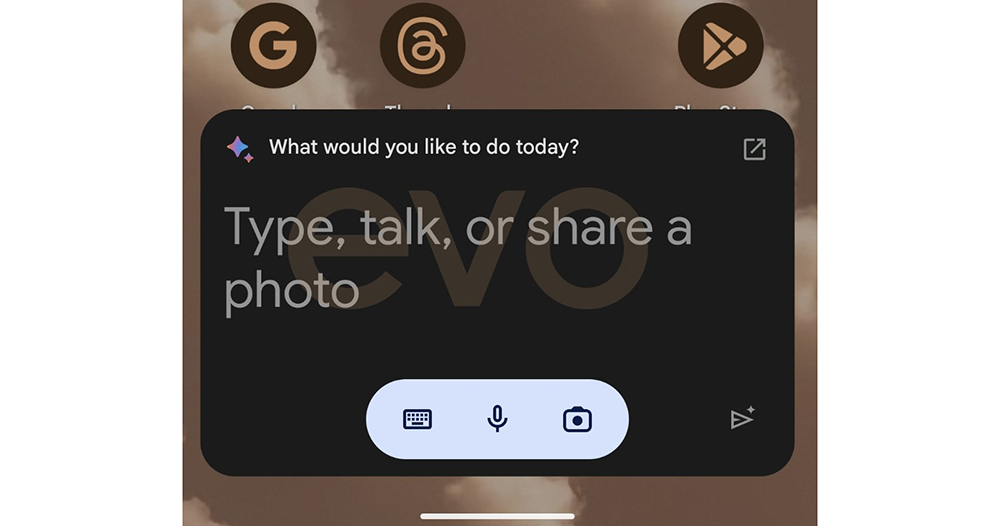
Developer Dylan Roussel shared on the X community platform that he dug deeper and discovered the user interface of Assistant with Bard. Basically, Google can be said to have fully taken advantage of the “home field advantage” of Google Assistant, which can deeply utilize the support of mobile phone systems. The advantages of activating keywords that are currently not supported by the ChatGPT app and even directly reading the mobile phone screen through system screenshots are fully demonstrated.
▲Image source: Dylan Roussel
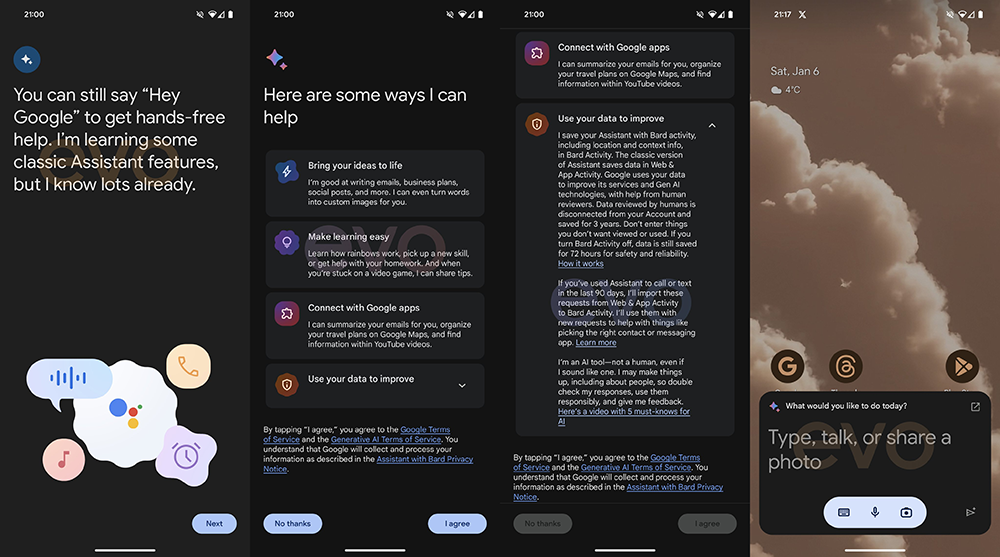
The Assistant with Bard experience will completely replace the previous role of Google Voice Assistant on Android systems – you can choose whether to switch back or incorporate the old version of the voice assistant (Classic Assistant Feature) into the new experience in the settings.
You can launch Assistant with Bard’s floating conversation window through the “Hey Google” voice keyword or a dedicated button. In this small window, you can also enter text through the keyboard or voice to ask Bard questions, or upload pictures for it to analyze. If you click on the arrow in the upper right corner, a full-screen conversation interface will open – very similar to the web version.
▲Image source: Dylan Roussel
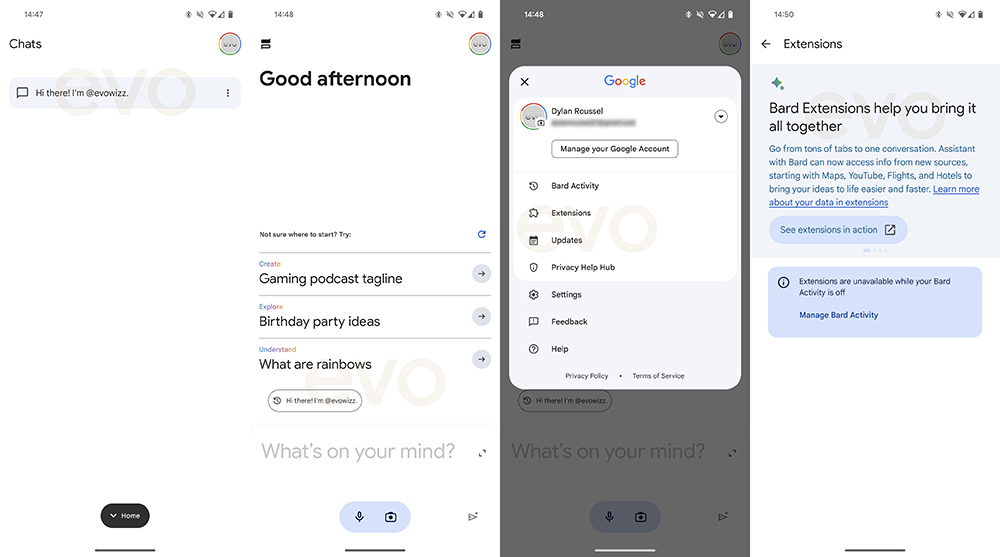
In addition to the quick keyword startup feeling, it takes advantage of a lot of Google’s home field advantage. The Assistant with Bard experience will also pop up “Add this screen” on the upper edge of the floating window to invite you to add a screenshot of the screen you are currently seeing for Bard to analyze.
In addition, in the overall interface of Bard. You’ll also find previous chat history, thumbs up and thumbs down buttons, and options to change the length, brevity, and tone of your answers. In the settings, you can set the language, precise positioning and related permissions.
▲Image source: Dylan Roussel
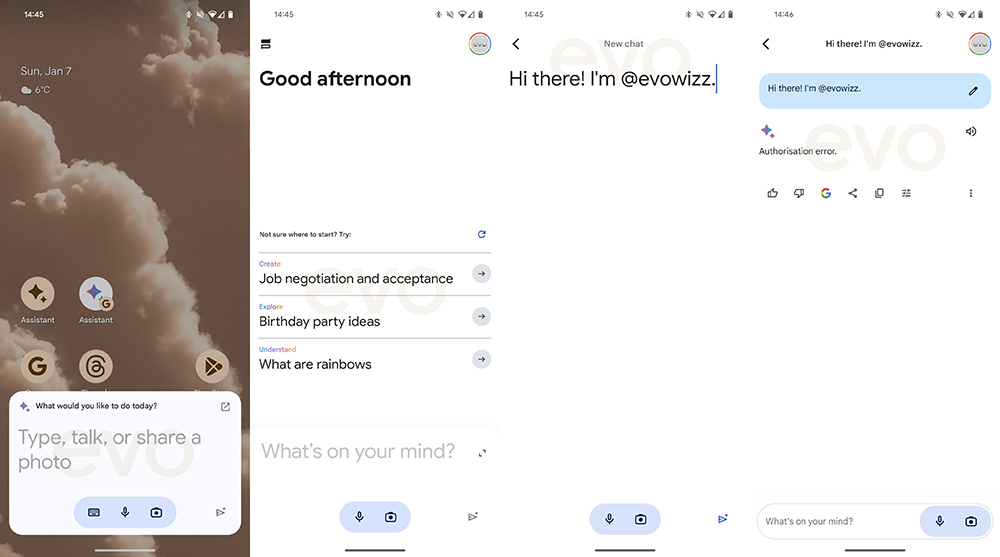
Although it seems there is currently no way to get this experience to work properly. But Google’s function description also explains the differences between Bard and previous voice assistants for the Assistant with Bard settings menu. The main explanation is roughly that it can provide more creative answers and improve work efficiency.
If nothing else, the efficiency of this wave of Google integration is really fast. If it can be introduced into the Android system as soon as possible, I believe it will be highly praised. It’s really hard to imagine that Google, which had been saying that generative AI was very costly, would now be so proactive in launching related features. It can only be said that OpenAI ChatGPT and Microsoft Bing / Copilot have indeed caused considerable development pressure?
Further reading:
OpenAI official store GPT Store confirms official opening next week

Source: KOCPC Chinese