


There is so much streaming music and video on YouTube that it would take 82 years to watch all the content uploaded in a single day. What’s frustrating is that when you minimize the YouTube app or lock the screen, the music or videos that are playing will stop. If you want to play in the background, you have to spend money to subscribe to YouTube Premium. After all, this is an exclusive benefit for paid members.

How do I listen to YouTube with my phone’s screen turned off?
If you are not a Premium subscriber or have a tight budget and don’t want to spend money on a subscription, but you still want to play track lists and podcasts on your favorite Android tablet and during your commute, you can try the solution we provide you this time.
Play on browser
You don’t have to use the YouTube app. You can use the web panel to watch videos in your browser to bypass the free background playback restrictions of the official YouTube app and achieve the results you want. Depending on the browser you are using, the method of doing this may be slightly different but should be similar.
【Firefox】
- Find the video you want to play in the YouTube app and click the Share button.
- Select “Copy Link”, open the Firefox browser and paste the URL.
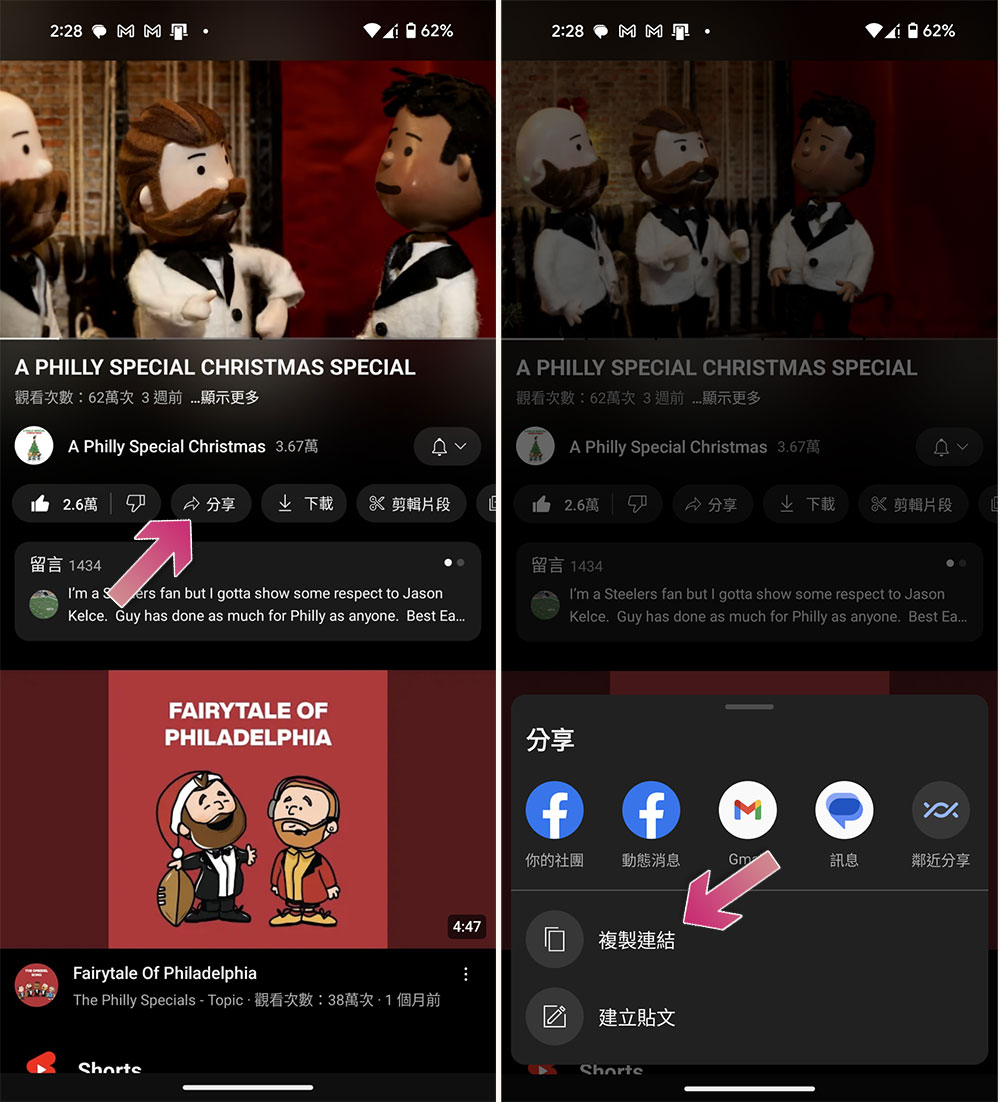
- After the website loads, click the three-dot menu to switch to the “Desktop Site.”
- Then you can continue playing even if you turn off the screen.
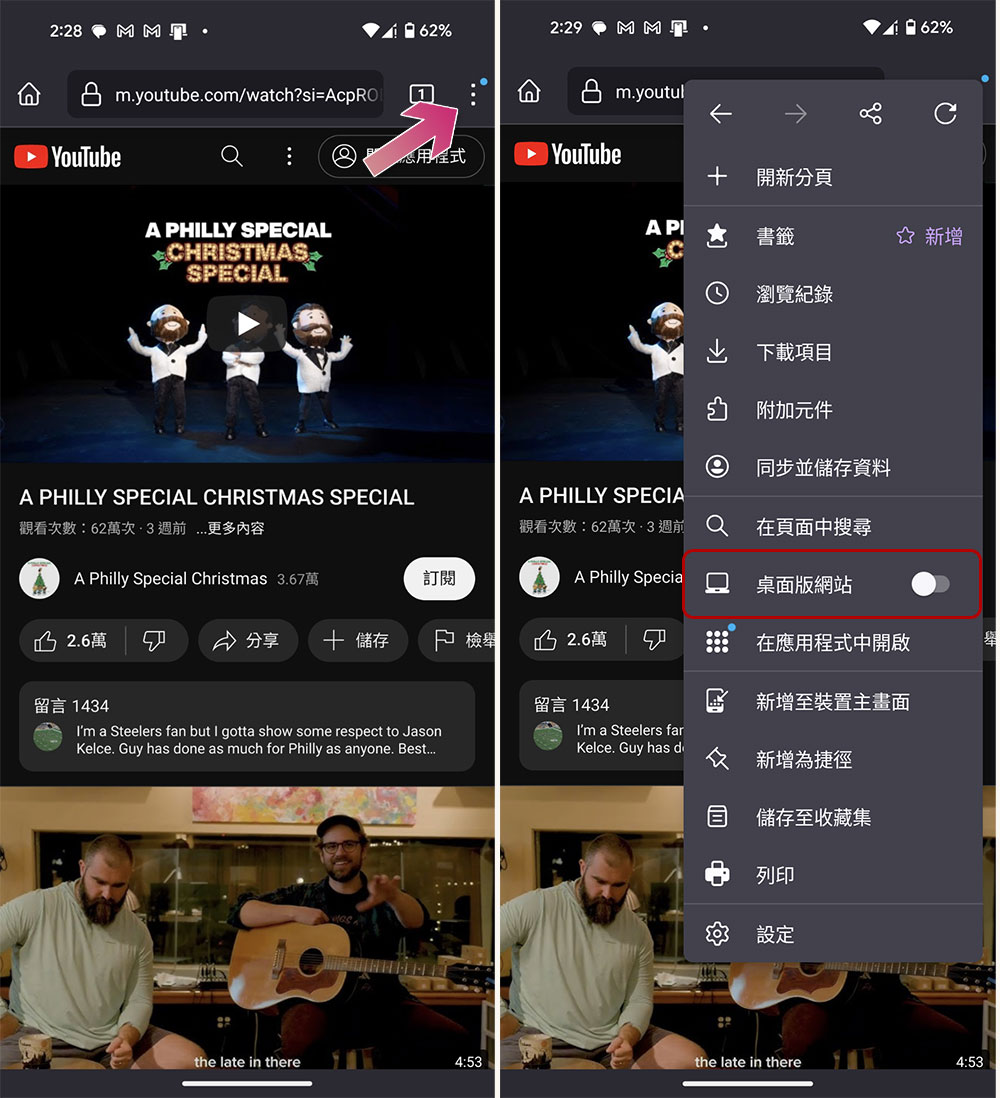
[Chromium browser] (such as Chrome, Edge or Opera)
- Find the video you want to play in the YouTube app, click “Share >> Copy link” and paste it into the browser.
- Click the three-dot link to the right of the address bar and check “Desktop Site”.
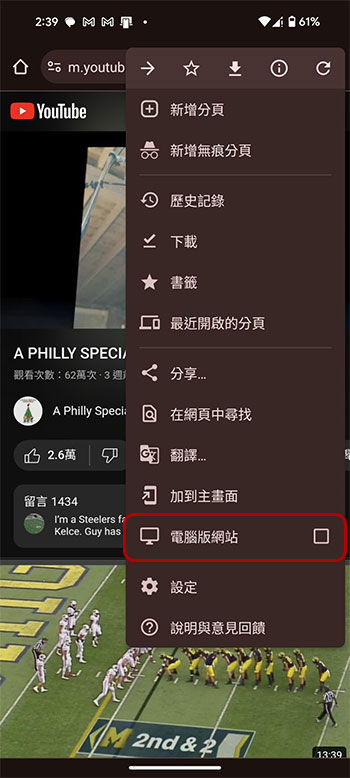
- Tap play to lock your phone or return to the home screen.
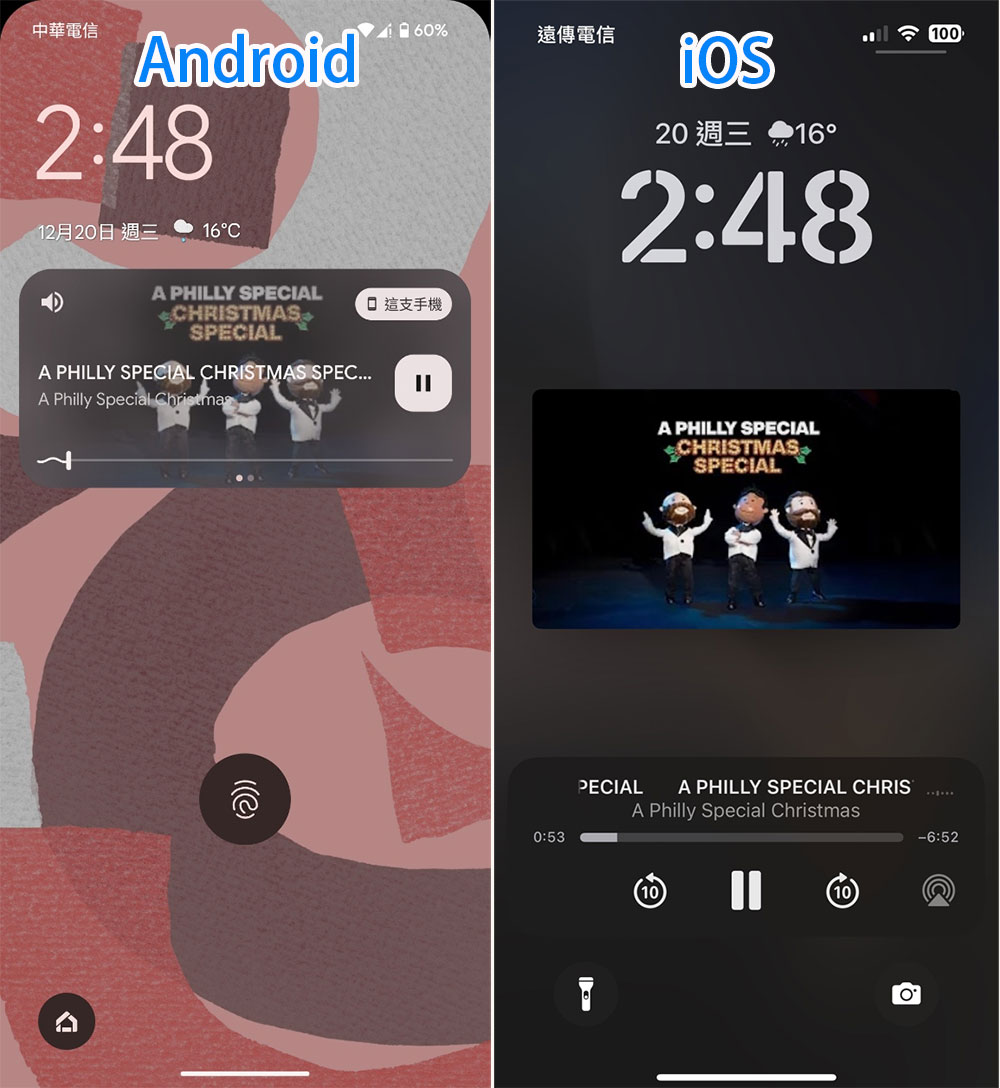
- At this point, your video will stop playing, but you can continue playing as follows:
Android: Swipe down from the top of the screen to open the “Quick Settings” menu. You will see a widget that contains the browser’s playback controls. Press the play button to continue listening to the audio.
iOS: There will be a playback widget in Control Center, and these widgets can also be operated from the lock screen.
Use third-party apps for background playback
If you don’t want videos to be loaded into your mobile browser, there are third-party apps that allow you to play YouTube videos in the background, but not permanently. After all, third-party apps use the YouTube API, but YouTube can revoke that authorization and kill the app at any time.
If you want to use the Google Play Store app,MusicTube is a good choice. Background playback works out of the box. However, in addition to what YouTube offers you, you will also occasionally hear ads.
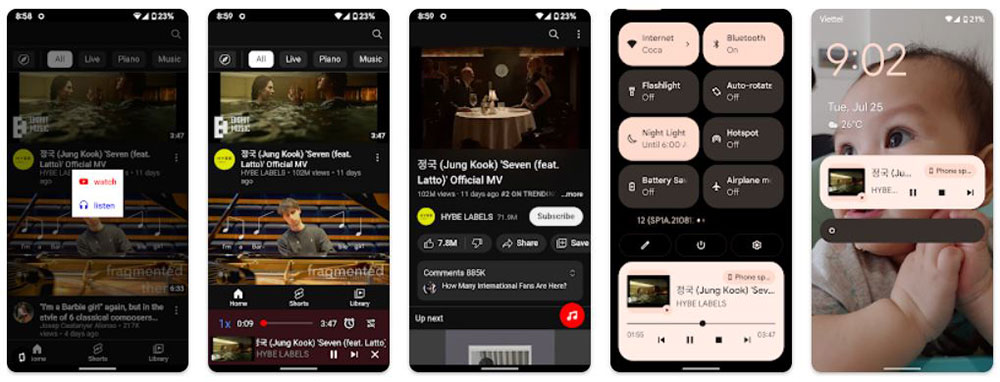
If you’re feeling adventurous, try NewPipe, an open YouTube client with most of the features of the YouTube app. The downside is that you won’t be able to log into your account, you’ll have to get familiar with the APK, and it will work outside of the Play Store ecosystem. The benefit is that you get features not found in the base YouTube experience, such as background playback, a pop-up video player, and an ad-free experience.
Source: KOCPC Chinese