


Since iOS 17, the original default notification sound “Tritone” has been changed to “Echo”. However, many people think that “Echo” is a bit too quiet as a notification sound. Do you want to know how to set the iOS 17 LINE notification sound? This article will share with you how to change the notification sound of LINE so that users will not worry about missing important messages when using LINE.
iOS 17 LINE notification sound setting tutorial, change ringtones and notification sound effects, read this article
After the iOS 17 update was released, many users felt that the sounds and vibrations were different from before, and the notification sound default was changed to “echo”. Once you’ve gotten used to the previous “tritones”, if you want to change back to the normal notification sound, you can set it up through Settings > Sound and tactile feedback > Message sound.
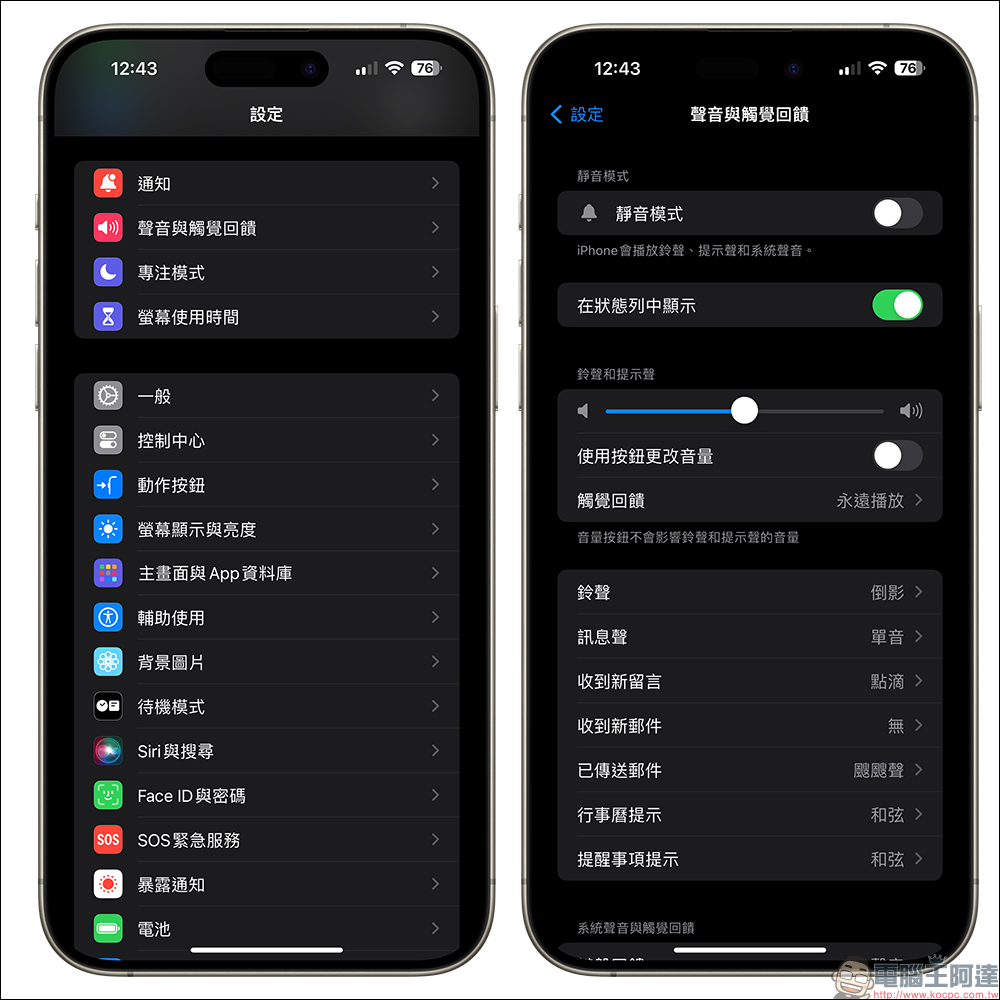
There are many new options for built-in message sounds in iOS 17. If you prefer classic notification sounds, you can choose “Classic”, which has “tritones” and other sound effects available.
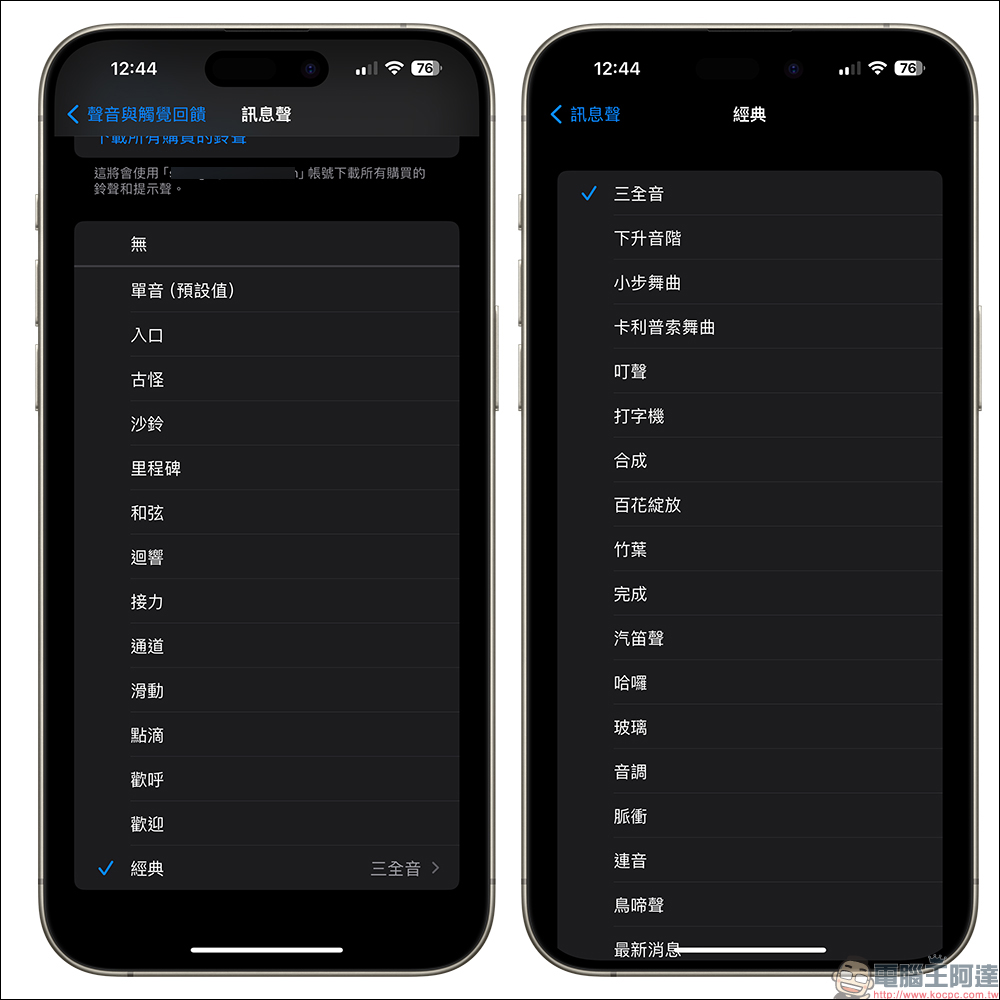
Unfortunately, even though iOS 17 has modified the message sound in this system setting, it actually mainly changes the iPhone’s “Messages” App and other apps that do not have default ringtones. If it is LINE’s notification sound, thenNot affected by these setting changesof. To put it simply, if you want to use “tritone” as a notification sound in LINE, it is currently not possible.
So, what should you do if you want to change the LINE message notification sound? First, open the LINE App and click the “gear” icon from the top of the “Home Page” to go to the settings page. Enter “Reminder” under the general category, then select “Reminder Tone” to see that in addition to the default ringtone, there are several LINE reminder tones to choose from. If you are not sure which sound is more suitable for you, you can also click to let it play and give it a try.
Let me remind you that the “Reminder Tone” selected here will be the notification sound for new messages received in LINE App.
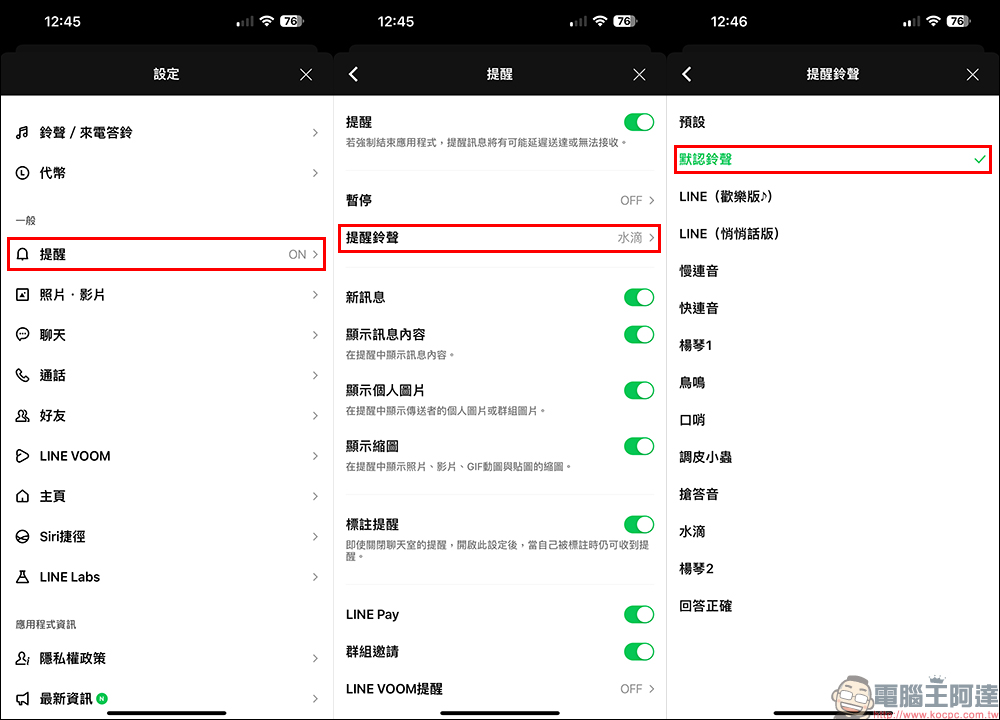
The preset LINE reminder ringtones include:
- Default ringtone
- LINE (Happy Edition)
- LINE (Private message version)
- slow legato
- quick succession
- Yangqin 1
- crow
- whistle
- Naughty little bug
- Answer tone
- water droplets
- Yangqin 2
- Answer correctly
Among the above notification sounds, the default ringtone, LINE (Happy Edition), slow legato, fast legato, dulcimer 1 and correct answer are the six loudest ones. Users who care about the size of notification sounds can use these as a reference. On the other hand, if you just want a non-disturbing notification sound, it is recommended to consider sounds such as LINE (private message version) or water droplets.
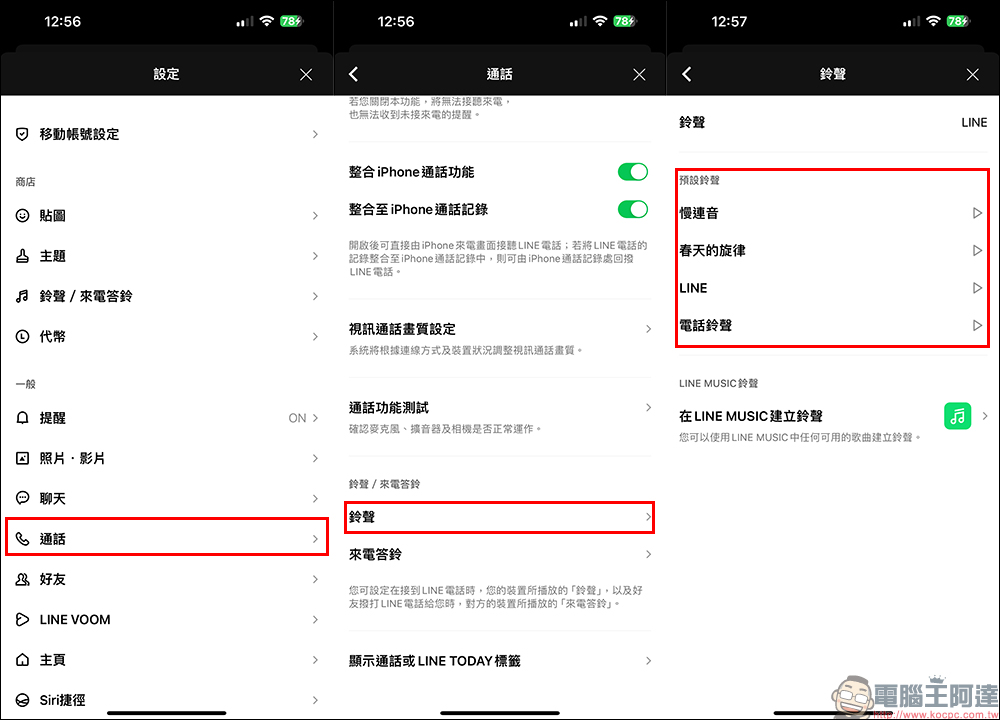
As for the incoming ringtones for LINE voice calls, they are also different. Here we also share the setting methods. It’s also on the settings page of the LINE App, but this time you select “Call”, then select “Ringtone” to see that there are 5 preset incoming call ringtones to choose from, including slow legato, spring melody, LINE, and phone ringtones. If you feel that these LINE preset ringtones are not unique and recognizable enough, LINE can also create LINE ringtones using any available songs in LINE MUSIC!
LINE App download:iOS version|Android version
Source: KOCPC Chinese