


Imagine being able to give your photos a complete AI transformation while ensuring the main subject still looks exactly the same—just use your imagination to create a whole series of different poses and scenarios. Google has announced a new Gemini feature called “Reimagine” (which is actually the one that’s been trending recently) nano banana), not limited to Gemini AI Pro or Ultra subscribers; free users can also use it freely, and it is expected to be widely rolled out to everyone’s phones in about a week.
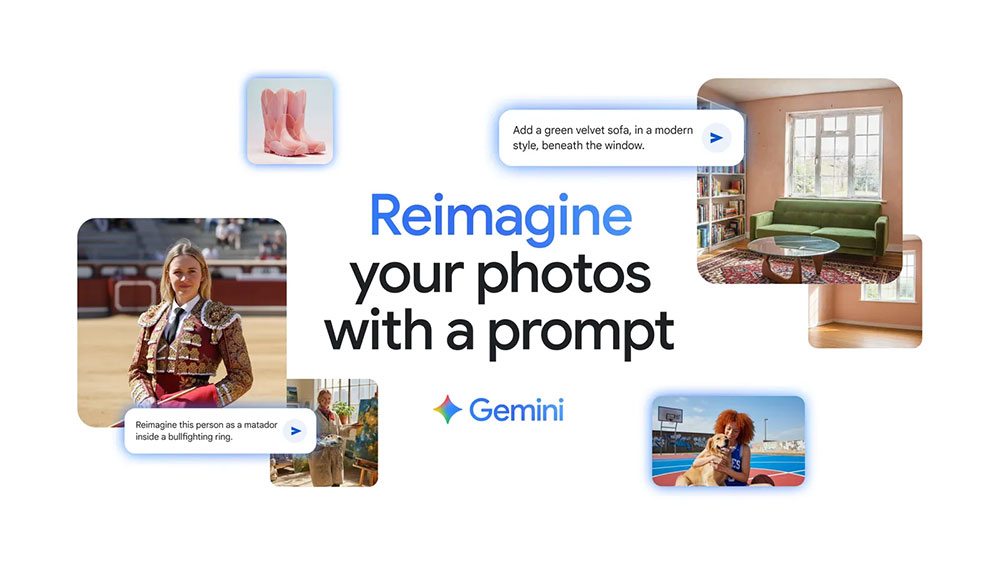
Gemini will be able to reimagine photos while preserving the original, and free users will get access to it too.
Google’s newly announced feature is a new image editing model developed on the basis of DeepMind, which allows you to maintain subject similarity when generating image B from image A, giving you better control over your editing needs. The idea here is that in edited photos, the subject often looks close but not quite right—something just feels off. While you were previously able to edit photos to change backgrounds or wear AI-generated items such as hats or scarves, these all had inconsistencies. Google’s new model avoids the aforementioned inconsistencies.
According to Google, you can give Gemini a photo and tell it what you want to change in the photo. Google shared some examples, including options to combine two photos, change elements, place subjects in different positions, and more.
- Change an outfit or location.
Upload a photo of a person or pet and enter relevant prompts, and Gemini will keep the appearance the same in every photo, just like placing the subject in a new scene. Try dressing yourself in different outfits or professions, or even see what you might look like ten years from now, while still looking like yourself.

- Mix the photos together.
Do you want to put a photo of yourself and your pet together? Now you can upload a photo of yourself and a pet photo, then ask Gemini to merge the two into one to create the perfect portrait. You can also narrow down the prompt based on your needs, such as not changing the pet photo’s background, or replacing the background with a basketball court, and so on.

- Multi-edit
This feature lets you repeatedly edit a single photo. For example, you can start with a photo of an empty bedroom, then tell Gemini to paint the walls. If you don’t like the color, you can also ask Gemini to change the walls to a different color. Once you’re satisfied with the generated result, you can tell Gemini to add bookshelves, furniture, and so on, until you complete the overall image.

- Mixed design
Mixed design is described as a tool that applies one image onto another, essentially allowing you to merge objects from two different photos. You can place the color and texture of flower petals onto a pair of rain boots, or you can blend a phone wallpaper pattern onto a T-shirt, and so on.

Starting today, new features are rolling out gradually in the Gemini app. If you’ve received them, you can try the updated image editing features. All images created or edited in the Gemini app include a visible watermark, as well as an invisible SynthID digital watermark, to clearly indicate that they were generated by AI.
Source: KOCPC Chinese