


After using your phone for a period of time, you will find that its battery is not as durable as when you first bought it. Seeing a low-battery indicator all the time can be a source of anxiety, especially if you think your phone is so useless after you fully charged it just a few hours ago. Unfortunately, whether you are using a flagship phone or a cheap entry-level phone, battery degradation over time is a fate that cannot be avoided. You can check the health of your battery by viewing its details in the Settings app or by installing a third-party app that provides detailed reports. This time, we will guide you through several methods to check the battery health of your Android phone or tablet.
Tips to check battery health on your Android phone
Why You Should Monitor Your Android Phone’s Battery Health?
Battery health is a very important indicator. It can tell you how quickly the battery is degrading, and also provides relevant information such as terminal battery capacity, temperature and charging cycles. Most Android phones will display the most basic statistics, such as battery usage and battery consumption details of various applications. In addition to the simple functions built into your phone, you can also use third-party applications such as AccuBattery, Battery Guru or CPU-Z to obtain more detailed data.
In the following tutorial, we will use Pixel 8 as an operation demonstration.
How to check battery usage from the Settings app
The easiest way is to check the battery usage of the phone from the settings application in the phone. Most phones will display which applications consume the most power, and some phones will also display battery temperature, etc.
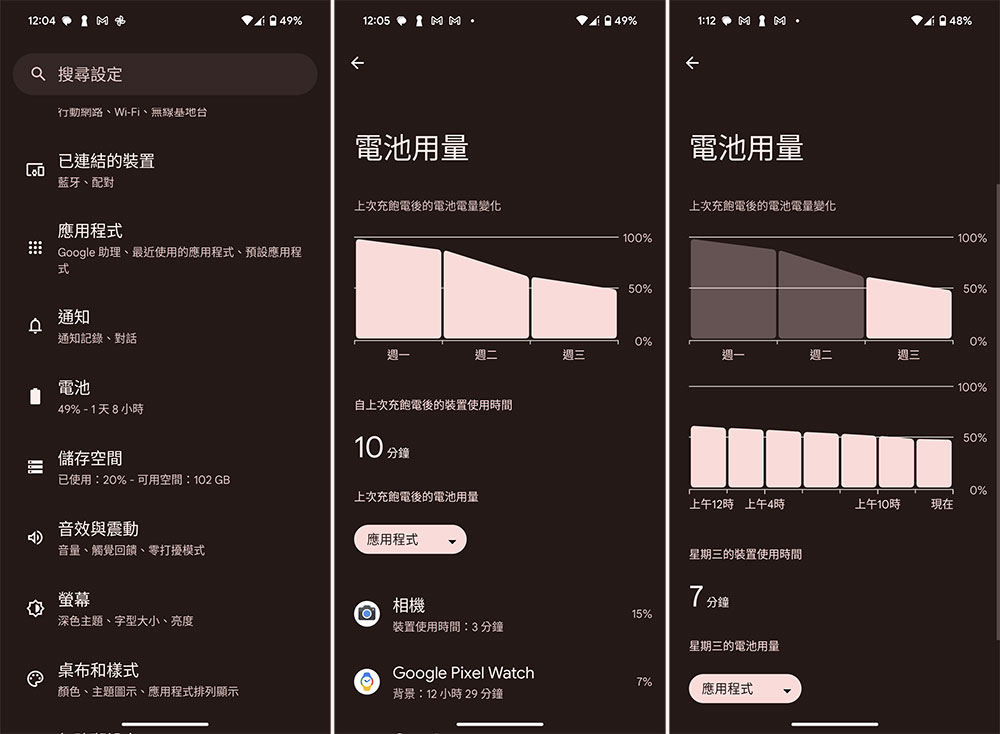
- Open the Settings app and select “Battery”.
- After entering the inner page, select “Battery Usage”. Here you’ll see how your battery has been used since the last full charge, as well as which apps have been draining your phone’s battery.
- In the case of Pixel, it will display the battery status after your last full charge (for those who don’t charge every day), and click on each grid to display single-day data.
Check battery health using third-party apps
Third-party apps like AccuBattery, CPU-Z, and Battery Guru display detailed information about your battery’s health. They provide comprehensive information about your battery, including capacity, temperature, and usage details.
AccuBattery
download:Click here
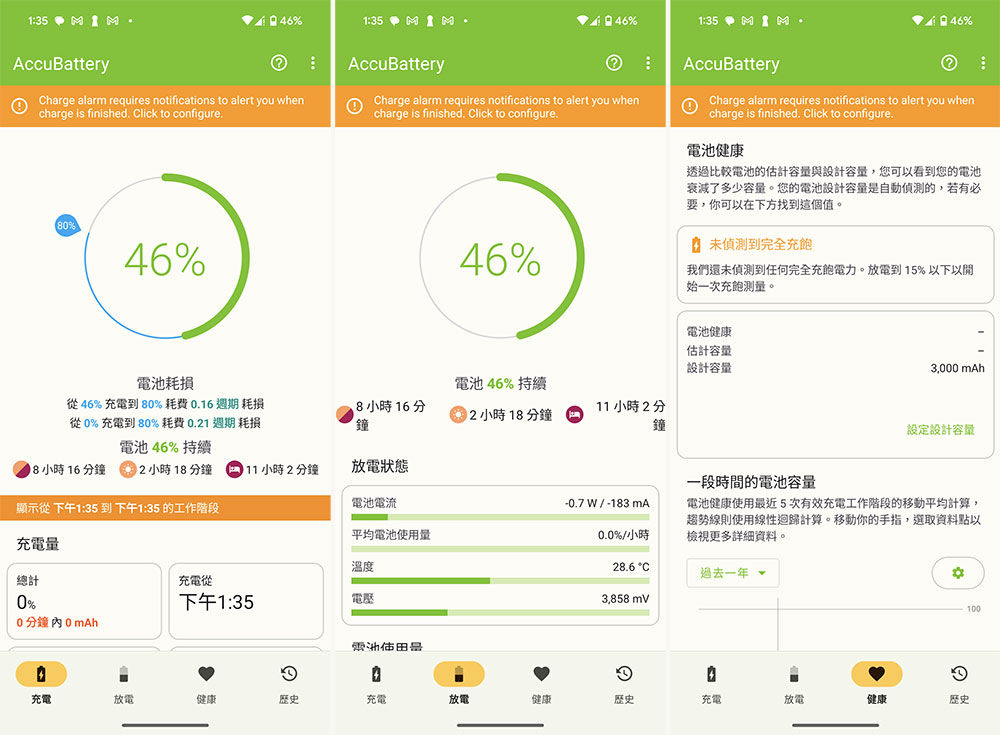
AccuBattery is free to download from the Google Play Store, but you can also pay to upgrade to the Pro version to remove ads and unlock features like dark theme, access to work sessions longer than a day, and detailed battery information in notifications. The app displays charge, discharge, health, and history in separate tabs. If your phone is charging, the Charging tab will display real-time charging statistics. Otherwise, you will see details from the last charge. The Discharge tab displays the battery’s discharge rate. The Health tab contains detailed information on battery health and battery consumption. The history records include battery usage records.
CPU-Z
download:Click here
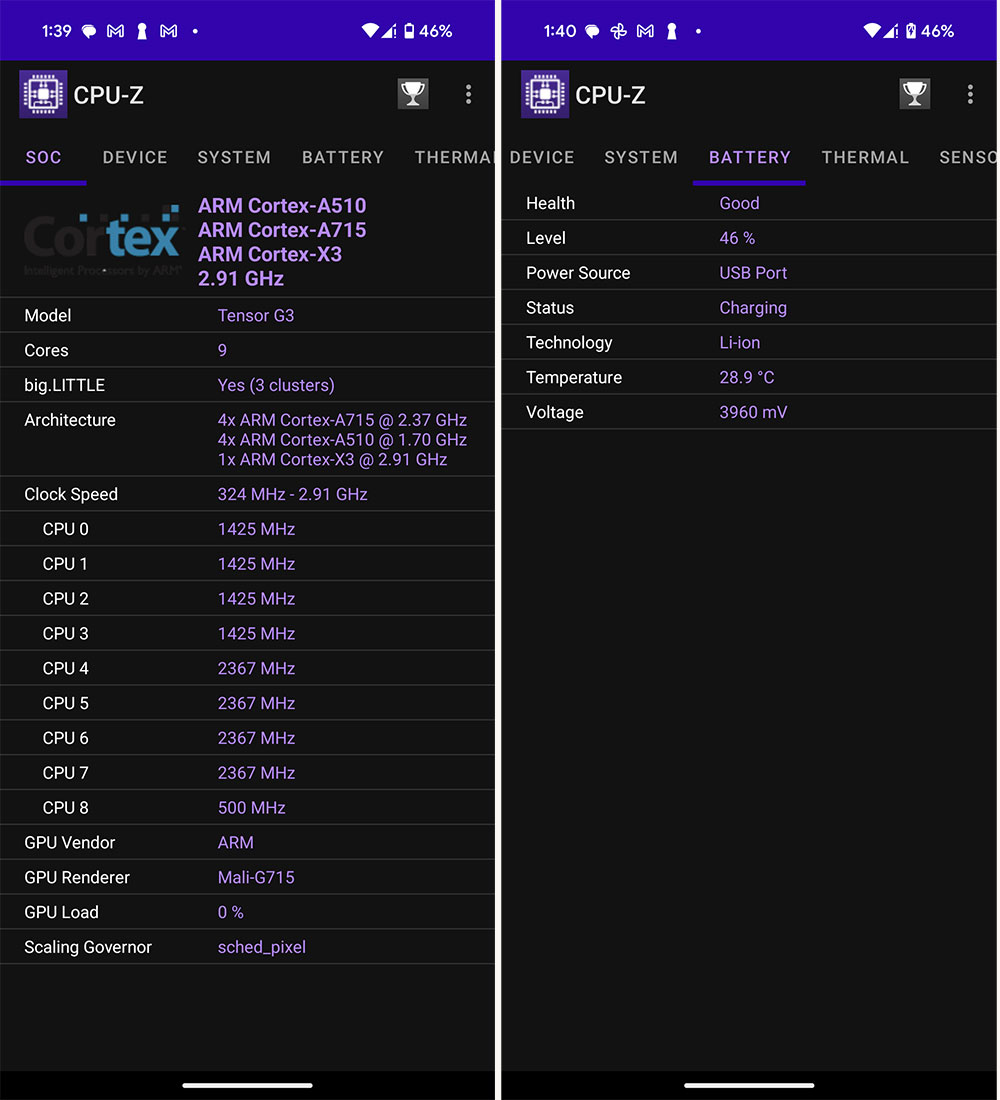
CPU-Z provides detailed information about your phone’s processor, device model, RAM, storage, and battery. The battery tab displays your battery power, health status, temperature, etc. The app is available on the Google Play Store and is free to download and install, with the option to pay to remove ads.
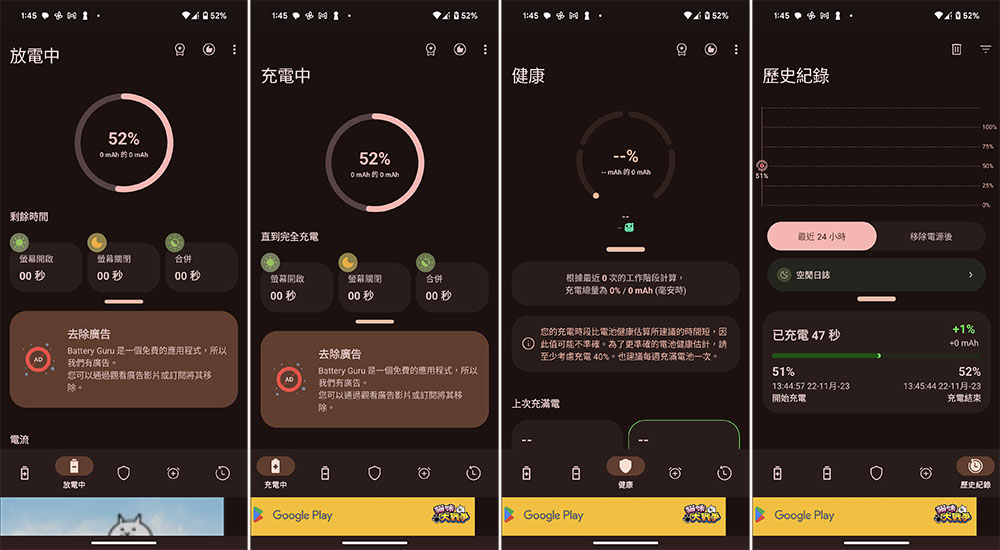
Battery Guru
download:Click here
Battery Guru is a free app that monitors battery health, charging speed and capacity. In addition, you can set alert notifications for battery level, temperature and usage spikes, and a paid subscription can remove ads.
When to change the battery of your Android phone
The rechargeable lithium-ion battery in Android phones is classified as a consumable, which means it has a limited lifespan. With daily charging and discharging, as time goes by, the battery will gradually develop problems due to aging, just like your toothbrush, which will slowly bloom and lose hair with use, so it is time to replace it. If your phone shuts down suddenly, responds slowly, or consumes more power than before after a few hours of normal use after being fully charged for the last time, or even runs out of power within a few hours, it may mean that your phone’s battery capacity is insufficient. After checking that it is not a software problem such as excessive background running consumption, it is time to replace the battery or upgrade the phone.
Source: KOCPC Chinese