


Google acquired Fitbit in 2021 and moved quickly to integrate most of the software-friendly features into its own smartwatches. Earlier this year, Google announced that existing Fitbit accounts must switch to Google accounts before 2025. In particular, the new Pixel Watch 2 will ask you if you want to link your Fitbit account when it is first bound to the phone. It’s important to transfer your link as soon as possible before logging out of your Fitbit account. Learn how to do it now!
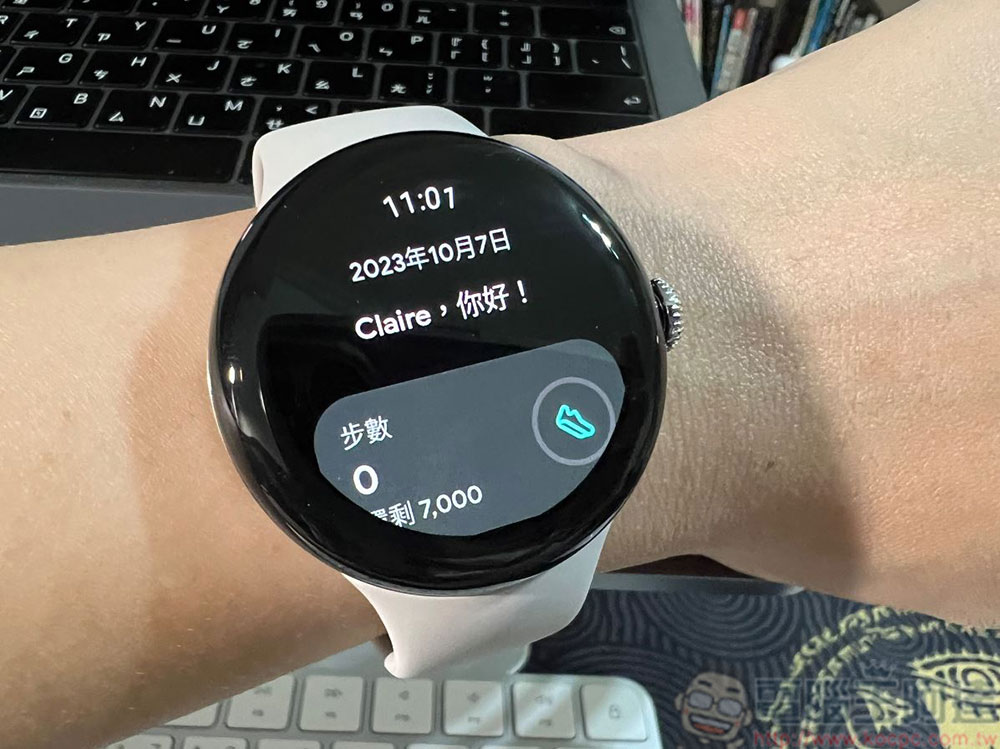
How to link the Google account bound to Pixel Watch 2 to a Fitbit account?
If you already have a Fitbit account, the process of switching from a Fitbit account to a Google account is not as complicated as you think. Google has done a good job in simplifying and integrating the process, which is very worthy of praise. When you buy the new Pixel Watch 2, you will be prompted to log in to your Google account and whether to connect to Fitbit during the connection setup process. You can do it all at once by following the guidance. Although the exit time is until 2025, in order to avoid being rushed or forgetting about it, it is not a bad thing to transfer early. Then we will write down every step clearly, and you can connect it painlessly if you follow us.
- Download the Fitbit app on your phone first
- When you see a page asking if you are ready to connect your watch to Fitbit during the pairing and binding process of Pixel Watch 2 and your phone, click “Open Fitbit”.
- Click “Sign in with a Google Account.”
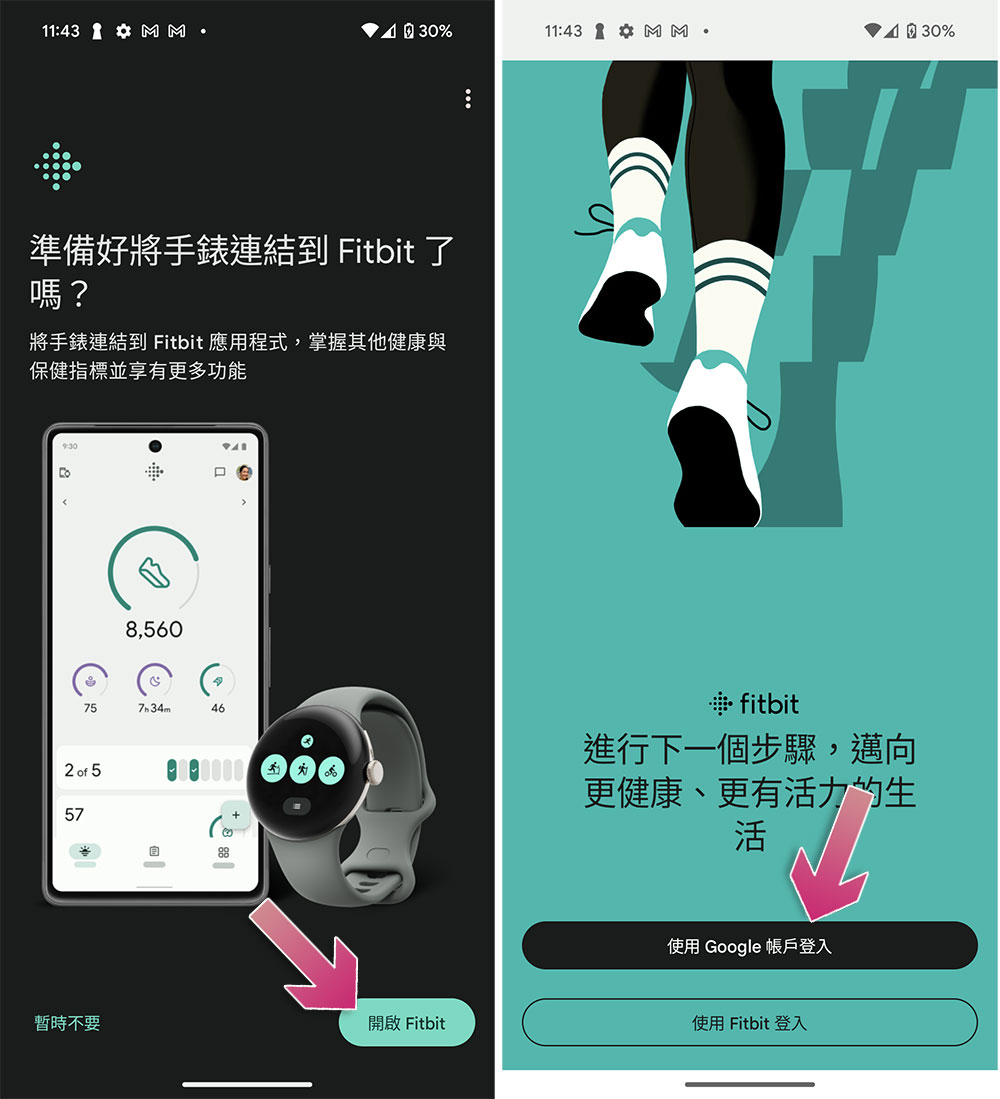
- Select the Google Account you want to sign in with. If you are a multi-account user, the Google account you log in must be the same as the Google account logged in on your watch to continue, and only personal account login is provided. If you use Workspace’s enterprise account, you will be stuck and unable to continue.
- If there is an old wearable device bound to your Fitbit account, the system will ask you whether to replace it with a new device.
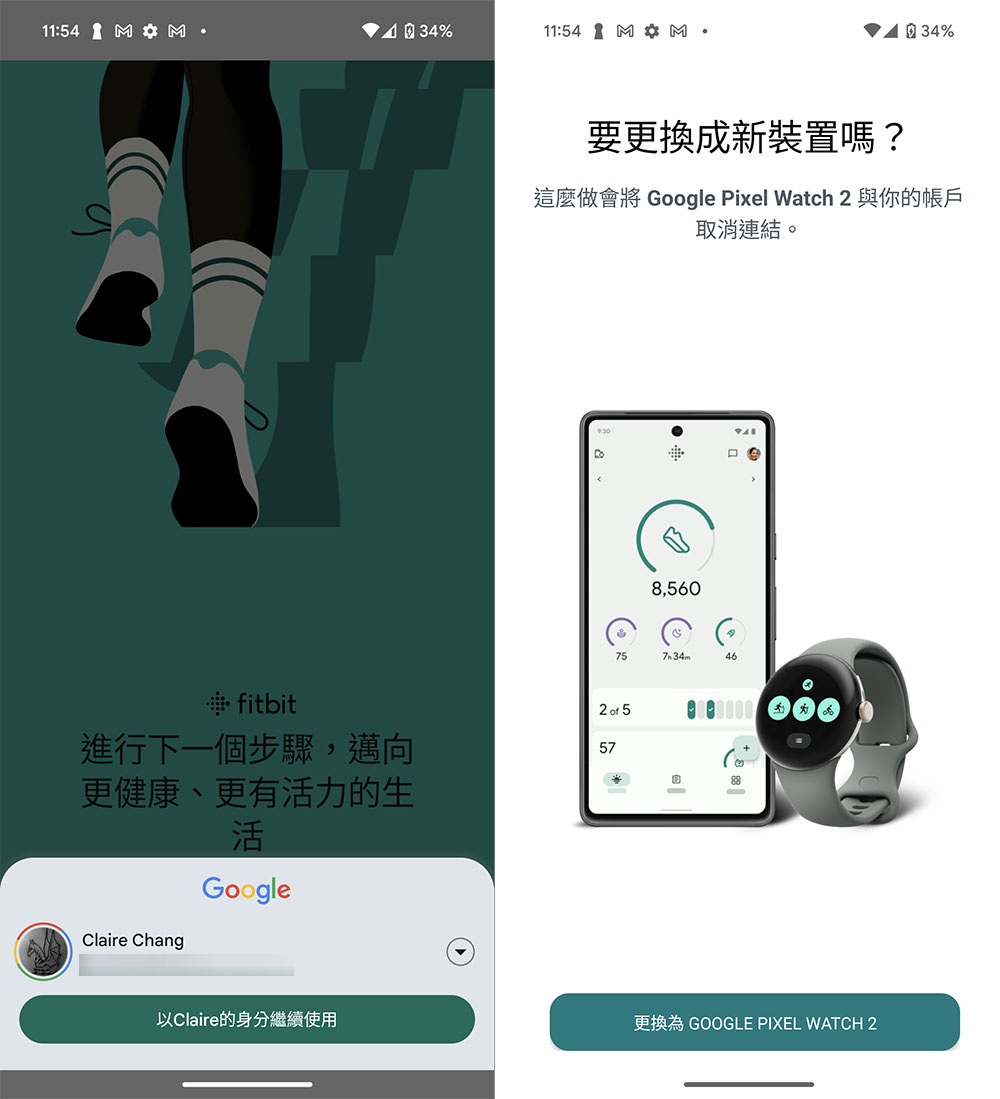
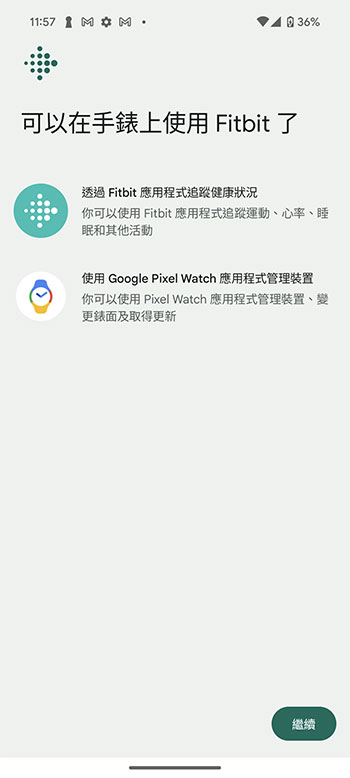
- Wait a moment, and the next page will ask you whether you want to subscribe to Fitbit. You can evaluate this later. After skipping it, click Continue, and you can use Fitbit on your watch.
What extra features does a Fitbit Premium membership have?
When you buy the new Google Pixel Watch, you will get a 6-month free trial of Fitbit Premium, and then the subscription fee is 149 yuan per month. You can get more advanced related functions and detailed information. The official function comparison is compiled below, so you can measure it yourself and see what you need.
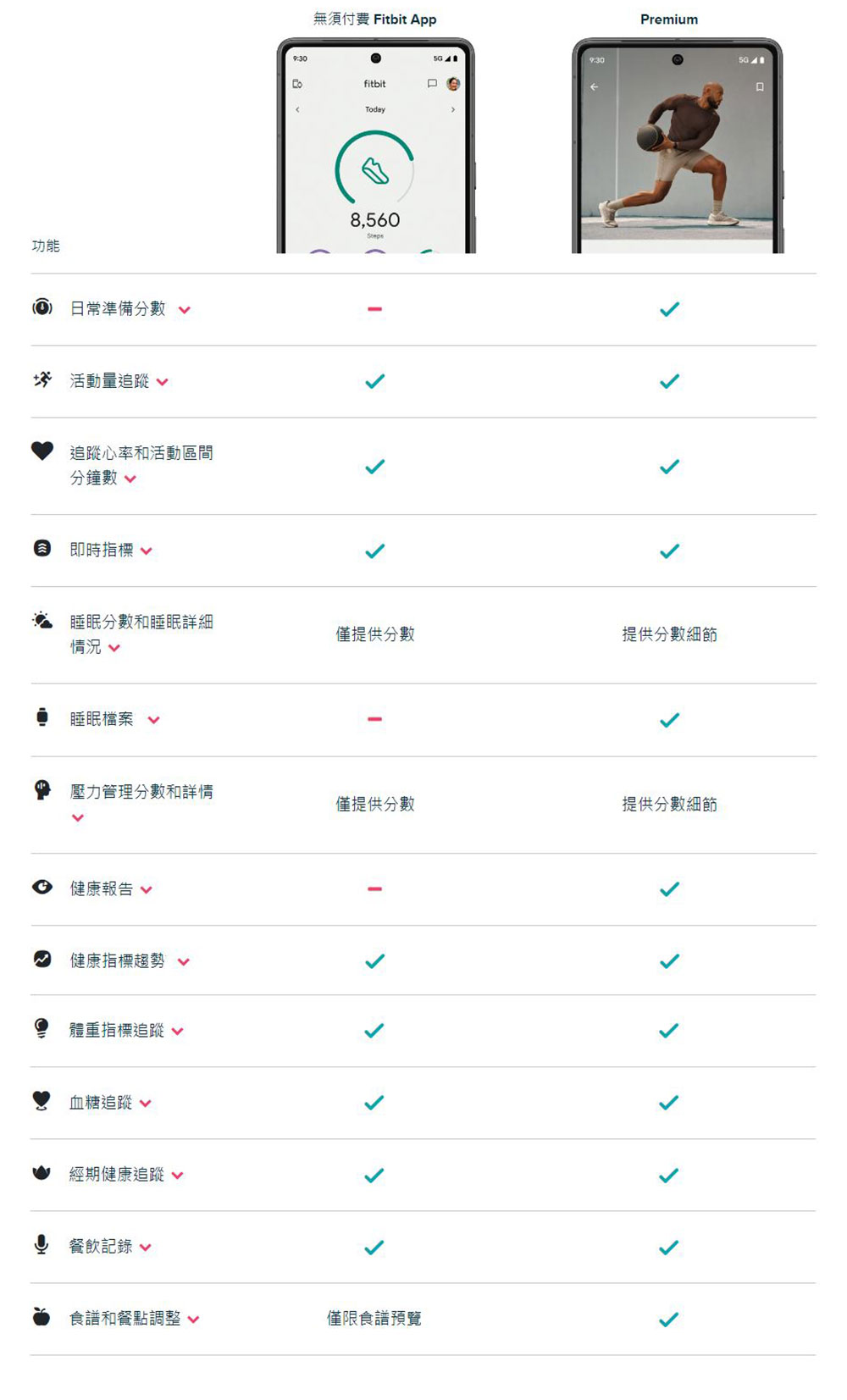
Source: KOCPC Chinese