


Although many functions of Pixel Watch 2 continue from the original Pixel Watch, in addition to health functions, they also naturally include security functions that are increasingly important in modern wearable devices. Now a new “Safety Check” function has been added. Although the name of this function sounds too ordinary, and you don’t know what it is used for if you don’t click on it, but the security check is a good thing, and you must learn to use it if you buy a Pixel Watch.
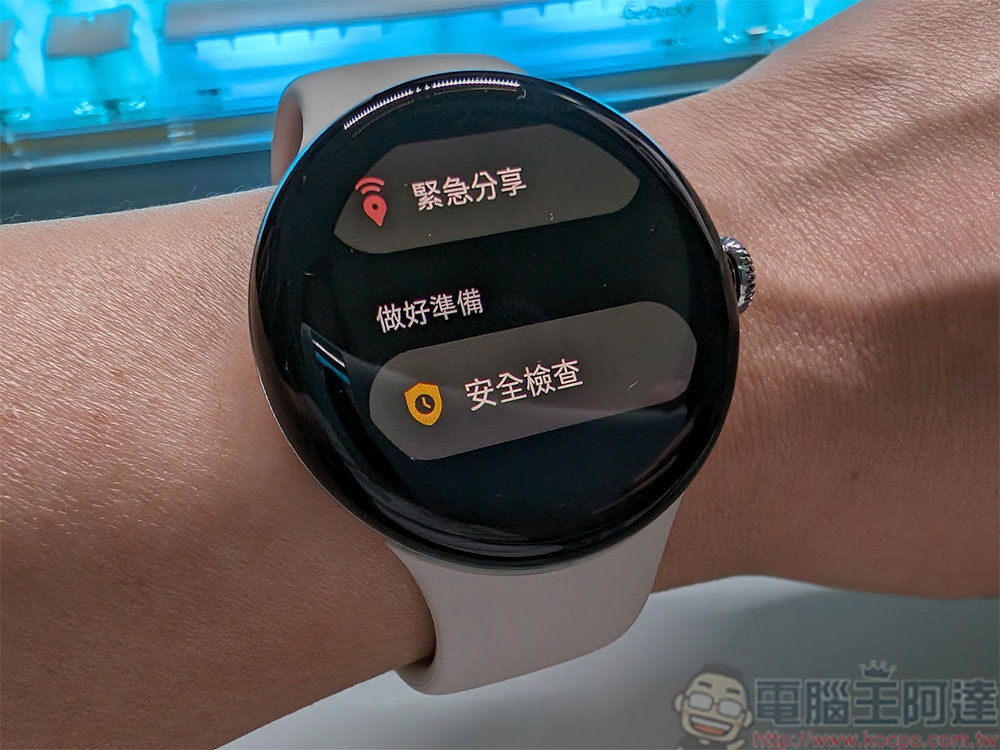
Travel more confidently! How to use Safety Checkup on Pixel Watch?
In Pixel Watch 2, Google has introduced the “security check” function for the first time. Just hearing the name makes it really unclear what is being checked. Security Check is an active timer that will alert a pre-designated emergency contact of your location if you don’t confirm arrival at your destination. Although I hope you will never need it, you still need to learn how to set it up and use it.
Upgrade your system to the latest Wear OS 4
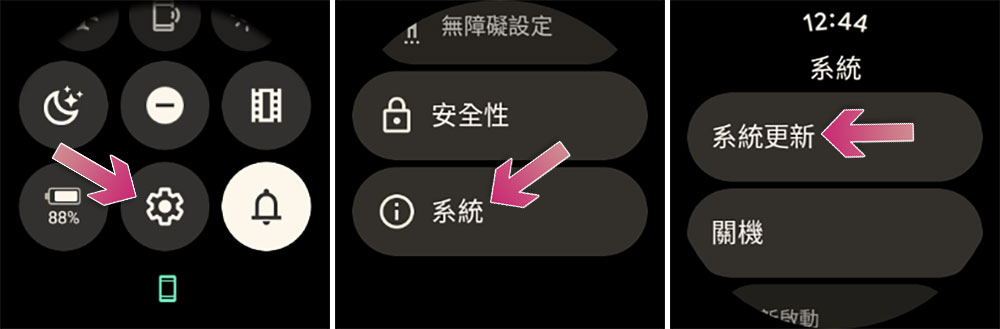
Before entering the setting step, you must first confirm whether your watch system has been updated to the latest version. Google is gradually releasing Wear OS 4 to Pixel Watch, which means that whether you have the original Pixel Watch or the latest Pixel Watch 2, you can support the security check function. If you are using the original version, just make sure to upgrade to the new version of the system:
- Connect your Pixel Watch to the charger, make sure it’s at least 50% charged, and connected to Wi-Fi.
- On Pixel Watch, swipe down and tap the Settings icon.
- Click “System >> System Update” and Pixel Watch will check whether there is an available update. During the update, you will not be able to use the watch.
- Once the update is complete, your Pixel Watch will restart.
Use security checks
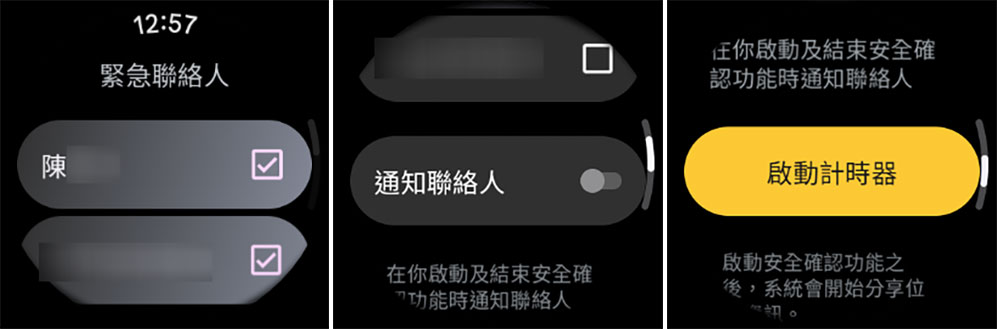
First of all, you need to understand that Security Check is not an automatic timer, but a feature that you actively enable when needed. For this reason, I would recommend that you try and familiarize yourself with the feature before using it. When you use it for the first time, you will be prompted to set up an emergency contact (if you have not already done so). The actual usage methods are listed below. You can follow step by step to learn how to use them:
- Press the crown and select “Personal Security” from the list of applications.
- After entering, click “Security Check” and then click “Continue”.
- Next choose your mode of transportation.
- Then there’s the estimated time it will take for transportation.

- Check the emergency contact you want to contact. You can also choose whether to enable notification of the contact at the bottom, and then click “Start Timer” at the bottom.
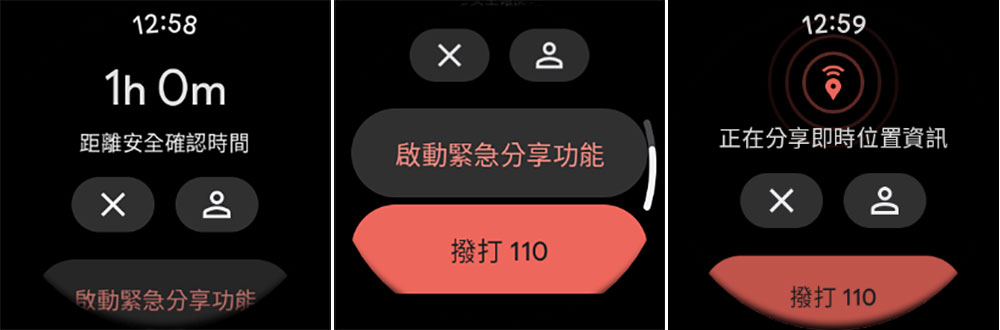
- The next timing page will start counting down your safety confirmation time. There are several buttons below for emergency use.
- X: Stop timing.
- Portrait icon: Turn on and optionally contact an emergency contact.
- Activate the emergency sharing function: You can share your real-time location with your contacts to let them know where you are now.
- Dial 110: In case of emergency, you can click to contact 110 directly.
Source: KOCPC Chinese