


When writing an important email or sending an important message, many people are sure to worry that their content isn’t written well, or they don’t know how they could write it better. If you’re using iPhone, then Email Generator: AI Writer is a pretty good app that, based on the options you set, through AI One-click automatic optimization of your content — not just within the same language, but even Chinese content can be converted into other languages such as English or Japanese by the AI.
Email Generator: AI Writer is currently offering a lifetime version as a limited-time free promotion. As long as you get it during the event period, you can use it without restrictions for life. Highly recommend grabbing it.
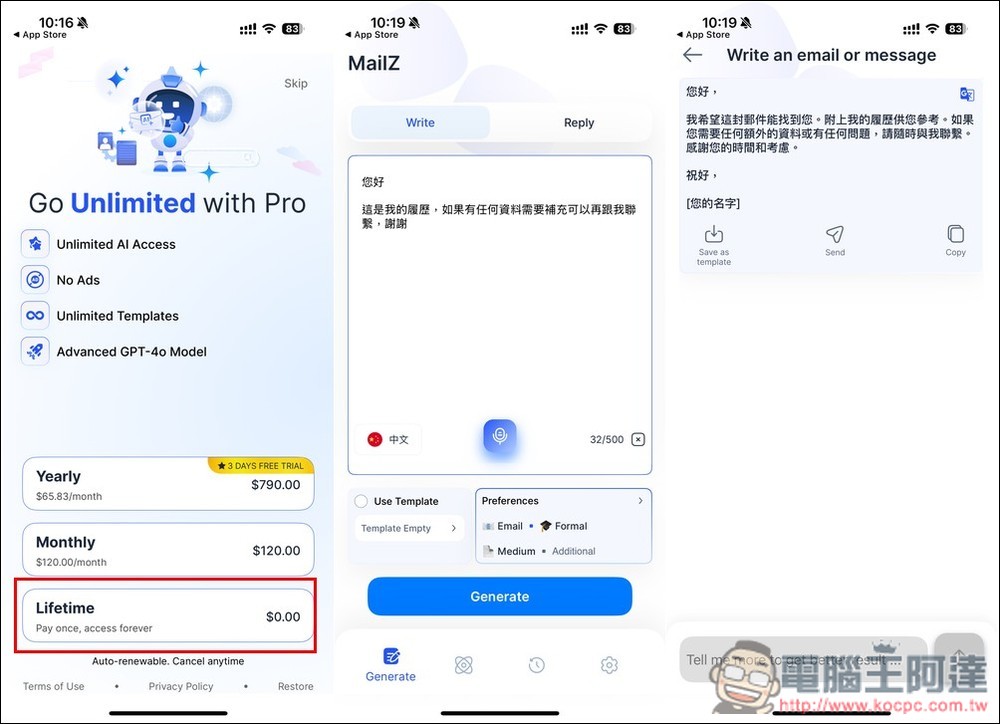
Email Generator: AI Writer Introduction. It uses AI to optimize content, and also offers grammar checking and rewriting features.
Email Generator: AI Writer is an app touted as a comprehensive AI email solution, allowing users to complete the entire process from inspiration to sending in one go every time they need to write an email. Although the interface does not yet offer Chinese, the text input supports multiple languages, including Traditional Chinese.
Built-in features include an AI email generator, flawless grammar and spell check, email templates, direct in-app sending, AI-powered message assistance, and customizable tone and style.
Before I begin, just a reminder: the lifetime free promotion for Email Generator: AI Writer could end anytime, so if you see it, grab it quickly. When taking any steps to get it, be sure to check whether there’s a price—if there is, don’t click it.
After following the link above to the App Store page for Email Generator: AI Writer, you can scroll down to check if the in-app purchase shows $0.00. If so, there’s a high chance it’s still free. The first time you open it, there will be a feature introduction. Those interested can take a look:
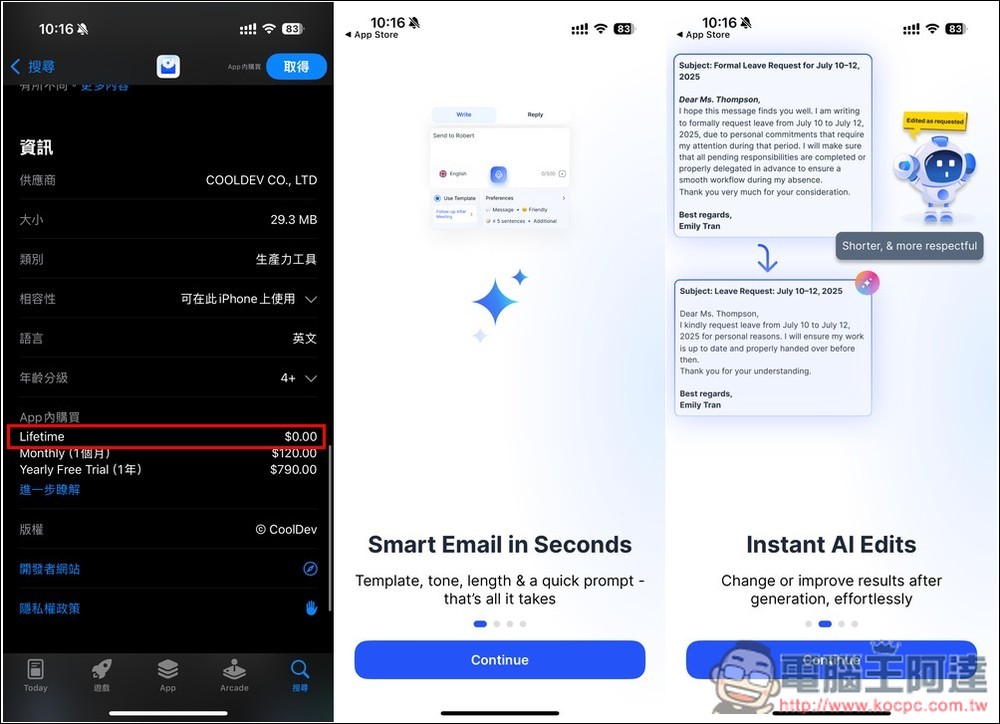
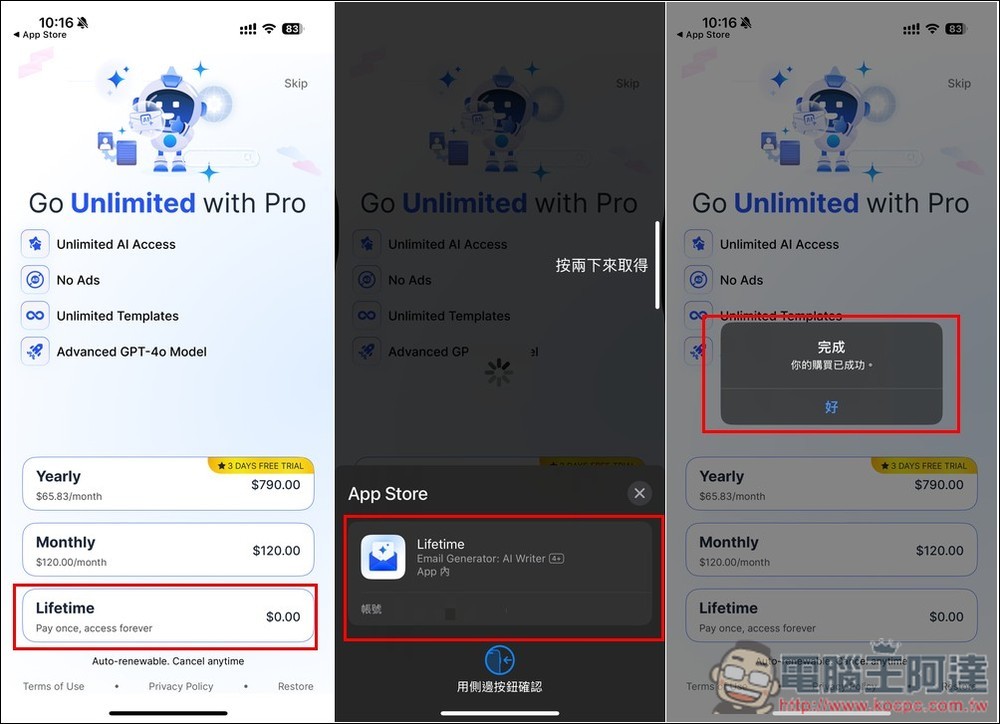
Then, on the payment plan page that pops up, at the very bottom you’ll see the Lifetime $0.00 option. Next, check that there really is no charge, and if it’s fine, click it twice to get it. When it shows “Your purchase was successful,” that means you’ve upgraded to the lifetime version:
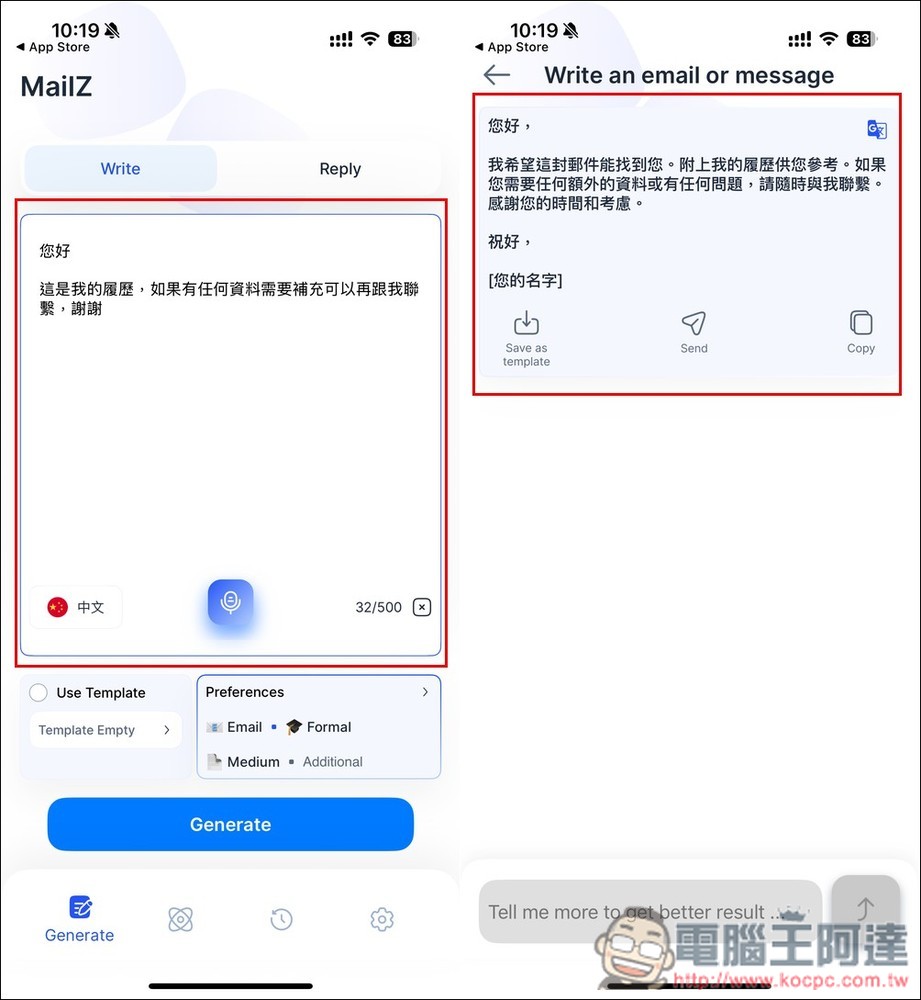
Once you enter the app’s main screen, you can start using it. It’s simple to use: just paste or type in the content you want to optimize. As for voice input, from my testing it seems to only support English? After entering your text, the default setting changes it to a more formal tone. Press Generate below and wait about a second, and you’ll get the result. If you’re satisfied, you can press Send below to send it directly, or save it as a template:
Next, I tested changing the content to English. If you don’t want a formal tone, you can expand the settings menu by pressing Preferences. There are five tones: formal, friendly, persuasive, apologetic, and direct. You can also set the length, with four options: short, medium, long, and sentence. Additionally, you can specify the type as Email or Message. I set the optimized language to English, so the final result indeed gave me English content:
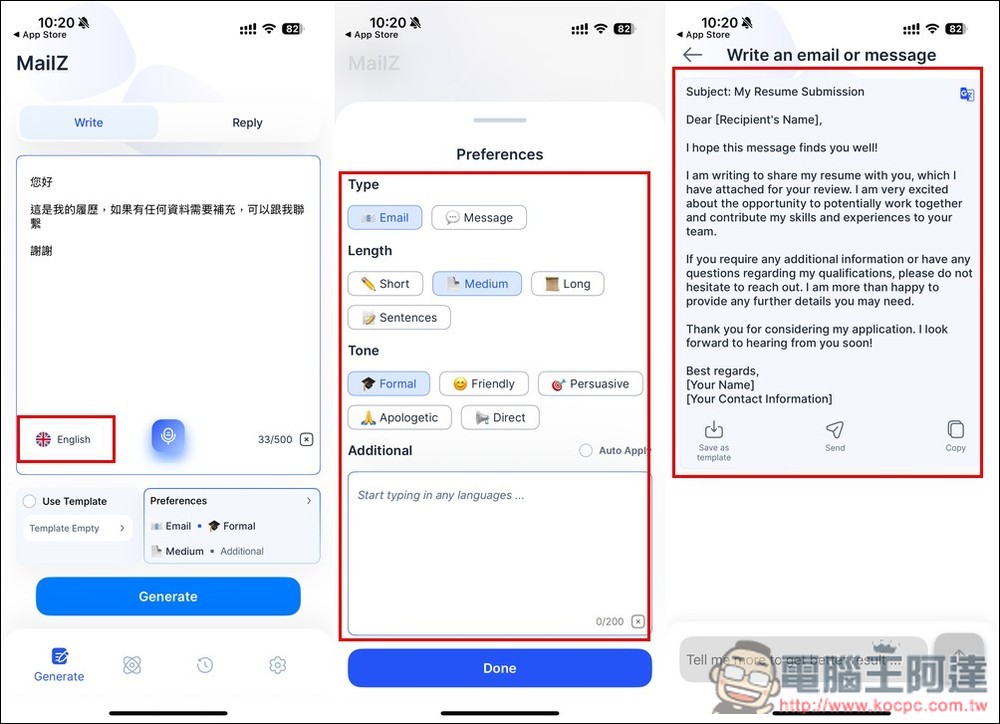
This feature is very useful for situations where you need to exchange messages with foreigners. If you don’t know how to write it in English, just write it in Chinese first, and then ask AI to help change it into English.
Additionally, it offers grammar checking and rewriting features. The rewriting feature is also quite good: after you paste your content, you enter the direction you want it modified in the field below, and the AI will rewrite it according to that direction.
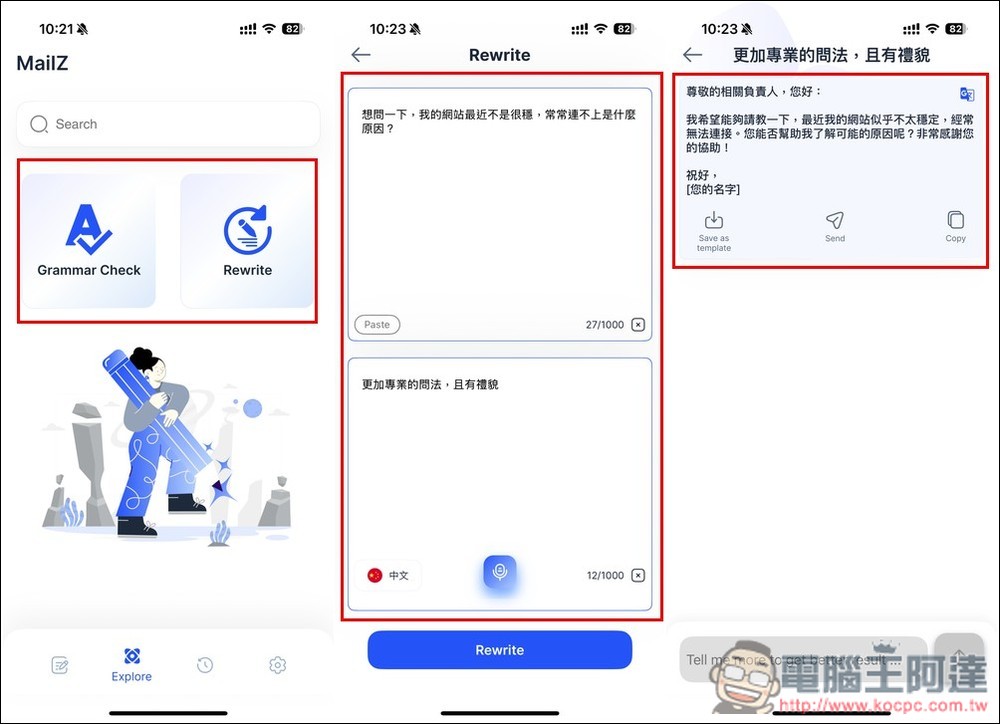
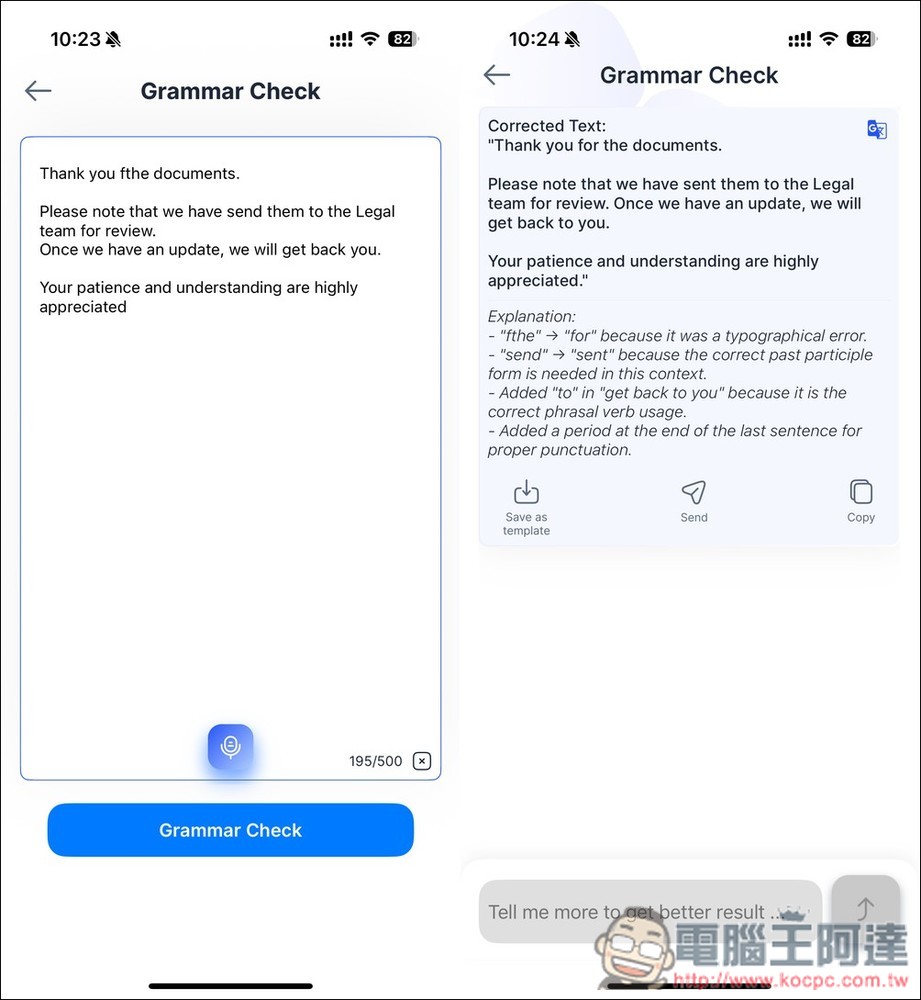
Grammar checking will only correct incorrect grammar to be correct, without any optimization or rewriting:
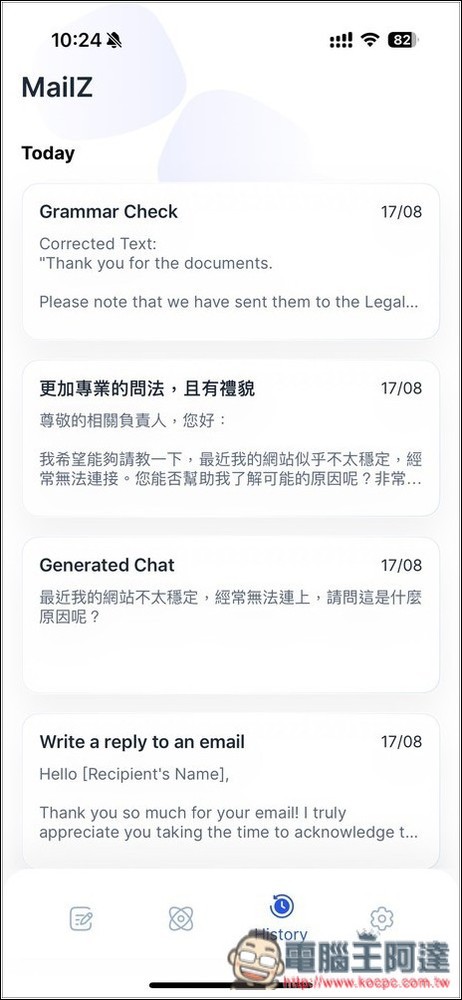
Previously optimized content will also be recorded for your repeated viewing.
Source: KOCPC Chinese