


Everyone knows that 2FA verification can improve security, but the little trouble that comes with it is that many verification code letters and text messages start to come one after another, and your message box and inbox become messy. One of my favorite hidden features has been introduced in the updates to iOS 17 and iPadOS 17, which can help you automatically delete useless 2FA verification code messages and letters that have been filled in, and give you a fresh and clean inbox.
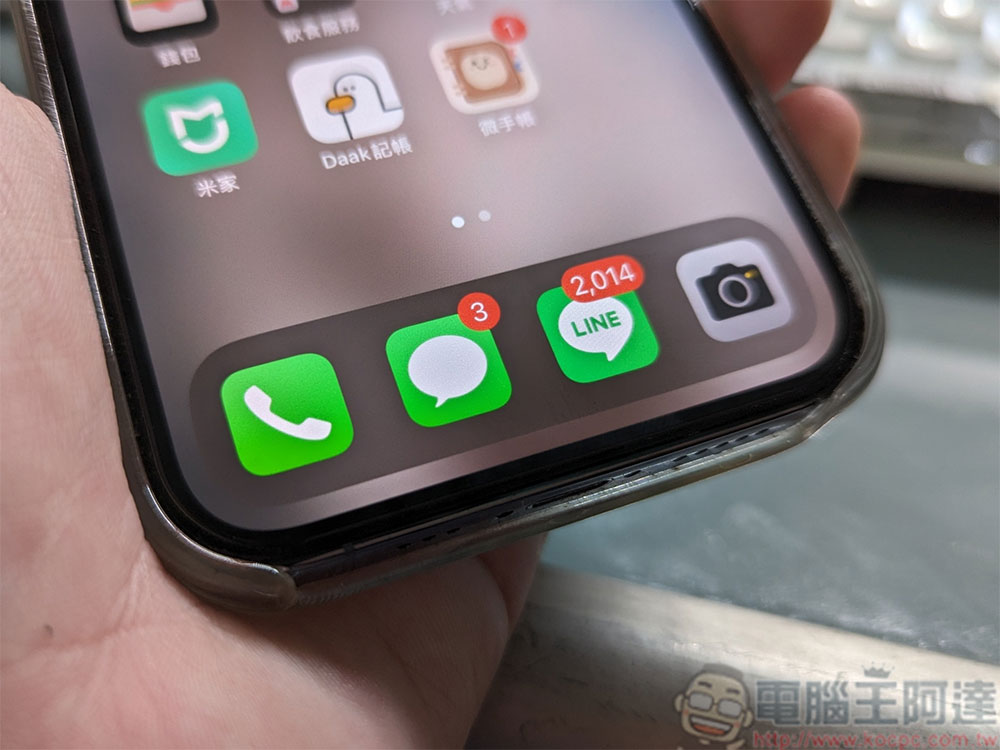
How to make iPhone automatically delete completed 2FA verification code messages and emails?
Many apps and websites now require two-factor authentication (2FA). This is a great thing for user security, as two-factor authentication makes it difficult for hackers to break into your account (even if your password is compromised). Unfortunately, one-time 2FA verification codes can clutter your messaging app and email inbox. Apple is now trying to solve this problem by automatically deleting 2FA messages and emails on iPhones and iPads.
This is a great feature, but it’s turned off by default. This feature appears in the iOS 17 and iPadOS 17 updates and relies on the iPhone and iPad’s autofill system. When you move the input cursor to the verification code filling field, the system can detect and copy the 2FA verification code in the message or email to automatically fill in. The first time you autofill a 2FA code in iOS 17 or iPadOS 17 (and later firmware versions), your device will ask if you want to automatically delete the 2FA message.
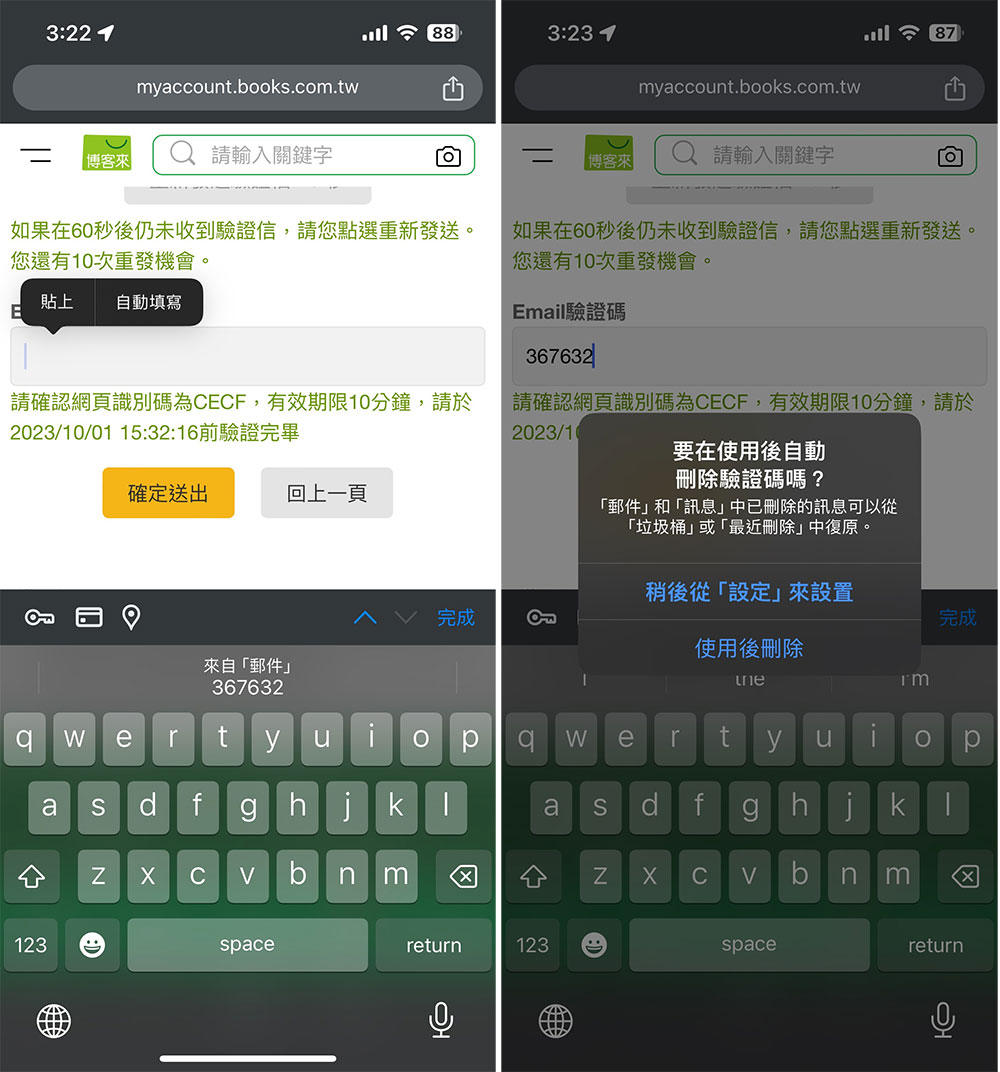
If you don’t enable this feature from the initial pop-up, you’ll have to turn it on manually from Settings. Don’t worry, the process is very simple:
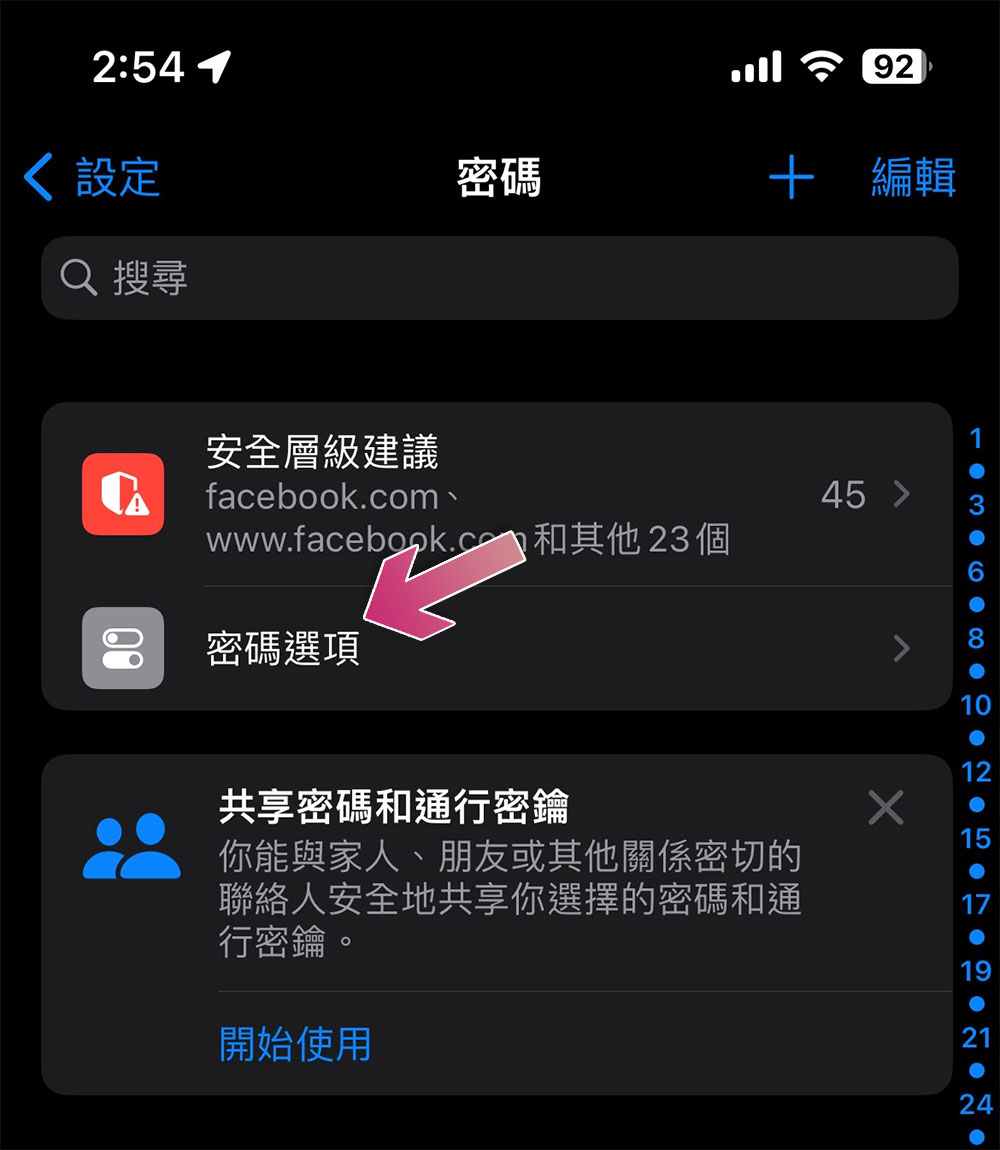
- Open the Settings app and scroll down to find Passwords.
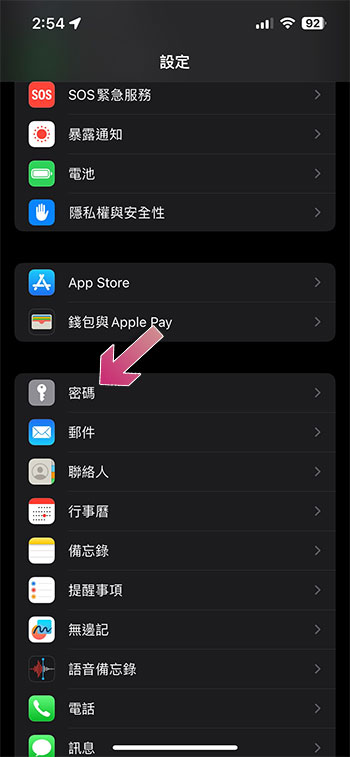
- Click “Password Options” above.
- Just turn on the “Auto Clear” item in the verification code item inside.
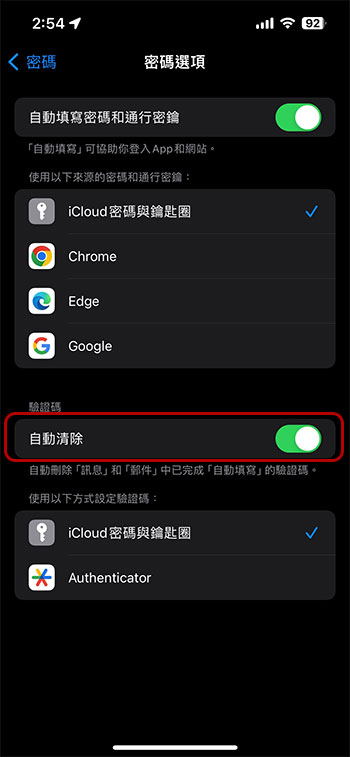
That’s it! From now on, your iPhone and iPad will automatically and magically clean up those one-time emails and text messages after you fill out your 2FA verification code. But don’t worry, if for any reason you need to retrieve deleted 2FA codes, just open the corresponding application (Messages or Mail), and these deleted letters and text messages will be in the trash or deleted messages. Note, however, that recently deleted conversations will be permanently deleted after 40 days, just like other text messages.
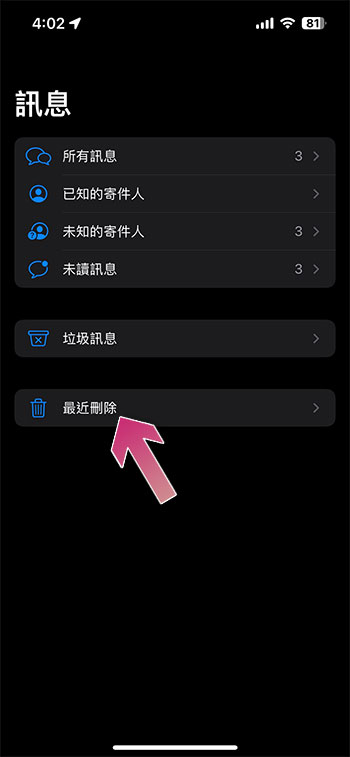
Furthermore, iPhones and iPads will only delete 2FA codes after they have been entered into the website via autofill. If you manually enter the verification code into the website, the accompanying 2FA message or email will not be deleted. If you want to clear old 2FA codes from your messaging app, try adjusting the “Keep messages” setting from “Forever” to your preferred length of time. But here is a reminder. Adjusting the message retention time is comprehensive. If you set it to delete for 30 days, it will also delete old conversations with family and friends. This is an extreme solution to clean up 2FA verification codes, but individuals will not use this solution to avoid accidentally deleting important content.
Source: KOCPC Chinese