


As AI artificial intelligence technology continues to advance, AI technology will be used in more and more aspects. Like the AI video generation method I will introduce today, you almost don’t have to do anything, just give a few keywords. The speech, pictures, background, music, etc. of the film can be generated by AI with one click. Many YouTube videos are now produced in this way. You can see many videos in which almost every voice actor is the same person, and even the images produced are similar.
The most useful editing software recently – “Clip”, after the updated version, has added the function of AI virtual characters. To put it simply, you can now use editing to directly generate a video with a virtual anchor. You only need to provide text speech notes, both male and female anchors, and it also supports voice changing function. If you’re too lazy to think about copywriting, it also provides the function of generating copywriting with one click (although it’s all nonsense). You just need to simply give it your needs and it will automatically do it for you.
How to use this function? Let’s take a look at the following tutorial:
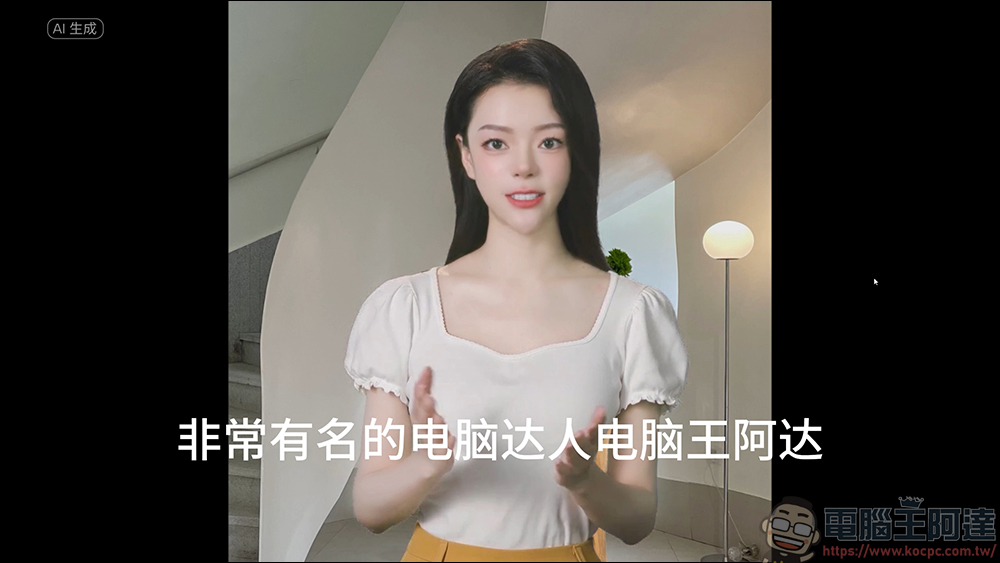
New function of clipping – introduction to digital human image
Generate text with one click
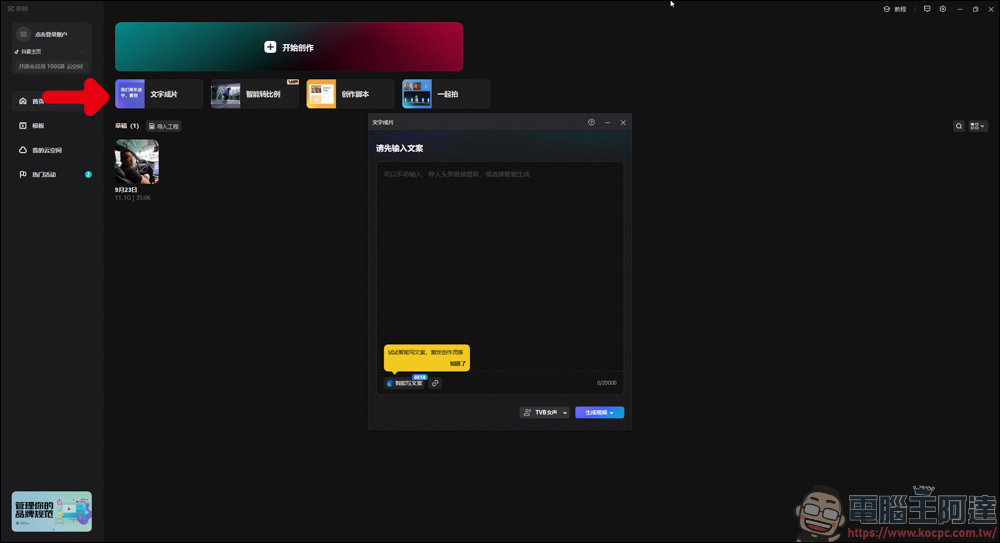
First open the clipping and click on the “Text to Film” function:
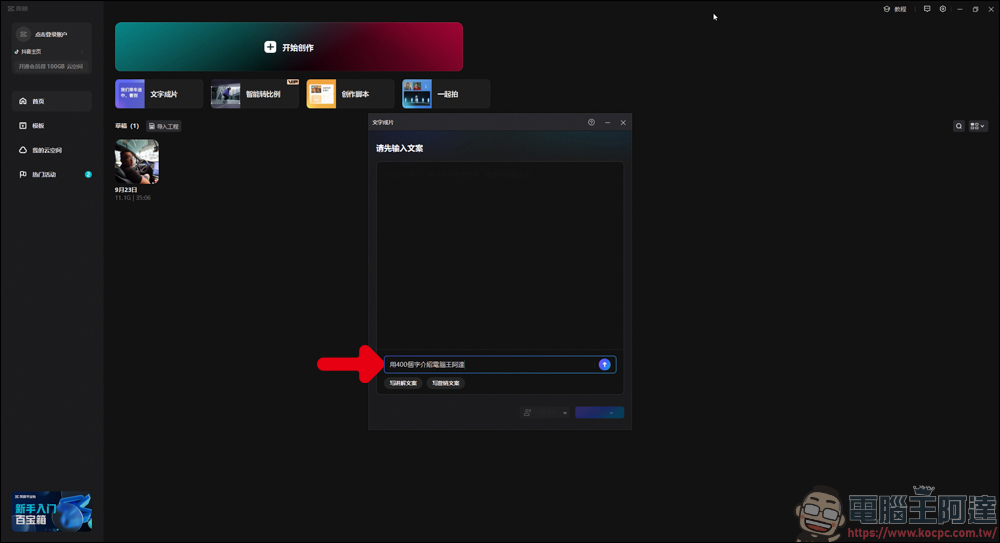
If you are too lazy to write copy, just enter the meaning you want to express below. For example, I will write “Use 400 words to introduce the computer king Ada”. Of course, you can also use ChatGPT to write it and copy it back:
Then let it generate:
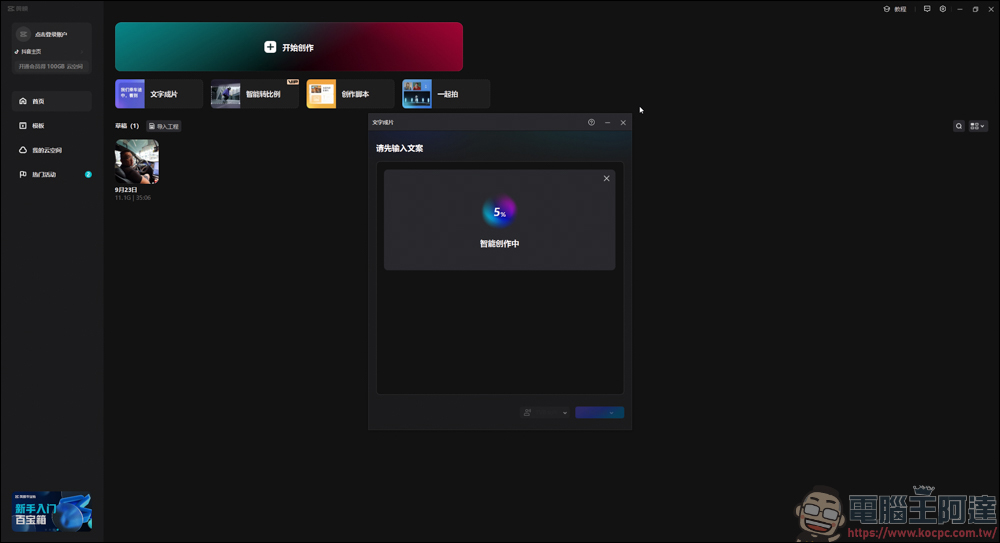
You will see a copy written by the system for you, but the content is mostly… nonsense. It is better to write it yourself:
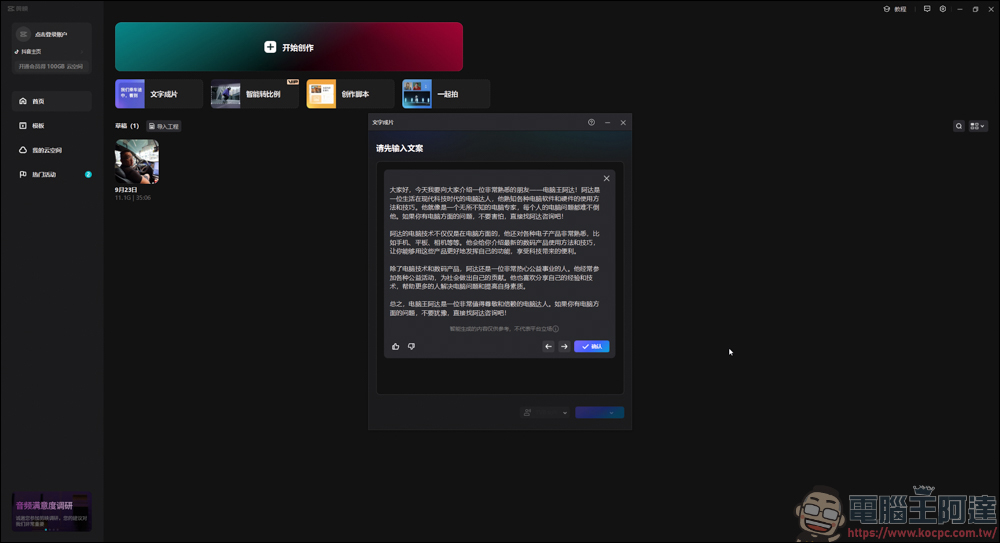
Intelligent film production
If you don’t want to use an AI virtual character as a host, you can click the small arrow in the lower right corner:
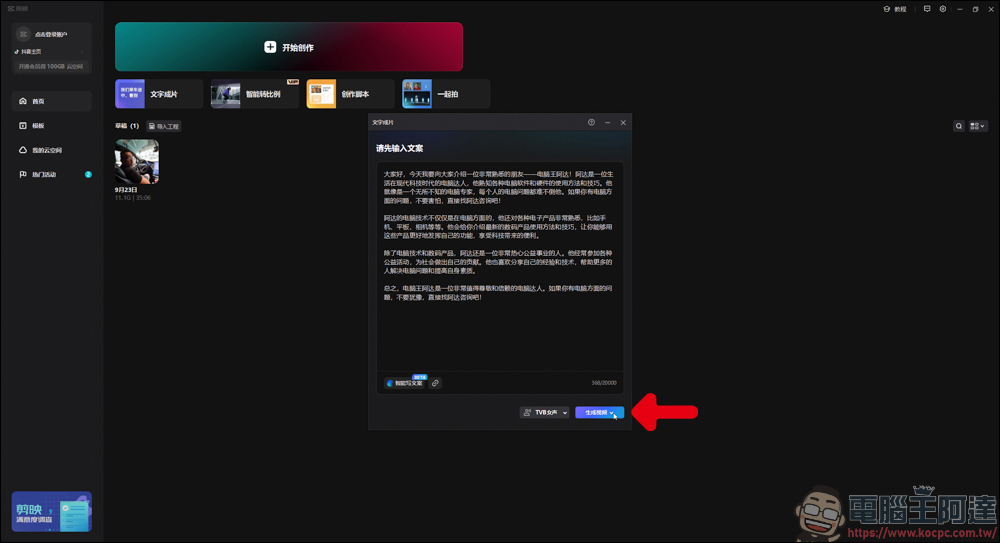
Then click “Smart Matching Materials”:
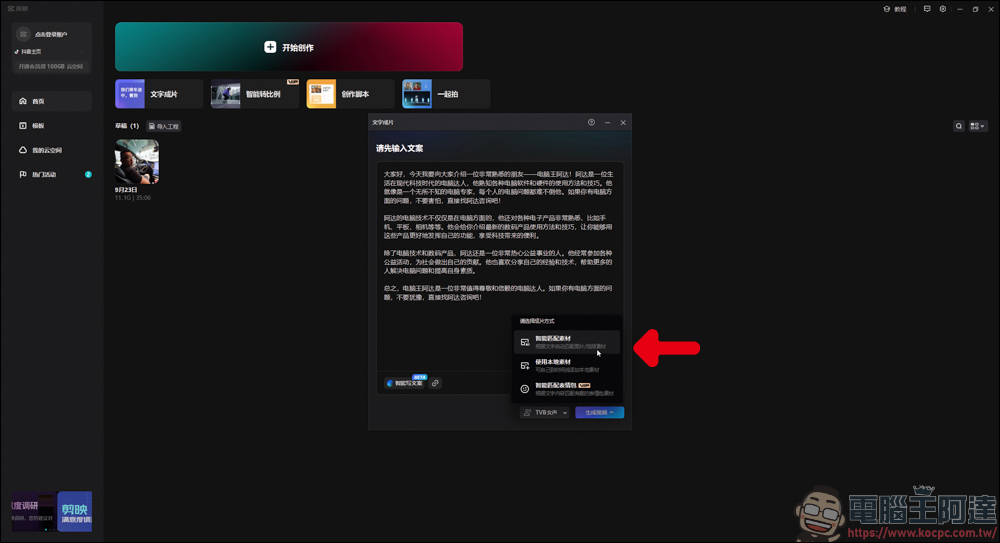
Then press the generated button and wait for a while:
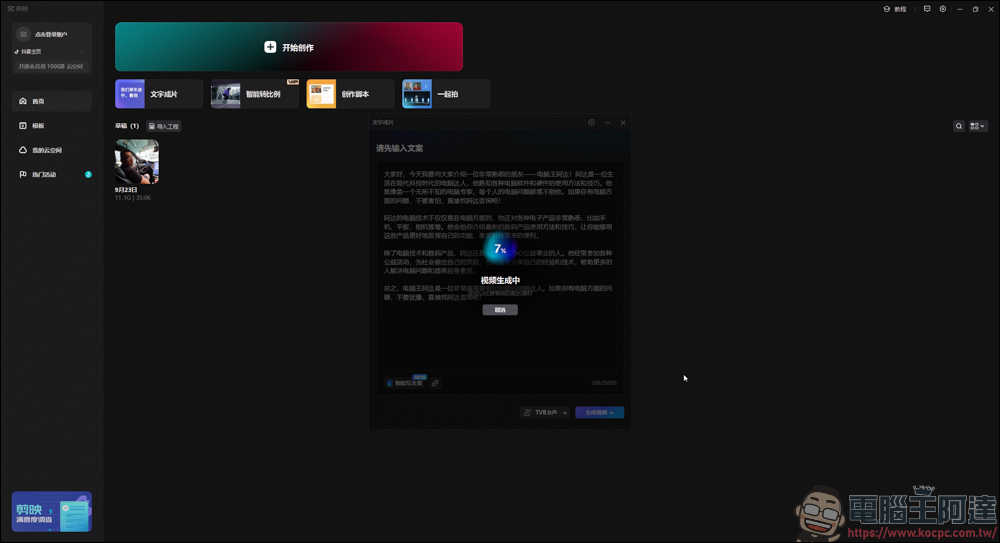
Cutting will directly use the generated text to directly produce a video. It will play the corresponding pictures, videos, and even the soundtrack for you according to the content of the text:
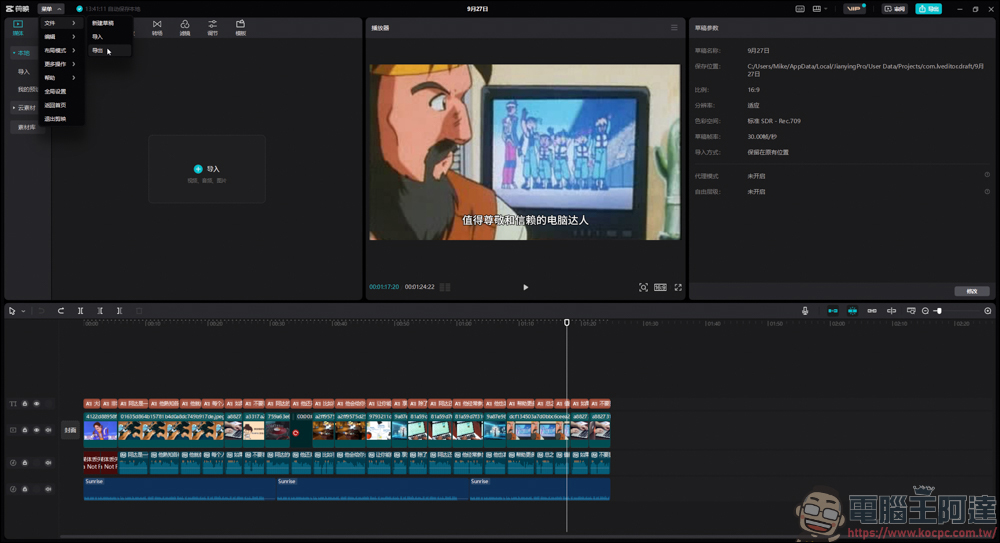
You can take a look at the resulting video effect. Since this type of video needs to be a member for editing and exporting (there is also a fee), so here I just show the video effect for everyone to see. If you really need it, you can consider whether to buy it yourself:
Digital human image teaching
good! Then we will get to the point of teaching. First, copy the generated copy. It is recommended that you open a text file and copy and paste it first to avoid losing it:
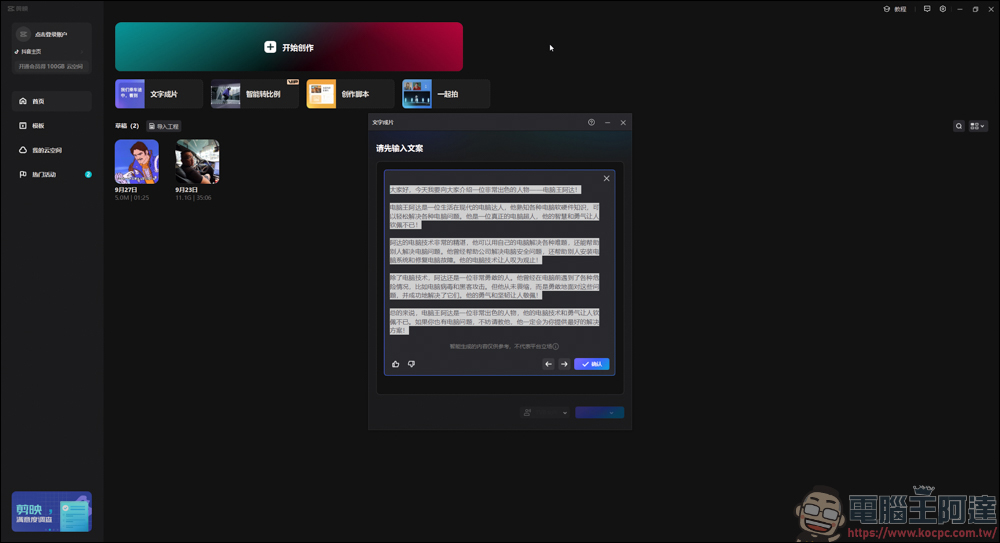
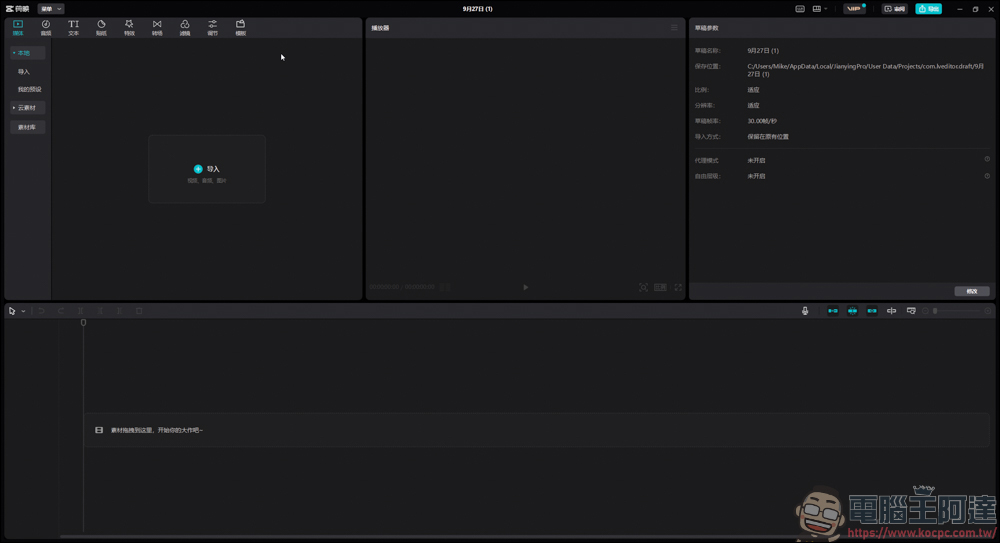
Click again to start creating and directly generate a new project content:
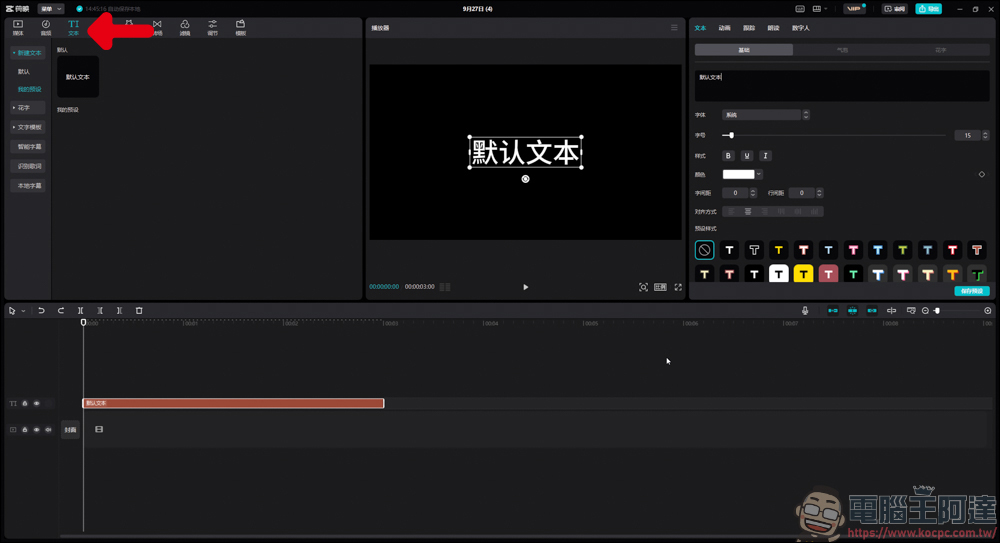
On the text side above, directly pull a default text into the clip column, as shown in the picture:
Then click on the default text in the clip column (it will be highlighted), and a digital person will appear in the upper right corner. After clicking in, you can choose an avatar you like, and then click Create in the lower right corner (there is a mouse pointer there):
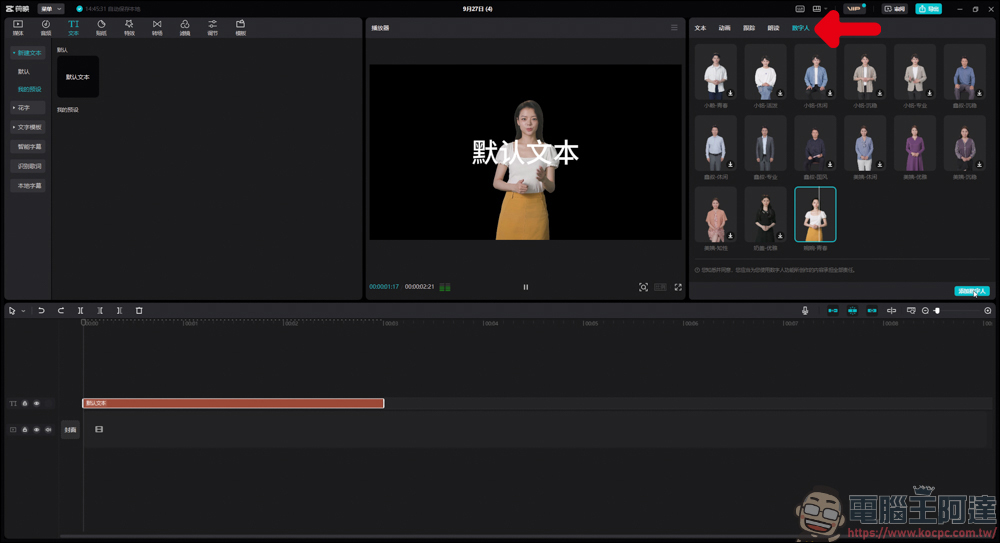
When this virtual character is generated, it will perform dubbing and actions according to the provided text. Since we just threw in the default text at the beginning, this is not what we want. So we first click on the avatar material in the clip column, and then click on the copy in the upper right:
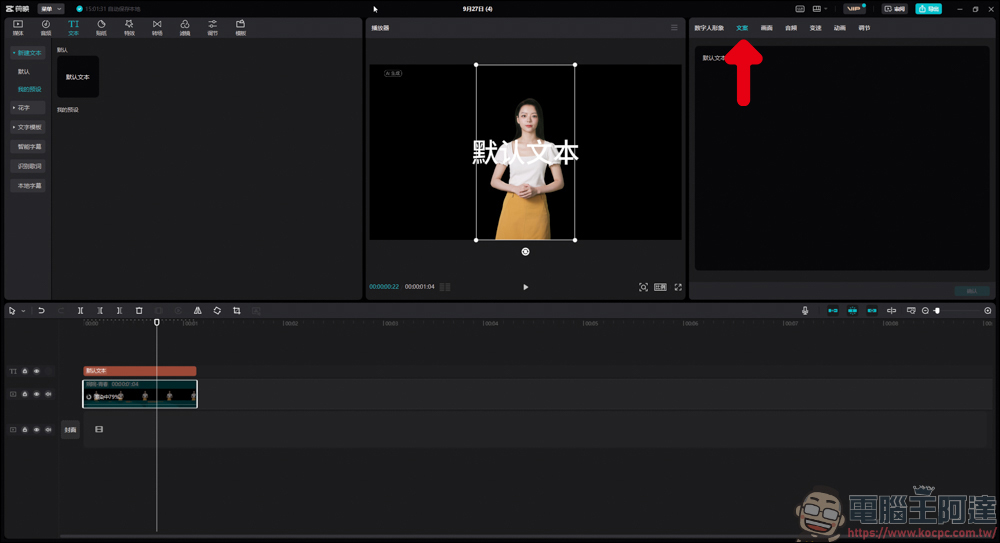
Then paste the copy we just generated above, and it will re-match according to the copy you posted. You can also choose to paste the copy on the default text from the beginning, and then add avatars to match, but the default text function has a limited number of words, so you have to create many paragraphs to paste all the copy, which is really troublesome:
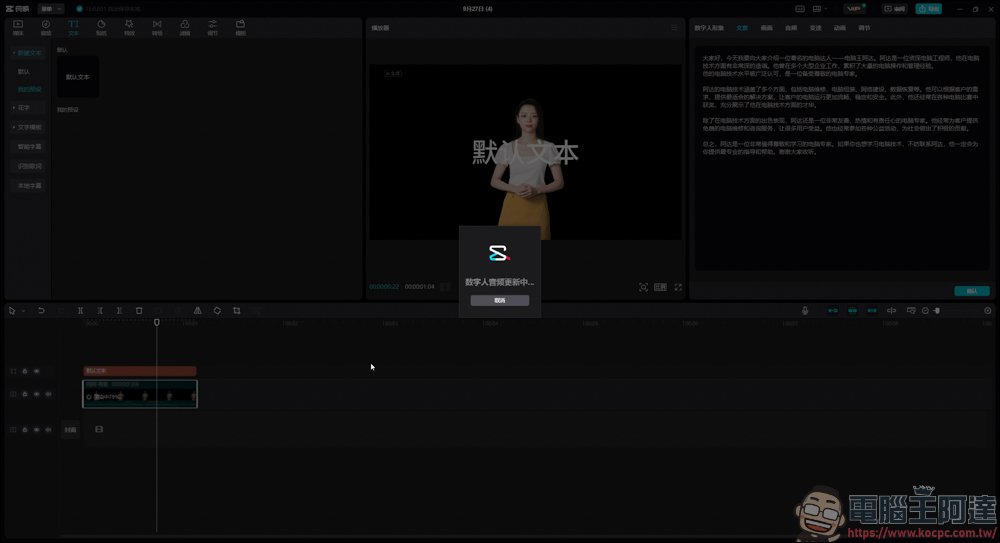
During the matching process, the video will perform rendering actions, which will take a long time, so you can do other things first. In addition, it doesn’t matter if the original default text material can be deleted directly, because the virtual character’s matching of copywriting directly reads the text content of the Key in this material, so there will be no impact:
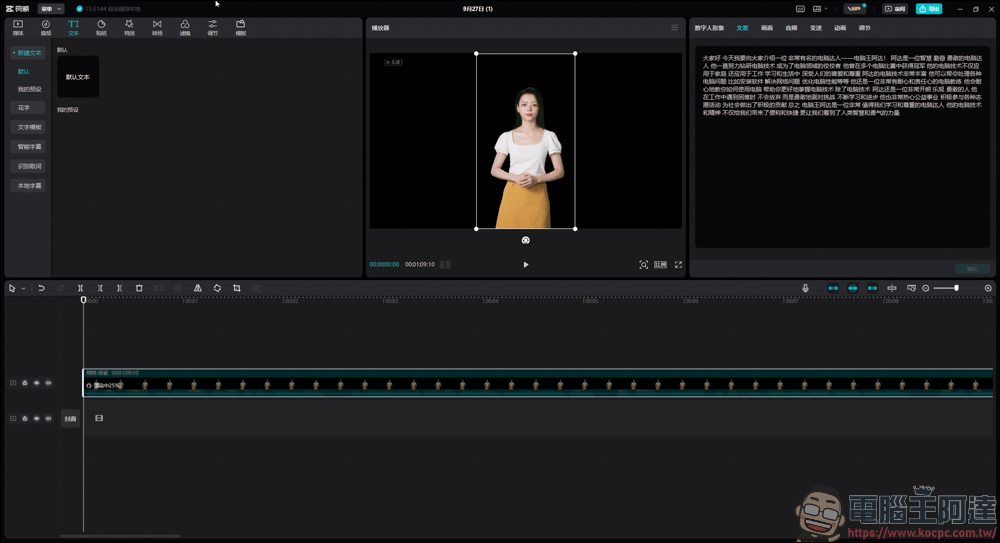
After the matching is completed, the video can be played normally:
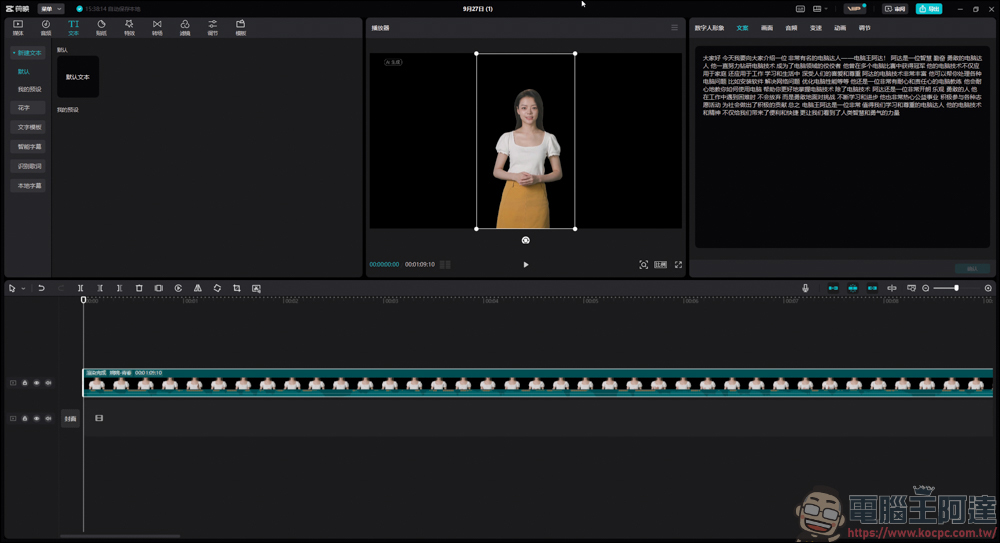
If you want to add subtitles to the video, you can directly click on the subtitle recognition function inside to complete it. However, the recognized subtitles will not be 100% the same as the copy, so you still have to do a little correction yourself:
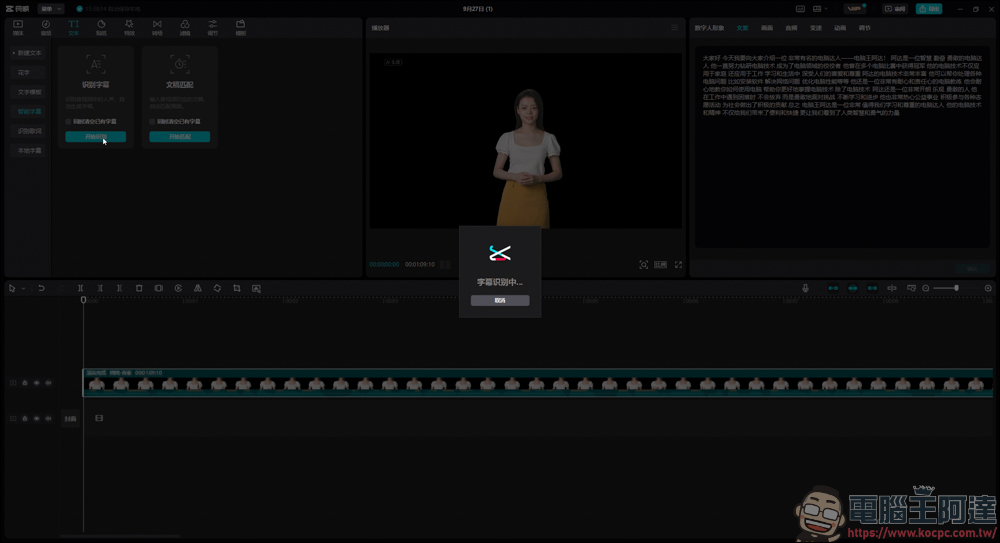
Because this function requires membership and payment, I will use screen recording to show you the example. You can see that this virtual anchor, whether it is mouth shape or voice, is perfectly matched, and even the gestures he makes when speaking will not make people feel abrupt:
In addition to generating virtual characters to serve as anchors, the cutout also provides many modification functions, such as full-body, half-body, and close-up images:
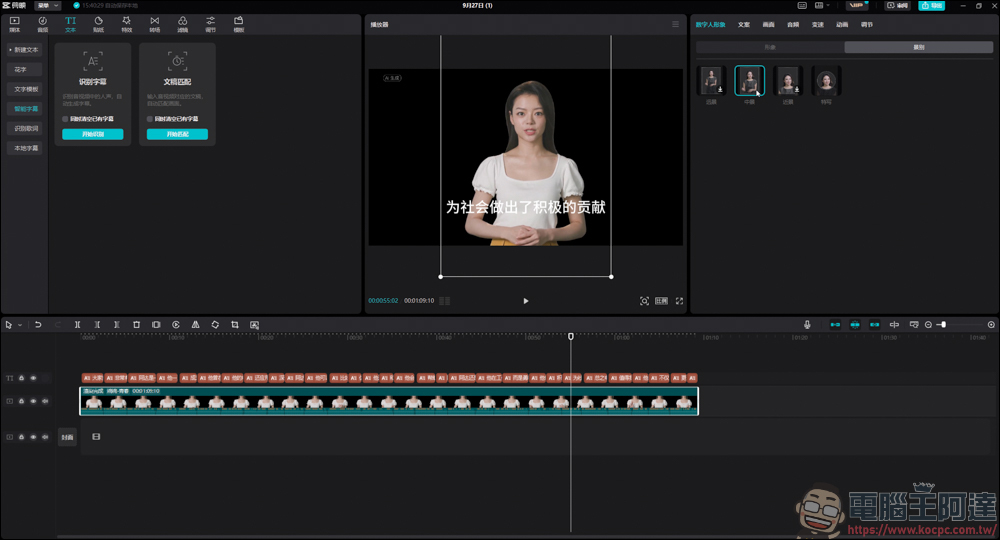
Not satisfied with your skin tone or makeup? no problem! You can also make changes here:
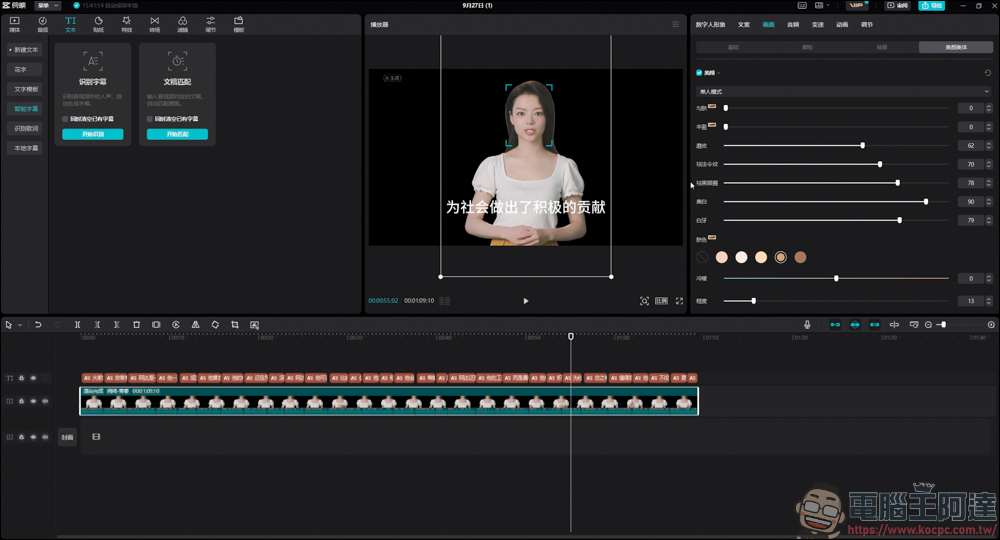
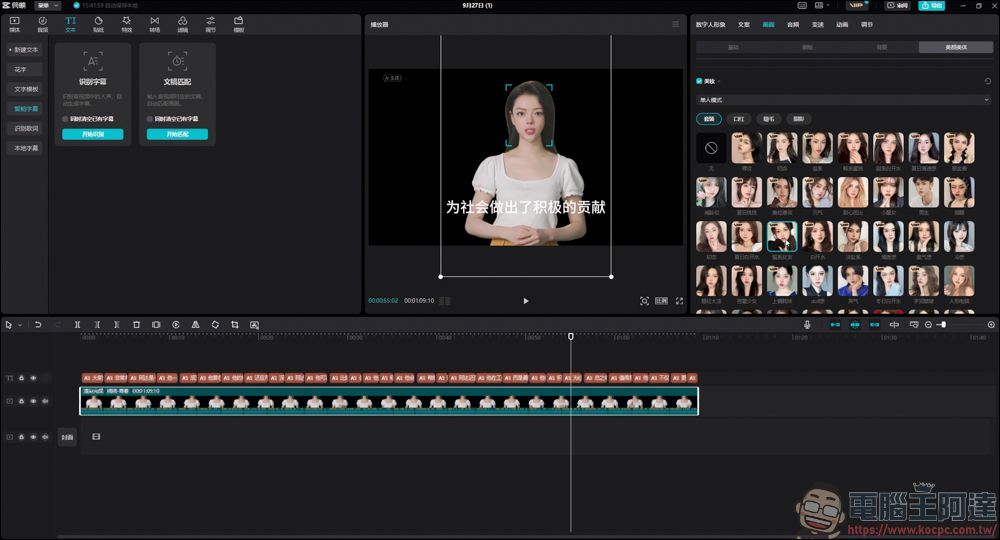
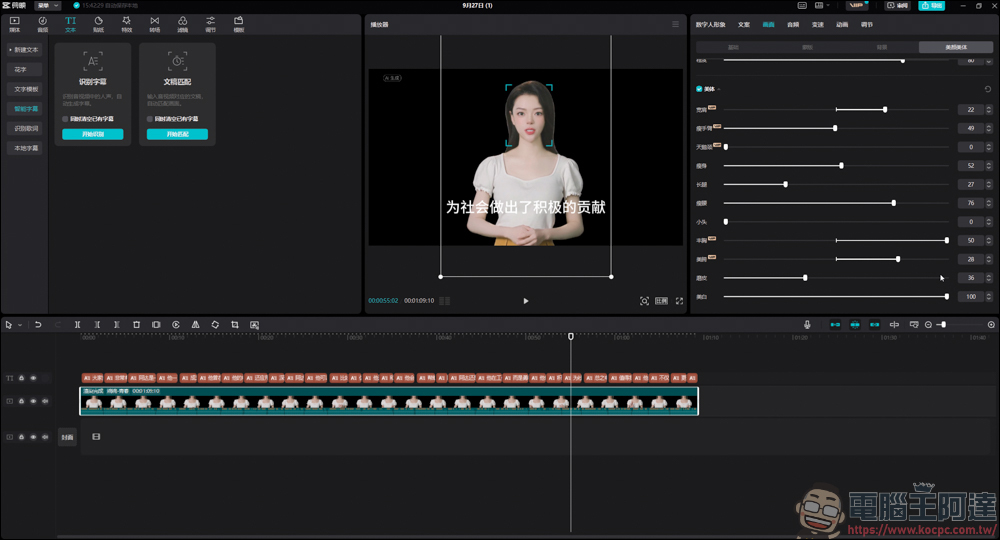
Don’t you like the figure of this virtual anchor? no problem! Editing will help you achieve it, but there will be a problem after adjustment, because the hands of the virtual anchor will move around, so the manual parts will be large and small, so you can consider it yourself:
The video clip also provides a voice-changing function. You can change the voice of the virtual anchor according to your own preferences. It says VIP on it, which means you have to pay to activate it, but you can still listen to it first to see the effect:
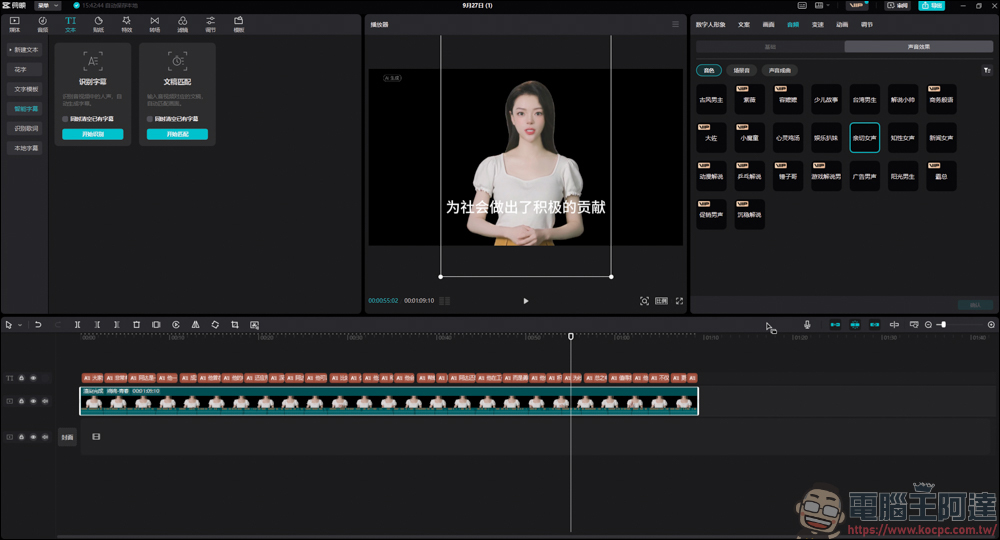
Here you can listen to some examples. Whether you want to change from male to female, old or young, there are many voices that can be applied, and you can also change the way you listen to the space in which you speak. It’s really amazing:
Think the background is too dull? You can also use the built-in function to add a background to your avatar, so it looks very professional:
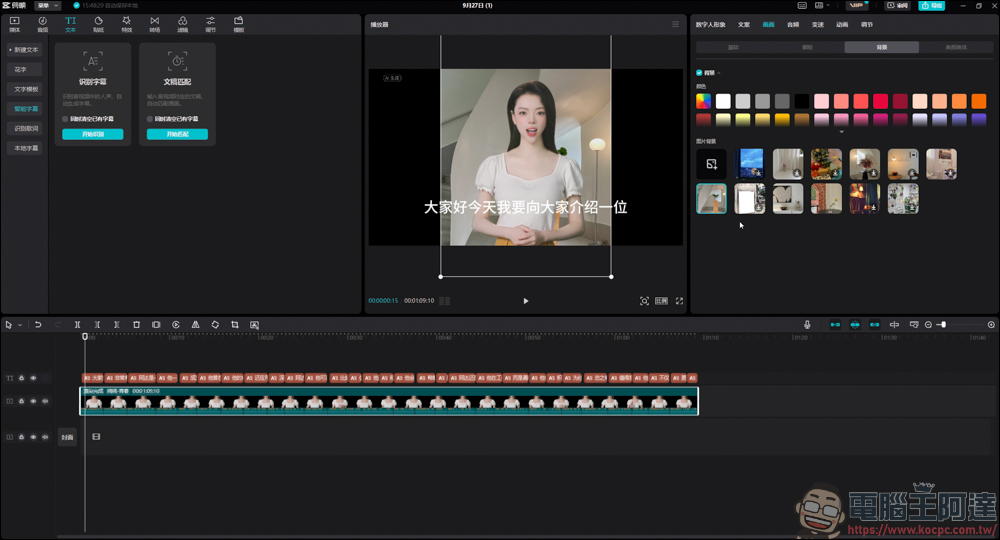
Please take a look at this full version. Although the text is all nonsense, the words, mouth shape, voice, and movements of this virtual anchor are almost the same as those of a real person. It is just because the body shape has been adjusted in the front, so some parts of the picture sometimes change, but it looks harmless and fun!
Nowadays, AI-generated videos not only save a lot of time and cost in making videos, but when you run out of ideas, occasionally turning to AI for help can sometimes open your mind. However, fun is fun, and you should be a little more cautious when using it. Although it is convenient to generate a video with one click, you must also ensure that the content of the video complies with ethical standards and do not become a disseminator of false information.
In addition, these functions introduced today are all paid-for editing projects. Like me, you can cut and play as you like, as entertainment in daily life. But if you want to export the video, you have to join the membership and pay. After all, there is no free meal in the world. If you think it is useful, I will feel more comfortable buying it.
Source: KOCPC Chinese