


Along with OpenAI Microsoft launched the GPT-5 model, and this time they didn’t keep users waiting long—it was quickly made available to everyone. Copilot Users can use it, and even on the free tier, the GPT-5 model is now available across the desktop version, Microsoft Edge browser, and web version alike, and the quota even seems to be higher than ChatGPT Also be generous.
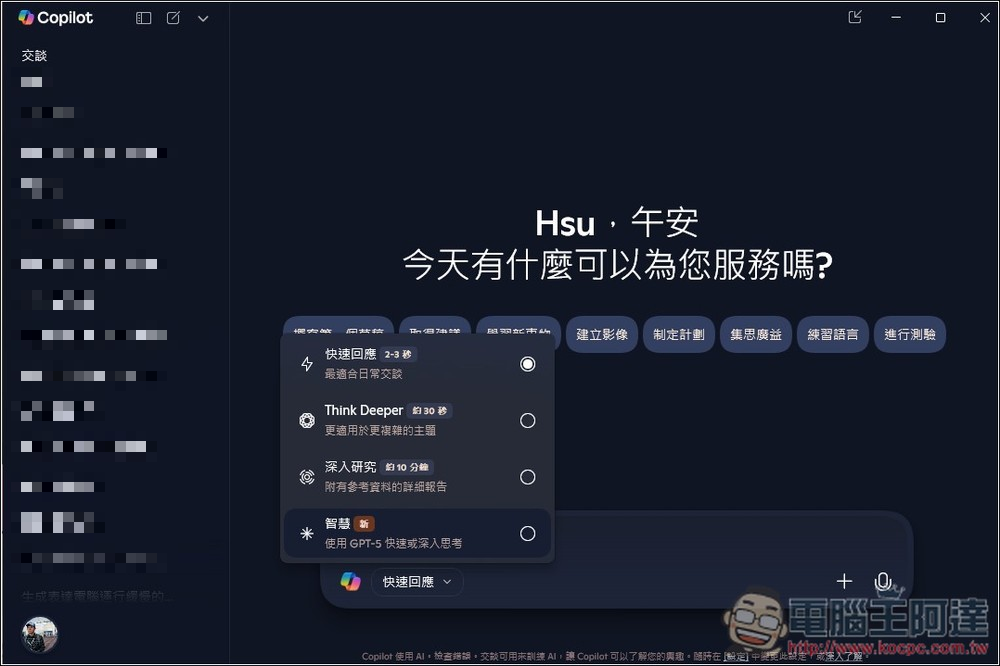
Copilot desktop and Edge can also use the GPT-5 model for free, and the quota seems to be even higher.
Just as previously discovered by foreign media Windows Latest, Copilot’s options now include a Smart mode, and this is exclusive to GPT-5. If your Copilot desktop version or Microsoft Edge hasn’t shown this mode yet, please update to the latest version. Mine was like this — the Copilot desktop version needs to be updated in the Microsoft Store for Smart to appear. The Microsoft Edge browser also needs to be updated to the latest version.
For the desktop version, open the menu next to Quick Reply and you’ll see Smart, with the note “Use GPT-5 for quick or deep thinking” below it. This means the model automatically judges the difficulty of the task to decide whether to use GPT-5 or GPT-5 Thinking. This alone makes it more generous than ChatGPT: in ChatGPT, the free version of GPT-5 Thinking is limited to once per day.
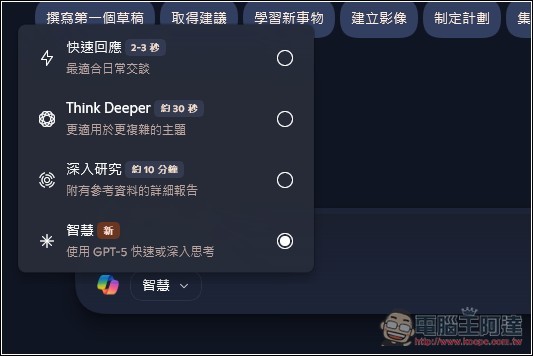
Then you can start chatting with Copilot. Like ChatGPT, Copilot’s GPT-5 also has a daily limit, and once you exceed it, it switches to GPT-5 mini, though Microsoft hasn’t announced the exact number yet. According to a test by foreign media Windows Latest, the GPT-5 limit is unclear, but it can trigger Thinking about 5 times a day, meaning the quota for quick thinking should be higher:

Activating GPT-5 Thinking for testing isn’t easy — for the vast majority of questions, Copilot will think quickly and respond, even on somewhat more challenging content. Windows Latest only managed to trigger GPT-5 Thinking by using difficult Python-related case problems.
Windows Latest also noted that in tests, Copilot’s GPT-5 Thinking performs on par with ChatGPT’s GPT-5 Thinking.
Additionally, Copilot’s smart mode currently does not show whether it is using GPT-5 or GPT-5 mini.
After updating Microsoft Edge to the latest version, when you open the Copilot conversation window at the top, you can still find Smart (GPT-5) in the quick reply menu. As for the original quick reply mode, it should still be GPT-4o:

If you’ve already updated to the latest version and are signed in with your Microsoft account, but still don’t see the smart mode in Copilot, you may need to wait a bit longer. Microsoft is rolling it out gradually, so some people haven’t received it yet.
Source: KOCPC Chinese