


Recently, OpenAI officially launched ChatGPT Latest AI model GPT-5Claimed to be the strongest version to date, it not only brings major advances across programming, mathematics, writing, and health consultation, but also introduces a “real-time triage system” that automatically determines when to respond quickly and when to think things through.
However, many users initially felt that GPT-5’s performance wasn’t as good as the familiar GPT-4o, but they couldn’t find the old GPT-4o in the model options. The good news is that Plus and Team users can continue using GPT-4o by simply adjusting the settings on the ChatGPT web version, allowing them to freely switch between trying out new features and staying with the old version.
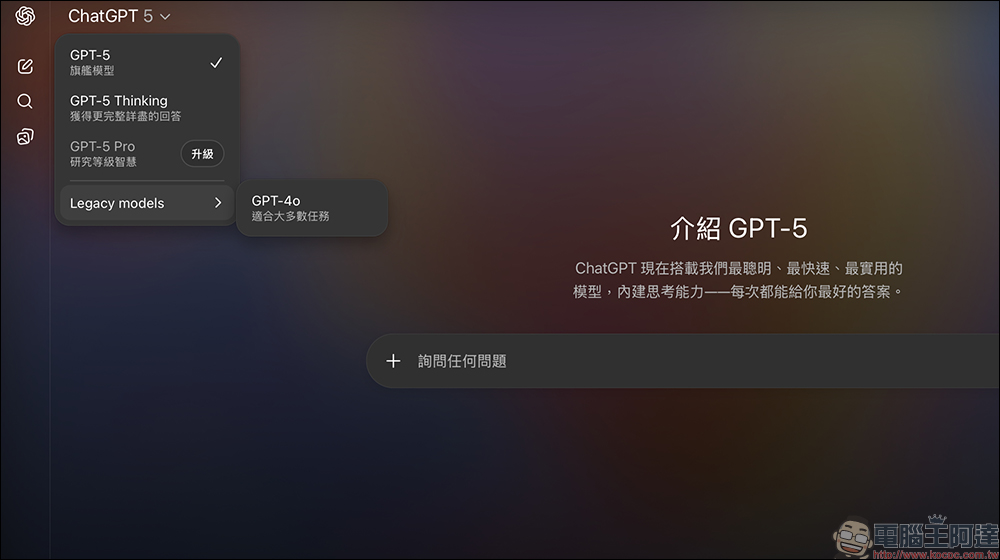
Can’t get used to ChatGPT’s GPT-5 upgrade? This setting instantly switches you back to GPT-4o
OpenAI today announced on X (formerly Twitter) that GPT-5 is now fully available to Plus, Pro, Team, and free users, while rate limits for Plus and Team users have been doubled. Even more exciting, two new modes will be launched next week: GPT-5 mini and GPT-5 thinking, which have already appeared in the main model menu, allowing users to quickly switch based on their needs.
The official claim is that GPT-5 is currently their most intelligent and most powerful AI The model is more mature and accurate than ever before, whether in programming, mathematical calculations, long-form writing, health advice, or even visual perception. One of the biggest highlights of this generation is the built-in “real-time router,” which determines based on your input whether to have the fast model respond directly or switch to deep reasoning mode to spend more time giving you a more complete answer.
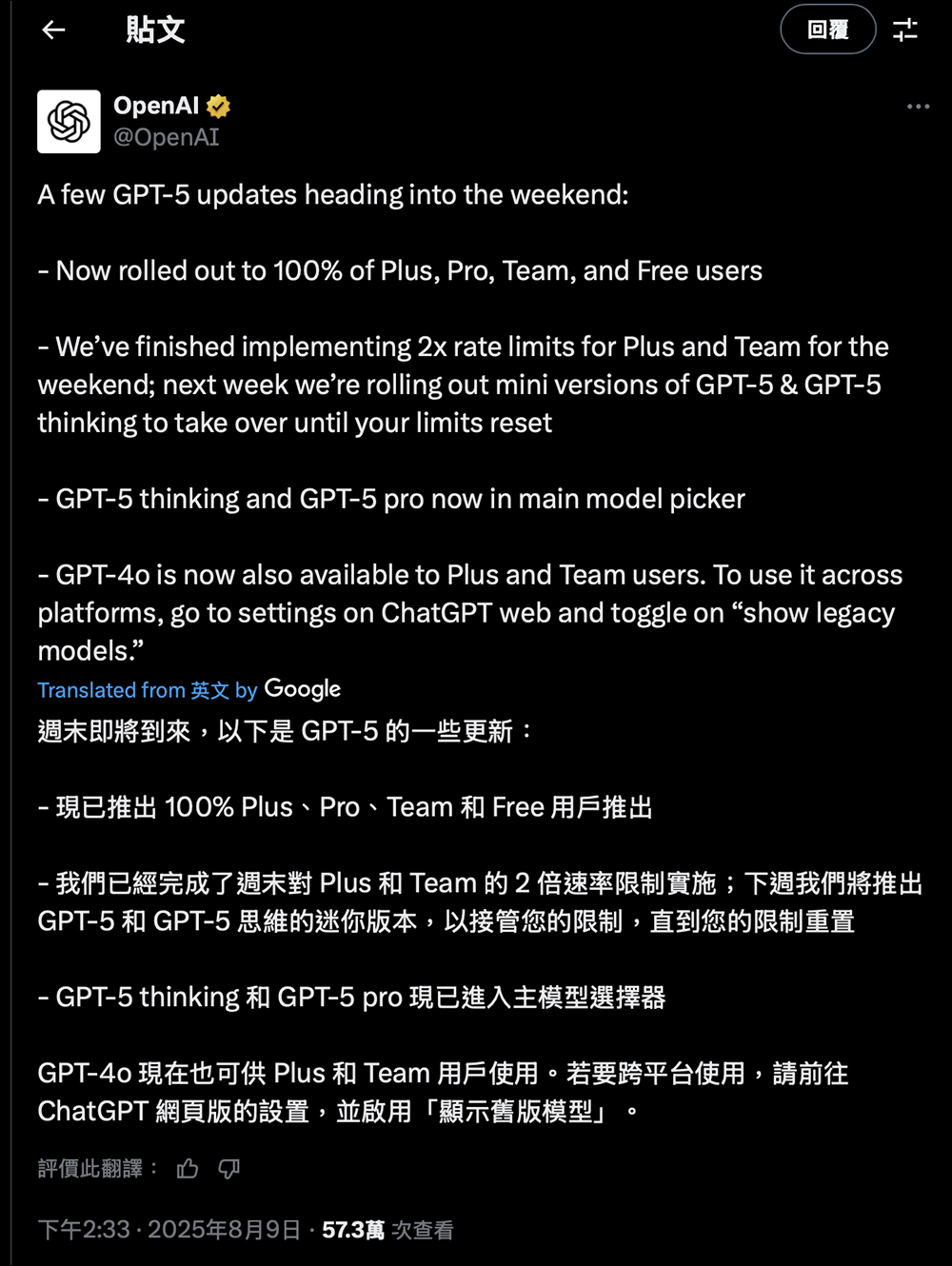
▲Image source: OpenAI (X/@OpenAI)
While it sounds impressive, GPT-5, which just launched, isn’t winning everyone over. Many users on r/ChatGPT are complaining it feels “dumber than GPT-4o,” with less precise reasoning and reduced conversational fluency. In response, OpenAI CEO Sam Altman explained that a routing system glitch occurred right when it launched Thursday, causing GPT-5 to be misdirected to the wrong models in many cases. The bug was fixed the same day, and OpenAI plans to further optimize how model switching is determined, as well as clearly display which model is currently responding.
GPT-4o hasn’t left the stage—it’s just become a “hidden version.”
For users already used to GPT-4o, upgrading to GPT-5 is fun, but it’s bound to take some getting used to.
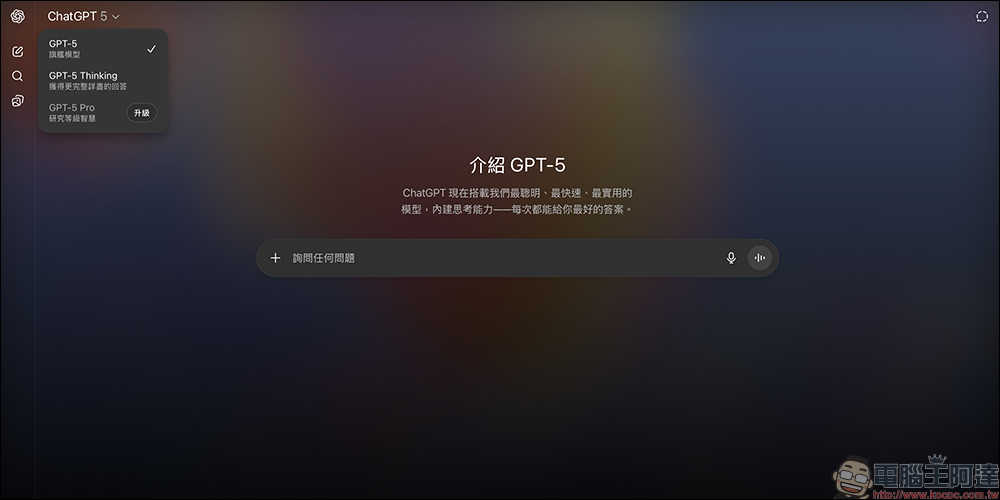
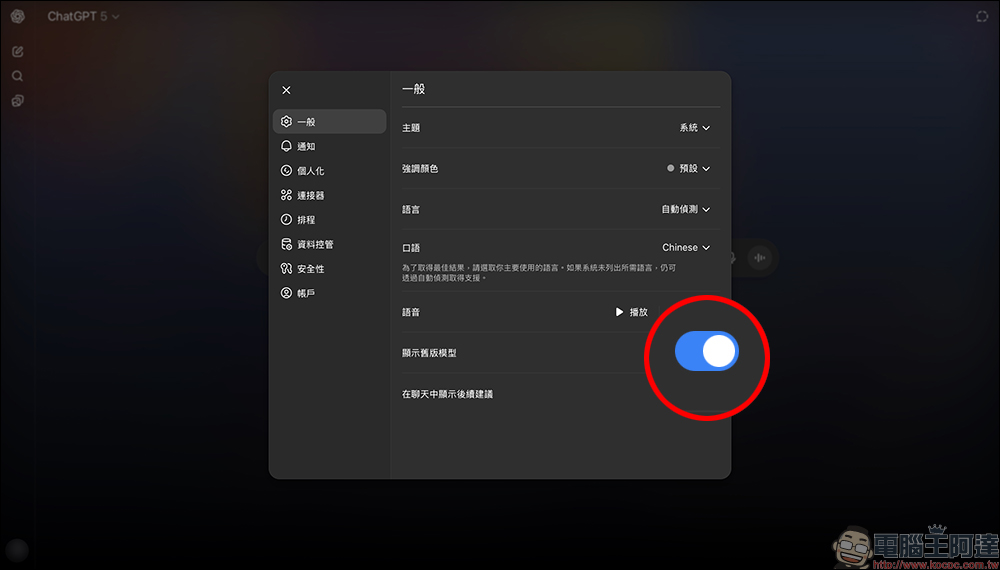
Fortunately, OpenAI also announced that Plus and Team users can still use GPT-4o. Just follow the steps below to freely switch between the old and new models! Go to the ChatGPT web version. Click on your profile avatar in the corner to enter the “Settings” page.
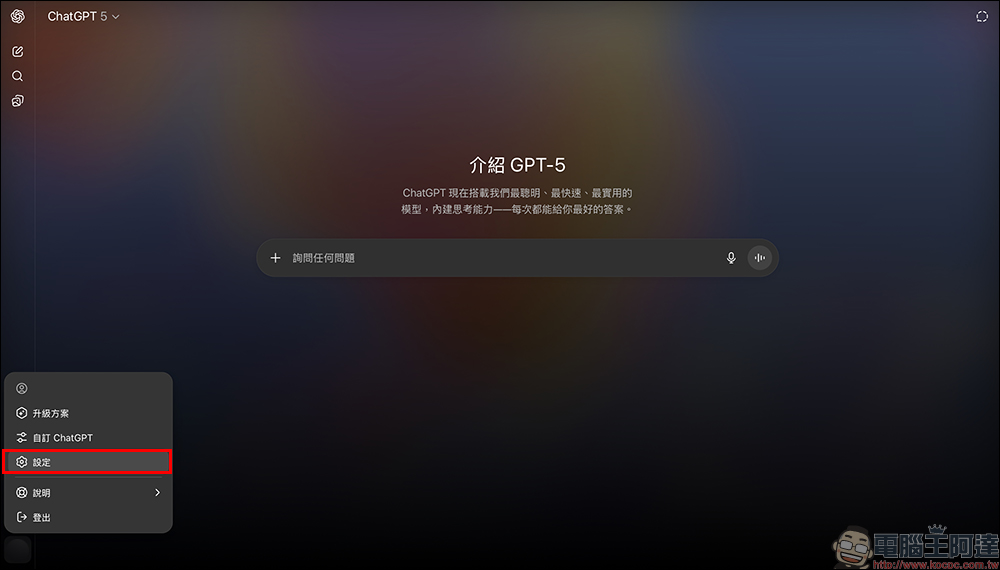
On the “General” page, you’ll find the “Show old models” option. It’s turned off by default, so you’ll need to enable it if you want to use the older GPT-4o model.
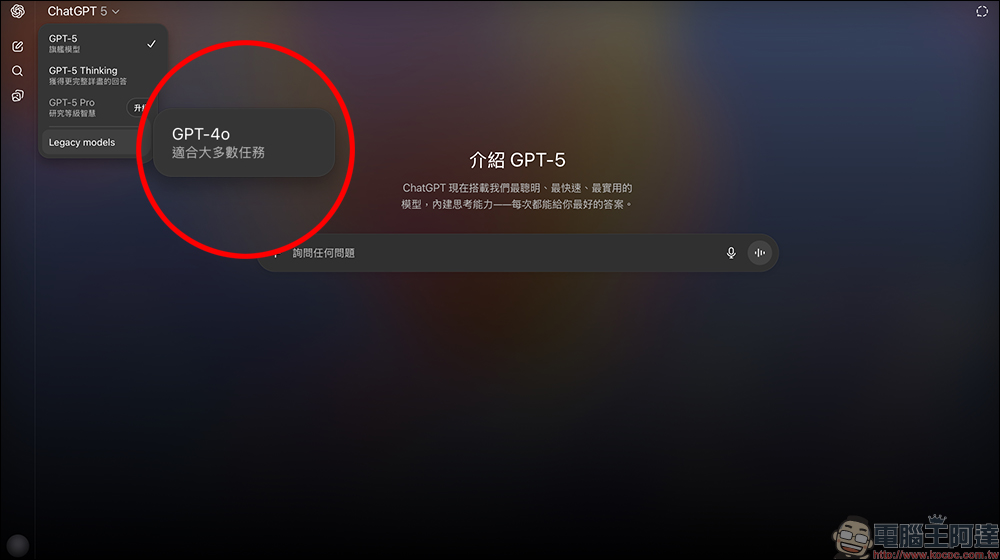
Go back to the ChatGPT homepage, and at the very bottom of the model menu under “Legacy models,” you’ll see GPT-4o appear, ready to switch at any time.
This feature is especially important for professional users who need consistent output, such as content editors, software developers, or researchers. They can first try new features with GPT-5, then switch back to GPT-4o for comparison or for tasks that require a more familiar style.
OpenAI officially emphasizes that GPT-5 is not just impressive in benchmark scores, but also smarter and more practical in real-world applications:
- Reduce hallucination rates: minimize false information that is fabricated from nothing.
- More precise instruction following: For multi-step instructions with many details, can execute more completely.
- Reduce sycophantic responses: cut out deliberately agreeable empty phrases and make answers more substantive.
- Three major application scenarios upgraded: clearer writing, more accurate code generation, and more rigorous health advice.
This means that for users who need deep content generation or professional assistance, GPT-5 is indeed a comprehensive upgrade.
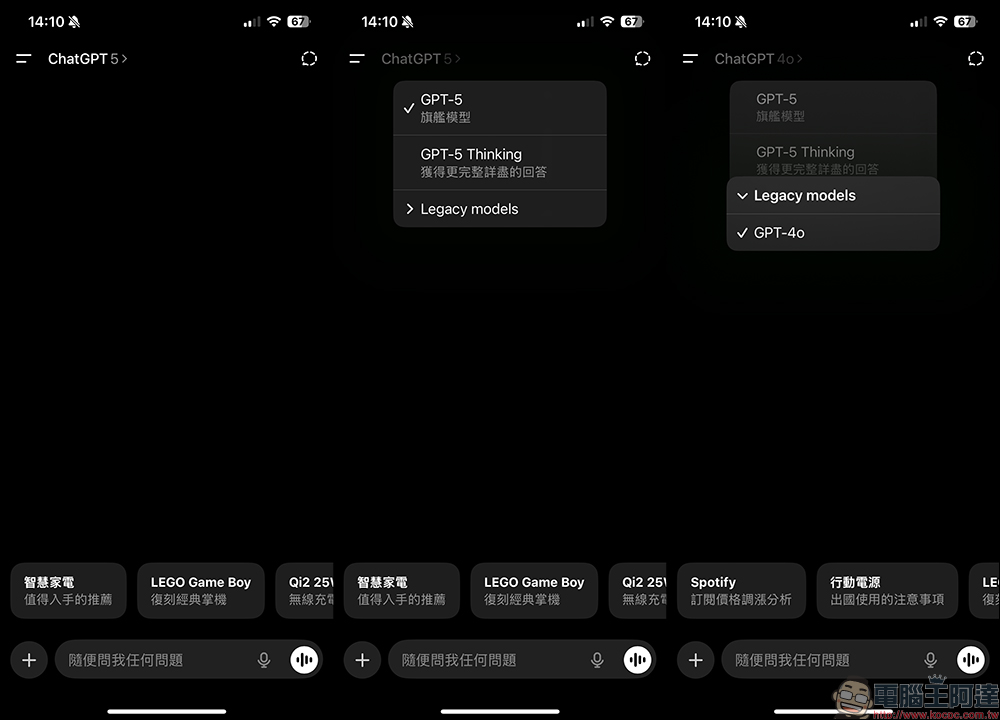
As for the mobile version of the ChatGPT app, you can tap “Legacy models” in the model selection menu, then switch to GPT-4o.
Conclusion
The arrival of GPT-5 marks another leap forward for AI models, with comprehensive improvements in speed, intelligence, and reasoning capabilities. However, long-time users accustomed to GPT-4o don’t need to worry about being forced to switch, because simply enabling a small setting lets them enjoy both the new features of GPT-5 and the familiar stability of GPT-4o. As OpenAI continues to refine its real-time routing system in the future, we may see the gap between the two narrow further—or even see them merge into a single, truly all-purpose model.
Further Reading:
Source: KOCPC Chinese