


For modern people, mobile phones are absolutely indispensable items when going out. The mobile phone is a very important tool that can help you do almost everything you need in your daily life, such as driving or taking public transportation to find directions, routes, and even parking spaces and charging stations (it can also help you remember the location). Are you traveling abroad and on your way to dine? If you are an iPhone user, in addition to using it to pay for meals, you can also let it help you perform other practical money-related tasks!

Don’t know how much to tip when dining abroad? This iPhone shortcut trick can help you calculate
Different from the “conventional” amount of service charge (tip) in Taiwan, which is almost fixed at 10%, tipping in Europe and the United States is almost always a matter of free will. But if you give too little, you will get an unhappy reaction from the service staff (you may also worry about waiting for the dessert to be served…), and if you give too much, it is obviously a bit silly. “How much to tip” is a question that people who rarely travel to Europe and the United States often worry about.
If the restaurant you visit has thoughtfully listed a series of suggested tip percentages at the bottom of your receipt, it shouldn’t be too difficult to decide how much to tip. However, if you don’t have a similar tip amount suggestion under your bill, you’ll have to rely on your ability to do quick mental math or open a computer app on your phone.
Add tip calculation to “Shortcuts” app
On the iPhone, you have to figure out what percentage of tip you want to give before you can use the computer to convert it or ask Siri to calculate it for you. If you want to be more convenient, you can also use shortcuts to set the built-in percentage and automatic conversion and totaling. Isn’t this simpler? Before performing this convenient operation, we need to start by setting shortcuts. Are you ready to get started?
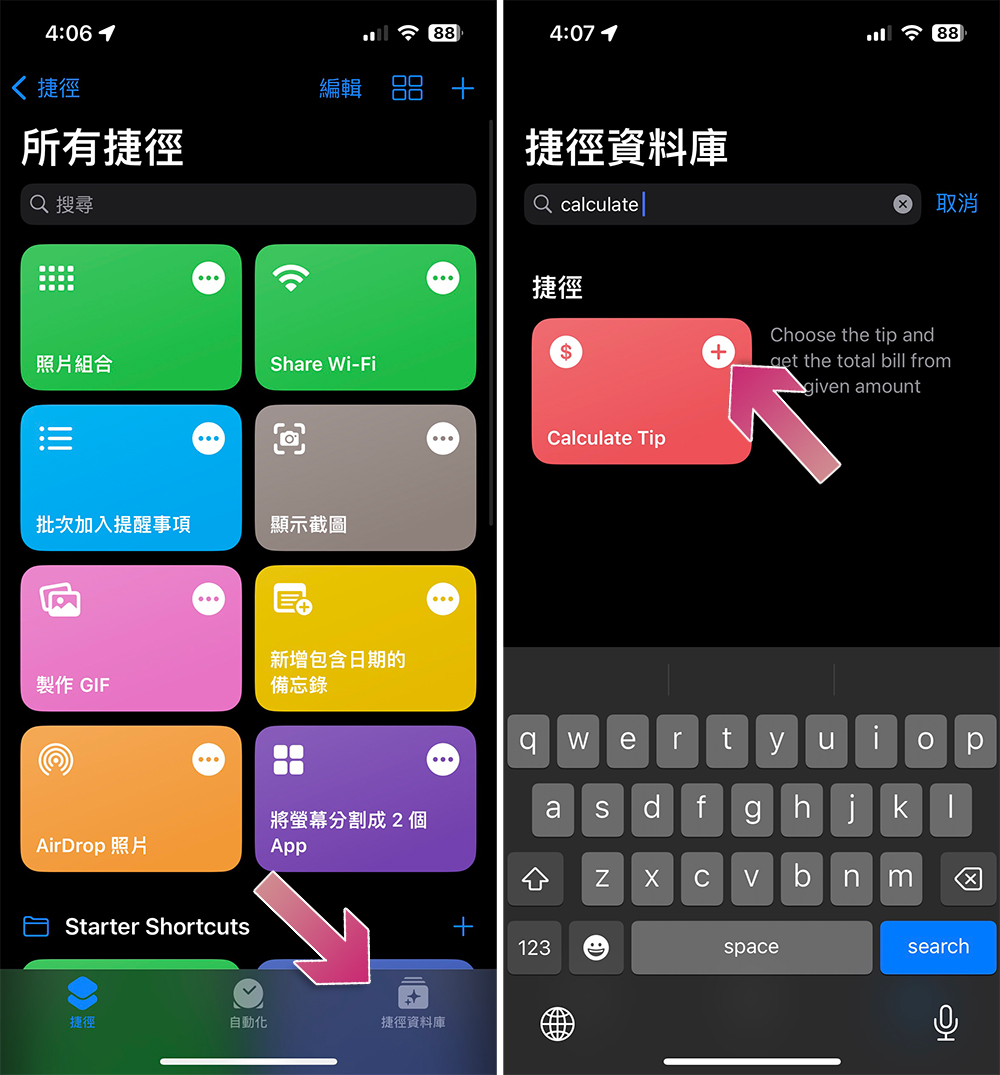
- Open the “Shortcuts” app on your iPhone, switch to the “Shortcuts Database” below, search for “Calculate Tip” (just enter the first half), and click the “+” in the upper right corner of the card to add it to the shortcuts. You don’t have to write the shortcuts yourself.
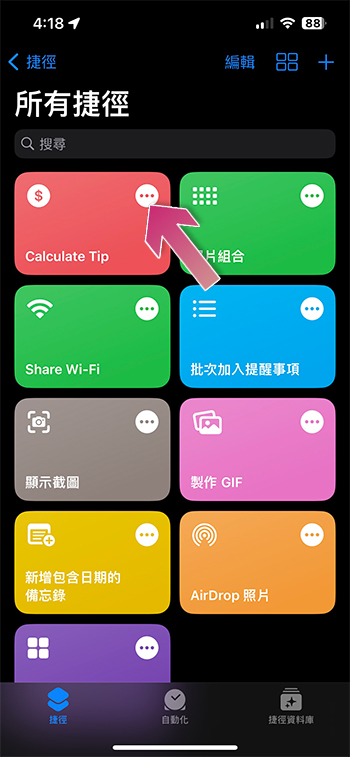
- Next, return to the shortcut homepage and click the “…” in the upper right corner of the Calcalate Tip shortcut card you just added.
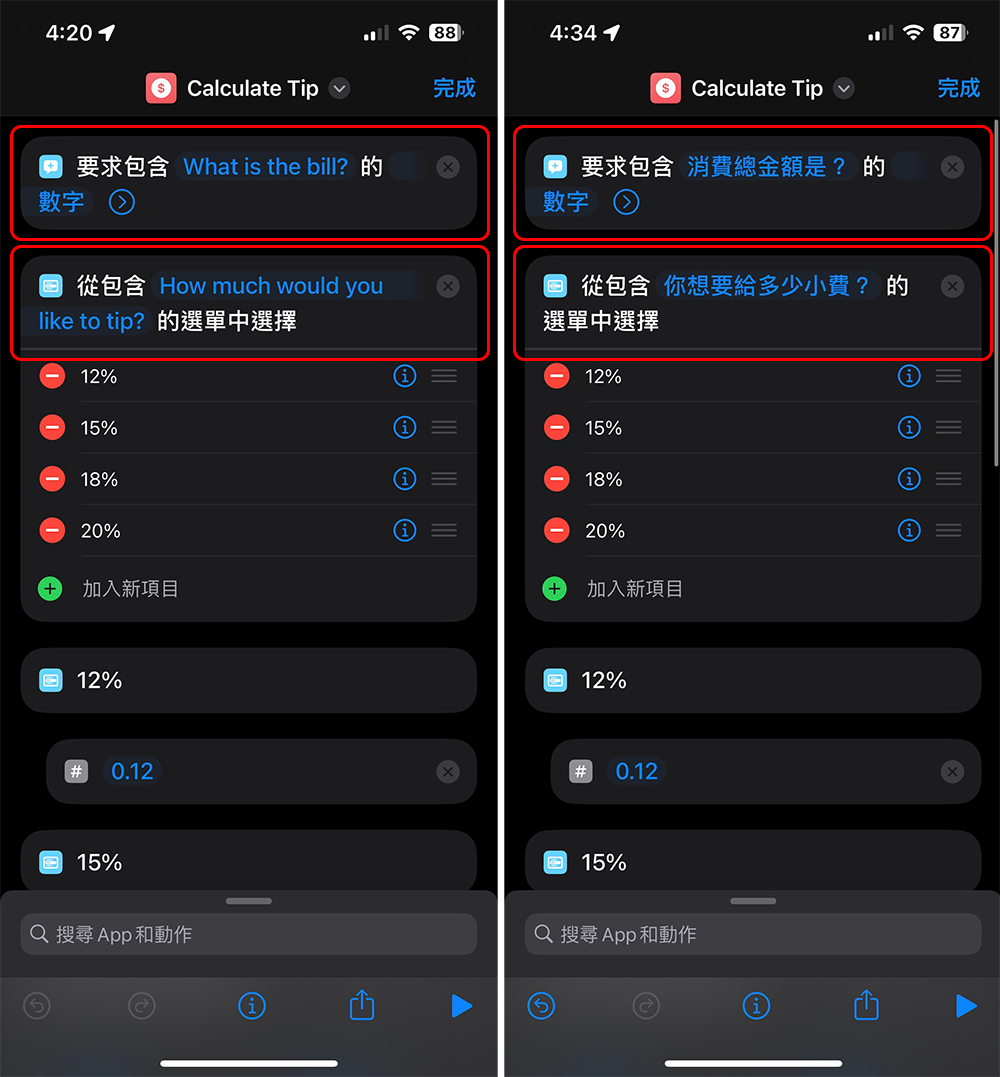
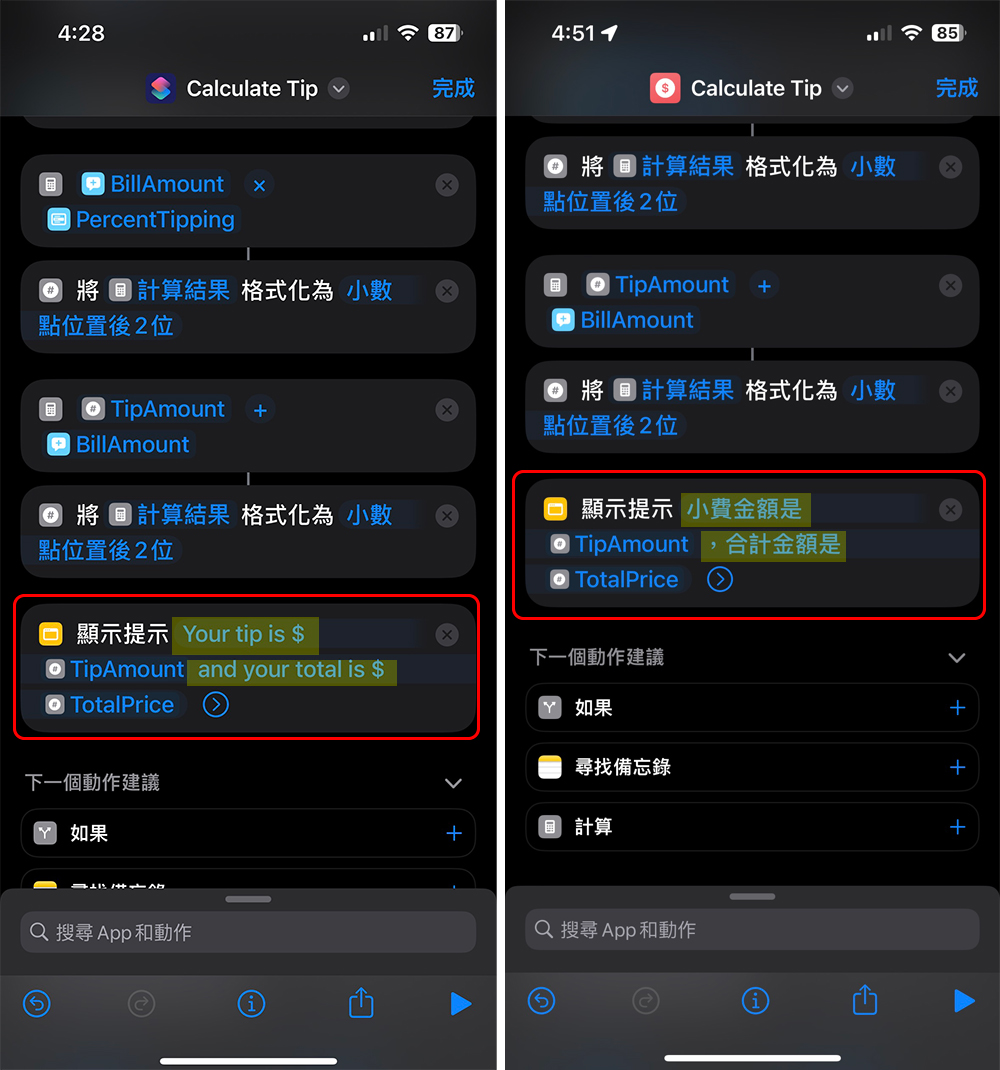
- Next you will see the settings. Since the tip calculation shortcut provided by Apple interacts with users in English, you can change it to Chinese yourself. There are three main fields to modify. Below, the author takes a screenshot of the content changed from English to Chinese and circles it for everyone to compare (be careful not to change the function variables):
- The top two fields
- Scroll to the bottom “Show Tips” field
When making modifications here, be careful not to touch the TipAmount and TotalAmount function variables. The part to be changed is the part with a yellow background in the red box below.
- The top two fields
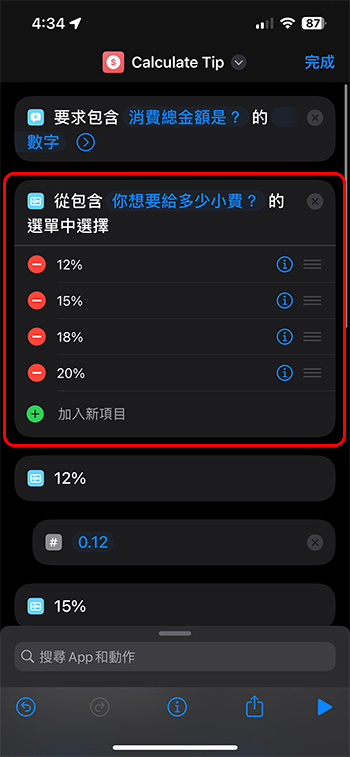
- Apple’s built-in default percentages are 12%, 15%, 18% and 20%, which are also the most commonly used and moderate tipping percentages in Europe and the United States. Since the following calculations still need to be set, if you have no experience and want to give it a try, it is recommended that you make a copy of this shortcut before playing again. At least you have a backup for peace of mind, and you don’t have to worry about damaging it.
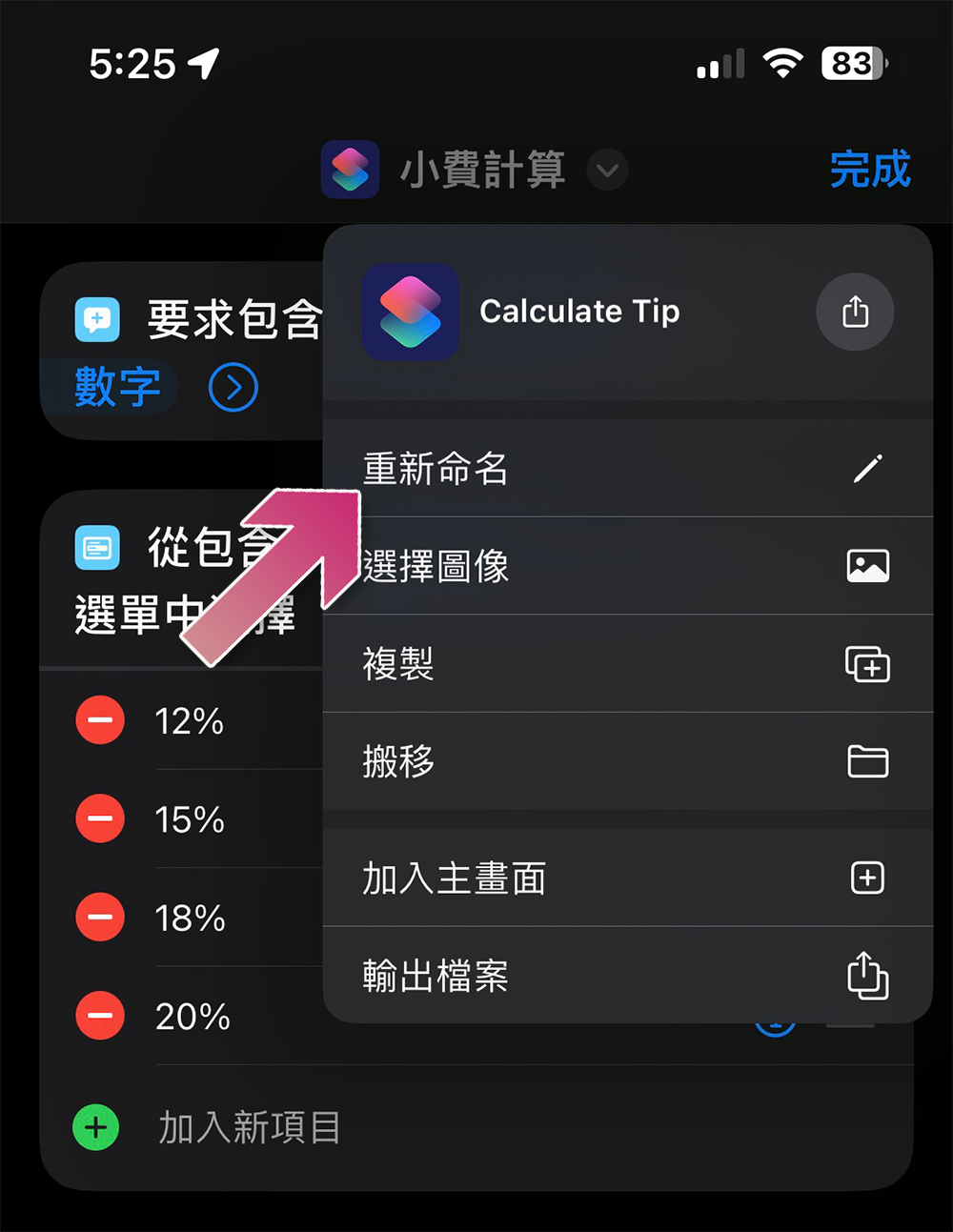
- If you are afraid that you will forget what it is, you can also click on the shortcut name at the top and select “Rename” from the menu that appears.
- After making all modifications, don’t forget to click Done in the upper right corner. At the same time, you can also press the play symbol in the lower right corner to confirm that the overall operation is normal.
Turn tip conversion shortcut into a quick access tool
It would be too troublesome to open the shortcut every time and then click on the tip conversion we set above. Fortunately, you can use the gadget to place it where it is most easily accessible.
- On the iPhone home screen, swipe right to switch to the gadget interface, then swipe down to the bottom and click “Edit.”
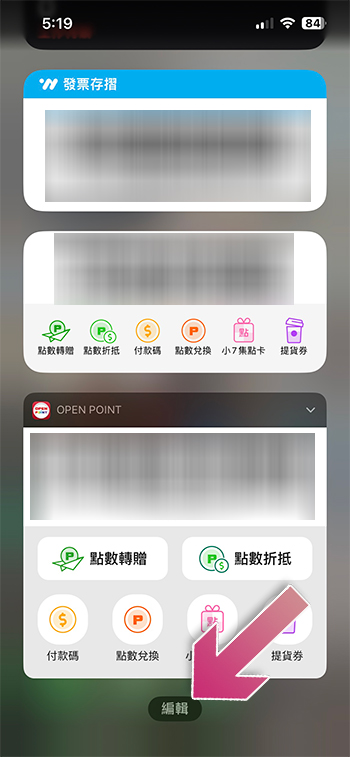
- Then click the “+” in the upper left corner, find the “Shortcut” application from the gadget library, and then add the tip calculation you just set to the gadget page. You can drag it to adjust its position.
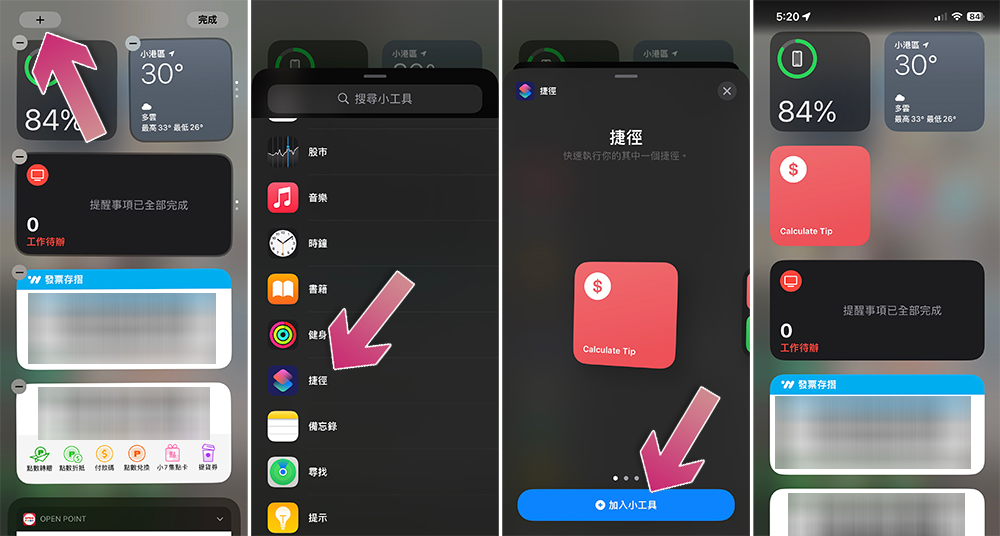
- In the future, as long as you click the shortcut on the widget page, you will see a dialogue window for you to enter the consumption amount, tip percentage and total amount, and you can convert directly without having to talk to Siri in public.
Source: KOCPC Chinese