


iCloud is one of the best password managers for Apple users because it’s free, requires no additional downloads, and is integrated directly into all of the company’s products and services. However, when you step outside the Apple ecosystem, the functions of iCloud will be weakened. For example, if you want to use Chrome or Microsoft Edge browsers on Mac, you cannot access the login information saved in the keychain. This is a very big obstacle for Mac users who don’t like Safari or who only like Chrome’s cross-platform features.

How to use iCloud Keyring with Chrome and Edge browsers on macOS Sonoma
Things you need to know before you start setting up…
The ability to use iCloud Keychain in third-party browsers has actually been around for a while, but until the launch of macOS Sonoma, the feature was limited to Windows devices. There, you can set up the iCloud for Windows app and enable iCloud Password Keychain. Afterwards, enabling the iCloud Passwords extension in Google Chrome or Microsoft Edge will allow you to access your saved data in those browsers.

This feature will also be available to Mac users starting with macOS Sonoma, which is currently in beta. If you don’t want to install the beta version of the software, the official version will be available globally sometime this fall.
How to use it in Chrome for Mac?
When your Mac has been upgraded to the macOS Sonoma operating system, it is very simple to access the iCloud keychain in Chrome. Please refer to the steps below for how to do it:
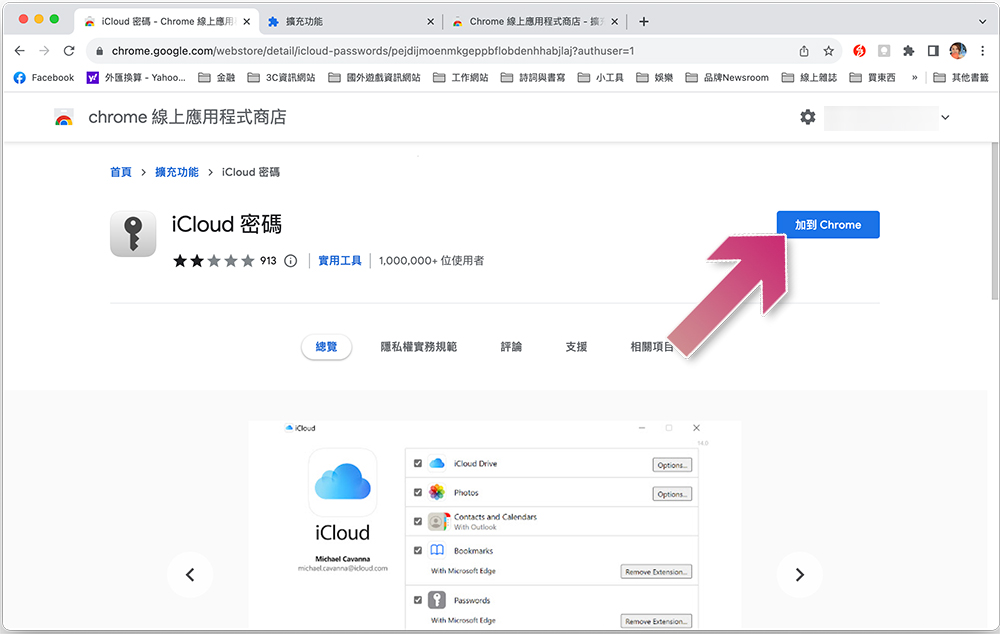
- Open Chrome and search for “iCloud Password” in the Online App Store, orJust click this link。
- Click the blue Add to Chrome button, then click Add Extension.
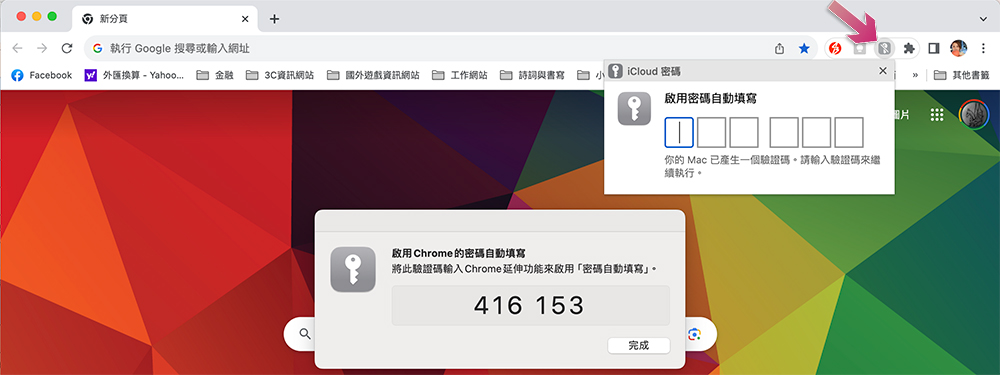
- Next, click on the small iCloud password icon on your browser, enter the verification code that appears on your Mac screen to enable the feature (if you don’t see the icon), and click on the puzzle icon to look inside. Don’t forget to turn on sync to apply your extension to all Chrome browsers signed in with the same Google account (optional, you don’t have to sync).
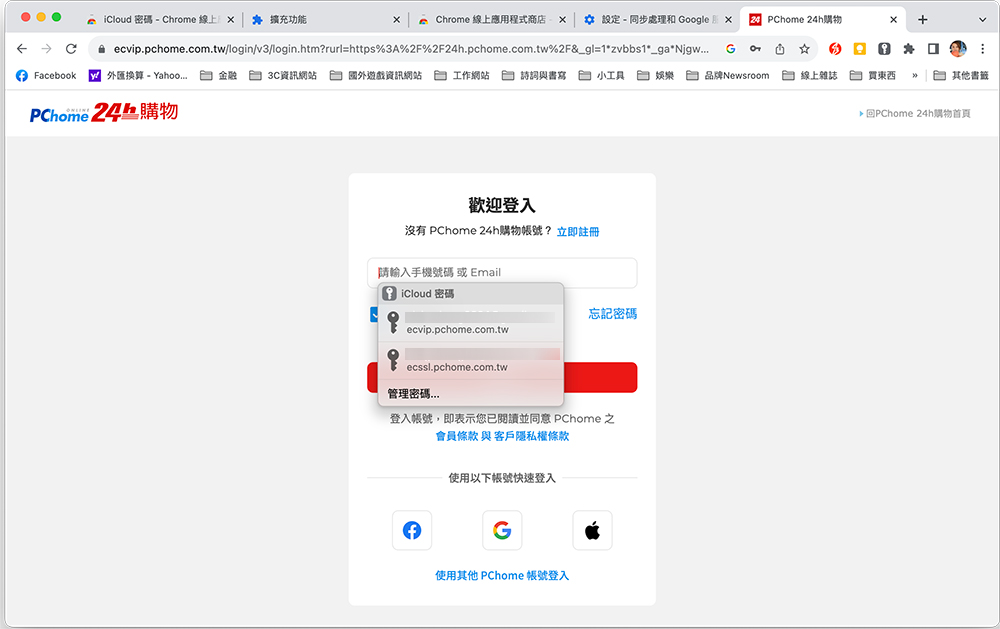
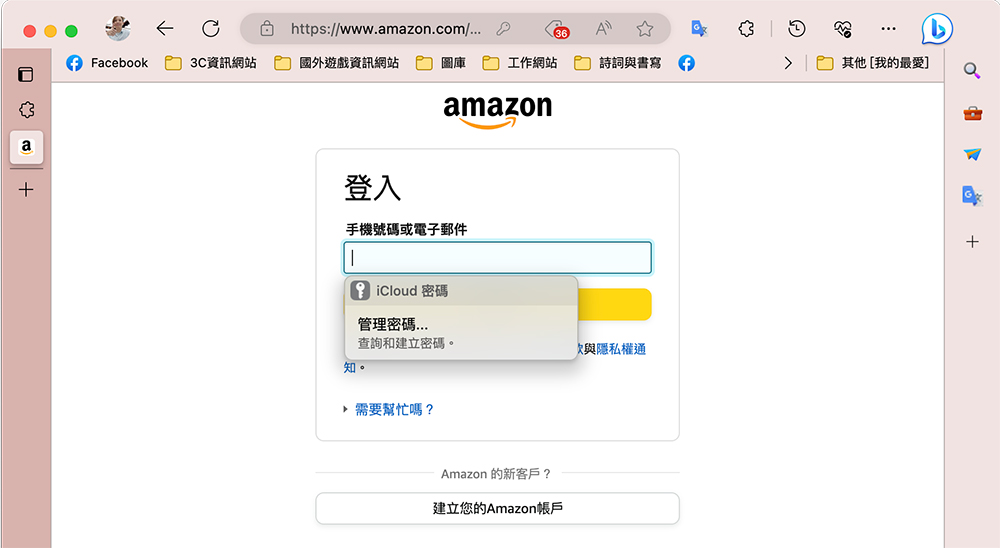
- Now, open the website you want to log in to, and when you click on the login information input box, you will see the information saved in the iCloud Keychain displayed under the box for you to click on.
How to use Microsoft Edge on Mac?
Microsoft Edge has become one of the most popular browsers since its facelift. The process of adding an iCloud password extension application to it is similar to Chrome. The steps are listed below:
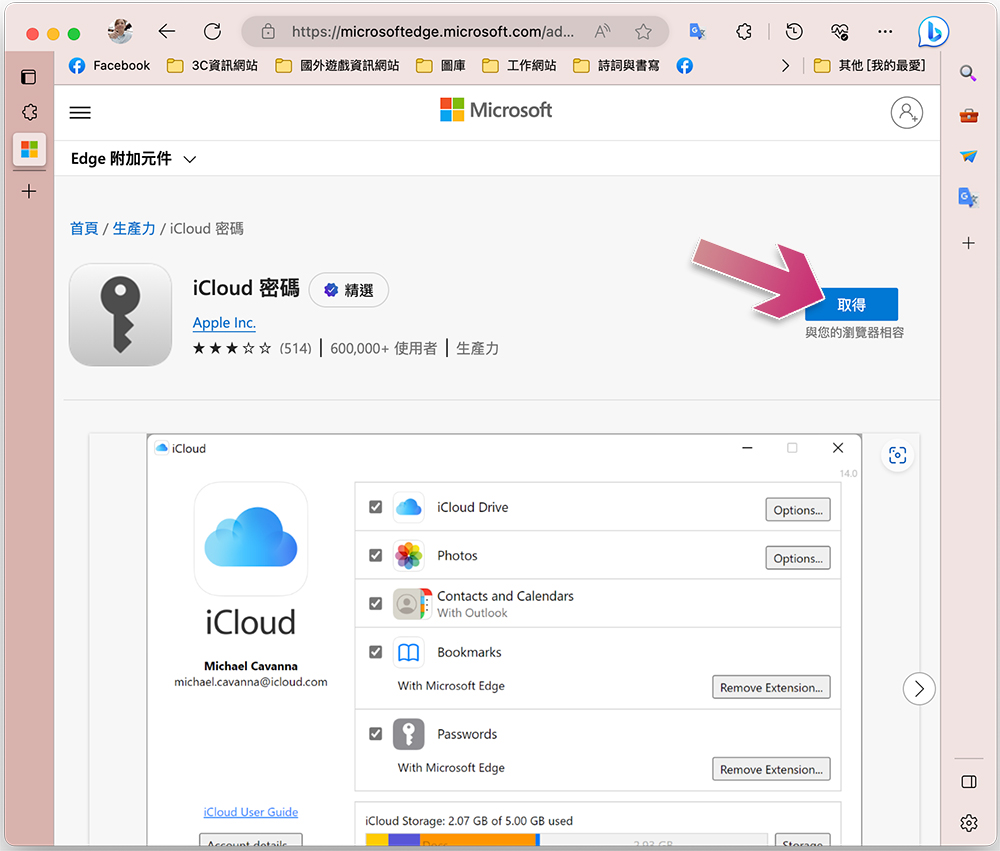
- Open the Microsoft Edge browser and search for “iCloud Password” in the add-on store, or click this link directly.
- Click “Get” on the right and select “Add Extension”.
- Click the puzzle icon to find the iCloud password. After clicking, you will also be asked to enter the verification code displayed on the screen to enable the function. Whether or not to synchronize next is optional, it depends on your preference.
- Now you can open the website you want to log in to and choose to autofill your account and password from the iCloud keychain that appears.
Why use iCloud passwords with third-party browsers?
If you’re completely happy with Safari, there’s really no reason to switch to a third-party browser like Chrome or Microsoft Edge. After all, it’s a great service with integrated password saving. However, if you’re a long-time Google Chrome or Microsoft Edge user and want to use iCloud passwords with your preferred third-party browser, you can now just upgrade to macOS Sonoma and perform the steps above to get started. Since iCloud Password Keychain is a free and secure way to store your login information, it’s great that this feature is finally coming to Mac.
Source: KOCPC Chinese