


Various tech giants have spared no effort in advancing and promoting AI, and Microsoft is naturally no exception. In recent years, it has introduced the Copilot tool into Windows 11 and actively integrated it into the various services it offers. Now, Microsoft is launching a new Copilot tool for you to try, designed specifically for gamers, with the aim of enhancing your gaming experience.
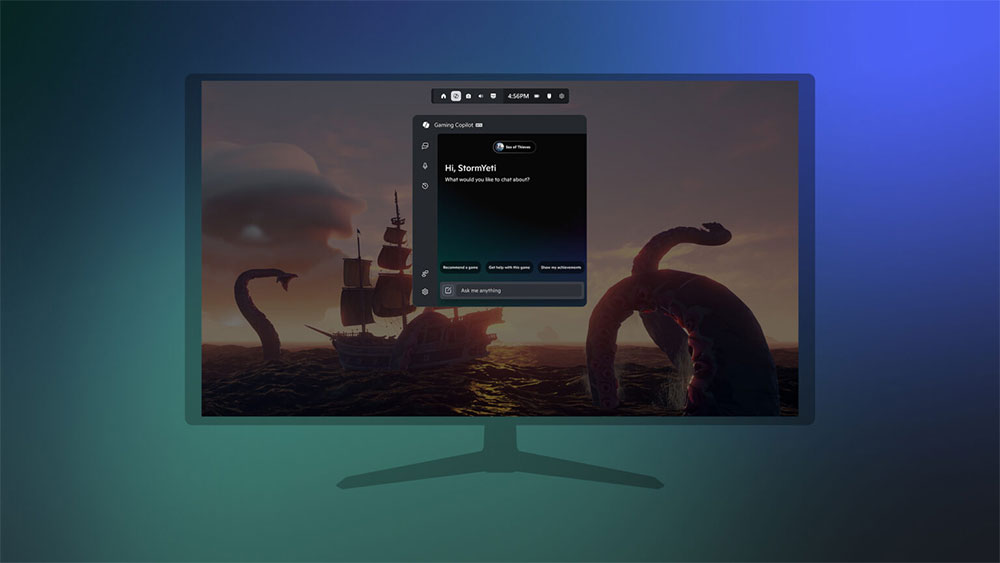
Windows 11’s Game Bar is getting Copilot features
“Gaming Copilot” provides players with a game-focused AI assistant that is now available for Xbox Insider members with Windows handheld devices to test. It can help with challenging tasks, skill improvement, explaining certain content, or discussing games. Previously offered as a second screen experience on iPhone and Android, Xbox Copilot has now become part of the Windows 11 Game Bar.
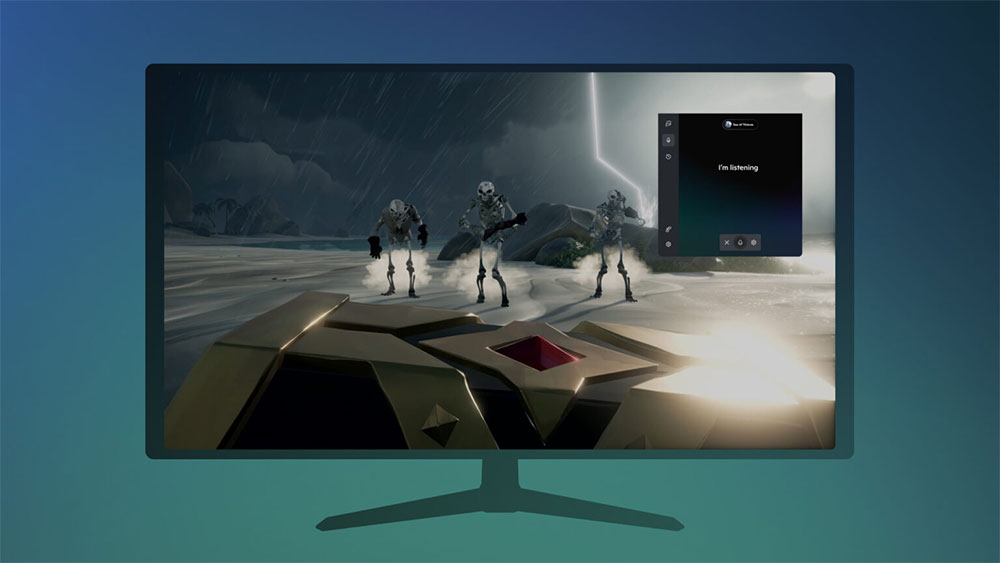
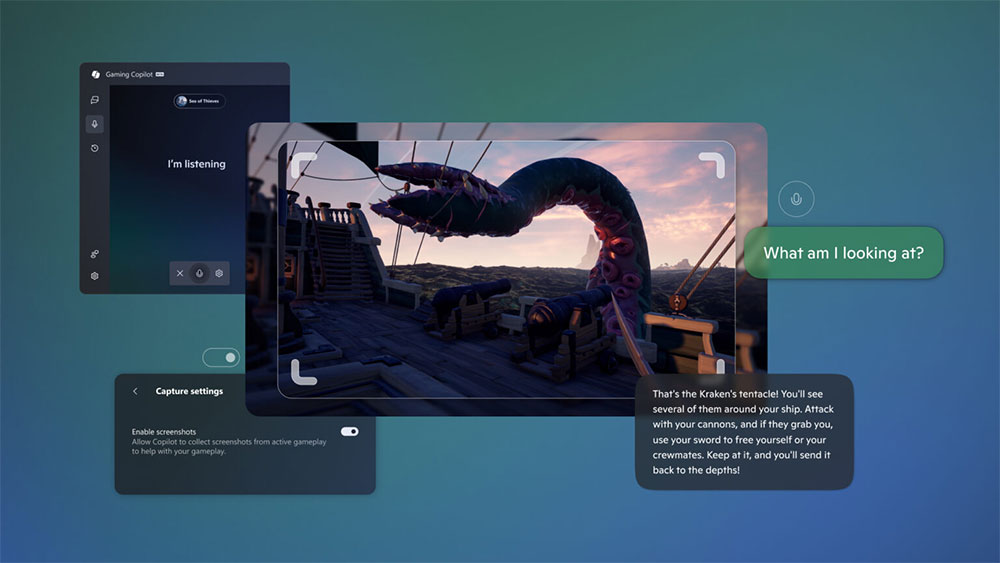
Gaming Copilot knows what game you’re currently playing. You can type questions or use voice mode for a more convenient interactive experience. When asked, Gaming Copilot will capture your game screen, so you don’t have to describe what’s happening on the screen. Just ask Copilot “what I’m looking at,” and Copilot will explain it to you.
Microsoft says the current version of Gaming Copilot has limited functionality. With the recently released ROG Xbox Ally and ROG Xbox Ally X, future updates will bring more improvements and features. Another notable point is that Gaming Copilot is only available in a limited number of countries and regions, and Taiwan is among them.
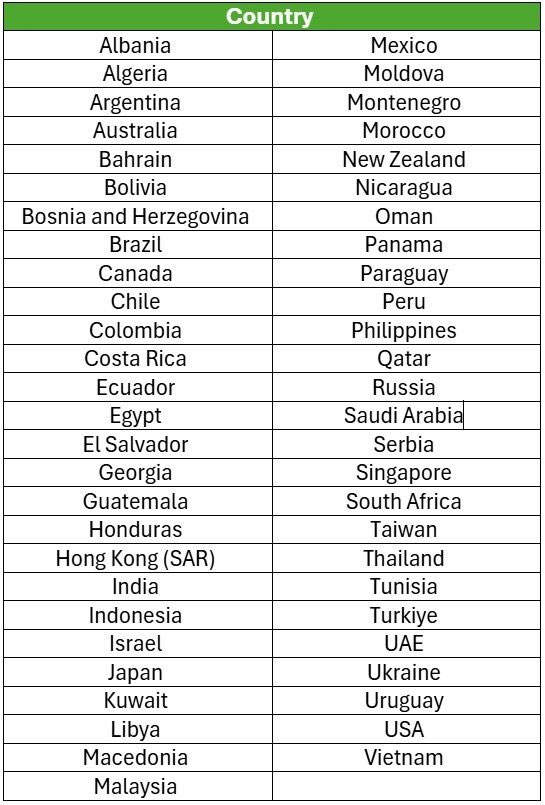
If you live in the European Union, you’re out of luck—there is currently no Gaming Copilot available for you. In addition, this AI assistant is currently only available in English and only for users aged 18 and over. You can try Gaming Copilot by registering your PC in the Xbox Insider Program and updating the Xbox PC app to the latest version. After that, when you press “Win + G” on your keyboard or the Xbox button on your controller, you can open the Gaming Bar, click Gaming Copilot, and sign in with your personal Microsoft account to use it. More information you can find atOfficial announcementlook up in
Source: KOCPC Chinese