


LINE was quietly updated again some time ago! This update to LINE 13.12.0 not only allows LINE users to use LINE FRIENDS characters as profile pictures, but also synchronizes the cover and background photos of sub-community chat rooms in LINE communities. The LINE theme carousel function we introduced before is also supported after this LINE 13.12.0 update. Hurry and continue reading this article to learn about the complete update content!

LINE 13.12.0 version update: 3 updates including profile studio, LINE community and topic automatic carousel
LINE recently released the 13.12.0 version update of the LINE App for iOS and Android. This update mainly brings three new features. I will quickly share them with you this time!
Profile Studio sets “LINE FRIENDS” characters as personal pictures
Many LINE users are very fond of LINE FRIENDS. If you are also a fan of LINE FRIENDS, you are in luck now! Since version 13.12.0 of LINE, in addition to providing multiple ways to set personal pictures such as AlphaCrewz, AI selfies, and AI portraits, the Profile Studio now has “LINE FRIENDS” also added to the Profile Studio, allowing users to easily set their favorite LINE FRIENDS characters as personal pictures.
How to set it? First, open the LINE App, click “Profile Studio” on the “Homepage” and then select “LINE FRIENDS”. For first-time use, you must agree to the terms of service and then select your favorite character:
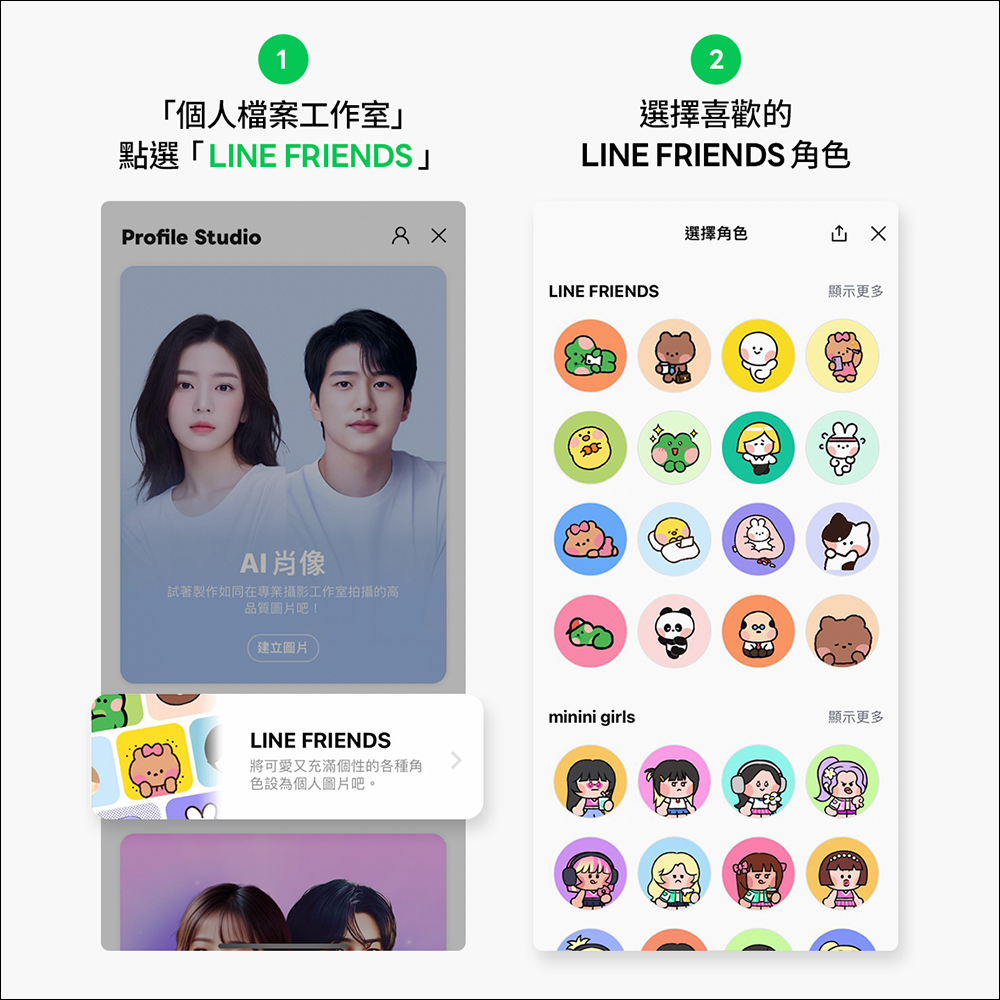
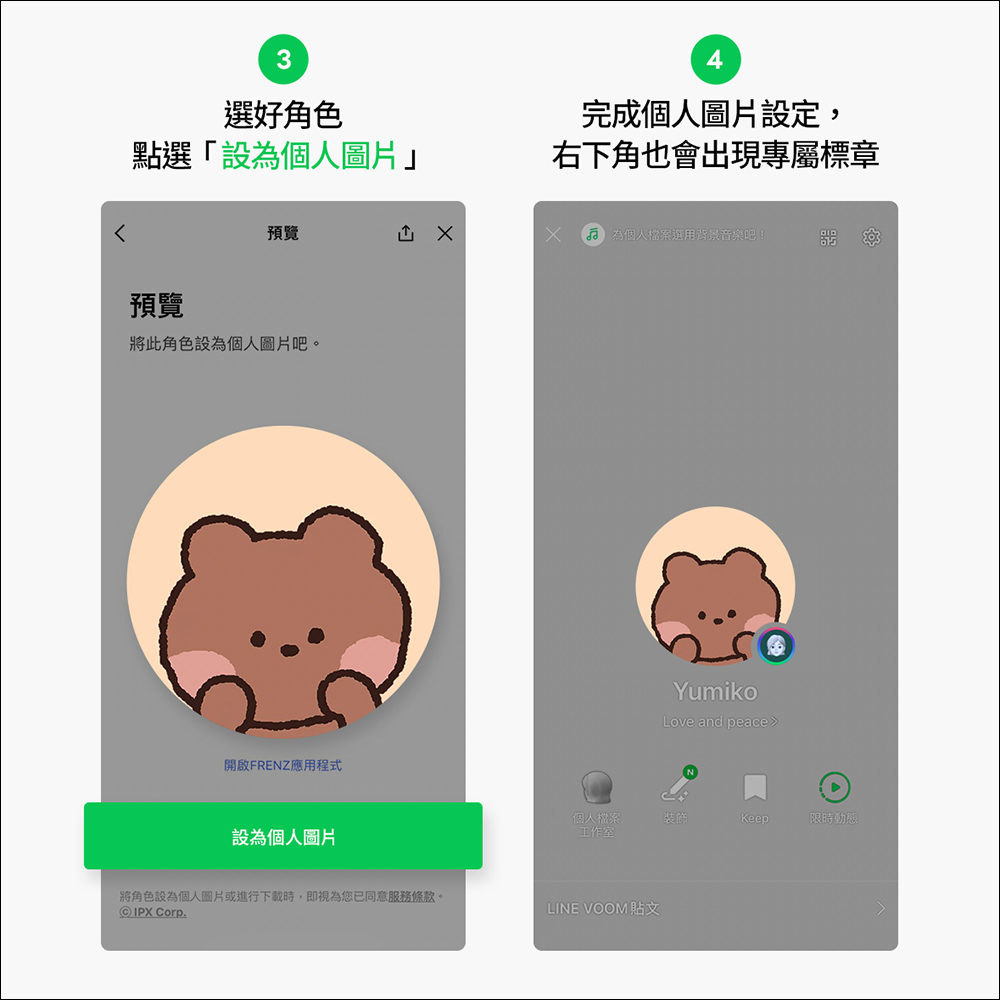
After selecting the character, click “Set as personal picture”. When the personal picture setting is completed, a unique badge will appear in the upper right corner.
LINE Community|Sub-community chat room cover and background photo synchronization settings
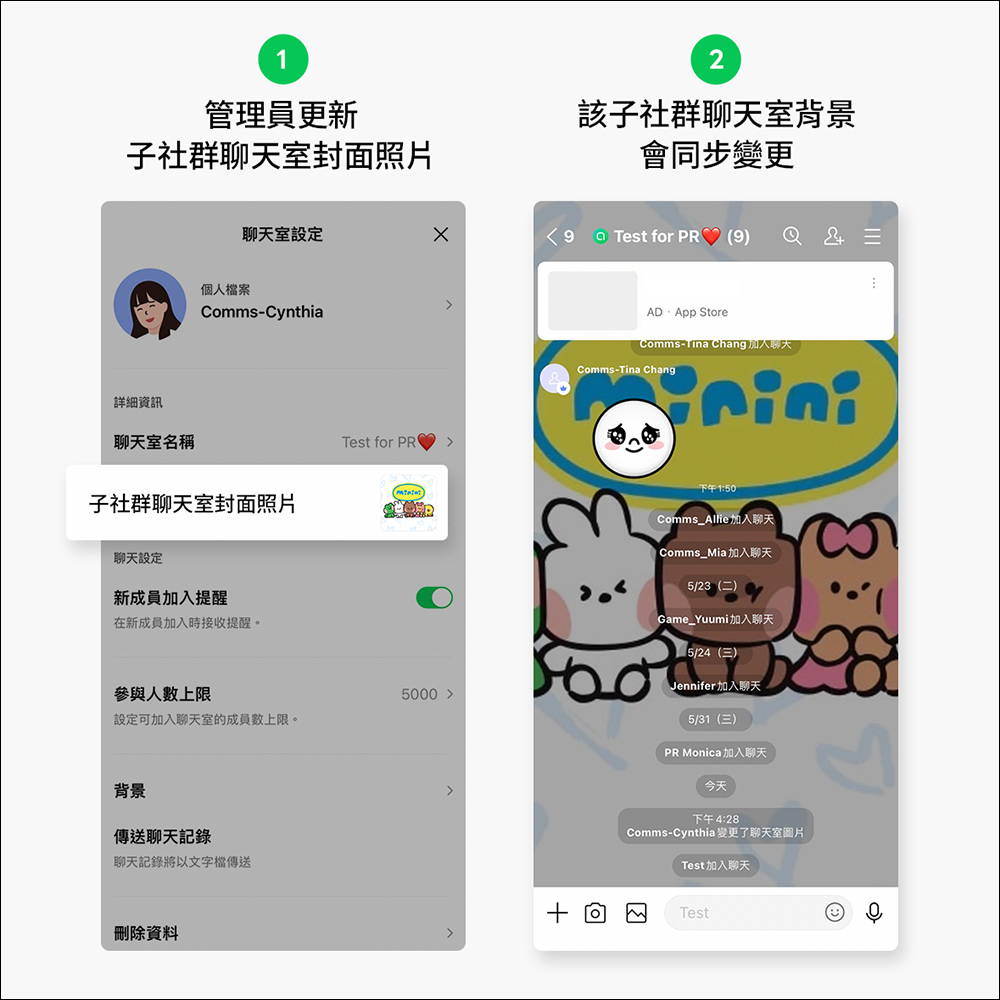
When multiple sub-communities can be established under a LINE main community, administrators may sometimes cause embarrassing situations of incorrect communication when switching between sub-communities. From now on, as long as you update the cover photo of a sub-community, it will be linked to the chat room background of the sub-community to enhance the identification of the sub-community!
How to set it? First, click “≡” in the upper right corner of the sub-community to expand the function menu, and then select “Other Settings” > “Sub-community Chat Room Cover Photo”. After the setting is completed, the background of the sub-community chat room will be changed simultaneously.
LINE topic automatic rotation
LINE 13.12.0 update allows users to set multiple LINE topics to rotate at a fixed frequency.Regarding the automatic theme rotation function of LINE, we have previously introduced another article specifically (please click here for details). This feature allows users to select multiple different LINE themes and rotate them every 12 hours, every day, every 3 days or every week according to a fixed update frequency.
How to set up automatic theme rotation? First, select “Themes” in LINE’s “Settings”, then check the topics you want to rotate on the topic list page. You can adjust different update frequencies in the upper right corner of the settings.
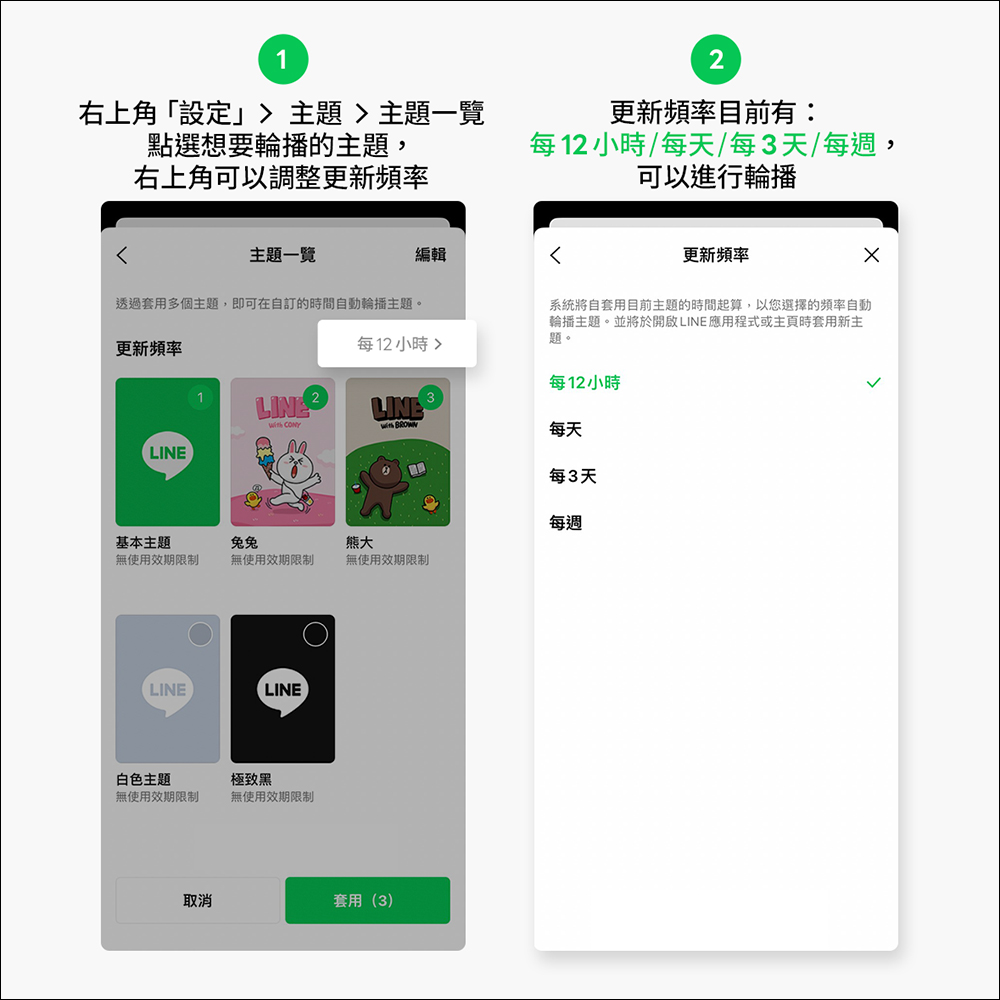
Then the LINE theme will automatically switch to different themes at the set update frequency!

Further reading:
LINE free sticker collection: 24 free LINE stickers available for download for a limited time
Source: KOCPC Chinese