


If you’ve ever lost your phone (especially in a public place), you probably know the stress and worry of trying to find it. Therefore, when you find someone else’s iPhone, it’s best to return it to the owner rather than taking it for yourself. There are several ways to find the owner. The first and most basic method is that the owner will definitely call his mobile phone number, and you can answer the call and agree on a return method. If the above situation does not happen when you first pick up the iPhone, you can take some measures to try to find more information about the owner of the device. We can start with Siri.
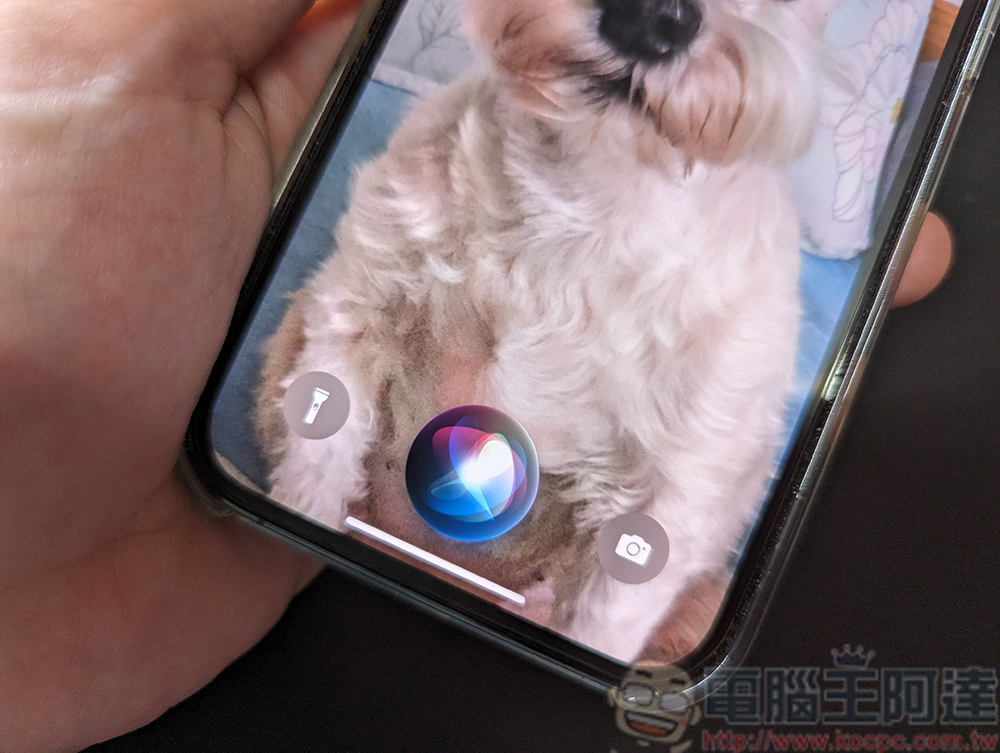
When you find someone else’s iPhone, what do you tell Siri to find the owner?
Although you can’t unlock a found iPhone to view its contents and find its owner, you can get some clues through the voice assistant Siri. There are several ways to trigger Siri:
- If the phone has been set to listen for specific commands, just call “Hey, Siri” to wake it up.
- Long press the side volume button to wake it up.
- Older iPhones with Touch ID can be awakened by long-pressing the home button.

When a colorful circular icon appears on the screen, Siri is ready to receive your commands. At this time, you can ask the following questions to try to obtain some owner information.
- Whose phone is this?
- Who does this iPhone belong to?
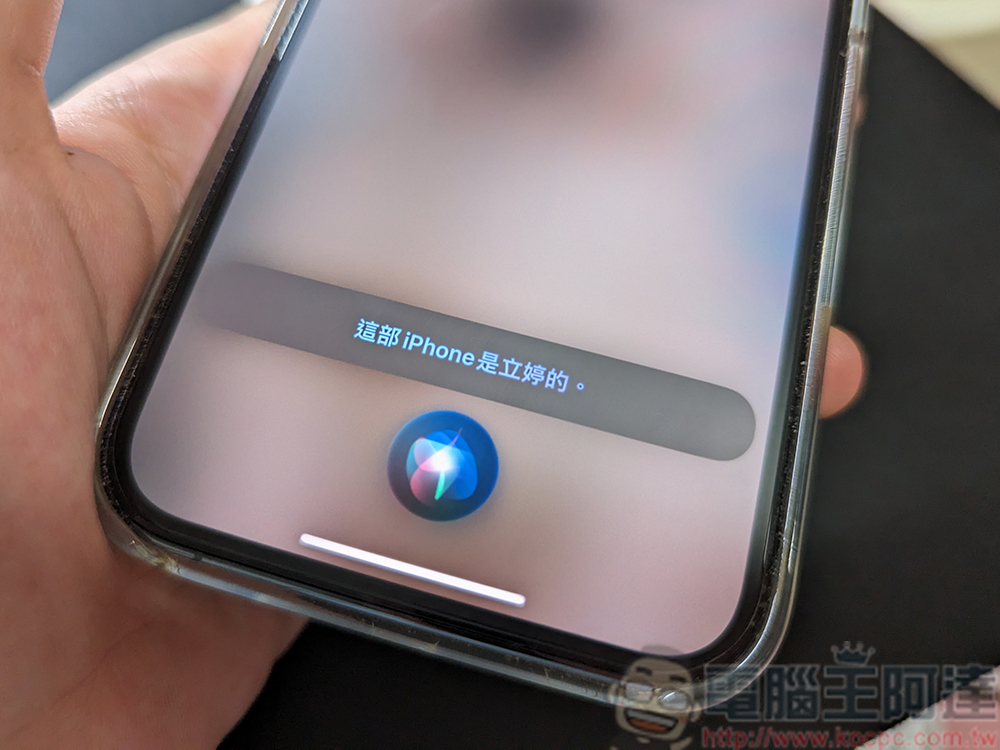
These questions will cause Siri to display the name on the screen that the owner has programmed into the phone. Of course, you won’t be able to call the phone number shown on the contact card, but it may have other details, such as an email address, that you can use to communicate with the owner. Alternatively, you can directly ask Siri to perform operations such as “Call mom (father, sister…etc.)”. If the owner has stored the family members by their names in the phone, you have a high chance of contacting the owner’s next of kin, and the other party can also notify the owner to contact you to get the phone back.
Also featured: Set up your iPhone to increase the chance of recovery
If you are an iPhone user and want to ensure that someone who finds your phone has a way to learn more about you, be sure to keep your contact information up to date on your phone. Here’s how to set it up on the latest version of iOS:
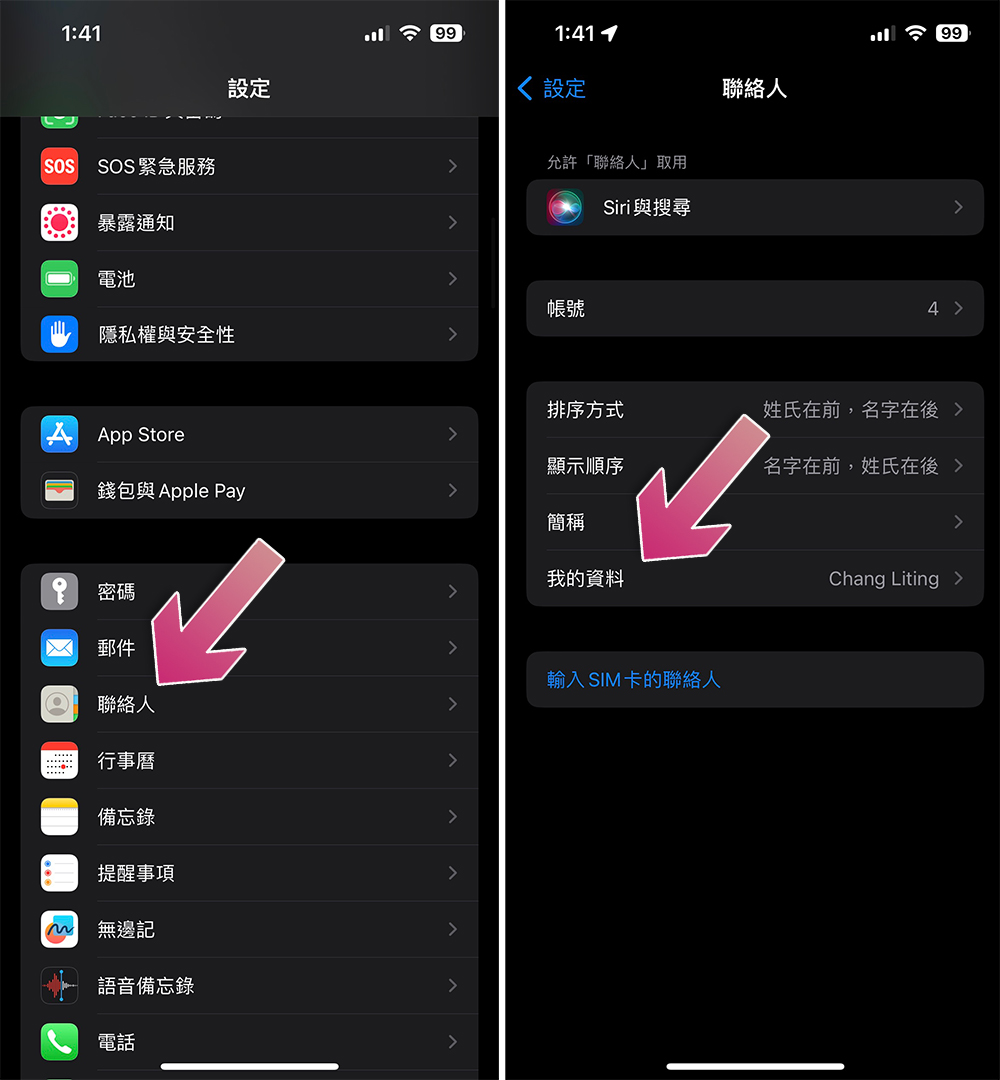
- Open the Settings app and scroll down to find “Contacts.”
- Click “My Profile”.
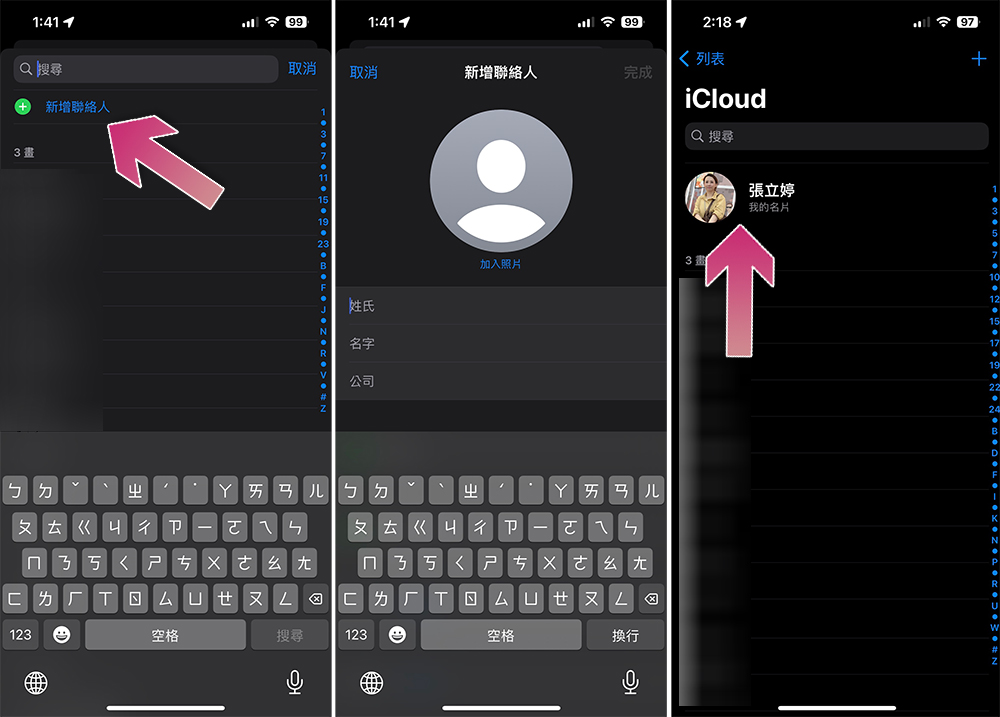
- Click “Add Contact” to create a file for yourself. The following must be filled in:
- recent photo
- First name, last name and phone number
- Choose one of email, social media accounts and backup (or home) phone number
After filling in, click Done to save the contact information. When you launch the Contacts app, you can see whether your iPhone is successfully associated with your personal contact card. At the top of your contact list should be your personal contact card labeled “My Business Card.”
Now that you have set it up here, don’t forget to set up your own emergency medical information in case you need it. People who pick up your phone can also find other ways to contact you from the emergency medical information.
Further reading:How to set up emergency medical information on iPhone / Android phone? Please do this with me!
Source: KOCPC Chinese