


Microsoft has a deep history in the technology industry, and its Windows system plays an even more important role in it. From the first version of Windows in 1985 to the latest modern version, Windows 11, the company continues to innovate and add new features that reshape the way we work, play and interact with our computers or laptops. Although Windows has many functions, there are 5 functions that are particularly important to the development of Windows as a whole. This time we will take a look at them together.
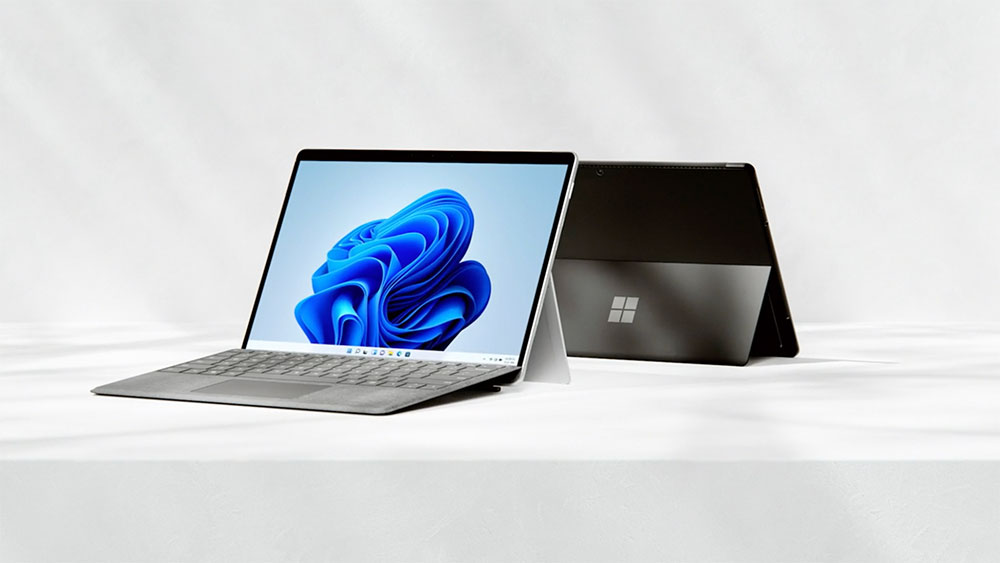
5 features that had the most profound impact on Windows and even changed the entire platform
“Start” menu
Let’s start with the “Start” menu (?). It first appeared in Windows 95 and really changed the way people used the operating system. From Windows 1.0 to Windows 3.1, users largely had to rely on the program administrator to launch applications. It was not easy to use overall because you had to open separate program groups and use shortcuts. With the Start menu that comes with Windows 95, Microsoft provides you with a new way to use your computer. With just the “Start” icon in the lower left corner, you can easily access your favorite applications.
Windows XP also continues this new feature and expands the start menu into two columns. You can see applications on the left and folders such as files and music on the right, while having more space for customization. Microsoft has introduced search fields, additional menus and submenus for file navigation and settings into the Start Menu in Windows 7 and Vista. Of course, you may remember that Windows 8 got rid of the Live Tiles Start menu, which showed information about your favorite apps at a glance, but made everything else less easy to find. Happily, Microsoft re-imported the Start menu in Windows 8.1 and then merged the tiles into the Start menu in Windows 10, with options to pin apps and resize them.

However, the most controversial move made on Windows 11 is to move the Start menu to the middle of the taskbar by default. It also does away with dynamic tiles in favor of simpler app icons, recommended content, and a more prominent search bar. But no matter what form it takes, the Start Menu is one of the most critical features of Windows, and always will be.
Internet Explorer
Internet Explorer was first launched in 1995, and it’s in a very special place. The web was booming and this new app came pre-installed on Windows as a way to help people get online. Even more influential, it sparked what we know as the “First Browser Wars,” competing with products like Netscape and even leading to accusations that Microsoft was seeking a monopoly and stifling competition by forcing users to use Internet Explorer for Windows.
Despite many obstacles, Internet Explorer continues to receive iterative updates. For example, version 6 introduced features like pop-up blockers and extensions. However, its popularity gradually declined due to the emergence of browsers such as Google Chrome. While it lasted for a total of 11 versions, it was eventually replaced by Microsoft Edge and deprecated in the recent Windows 11 update. Although it had a bad reputation in the later period, it still exists in spirit, and Edge now even provides an “Internet Explorer” mode for old websites.
Playground (built-in games)
Windows has always been bundled with games, even back in the days when it ran on commands. For example, Windows 1.0 has a built-in game called “Othello” that can help you get used to using a mouse. But future versions of the operating system will also include many classic games, some of which you may have heard of and played. For example, Solitaire first launched in Windows 3.0 and expanded to all versions of Windows prior to Windows 7. Then came Minesweeper and FreeCell, which were first released with Windows 3.1. You should also not forget the 3D pinball machine available in Windows NT, Windows 2000, ME and XP.
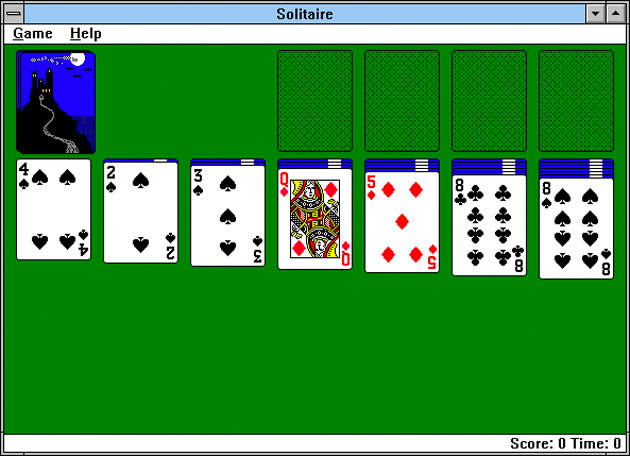
Microsoft has kept a lot of these games around over the years, and while it also includes others like Mahjong Titans, Chess Titans, and Sudoku, it still makes the game a part of its systems even today. You can still find games like Solitaire in Windows 11. Of course, you can’t talk about gaming without talking about Xbox, and you can subscribe to Xbox Game Pass and unlock a whole new level of cloud gaming on your PC.
Windows Ink workspace
Touchscreen devices are now commonplace, and Microsoft has launched the Surface line to keep up with the trend. On the software side, it also launched Windows Ink in 2016, making it easier to use a digital stylus to communicate with your device. This dedicated workspace contains links to apps like Sticky Notes and recently used handwriting apps that may be note-related, such as OneNote. Meanwhile, apps like Little Painter also have drawing tools like rulers and other digital pens.
The dedicated Windows Ink workspace is gone, but many elements of it remain in Windows 11. Apps like Microsoft Whiteboard now integrate with Windows Ink functionality, allowing you and friends to draw and share ideas on canvas.
Linux and Android apps on Windows 11
In this last item we mention two more operating systems. Many years ago, people thought that running Linux and Android applications on Windows was unimaginable. After all, Windows is a product of Microsoft, and the established impression is that it is only open to Windows developers. But in August 2016, Microsoft released the Windows Subsystem for Linux on Windows 10, which makes it easier for developers to write programs on Windows. It can work with Windows to access Linux command tools and applications without the need to dual-open Linux and Windows systems.
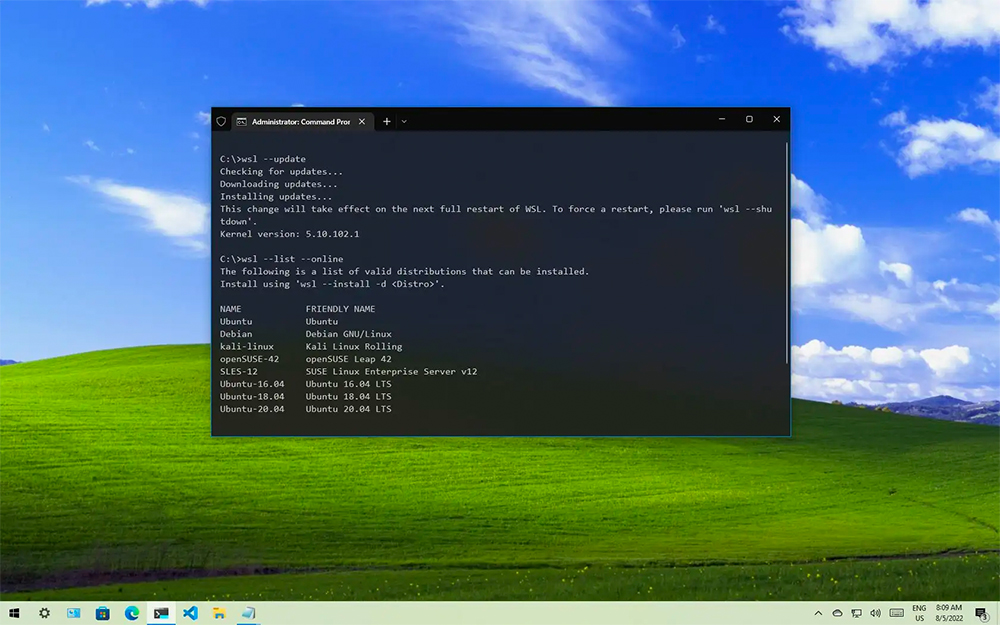
Today, the feature still exists in Windows 11, but Microsoft has updated itself with another developer- and user-friendly option: Windows Subsystem for Android. It is powered by the Amazon App Store and allows you to run Android apps on Windows. Of course, the app selection is limited, as the Google Play Store and Google Play services aren’t included, but with the right tweaks and settings, you can turn your Windows PC into an Android device. Who would have thought of this back then?
write at the end
Windows has such a long history, there is so much more we can learn and dig into. While these features are important, I’m sure you can think of more. It could be something as simple as a mobile phone connection app, or it could be something as complex as a command prompt. No matter what it is, Microsoft continues to improve Windows every year, so I believe there will be many choices and more groundbreaking features in the future.
Source: KOCPC Chinese