


After seeing the launch of a new AI service that seemed amazing, I naturally immediately studied the charm and capabilities of HyperWrite, the so-called true personal AI assistant. Let’s briefly take you through this interesting AutoGPT-like feature. Continue reading HyperWrite, a powerful AI assistant that can help you with complex tasks such as booking tickets and meals, is now available for free trial and will take you into the next realm of generative AI (instructions for use).
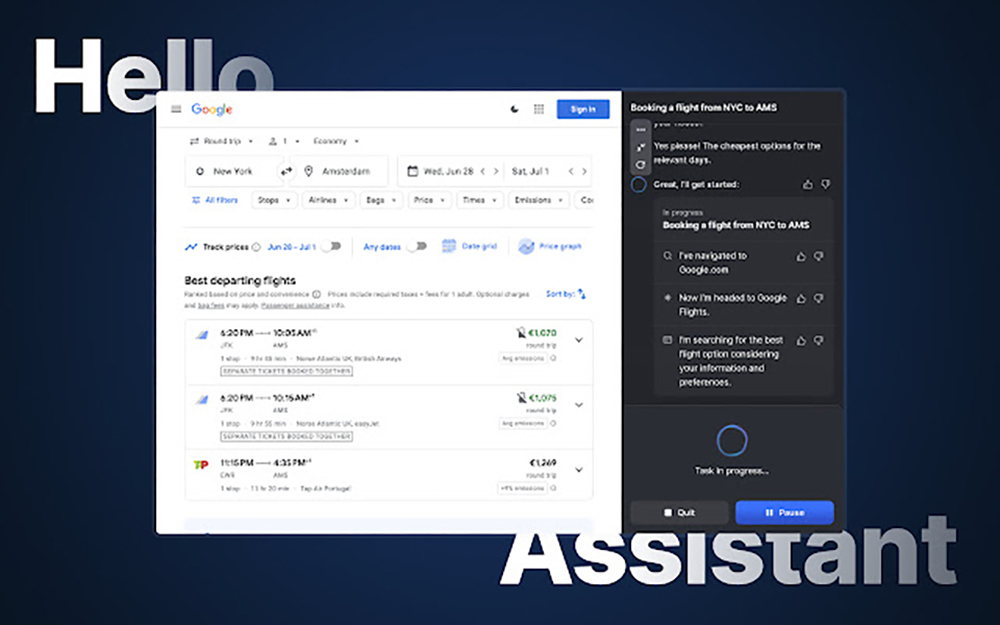
HyperWrite, a powerful AI assistant that can help you with complex tasks such as booking tickets and meals, is now available for free trial, taking you into the next realm of generative AI (instructions for use)
I believe that modern people have long been accustomed to having an Internet browser in hand. Basically, they are ready to deal with various problems when going out. All tasks including booking tickets, ordering meals, searching for information, etc. can be completed with the tap of a finger.
At this point, if you imagine. Assuming there is a generative AI service that can actively operate a computer browser to perform similar tasks, does it mean that everything can be solved through an AI assistant – there is no need to ask voice assistants such as Google Assistant or Siri for answers step by step (or mouth?). Simply issue a command, and AI will help you operate the browser step by step to sort out the final answer.
And this is the convenient function HyperWrite, the powerful AI assistant that has recently opened for free trial, is ready to provide you.
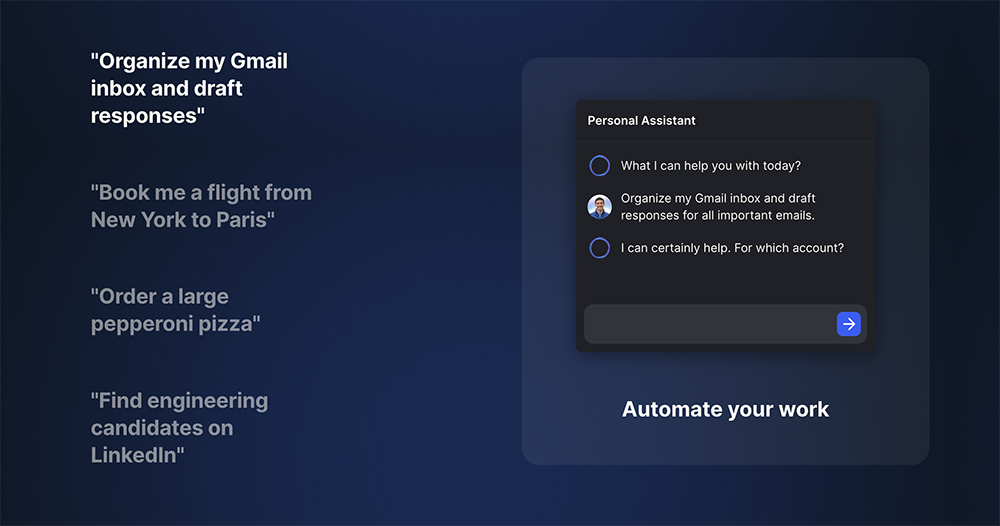
When Computer King Ada’s team saw the launch of such an amazing new AI service, they naturally immediately studied the charm and capabilities of HyperWrite, the so-called true personal AI assistant. Let’s briefly take you through this interesting AutoGPT-like feature.
According to the official description, the HyperWrite AI Agent is positioned to be able to complete all tasks. The current official example is that it can provide services including booking air tickets, ordering meals, and even searching for suitable job talents. The most interesting thing is that it can also help you organize the emails in your Gmail mailbox and generate draft replies to important emails that need to be responded to.
Speaking of which, the above functions seem to be able to be implemented separately in many ChatGPT or other generative AI services that are popping up like mushrooms after a rain. However, HyperWrite’s AI personal assistant function actually provides quite different usage methods by unlocking “control browser”.
Since you want to control your browser, you must have guessed that this function will require the browser’s Extension extension function to achieve this task. We installed the officially recommended Chrome Web Store via the Edge browser HyperWrite – AI Assistant To use – Click here or from the official websiteStart trial steps。
When using it for the first time, you will need to create an account or log in to a Google account. After entering, there will be a lot of English disclaimers – friends who have used generative AI services should be familiar with them, such as “you are still responsible for all results” and “maintain control” and other warnings. After various “next steps”, you can come to the HyperWrite AI personal assistant user interface.
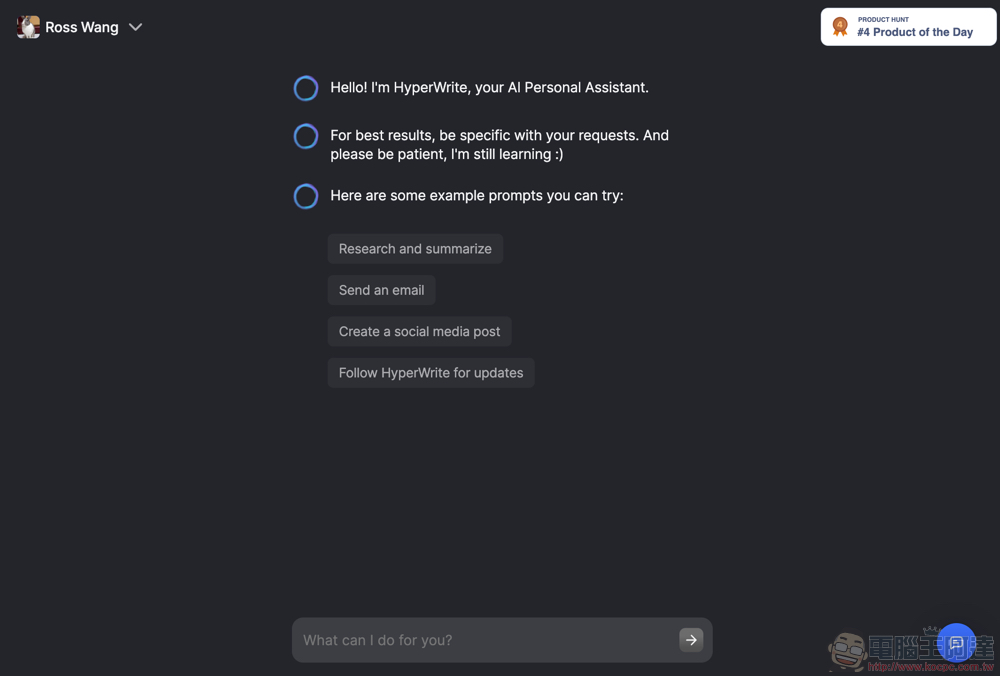
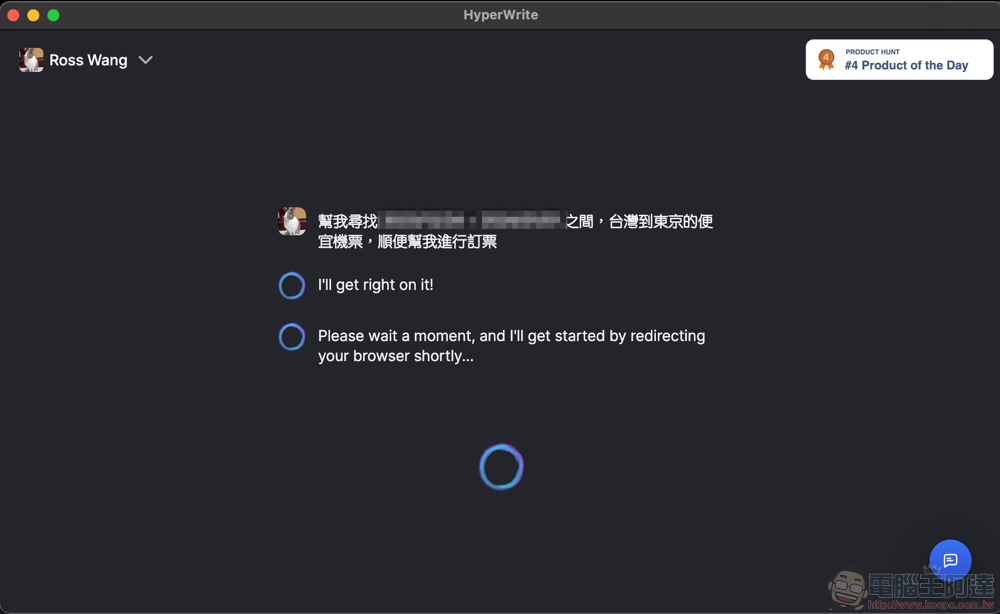
In fact, this interface is very similar to the conversational interface of a general generative AI chatbot. It will still greet you in English, but don’t worry, I asked it and it said it can support Traditional Chinese input – but it seems that there is a minimum number of characters. However, since using HyperWrite AI should be to handle some complex tasks (you won’t really use it as a general chatbot, right?), then it is recommended to give it more details of its work, so that it can better help you input information for automatic tasks.
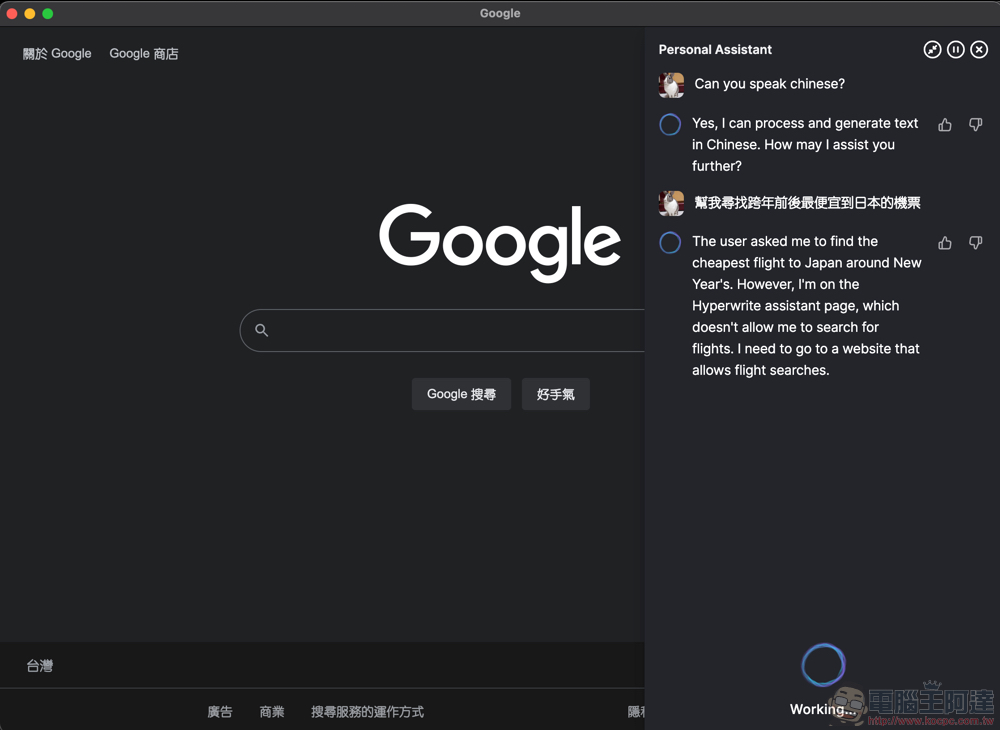
The author directly asked it to “help me find the cheapest air tickets to Japan before and after New Year’s Eve.”
Although when I saw it, I actually threw this string of words into Google search and felt a bit speechless. But it has to be said that the subsequent HyperWrite AI assistant not only actually ran to Skyscanner’s flight search interface. HyperWrite – AI Assistant browser extension can also support operating web interface. The AI also muttered to itself and started inputting the departure points and destinations of Taiwan and Japan.
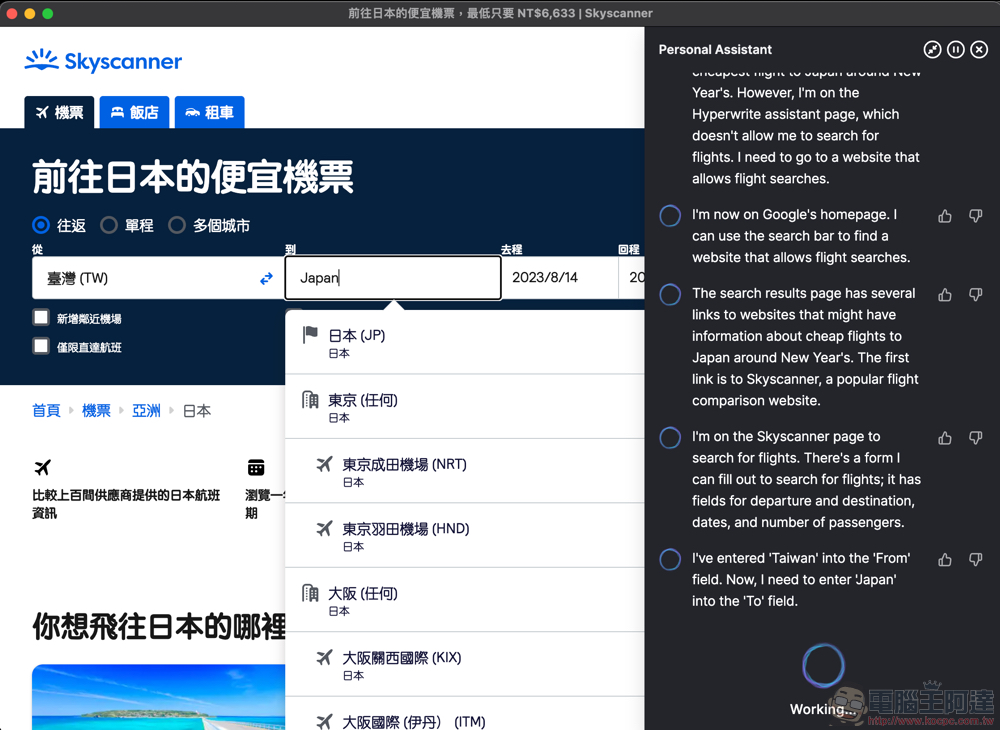
That is, when the editor was marveling at the special interface of HyperWrite AI’s sidebar and web page split screen, and that it could actually actively search for dates and times that cross the New Year. As a result, it failed because it could not correctly adjust Skyscanner’s date interface to December (which is also the time of New Year’s Eve, which is quite smart). Although it mentioned in its response that it would try other methods. But the editor’s free usage time ends here (QQ).

Seriously, based on my experience so far, the performance of HyperWrite AI Assistant has exceeded my expectations. It basically performs data query and operation in a fairly logical manner. As for the experience of foreign media such as the Wall Street Journal, it is said that HyperWrite can really guide you step by step in key operations such as: login, confirmation, payment, etc. It is said that HyperWrite AI, as long as future conditions permit – obviously due to concerns about security and privacy, can actually allow users to complete tasks including booking flights, ordering meals, etc. without any operation at all.
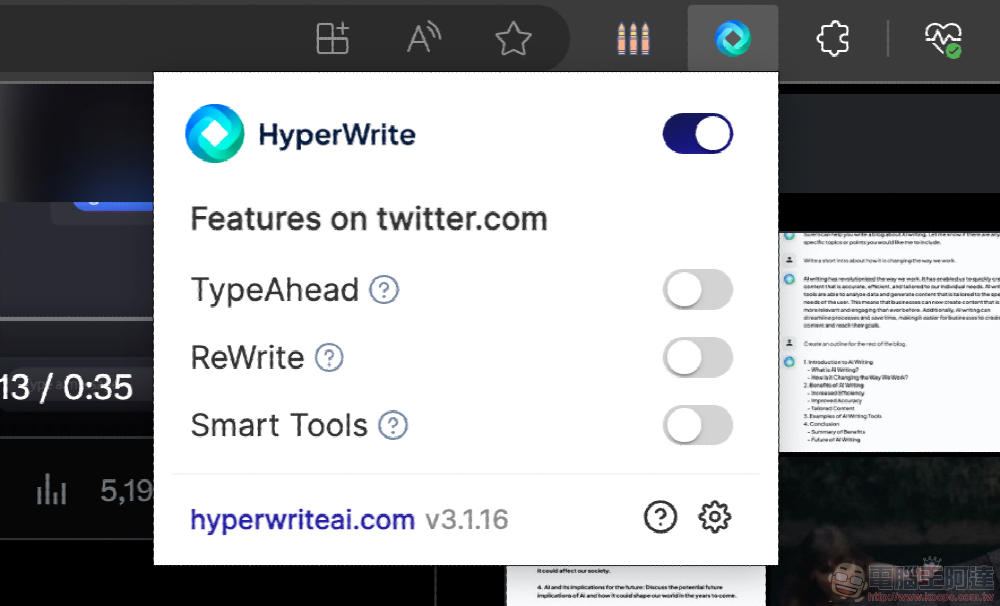
That is to say, the expanded functions of this HyperWrite AI Assistant are not only able to perform the complex tasks mentioned above. It can also provide advanced features including pre-guessing input, AI-assisted rewriting, and Smart Tools for different web pages such as Twitter /

HyperWrite positions itself as a personal assistant that can put your browser into “autopilot” state. It currently has a page launched on Product Hunt and continues to provide various feature updates. The official also mentioned in the description that the current version is only a very early V0.0.1. So there are still some problems and imperfections.
Although it is still in a very early stage, it seems a bit clever to dare to charge a subscription fee. However, they also explained that this type of generative AI application is a very resource-intensive service, so they need to charge for more in-depth use – which is understandable.
To be honest, based on my current experience of using it, I think that maybe we can wait until the HyperWriteAI team improves the functions (such as better supporting web components, at least don’t get stuck if you can’t adjust the month XD), and then consider paying for a subscription. It is recommended that if you like their fully automatic concept, you can install the extended functions of HyperWrite – AI Assistant first, and then try it for free every once in a while to confirm whether its functions are good enough before considering paying.
Personally, I also believe that AI assistants such as Google Assistant and Apple Siri will soon begin to incorporate generative AI technology and become more powerful. You can also take a look at that time to see whether smart assistants from big brands are better, or whether the smart assistant functions created by these rising stars are more thoughtful and easy to use.
Further reading:

Source: KOCPC Chinese