


There are many ways to free up more storage space on your iPhone. The simplest is to delete any duplicate photos and videos in the Photos app. Getting into the habit of cleaning up should ensure you have enough buffer space to keep all iPhone functions running properly. In general, it’s a good idea to regularly review the contents of your phone and address them. This includes deleting apps that you may no longer want or use.
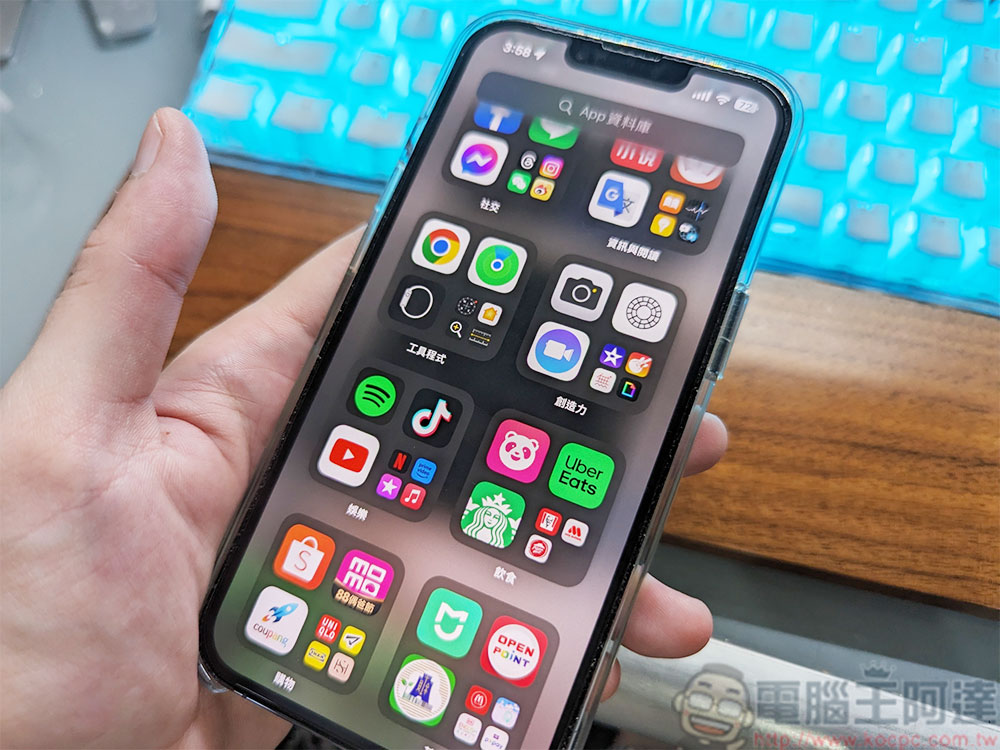
The easiest way to find and delete unused iPhone apps
Your iPhone’s home screen should have icons for some of the apps currently installed on your device. If you see something you immediately know you no longer want or need, just long-press the icon, select Delete App from the menu, then select Delete App to remove it from your iPhone and free up space. However, you might have some apps on your iPhone that you don’t even remember having installed, and they don’t show up on the Home screen. To find them, you need to browse the application library.
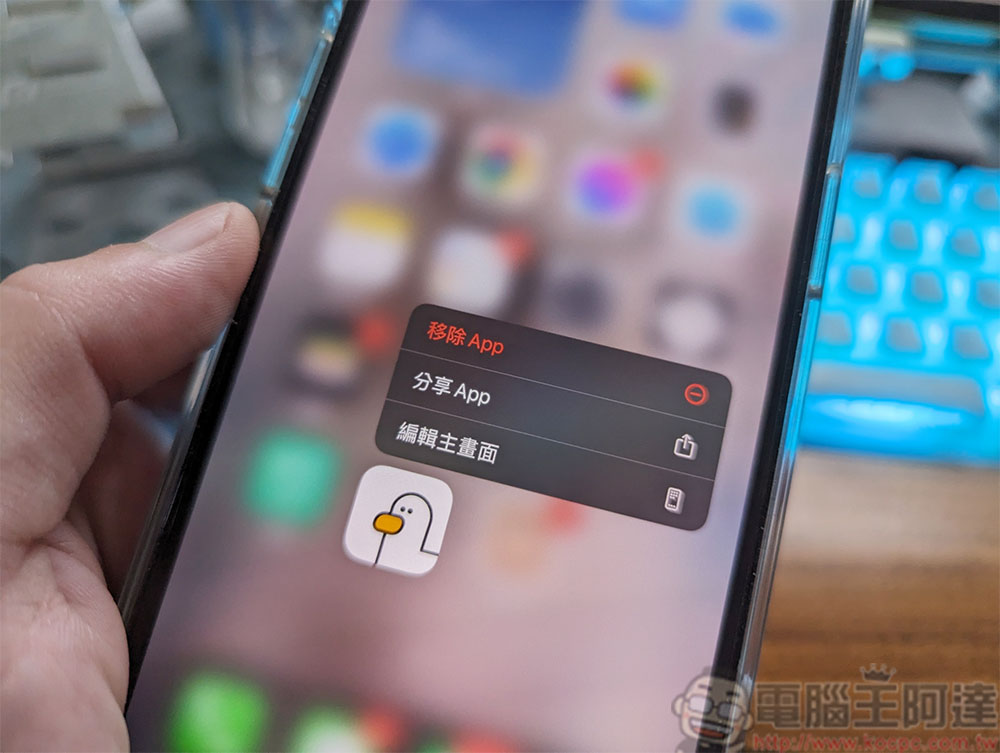
Swipe left on your iPhone Home screen (how many times you swipe depends on how many Home screens you create) to reach your App Library. Here, you’ll see your installed apps grouped by category. You can long-press on any app icon and choose to delete it. Instead of looking at them one by one, you can clear them in a more organized way, using your iPhone’s Settings app. Follow these steps to clean up more efficiently:
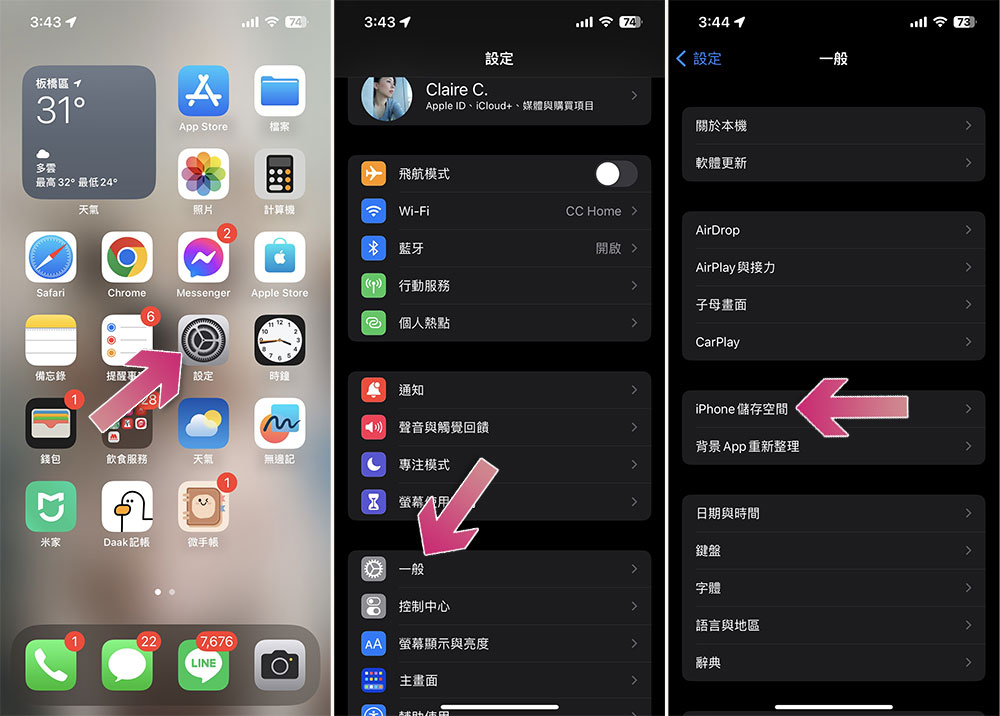
- Open the Settings app.
- Select “Normal”.
- Click “iPhone Storage”.
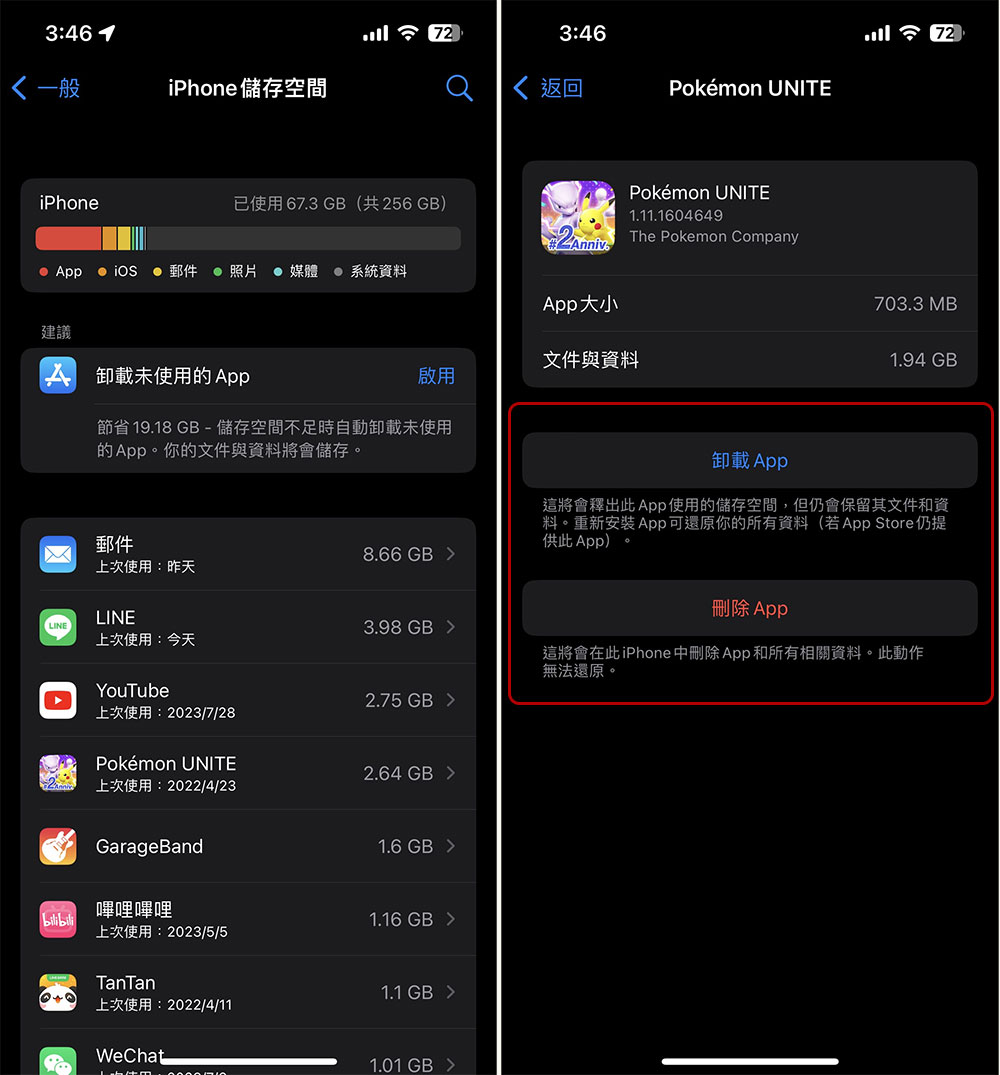
After a few moments, a list of all installed apps on your iPhone should be visible here, sorted by app size, with the largest apps listed at the top. Under each app name, you can see the date the app was last used or accessed. Just browse the list and find apps you haven’t used in the past 6-12 months and delete them:
- Click on any third-party application to enter the detailed information page.
- You have two options:
- Uninstall APP
This option will free up the storage space used by the application, but will still retain its files and data, which can be restored by reinstalling the application. - Delete APP
This option completely deletes the app and all its data from the iPhone and cannot be restored.
- Uninstall APP
Using this method, you no longer need to look at the icons in the application list one by one to decide whether to delete them based on impressions. Centralized management will also save you more time and speed up your processing speed. Come and clean your iPhone now!
Source: KOCPC Chinese