


I wonder if when you watch YouTube videos, have you accidentally paused, interrupted, or switched to other videos due to accidentally touching the video? Compared with other online video streaming services that have supported the screen lock function for a long time, YouTube has finally launched this new feature recently. However, the new YouTube screen lock feature is still in the experimental stage and is currently only available to YouTube Premium members for early trial use. Continue reading this article to learn how to turn it on and operate it!
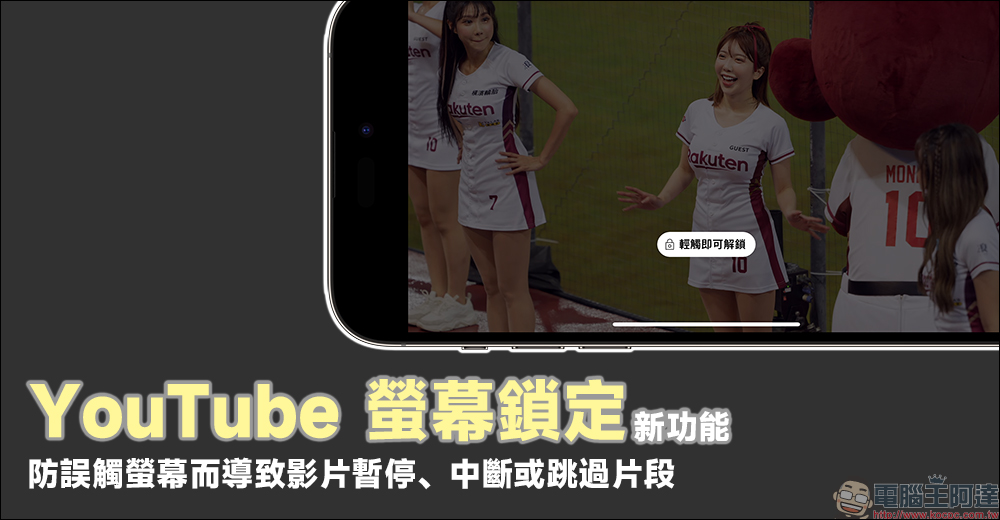
YouTube screen lock new feature launched! Prevent accidental touch of the screen from causing the video to pause, interrupt or skip clips. Premium members can try it out first.
When do you usually open YouTube to watch videos? Many people pick up their mobile phones to play YouTube videos while commuting or eating. For heavy users, the videos are not interrupted even when they brush their teeth and wash their face. However, at these times, it is inevitable to accidentally touch the screen, accidentally pause the video, and click on other recommended videos, causing the video to be interrupted.
In the past, before YouTube officially launched new features, most of them would first provide new features to users who subscribed to the YouTube Premium service for trial use, and then collect user feedback before officially opening them to general users. Recently, YouTube finally released a new feature – “Screen Lock” to avoid accidental screen touches.
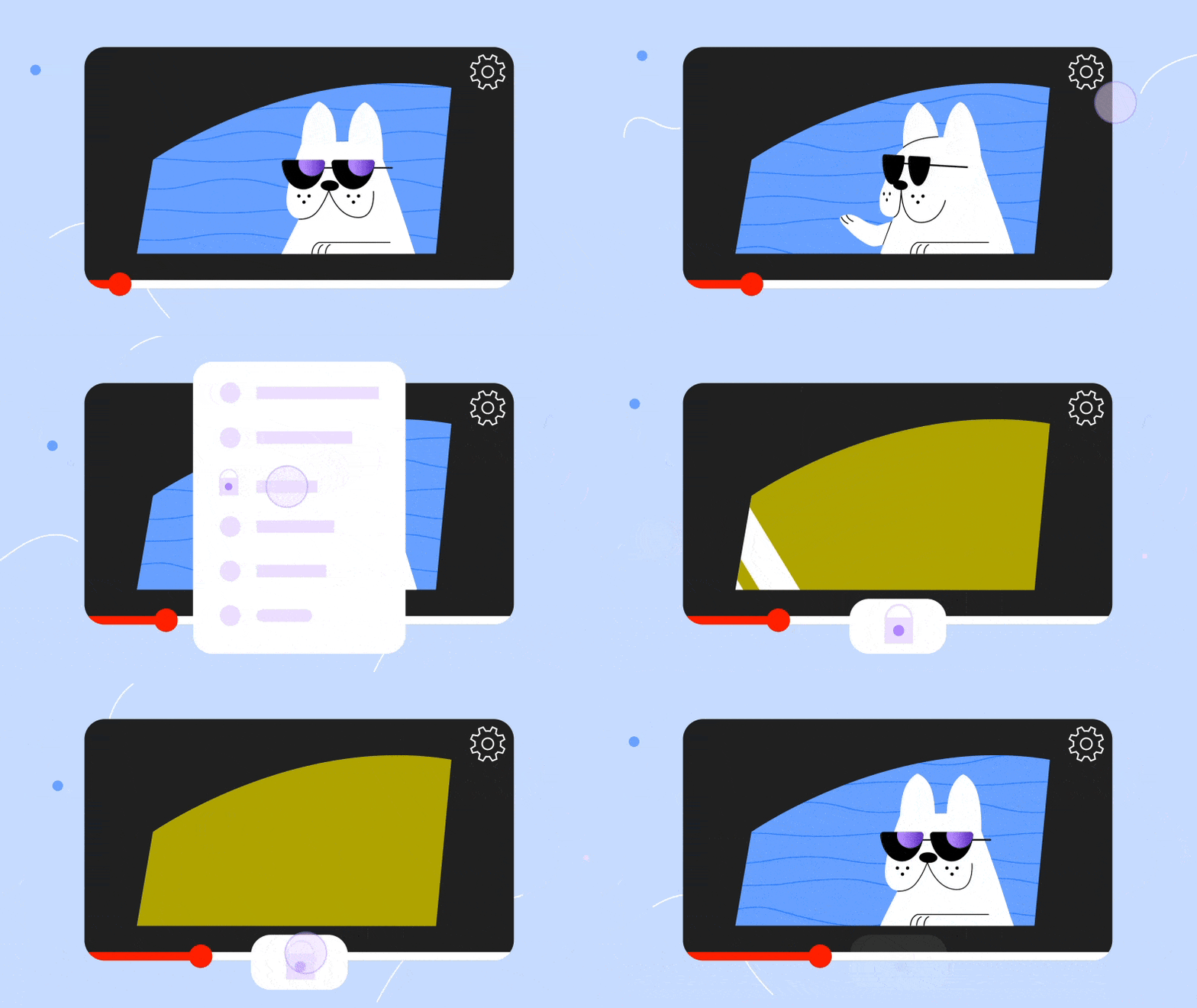
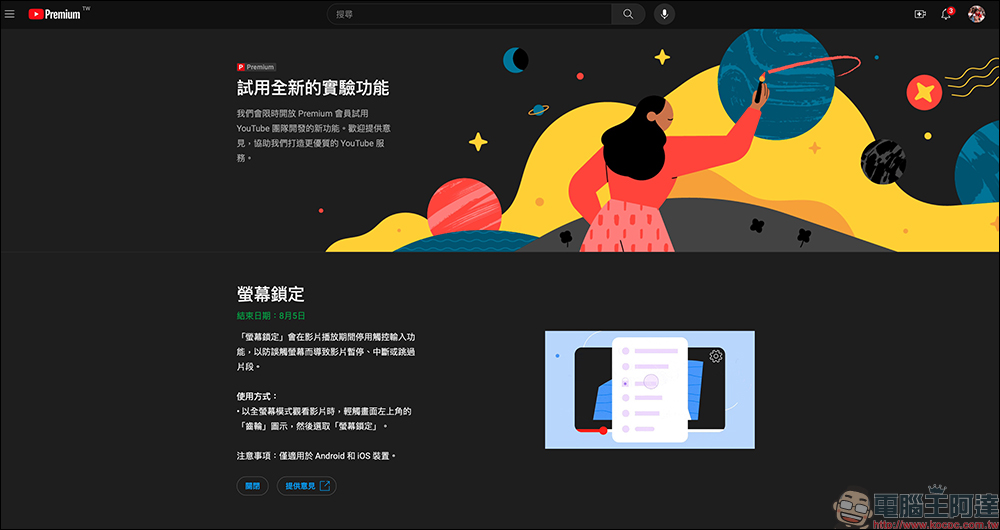
New features that YouTube is open to Premium members for a limited time trial usually have an end date. For example, this time the “screen lock” feature is currently expected to end on August 5. Although sometimes the availability of experimental features is extended, YouTube’s official announcement usually prevails. The “screen lock” function that YouTube has opened for trial this time is only available for iOS and Android devices. Although the trial can be turned on/off from the computer, this function is not supported on the computer!
How to enable the “Screen Lock” function trial?
So how to enable the “screen lock” function trial on YouTube? First, of course, you need to have a Premium membership. In the past, we have introduced how to subscribe to YouTube Premium service in a more cost-effective way. Here we will directly show you how to activate the “screen lock” experimental function that is open for a limited time.
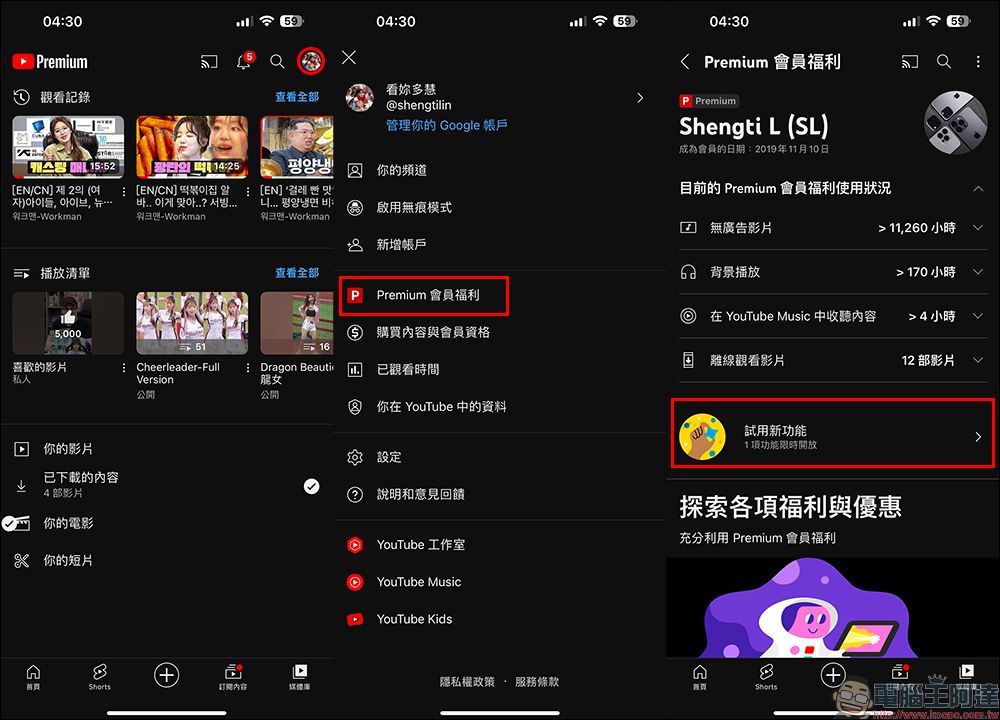
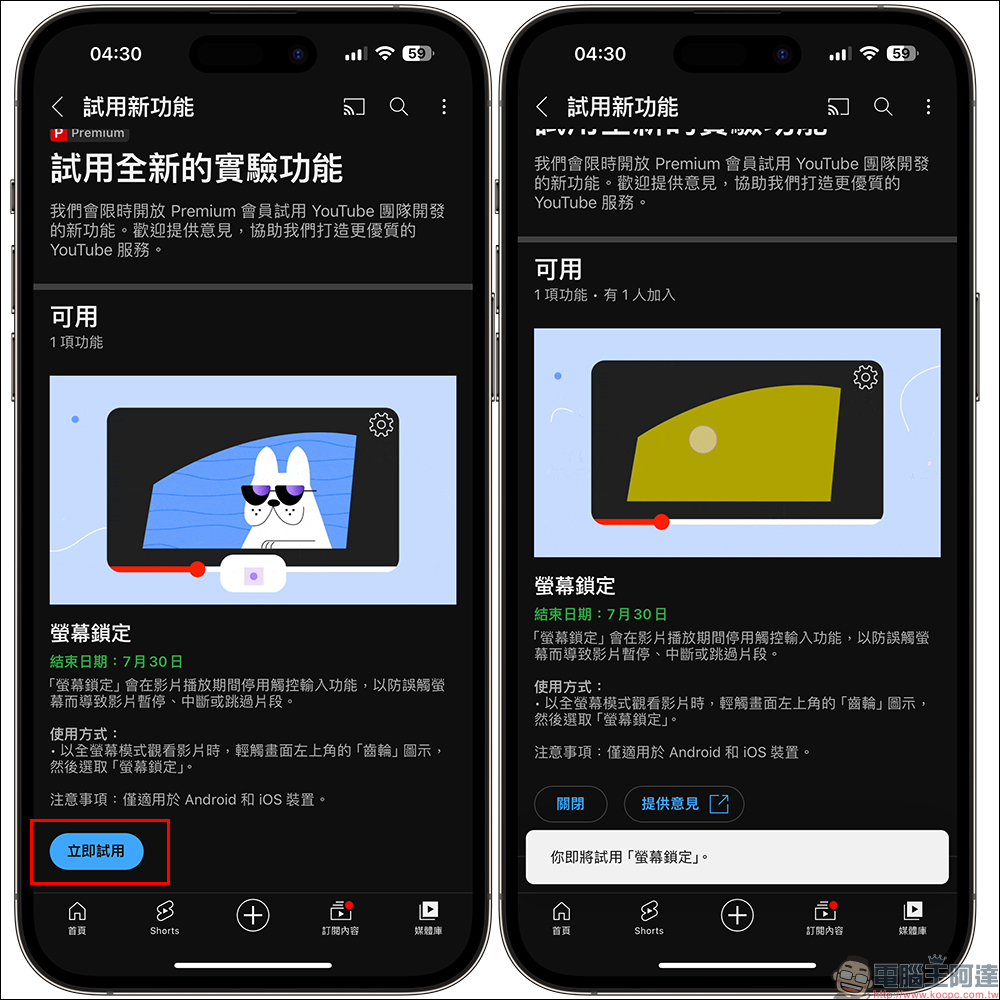
After opening the YouTube App on your mobile phone, click your personal account at the top of the screen in the “Media Library”, then click “Premium Member Benefits” to enter the page, and you will see the option “Try New Features”. On the Premium membership benefits page, the current usage status of Premium membership benefits will also be updated in real time. Information such as the number of hours watched without advertising, background playback hours, YouTube Music listening hours, and the number of offline videos will be organized on this page.
After entering the “Try New Features” page, click “Try Now” to start the trial. Generally speaking, Premium trial new features can only use one feature at most at a time. If there are other experimental features at the same time, you can only choose one to try. However, at this stage, YouTube only opens this experimental feature, so there is no such problem. As you can see in the screenshot below, the end date of the “Screen Lock” function is still July 30, but the period of writing this article has been extended to August 5.
How does the screen lock function work?
When Premium members turn on the “Trial” experimental feature, they will need to wait for a short period of time before the feature will begin to be supported. If you have successfully started the trial and click the “Settings” button in the upper right corner of the screen when playing a video in “Full Screen” on YouTube, you will see the “Lock Screen” option.
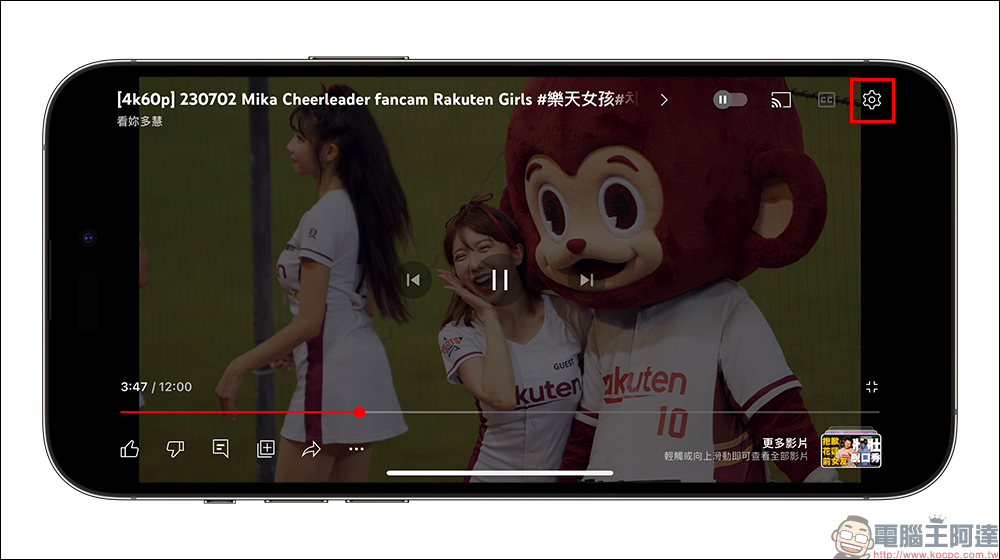
If you have confirmed that you have enabled the screen lock function trial from the above steps, but you still cannot see the “Lock Screen” option during full-screen playback, you may wish to completely close the app and restart it, or wait for a few minutes before trying again.
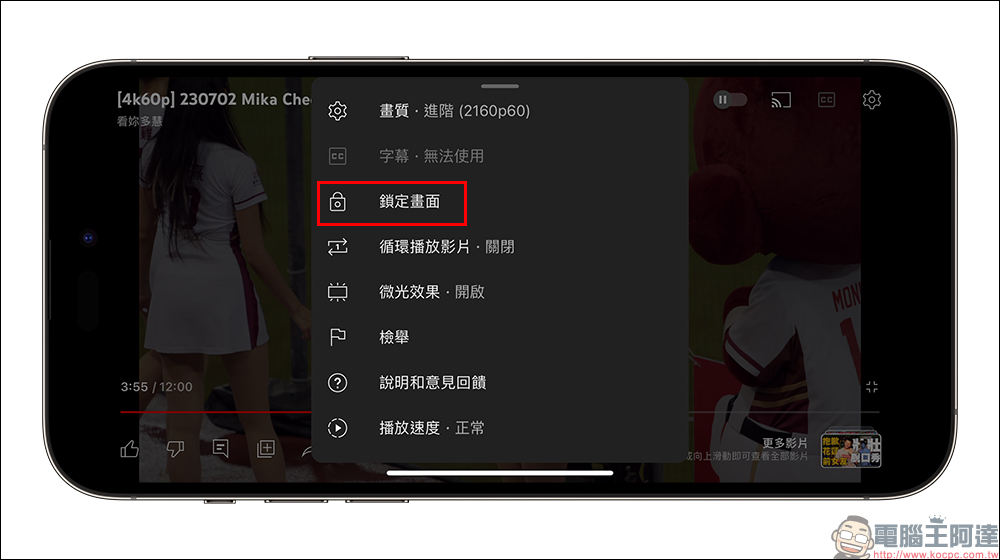
YouTube’s screen lock function supports both horizontal and vertical videos, but be sure to remember that the video needs to be played in “full screen” to see the option. Currently, Shorts videos do not support “lock screen”.
When the screen lock function is enabled, the video will have “loop playback” disabled by default. If you want to turn on the loop playback function when the screen is locked, you can click “Enable” when the prompt pops up.
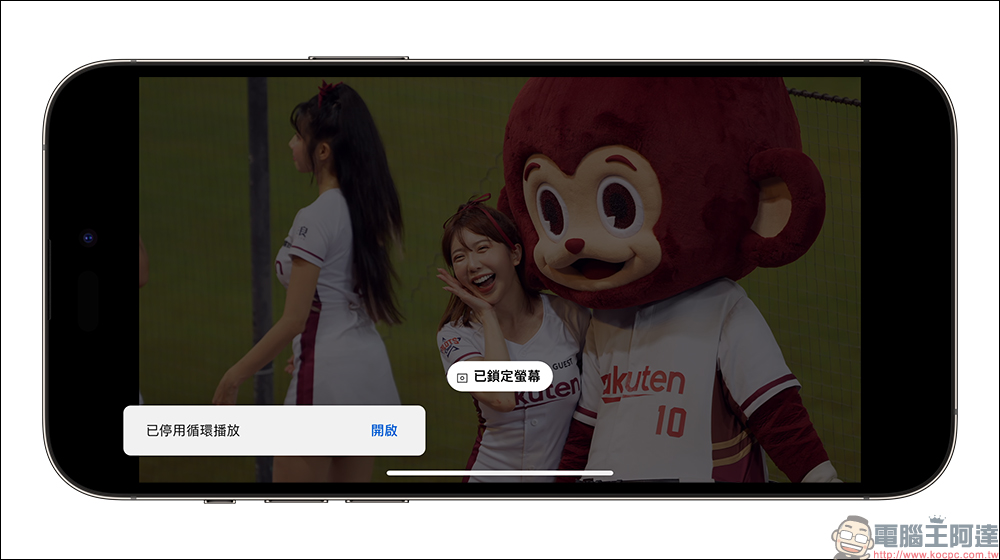
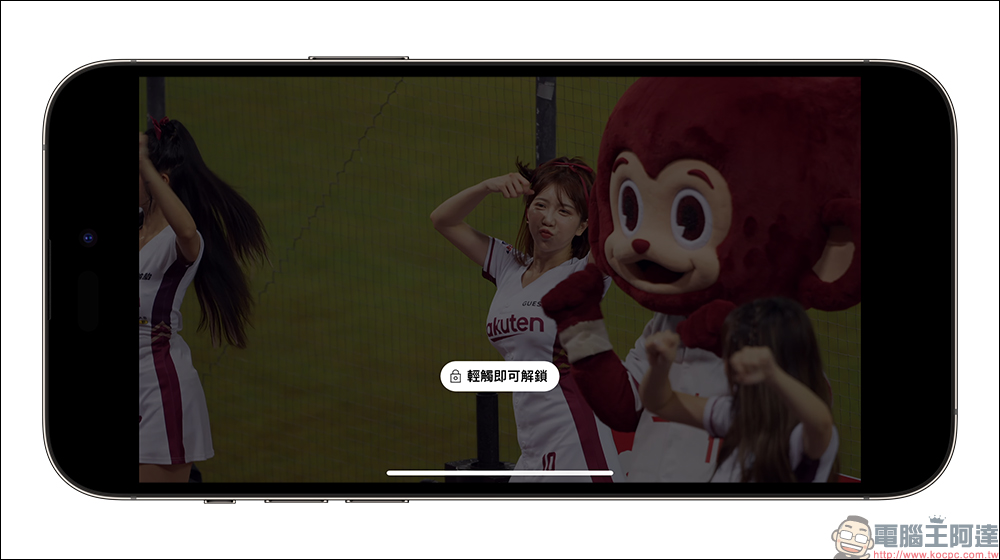
When the screen enters the locked state, the video playback function cannot be adjusted by clicking on a blank area of the screen. The screen lock function can only be turned off by tapping the unlock button in the center of the screen. In addition, when the screen is locked, users can still switch to the phone’s home screen and let YouTube continue playing in picture-in-picture mode.
Source: KOCPC Chinese