


Sometimes when LINE receives an invitation from an unknown person, it is troublesome to block and report the user. However, after the LINE PC version was updated to 8.0 earlier, the function of inviting strangers to the group was thoughtfully added, and the blocking process can be completed directly with one click. In addition, this update also optimizes and updates the profile interface for LINE users, and supports video cover and background music playback!
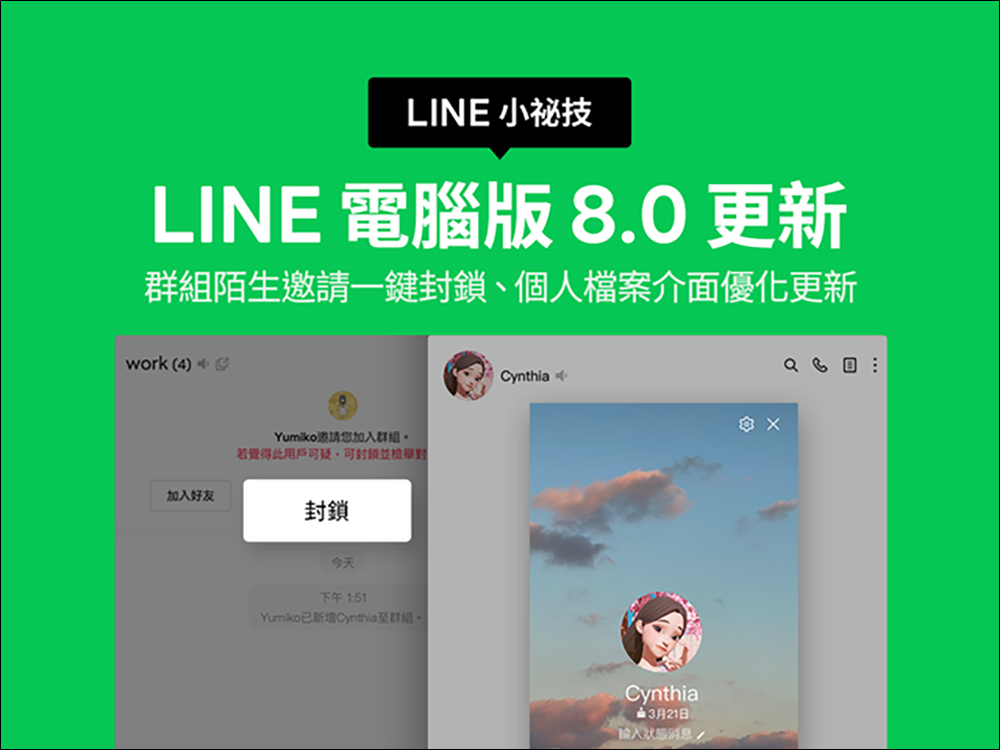
LINE PC version 8.0 update released! One-click blocking function for stranger invitations to join groups, and synchronized optimization of personal file interfaces
LINE earlier announced the release of the LINE PC version 8.0 update. The Windows version was launched on June 29, and the Mac version update was also launched on July 3. This update mainly improves the blocking function when users receive invitations from unknown groups. The synchronization also optimizes the personal file interface to be more beautiful and easy to use.
Group stranger invitation function—supports one-click direct blocking and reporting
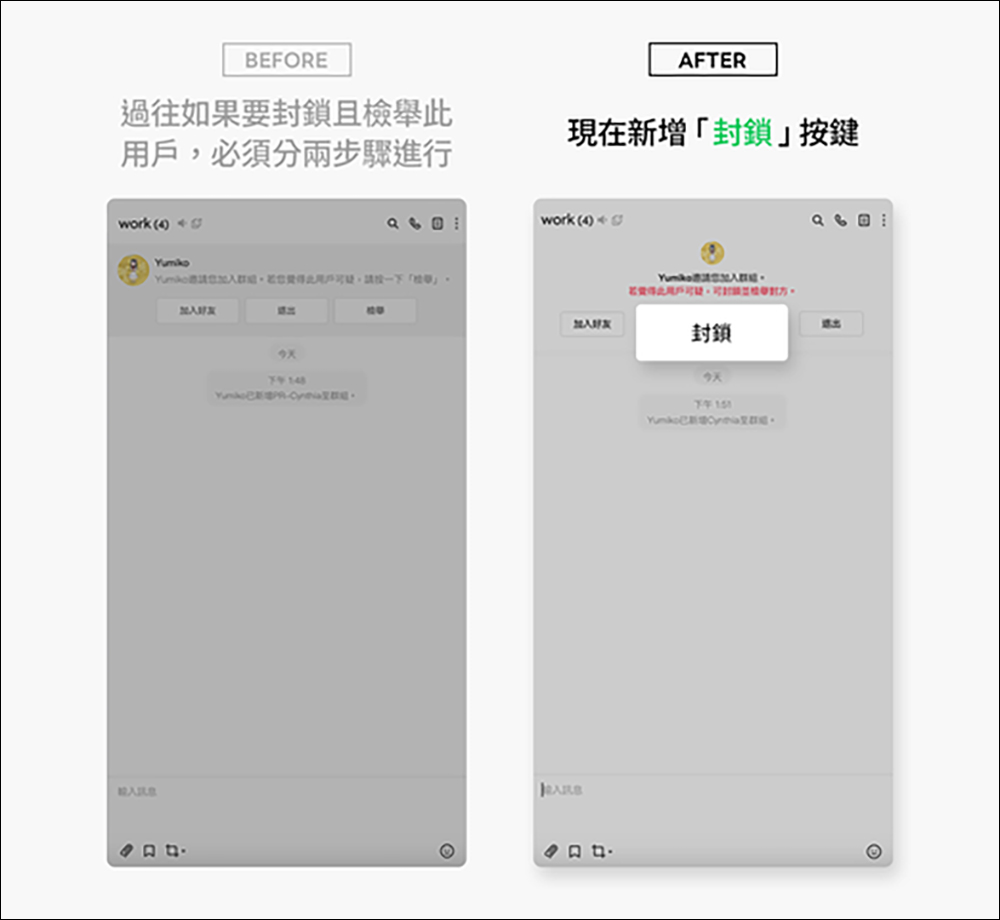
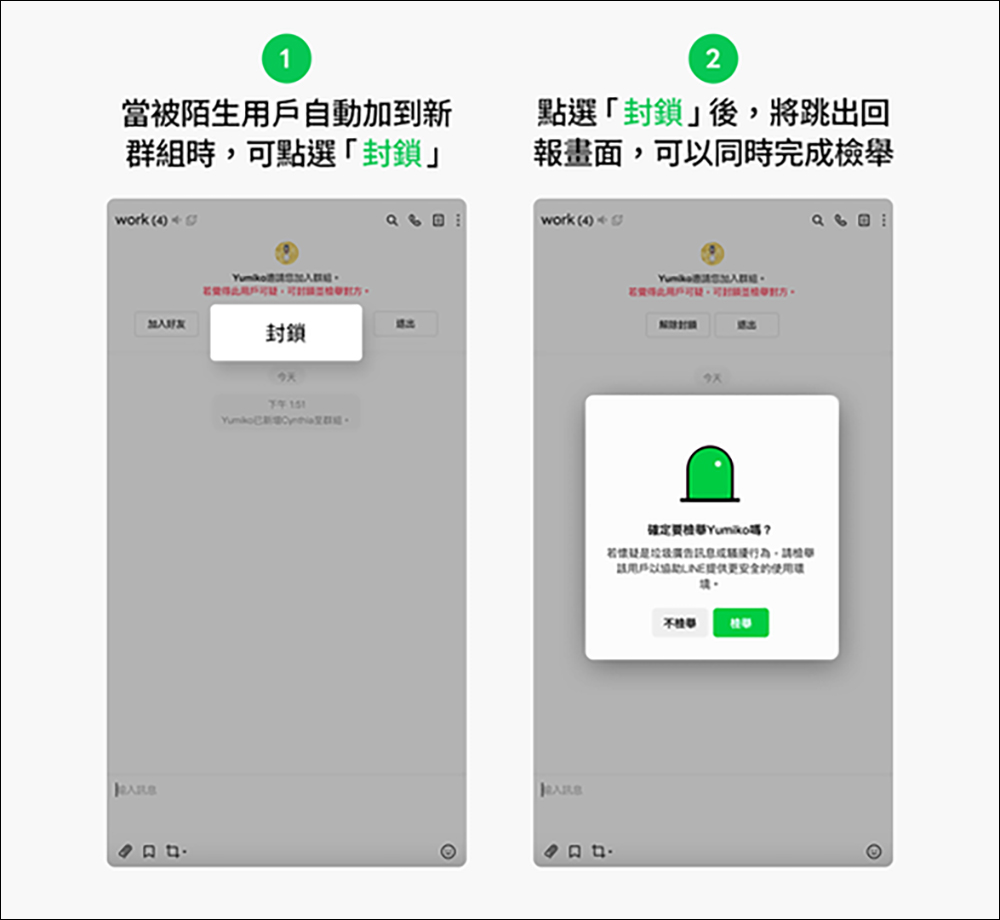
When a user receives a message from a stranger who adds them to a new group, they previously had to “block” and then “report” the user. Two steps were required to complete the purpose of blocking. However, now that the PC version of LINE has been updated to 8.0, clicking the “Block” button will pop up the report screen and complete the report at the same time.
After clicking the “Block” button, the “Report” screen will pop up, and you can complete the “Report” option at the same time.
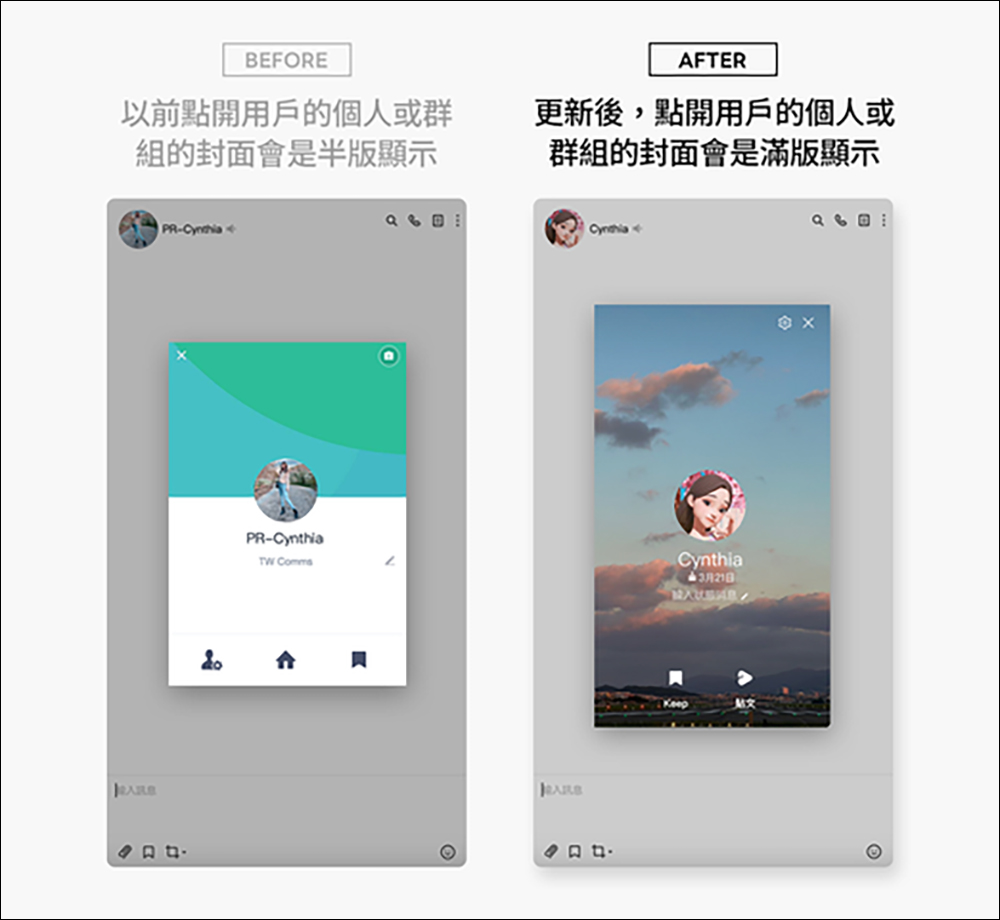
Personal profile interface optimization and update
In the past, LINE users’ personal or group covers would be displayed in half-page format. However, after the LINE PC version 8.0 update, users’ personal files or group covers will be displayed in full-page format. In addition, video cover and background music playback functions are also added. If your friend’s birthday information is public, a birthday reminder will also be displayed when the birthday is coming!
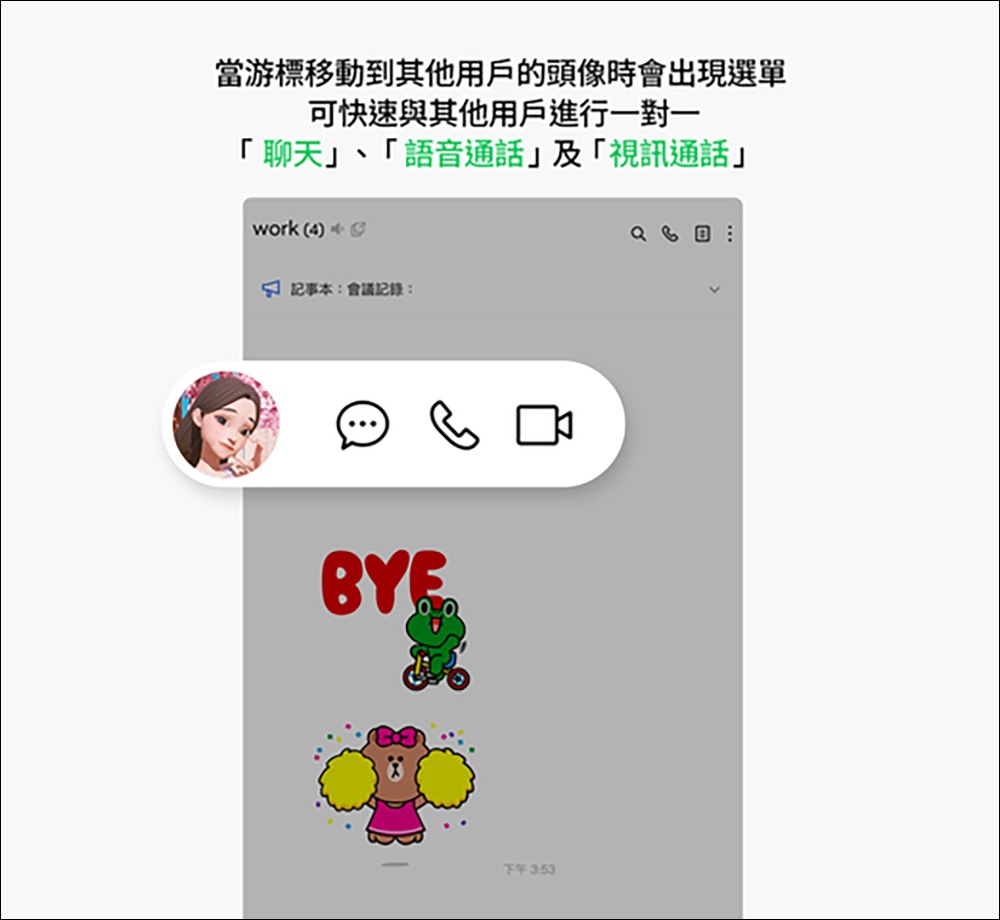
When the cursor moves to the user’s avatar, a menu quickly appears
There are quite a few members in LINE groups. In the past, when you wanted to have a one-on-one conversation or call with a certain group member, you had to click on the user’s avatar to select other functions. However, after the LINE PC version 8.0 update, just move the mouse cursor to the friend’s avatar, and then the three one-to-one communication methods of “Chat”, “Voice Call” and “Video Call” will be displayed at the same time, making it easier for users to have one-on-one conversations with specific people in the group.
Although this LINE PC version 8.0 update does not have many features, it has finally improved the problem that users often had in the past when strangers joined groups randomly, but users had to block them themselves. Now users can finally block and report them with one click.
In addition, LINE PC version 8.0 is very impressive in its optimization of the LINE interface. In a LINE group with many members, it is easier to have private one-on-one conversations or voice or video calls with specific group friends, making it more intuitive and faster to use.
Further reading:
LINE free sticker collection: 21 free LINE stickers available for download for a limited time
Source: KOCPC Chinese