


Nowadays, most people know that when receiving unknown emails, don’t click on the links in them randomly. Mailbox services also have some filtering security mechanisms. Not only will they be automatically thrown into the trash, but they will also specifically mark messages in the emails that this may be a dangerous source. Perhaps Internet criminals feel that it is difficult to deceive, and new tricks have emerged.
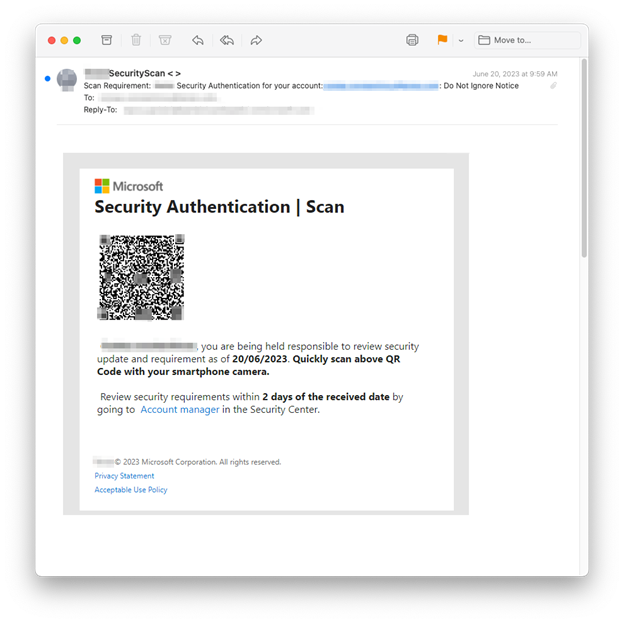
According to investigations by foreign security agencies, a large number of new phishing emails containing QRCode have appeared recently to induce users to scan, and the content they open is exactly the phishing URL.
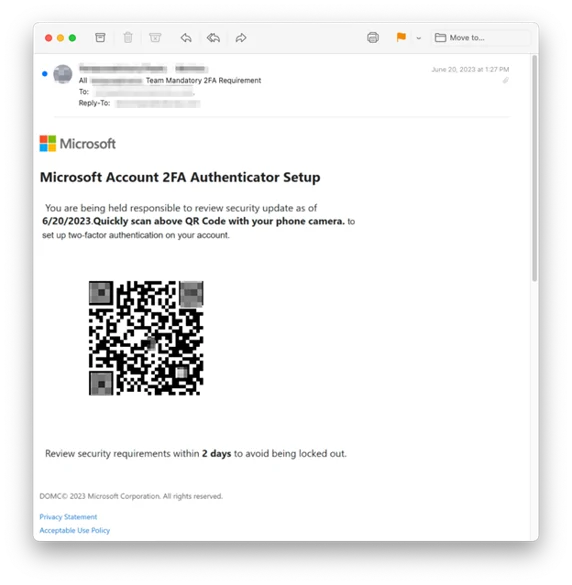
Foreign countries have discovered that a large number of new QRCode phishing emails have appeared recently to trick users into scanning and circumvent the security mechanism of the mailbox.
Recently, Inky security researchers released an investigation report, which mentioned that they found that a large number of new phishing emails using images and QRCode can not only circumvent the spam filtering system of the mailbox, but compared with the old links, they may be caused by curiosity, and users are more likely to be fooled. Scan the QRCode to find out.
These phishing emails will have several common features, namely:
- Use all pictures
- Pretending to be Microsoft
- The sender appears to be from within the company
- Ask employees to resolve specific account issues, such as setting up two-step verification, account verification, or changing passwords.
- Create a sense of urgency
- If you don’t perform the task at hand (protect your password, avoid account lockout, be responsible), you will be responsible for the consequences
- Employees told to scan emails for malicious QRCode
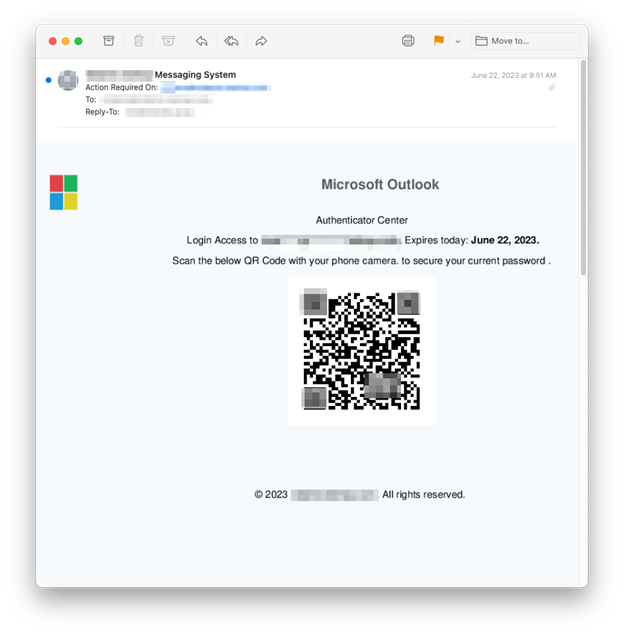
As you can see from the above, many of them are targeted at company employees. This is usually because the company account has been hacked before, so if the company mailbox information has not been stolen by hackers, you will basically not receive similar emails. However, ordinary users still need to be more careful about “disguising themselves as Microsoft” and “using all pictures”.
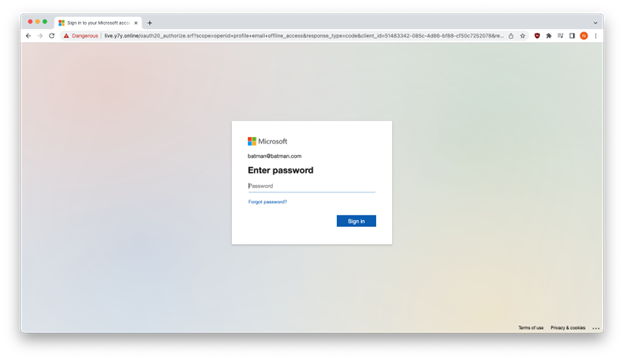
Inky has also tested scanning QRCode disguised in Microsoft emails, and it will open a login page that looks like Microsoft’s official website, but checking the URL can clearly tell that it is fake:
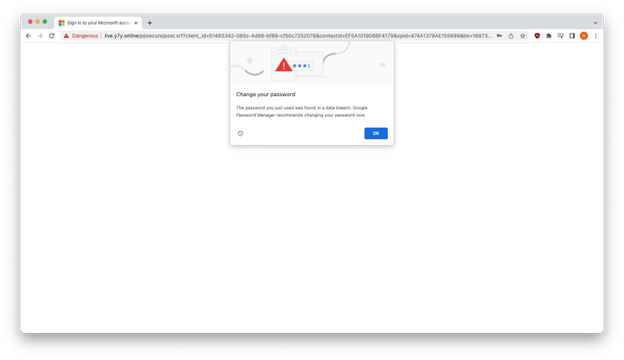
After they enter the fake account password, they will eventually jump out of this page, instead of entering the official Microsoft website:
Many mailbox filtering systems now only use text-based fraud keywords to judge, and if the content is all pictures, there is no way to detect it. This phishing email is likely to be classified into the general inbox, and some users will be deceived accidentally.
Inky also provides a solution. They use OCR optical character recognition technology to extract text from images and PDFs so that the filtering system can recognize them normally.
Inky said that many companies in the United States and Australia have received similar phishing emails, more than 500 of them. The victim companies include land surveyors, non-profit organizations, wealth management companies, consulting firms, etc., so there are many types of emails. Therefore, if you receive similar letters in your company mailbox, remember to delete them directly.
It can be seen that phishing emails will have new methods every once in a while. Although the mailbox service will continue to strengthen the filtering function, the safest way is to check carefully by yourself. For example, when you receive an email, pay attention to see if you know the sender’s mailbox and whether it is official. If there is a link in the text, first check to see what the URL is and whether it is really an official link.
Source: KOCPC Chinese