


middle of last month, it was reported that Bing AI will also add support for widgets. Just earlier, Microsoft officially announced on its official website that iOS users can now find Bing AI in the gadget management center after updating to the latest version, and provide two style options, allowing users to quickly activate the Bing Chat chat room from the home screen.

Bing AI officially supports iOS widgets, allowing you to quickly enable AI chat on the home screen
To use the Bing AI gadget, please first confirm whether your Bing App has been updated to the latest version. The latest version is 7.25.3. If you do not find Bing in the iOS gadget screen, it means that your App has not been updated.
Press and hold on any blank space on the home screen you want to add. After entering the pop-up screen, press the + icon in the upper left corner to open the gadget screen. The top is the Bing AI gadget. If you don’t see it, you can search for keywords or scroll down to find Bing:
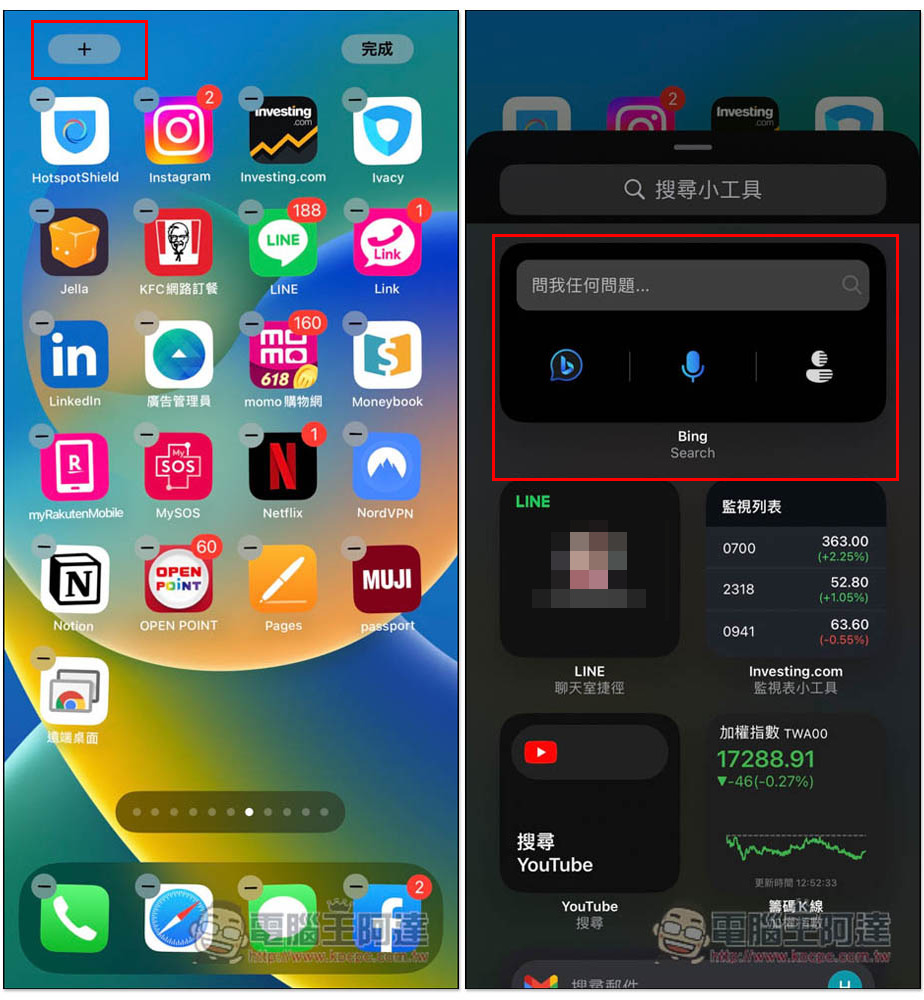
There are two styles to choose from, it depends on which one you like. The first one is all black, and the second one has a background photo that can change at any time:

After selecting, click Add Widget and it will appear on the main screen:
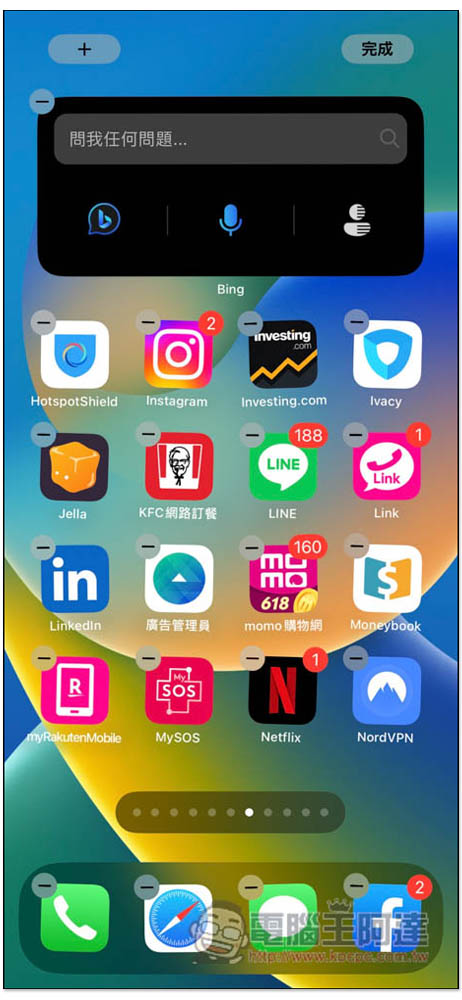
The one with a background is actually quite good. In addition, the position of the function icons is also a little different. The one with a background will be displayed on the right side of the search bar. The image recognition function is on the far left. After clicking, the camera will be enabled to face the object you want to search. In the middle is the voice. On the far right, you will enter the daily news page:

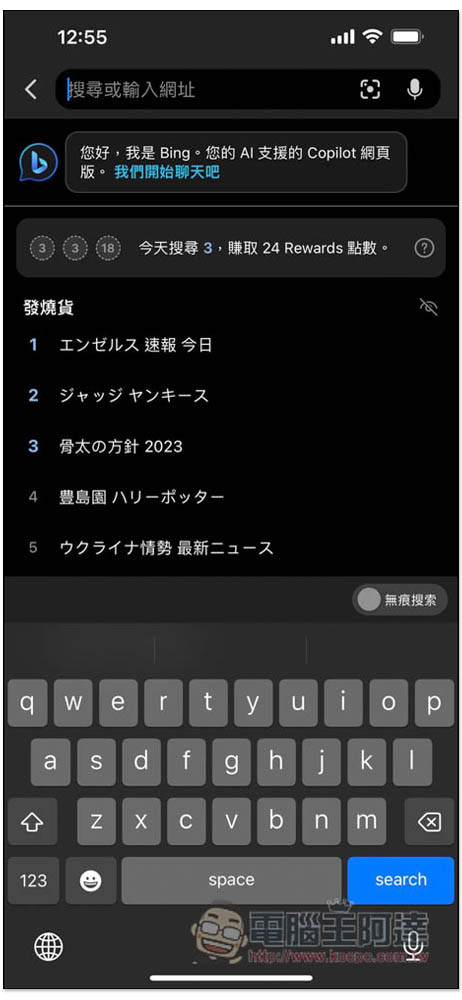
However, after clicking, it will automatically enter the search function of Bing App. There is no way to search and obtain results directly on the iOS home screen:
In addition to iOS gadgets, this update also adds more language support (more than 30 in total) and improves the mobile version’s voice performance. Detailed descriptions can be foundClick me to read the Microsoft Bing blog。
In addition, as the interactive gadget function is added to the iOS 17 version in the future, it may become more useful in the future. That is, you may be able to ask Bing AI what you want to know directly on the home screen without entering the Bing App.
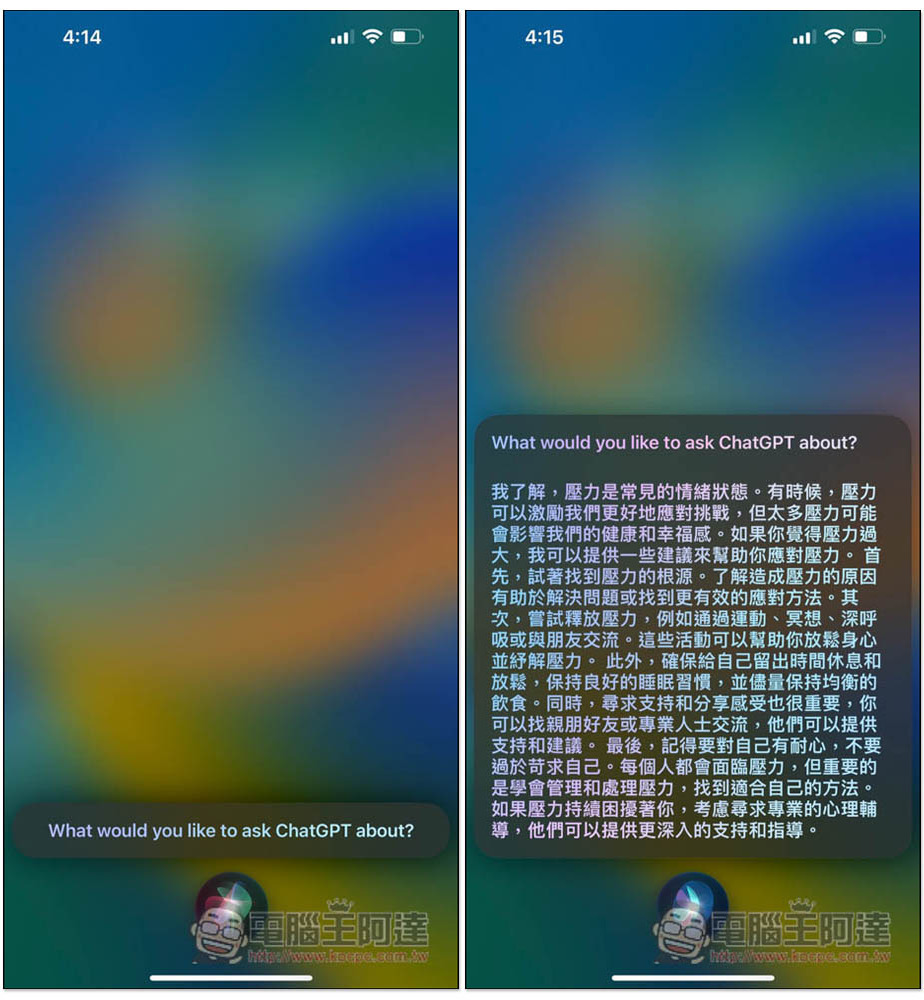
Although the competitor OpenAI’s ChatGPT does not currently support gadgets, it can already be used with Siri shortcuts. The detailed operation methods are in another tutorial. Those who are interested canClick me to read. The Bing AI part can also be awakened through Siri, and its setting method is the same as ChatGPT:
For the desktop version, it was previously reported that in addition to the Microsoft Edge browser, other third-party browsers will also support it. Some people have successfully tested it on Safari and Chrome, as well as Mozilla Firefox. However, there seems to be a problem with the current implementation. It seems that Bing currently has higher compatibility with Chromium-based browsers.
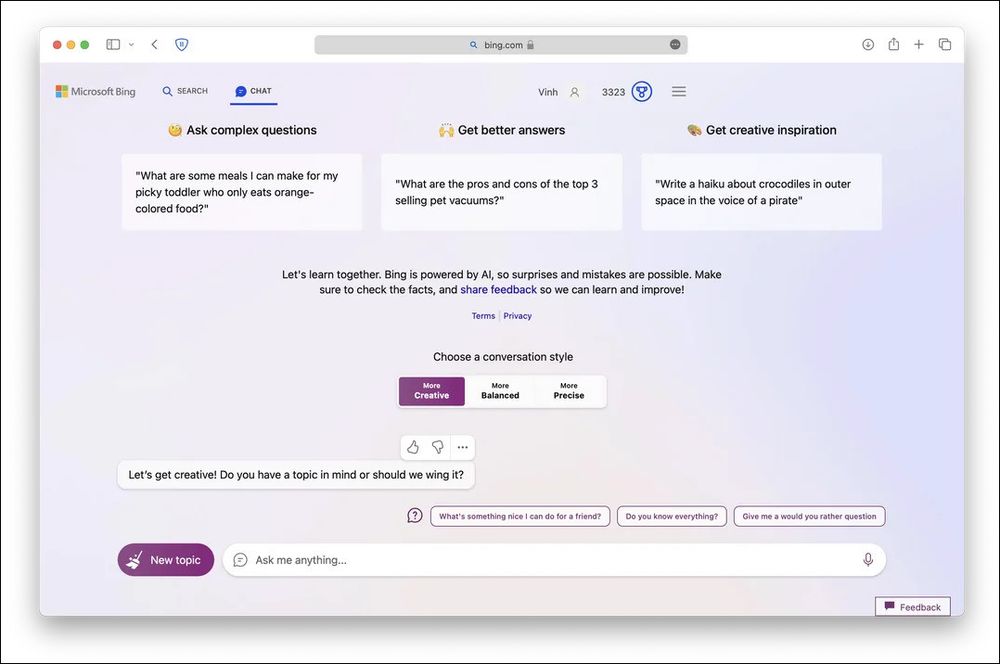
Microsoft is also gradually relaxing the restrictions on the use of Bing Chat. The upper limit of daily chats has been increased from 200 to 300, and the number of conversations per conversation has been increased from 20 to 30. I wonder whether everyone now uses Bing AI or ChatGPT?
Source: KOCPC Chinese