


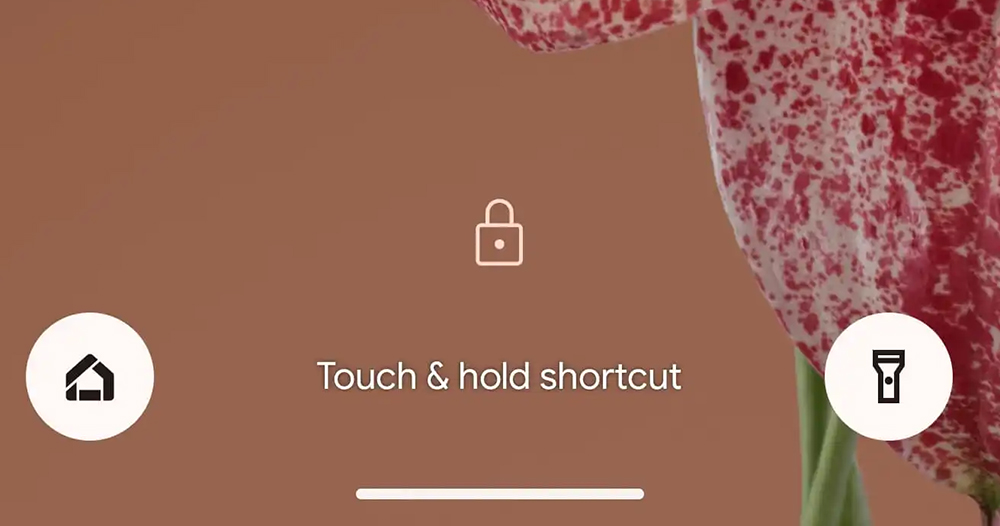
In the past, the virtual shortcut buttons on both sides of the bottom of the system interface provided an experience that could be activated with just one touch. Coming to the new version of Android 14, Google chose to follow iOS and changed it to a user experience that requires a longer press and hold until the tactile motor is triggered to enable the button function. Is it inconvenient to continue reading? Android 14’s lock screen shortcut function is actually on par with the iPhone… Report content.
▲Image source: 9to5Google
Is it inconvenient? The Android 14 lock screen shortcut function is actually on par with the iPhone…
I saw Android 14 Beta 3 being dug out early in the morning.New version of power display. Subsequently, foreign media discovered that Google had made changes to the lock screen of its own smart system that paid homage to iOS but also brought more advanced functions. As for the tribute part, I think it may cause some small controversy in the short term – it should be regarded as focusing on the issue of habits, right?
To put it simply, in the past, the virtual shortcut buttons on both sides of the bottom of the system interface provided an experience that could be activated with just one touch. Coming to the new version of Android 14, Google chose to follow iOS and changed it to a user experience that requires a longer press and hold until the tactile motor is triggered to enable the button function.
▲Image source: Google
In short, the previous experience of using such shortcut buttons to quickly activate the camera or flashlight function may not be so… enjoyable later (if this experience is confirmed to be included in the official version)? However, from the perspective of avoiding accidental touches, this design is actually a reasonable direction. In addition, this function will also remind you of control failure by oscillating the button and vibrating when you use it with previous taps.
That is to say, in fact, my personal impression is on most brands of Android systems. The camera can be activated by quickly pressing the physical button – even in the Pixel phone series, there were special methods such as Active Edge to achieve the quick launch function. So in theory, such a change should at most be enabled through other methods, and still achieve the effect of quick use.
▲Image source: 9to5Google
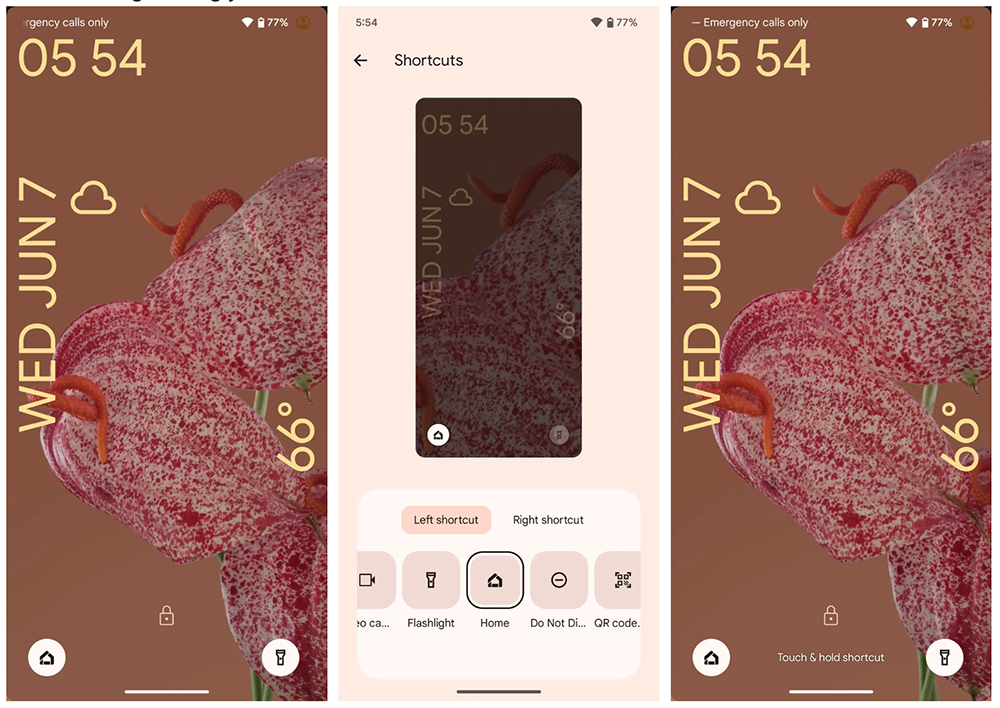
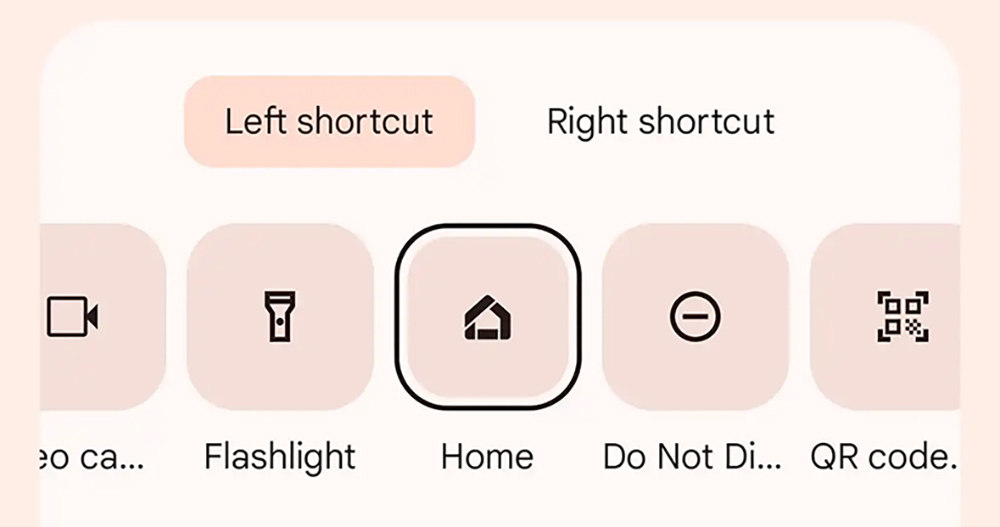
As for why there was such a sudden change. It should be related to the evolution of the lock screen shortcut function that surpasses the iOS system in terms of flexibility. Fixed quick shortcut functionality relative to the current camera/flashlight on the iPhone lock screen. In the new generation of Android 14 Beta test version, Google has brought the possibility of customizing the functions of the left and right shortcut keys to the native system.
You can set two buttons to activate functions including control of Google Home home IoT devices, wallet, silent switching, do not disturb mode, QR Code scanning and other functions.
▲Image source: 9to5Google
Seeing this, can you suddenly understand why Android 14 suddenly changed to require a long press to activate these functions? It is probably to avoid the problem of accidentally touching it.
After all, it may be okay to turn on the camera. If you accidentally turn on some device at home, or simply switch to mute and miss some big orders or calls from your boss/parents/school, etc., that would be bad!
Further reading:
Source: KOCPC Chinese