


Although we share with you the latest free LINE stickers of the week every week, if you want to support some creators and purchase interesting stickers for permanent use, you should buy them! However, the LINE Sticker Shop has so many sticker styles that buying them all would be too much for your wallet. Therefore, when you encounter a sticker you are interested in when visiting the sticker shop, you might as well save it first and buy it later! Some time ago, LINE officials also heard the voices of users and added a “wish list” so that everyone can collect their favorite stickers and emoticons first.
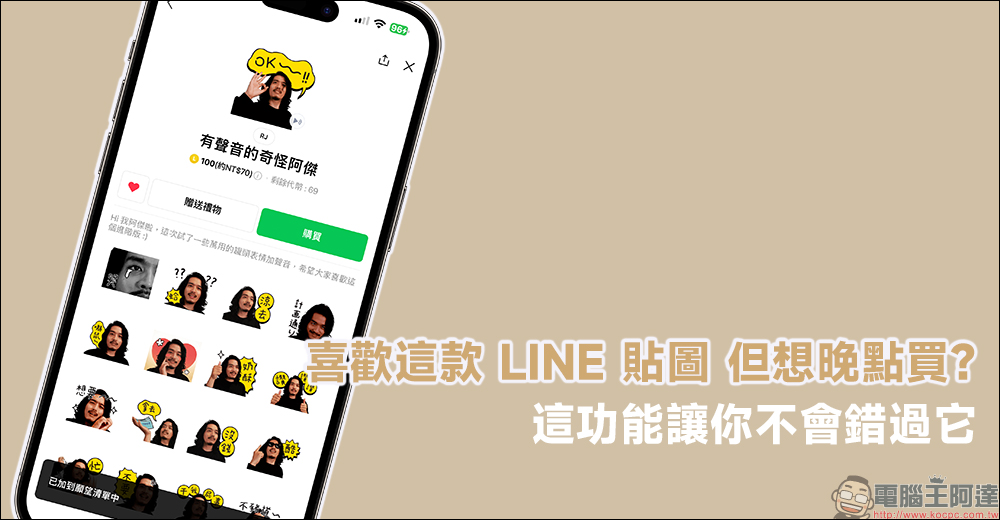
Love this LINE sticker but want to buy it later? Use the “Wishlist” feature so you don’t miss it
Even though LINE provides free stickers, most of them are only valid for 90 or 180 days. If you want to use certain stickers for a long time, it is better to purchase them.
I believe that when you usually chat with friends on LINE, you will have some favorite and commonly used LINE stickers, right? Once you have used the creator’s stickers or emoticons, you will want to continue using them if new ones are released later. However, there are so many LINE stickers and emoticons to buy that it is difficult to buy them all at once. However, if you find a sticker you like while shopping and don’t save it, you may simply forget about it.
Recently, LINE has also added a “Love” button to the sticker page, allowing users to add stickers and emoticons of interest to their wish list. Continue to learn how to use it!
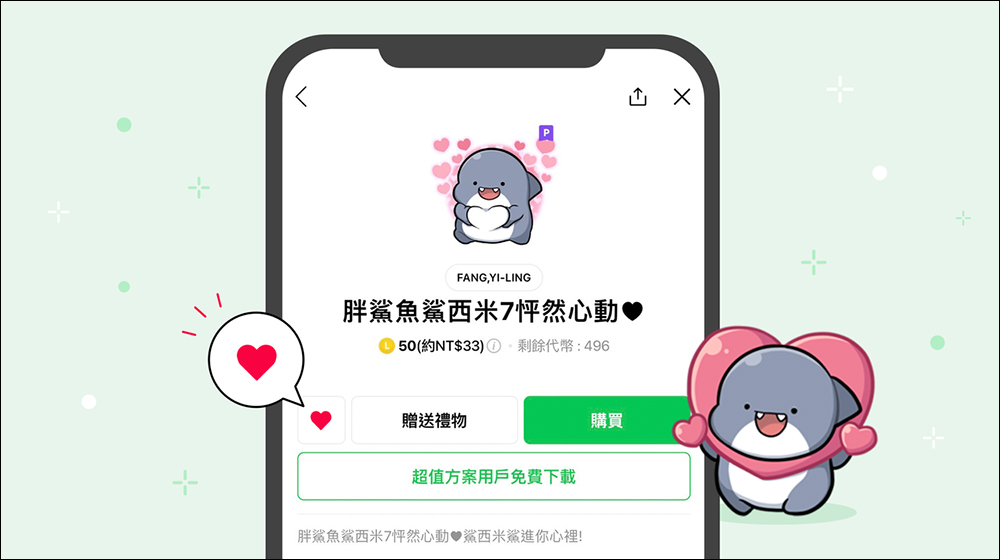
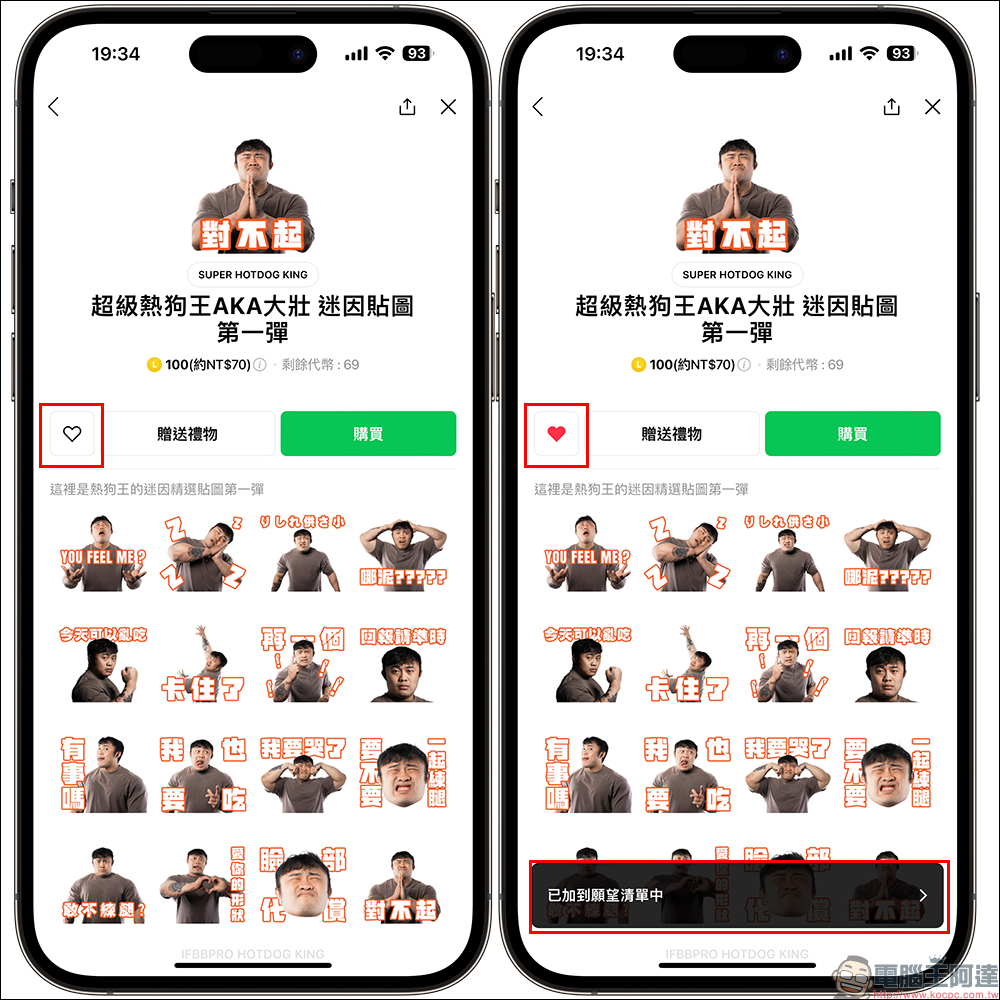
First, find the LINE sticker or emoticon you like in the LINE Sticker Shop. You will find a “Love” button to the left of the “Send Gift” button. Click on it to add the sticker directly to your wish list.
If you are ready to purchase the previously saved LINE stickers or emoticons later, you can also view and manage past collections of stickers or emoticons on the wish list page. Just go to the sticker shop first and find the wish list at the bottom of the page. All stickers and emoticons stored in the list will be organized here. If there are too many stored items that cannot be displayed directly, you can click “Show More” to view them.
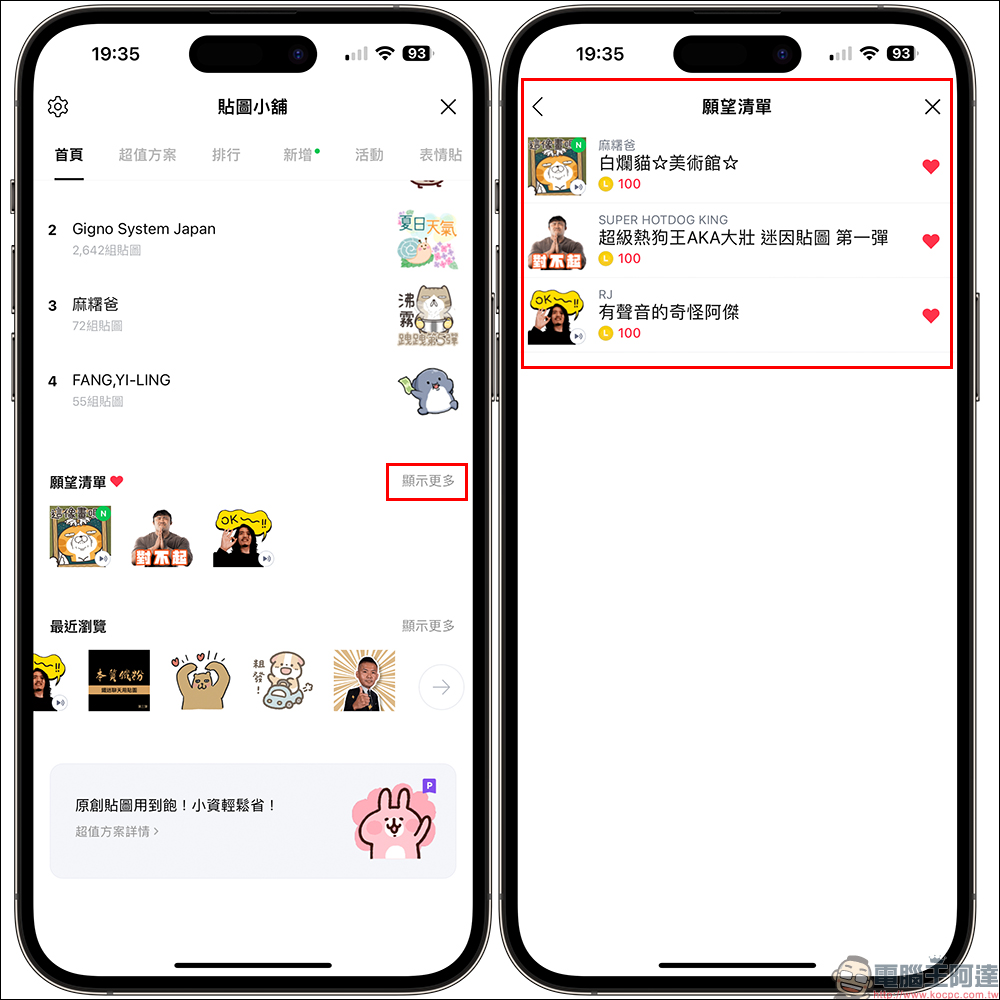
There is another way to find the LINE stickers and emoticons you have stored in your wish list. That is to click the gear button in the upper left corner of the sticker shop page, and then you can view the saved stickers and emoticons from the “Wish List”.
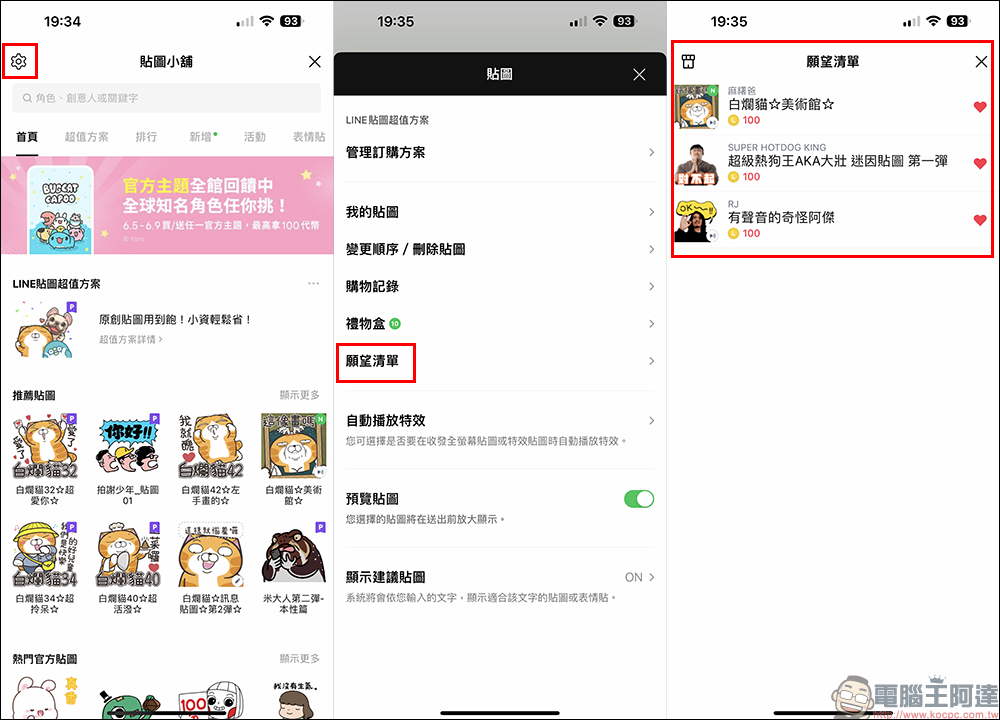
Things to note:
- As long as you click the heart button again in the wish list to turn it into a gray heart, you can delete the group of stickers or emoticons; if you have not left the page, you can click the heart again to add back the group of stickers or emoticons without affecting the original sorting in the wish list.
- If you leave the wish list page after removing a certain set of stickers or emoticons, the set of stickers or emoticons will be completely removed; if you want to add the set of stickers or emoticons back to the wish list, you need to search and add them back to the sticker shop.
- If the content in the wish list has been purchased, the content will not be removed from the wish list.
- Finally, I would like to remind you, remember to update the LINE App to version 13.5.0 (inclusive) or above to use this super convenient new “wish list” feature!
Further reading:
Which country has the cheapest Netflix plan? You can use this website to search quickly!

Source: KOCPC Chinese