


Nowadays, many people use ChatGPT, Gemini, and Claude for work, and it usually doesn’t end with just a question or two—instead, they complete entire tasks within them, including subsequent revisions and updates. Before they know it, the conversation becomes extremely long.
At this point, you may have encountered a situation where, despite previously going over the format, constraints, and objectives, the AI seems to forget them as the conversation continues, starts repeating the same questions, or even suddenly shifts direction. Most of the time, this is because the conversation has become too long and exceeded the context range the model can reliably handle.
foreign media PCWorld Recently came across a pretty useful prompt—just toss it to AI tools like ChatGPT and Gemini and ask them to compile a “handoff summary,” so you can easily move to a new conversation and continue. Sharing it below.

ChatGPT and Gemini may forget earlier content after a long chat. Use a “handoff summary” to move the key points to a new conversation.
For those who aren’t quite sure what context scope is, here’s a brief explanation.
You can think of an AI conversation as a long table. Every chat adds another domino, and they keep getting arranged on the table. While the table still has space, all the dominoes placed earlier remain. But if the conversation keeps getting longer, the earliest content may be slowly pushed toward the edge by newer content, until it finally falls out of the range the model can handle.

AI doesn’t remember the entire chat indefinitely the way a human brain does; instead, it decides how to respond each time based on the currently available context. Different models and solutions can handle different lengths, but even the longest context is not truly unlimited.
Most mainstream AI tools today actually have some way of handling this, like automatically compressing chat history. The problem is, users don’t always know when it’s being compressed or what information is preserved in the process.
So the more reliable approach would be to proactively ask the AI to summarize the key points from the current conversation, so you can start a new chat and continue working.
Of course, you can simply ask AI to organize it, such as:
幫我把目前對話摘要成 100 字。
It’s not that it can’t be done, but there are risks. A 100-character summary, for instance, can easily leave only surface-level conclusions and omit things like “why we decided this way,” “which options have already been ruled out,” “which constraints we can’t forget,” and “what exactly needs to happen next.” If you paste such a short summary into a new conversation, the new AI will likely have to guess all over again—and may even guess wrong.
A better prompt is:
請建立一份我可以貼到新聊天中的交接摘要。請包含:我們想完成什麼、目前已做出的關鍵決定、有哪些重要資訊是你如果用猜的可能會猜錯的,以及下一步該做什麼。請保持精簡,讓人能在一分鐘內讀完。
The key point of this prompt is “handoff.” It asks the AI to organize four things: the goal, decisions already made, details that are easy to guess wrong, and next steps. These four items are exactly what a new conversation needs to know.
I’m currently working in ChatGPT with a conversation where multiple AI agents collaborate. We’ve already covered a lot of content, and while it hasn’t shown signs of “forgetting” yet, it gets a little sluggish each time we chat. So I tried using this prompt to start a new conversation:

It compiles all the key summaries together, and the content is really good:
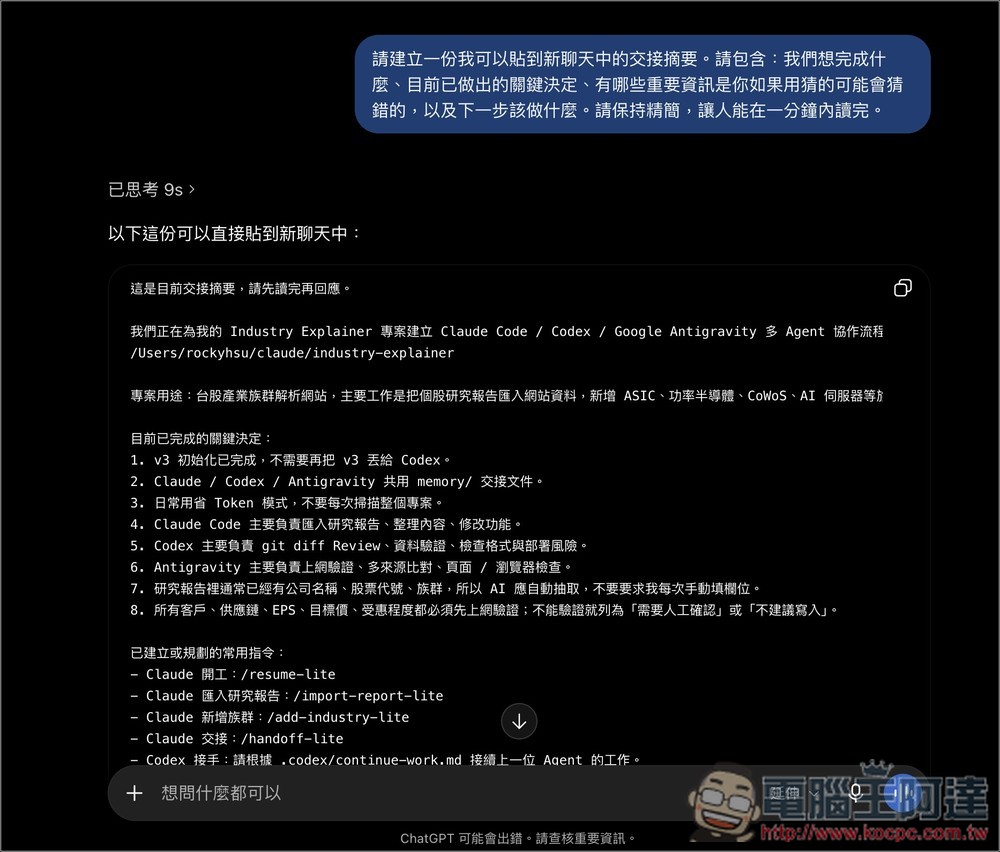
After starting a new conversation, I haven’t run into any issues so far, and ChatGPT remembers everything I mentioned before. I highly recommend giving it a try.
Source: KOCPC Chinese