


For designers, sometimes when they see some real-life objects, they may suddenly be inspired and want to know what their color codes are, so that they can be used in their own works or collected first. This article will recommend a free web tool called colorGPT that can do this. It uses the ChatGPT API. When the phone camera is pointed at the real-life object you want to know the color code, #xxxxx will appear above it, and the speed is very fast.
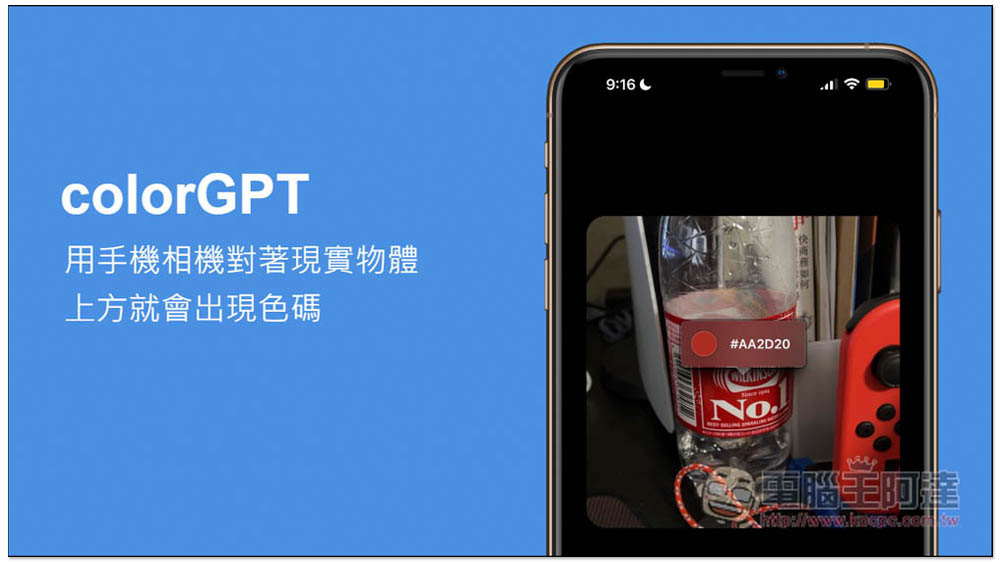
colorGPT Use the mobile phone camera to face the real object, and the color code will appear above it, using the ChatGPT API
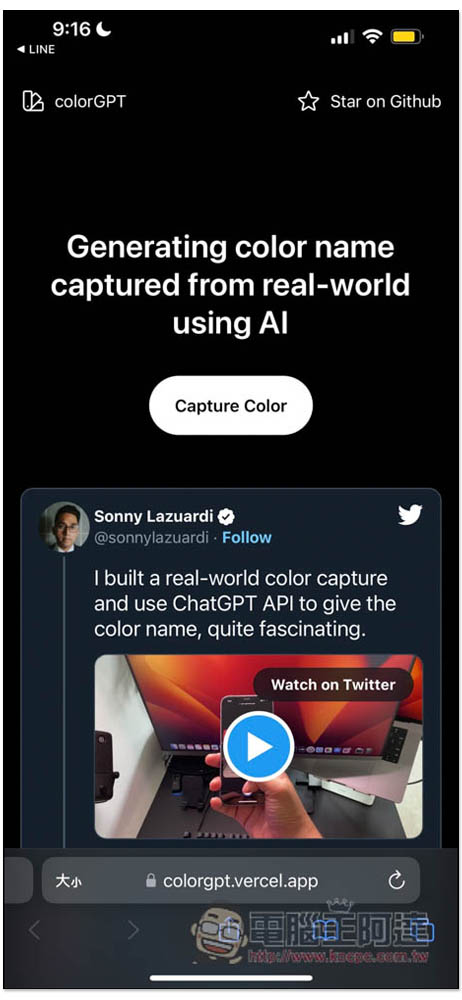
After opening the colorGPT webpage on your mobile phone, you will see this page. Below is the developer’s demonstration video. Those who are interested can take a look and click “Capture Color” in the middle:
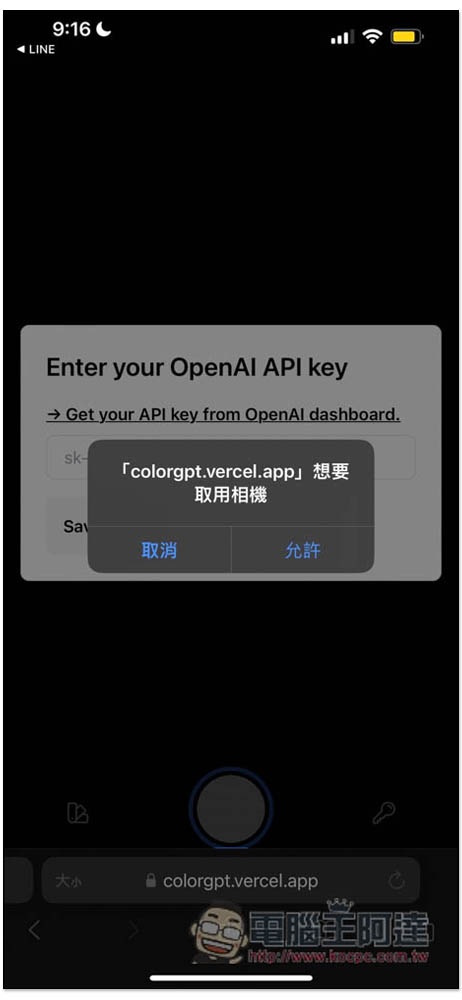
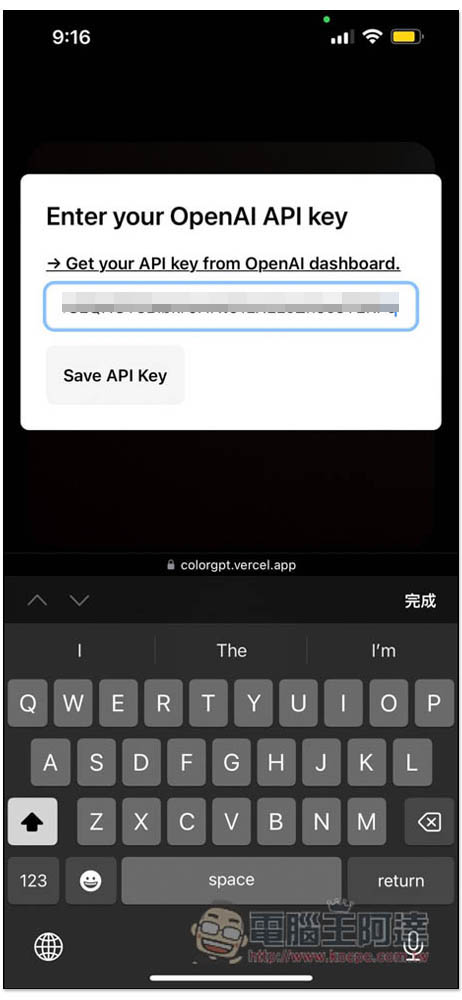
Remember to allow access to the camera, and then you will be asked to fill in your OpenAI API. This part must be filled in, otherwise it will not work. In addition, after I tested it for a few minutes, the recognition fee was less than 0.01 US dollars, which is very cheap:
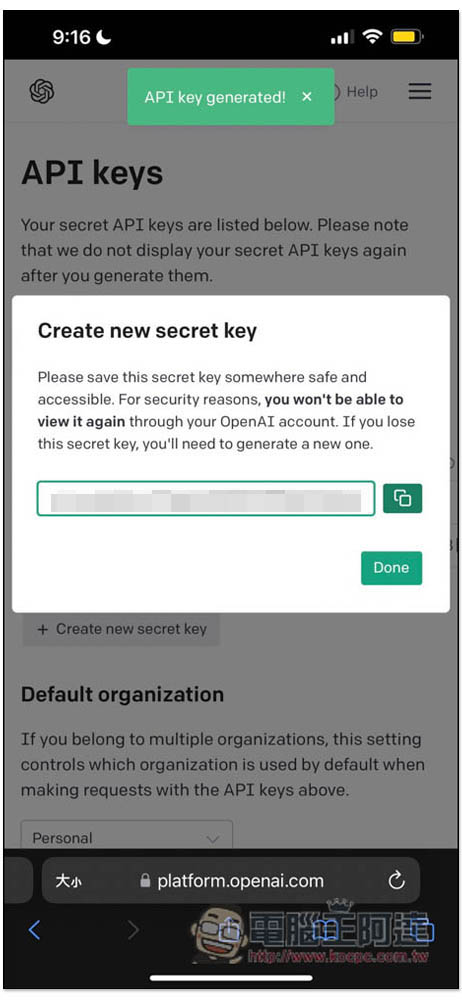
After entering the OpenAI API page, create your API Key. Remember to press the button on the right to copy the icon. After pressing Done, you can no longer obtain this set of APIs. You can only create a new one:
After returning to the colorGPT page, paste your API Key and press Save API Key:
You can start using it. Move the middle point to the real object you want to query the color code, and the color code will appear above it. For example, when I took a photo of the outer packaging of Japanese sparkling water, the red color code of the outer packaging really appeared:
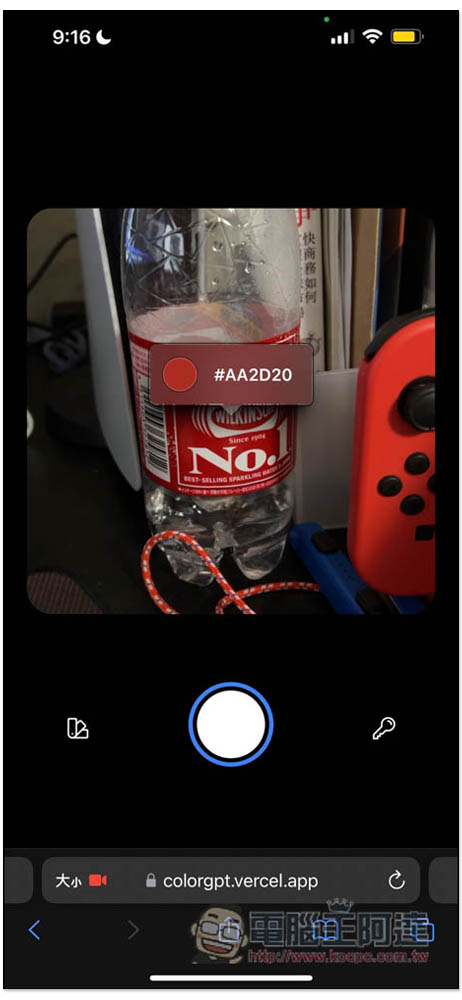
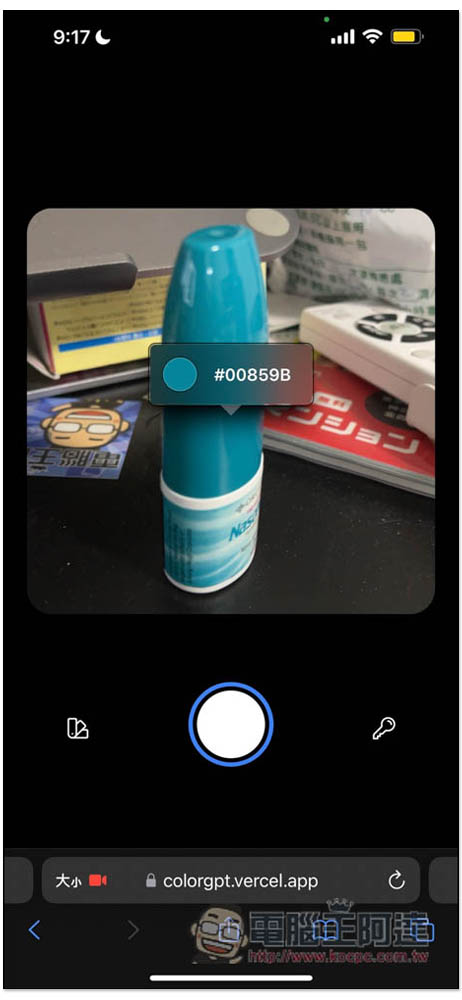
When moving, the color codes will switch instantly, and they all look quite accurate, indeed the colors in real objects. The key icon in the lower right corner is to change the API Key:
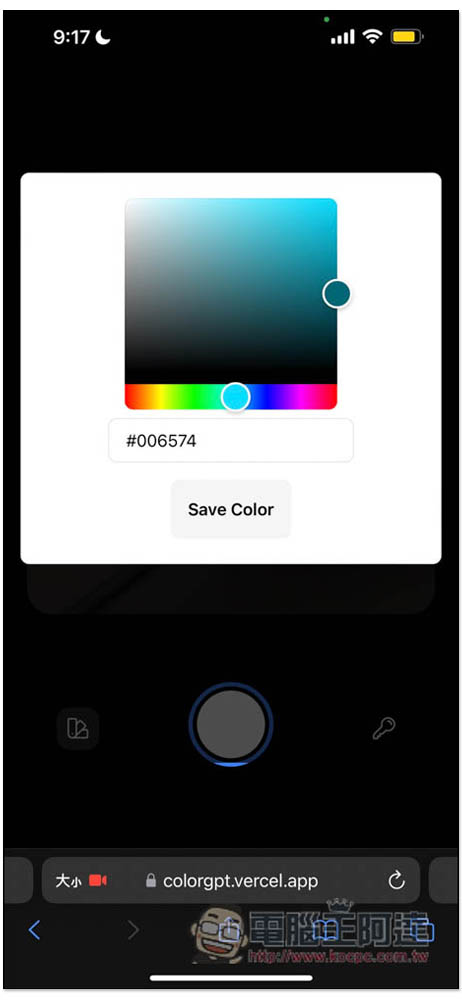
When you see a good color code that you want to save, you can click the icon in the lower left corner and this screen will open. You don’t have to worry about accidentally moving the lens and losing the color code. Click Save Color and it will be saved. You can also record the color code at this time:
The saved color code will be displayed at the top of the camera screen. If you need to click on it, the color code will be automatically copied to the clipboard:
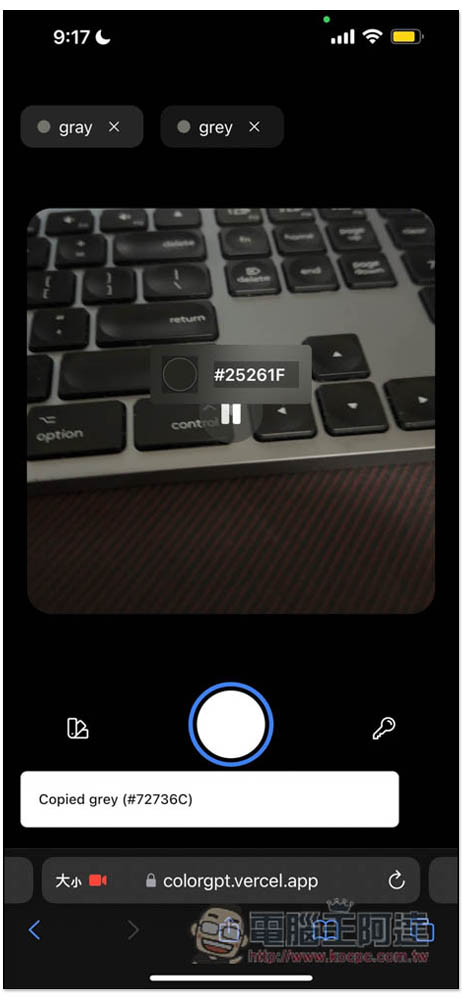
However, it should be noted that from user reports, some people said that their Android phones cannot be used. If the built-in Chrome browser does not work, you can try other third-party browsers, such as Microsoft Edge, Firefox, etc.
This web tool can be used on any device with a lens, which means not only mobile phones, but also tablets, laptops, or computers with external lenses.
What should I do if the OpenAI API cannot be used?
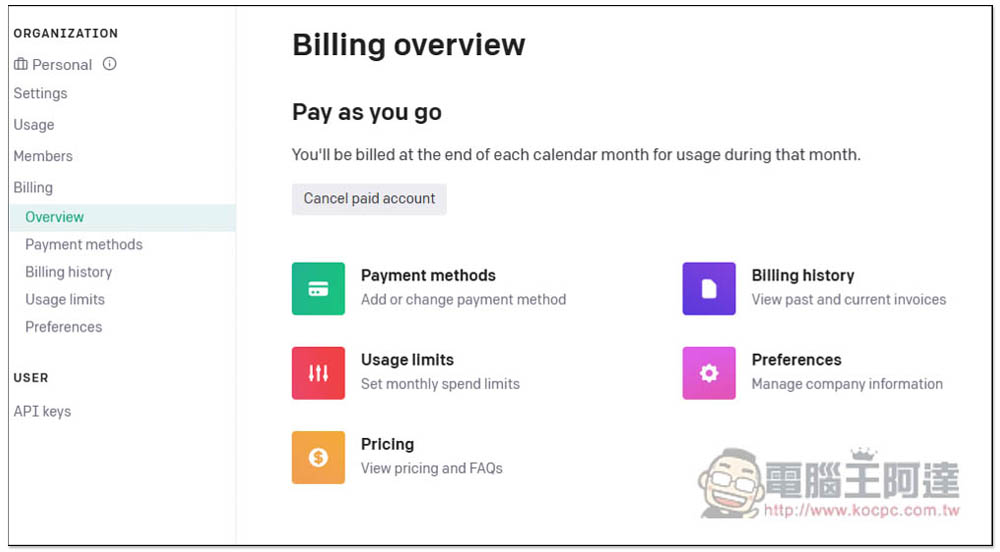
Each new OpenAI account will receive a credit of 18 US dollars. If yours has been used up or expired, you must bind a credit card to use it. In your OpenAI backend Billing page, there is a Payment methods option. Just add your credit card here:
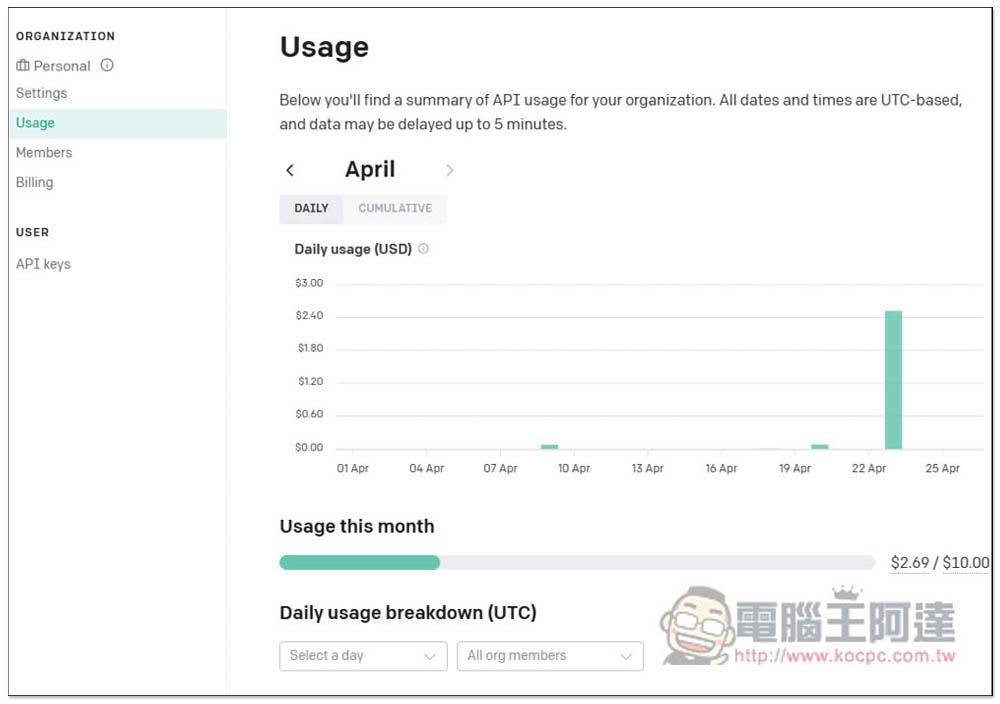
The Usage page can query your current usage, and you can also set a maximum monthly limit to avoid exceeding:
Source: KOCPC Chinese