


Although, Google Translatehas always been superior to the vast majority of translation tools, but as AI Since its debut, its quality not only rivals Google Translate but also provides more reasonable translations based on context, which is why fewer and fewer people are using Google Translate these days. Finally, Google Translate is starting to beef up its AI features, and it’s not just focused on translation—it’s also adding learning capabilities, which is quite exciting.
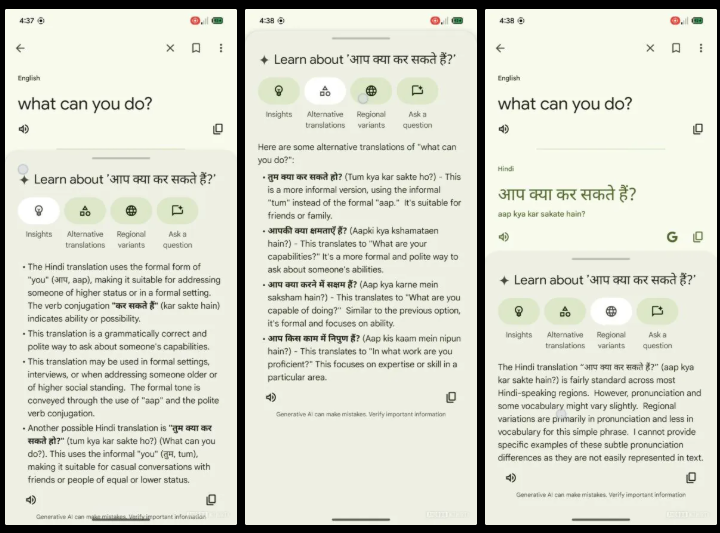
Image source:Android Authority
Overseas APK teardowns reveal a new Google Translate app interface with many new AI learning features.
According to a report by foreign media outlet Android Authority, they decompiled the APK file and discovered that Google Translate v9.10.70 contains significant UI changes in its code, and they successfully enabled the new UI, allowing everyone to get an early preview.
First is the main interface. This part has already been leaked before. On the left is the current Google Translate interface, and on the right is the new UI. The main difference is the addition of a Practice feature at the bottom, which is designed to let users learn new languages through a gamified approach similar to Duolingo. Because of this added button, the previous voice input icon has not only been shrunk but also moved to the far right. In addition, the new UI also has a bookmark button in the top-left corner for saving content.
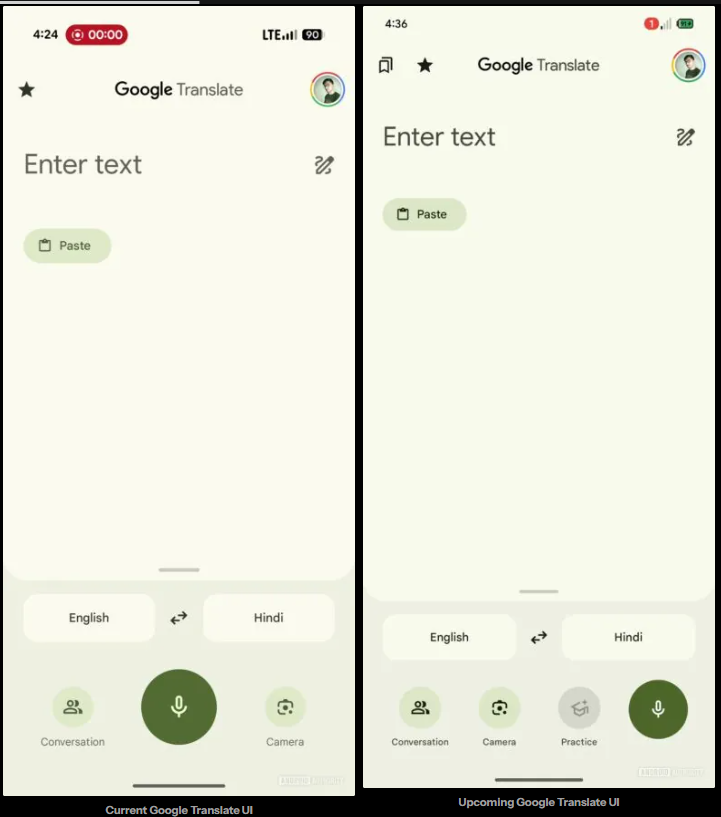
Image source:Android Authority
The translation results page, on the other hand, will undergo significant changes. In the new UI, multiple translation results will be displayed in a list format, unlike the current design that uses large font to highlight the closest match:
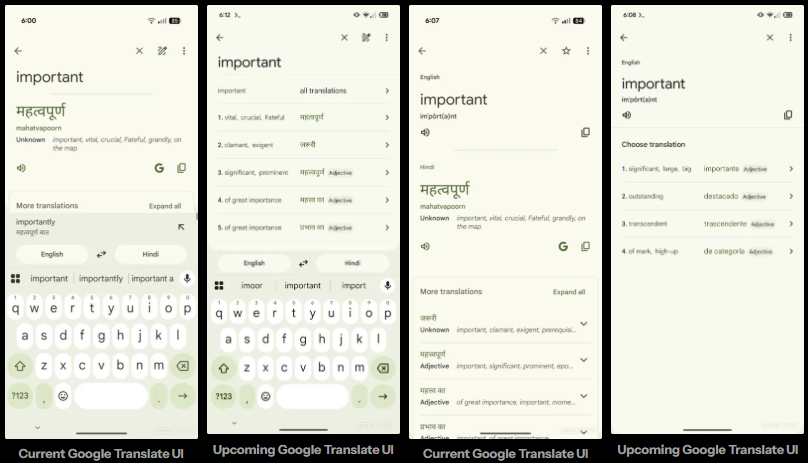
Image source:Android Authority
And when you click on any translation result, a series of Gemini-powered AI features will appear below, including “Alternatives,” “Definition,” “Regional variants,” and “Ask a question.” The last two are brand-new features, designed to help users better understand the meaning and usage of the word from different perspectives.
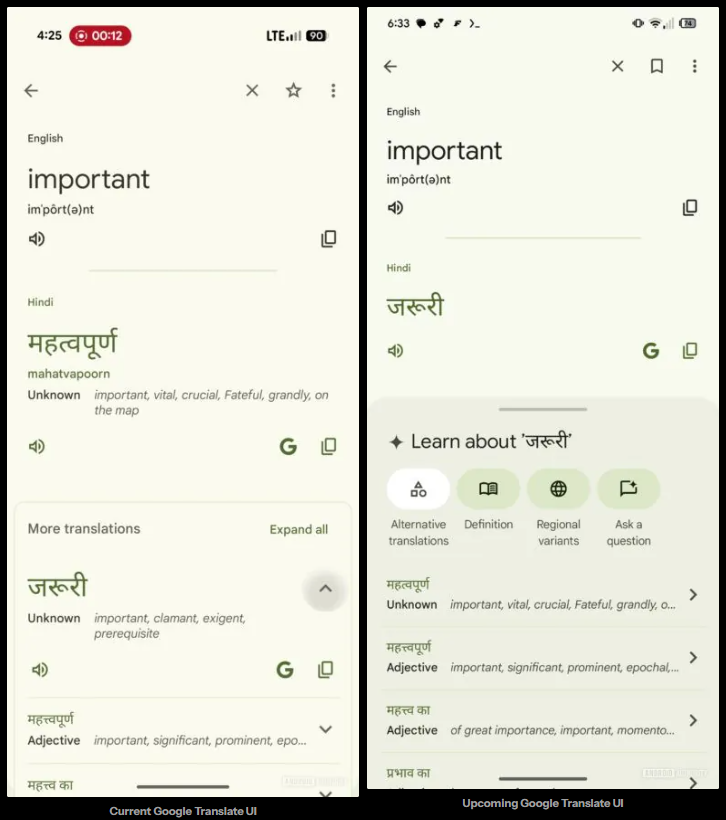
Image source:Android Authority
Android Authority mentioned that when querying a phrase, the “Other translations” button changes to an “Insights” button, allowing users to better understand the usage context and background of the term.
“Regional differences” seems to explain the usage and pronunciation of this word in different regions. “Raise a question” is unclear:
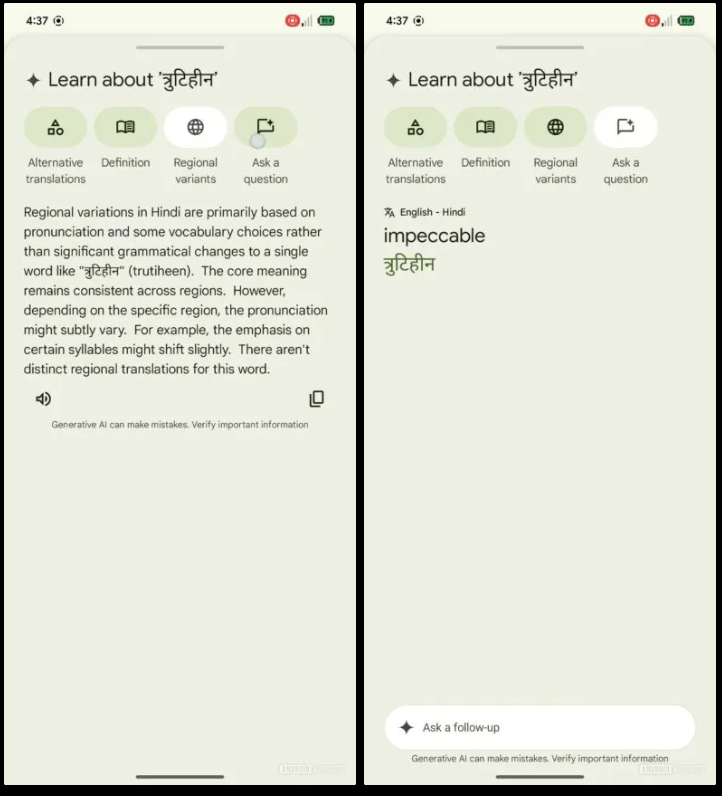
Image source:Android Authority
Based on the screenshot above, the new UI clearly incorporates many of Google’s own AI features, all with an emphasis on learning. While the functionality has become richer, Android Authority believes Google Translate has also lost the simplicity that users have long loved. Additionally, the AI-based results come with a disclaimer below, reminding users that errors may occur, so users still need to verify the accuracy of the answers themselves during use.
Data source:Android Authority
Source: KOCPC Chinese