


Do you have a busy life and can’t always remember important meetings and work schedules? Sometimes we choose to write important things directly on Google Calendar so that we can understand important events in the future by viewing the calendar. However, when you are extremely busy, it will inevitably happen that you don’t even have time to set your own calendar. At this time, you can use the LINE AI robot Tricuss shared with you today. This chat robot uses ChatGPT combined with the AI assistant function to automatically analyze user messages and generate calendar addition links!
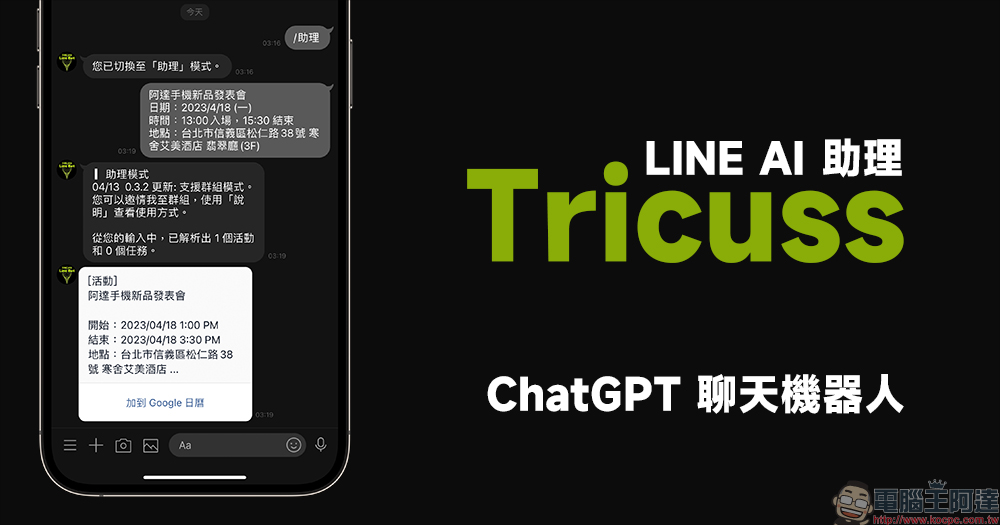
Tricuss LINE AI Assistant—ChatGPT integrates the AI assistant function to analyze messages and easily add them to Google Calendar
I wonder if your calendar is already full? In order to properly allocate important matters in work and life, if you can use calendar app tools such as Google Calendar and Apple Calendar, you can clearly remember your work schedule, meetings, and important appointments with family and friends. This is already one of the daily essential skills for busy people who want to manage their time well. However, once your busy life is overloaded, you will inevitably feel lazy even adding things to your calendar. How great would it be if you could have an assistant by your side to help with these trivial tasks of recording your itinerary?
Tricuss AI robot
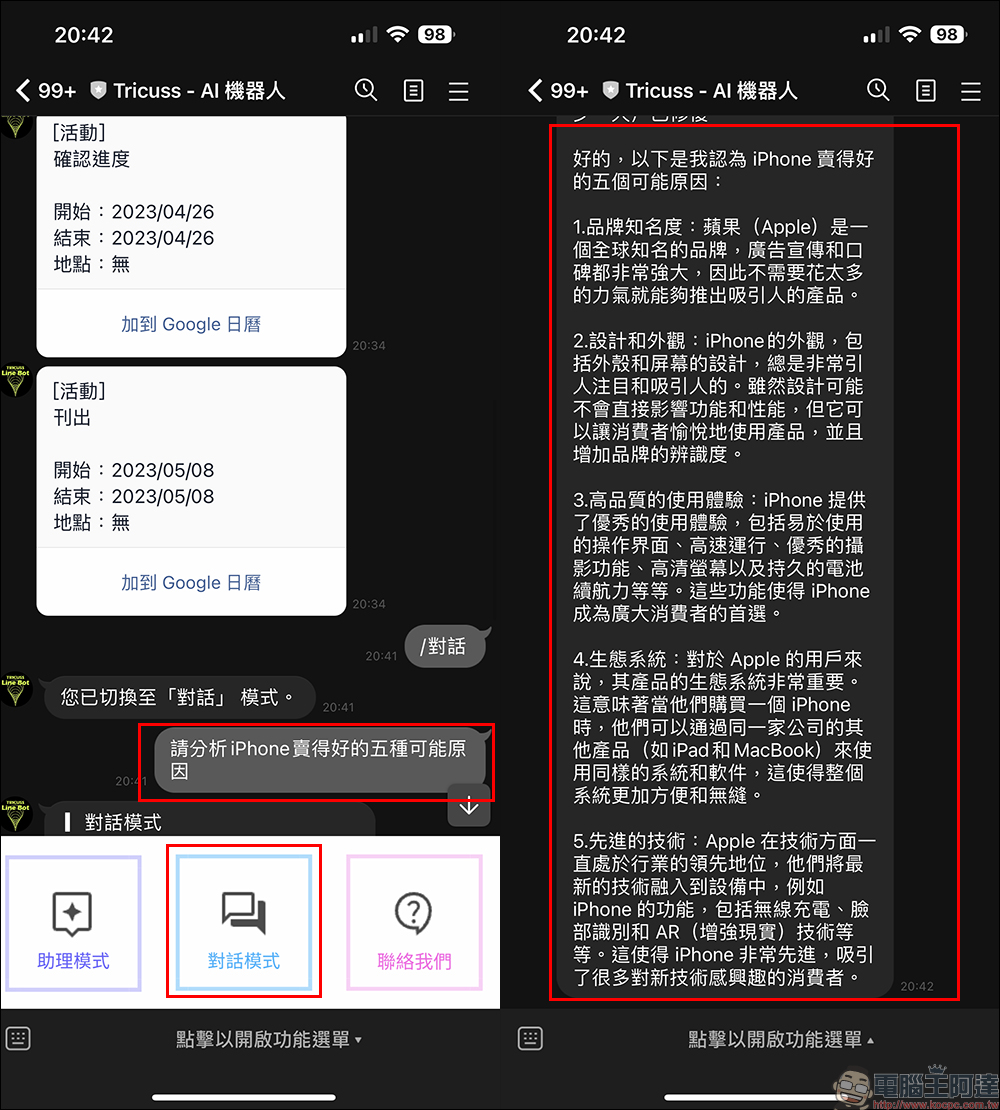
The LINE ChatGPT chatbot that I share with you today – “Tricuss – AI Robot”, in addition to supporting “conversation mode”, this is the most common ChatGPT chat function, allowing users to just throw messages to it if they want to ask some questions temporarily. In addition, it also has a very interesting and practical “Assistant Mode”, which allows LINE to be used as a lightweight assistant. Just drop the message here and it can directly analyze the message, then select the matching itinerary and quickly add it to the Google Calendar App.
To enable this AI assistant function, just click “Assistant Mode” in the function menu. Then you can use your daily chat tone to throw things to Tricuss – the AI robot. Then it will assist in analyzing the user’s message content and integrate several itineraries that match the content.
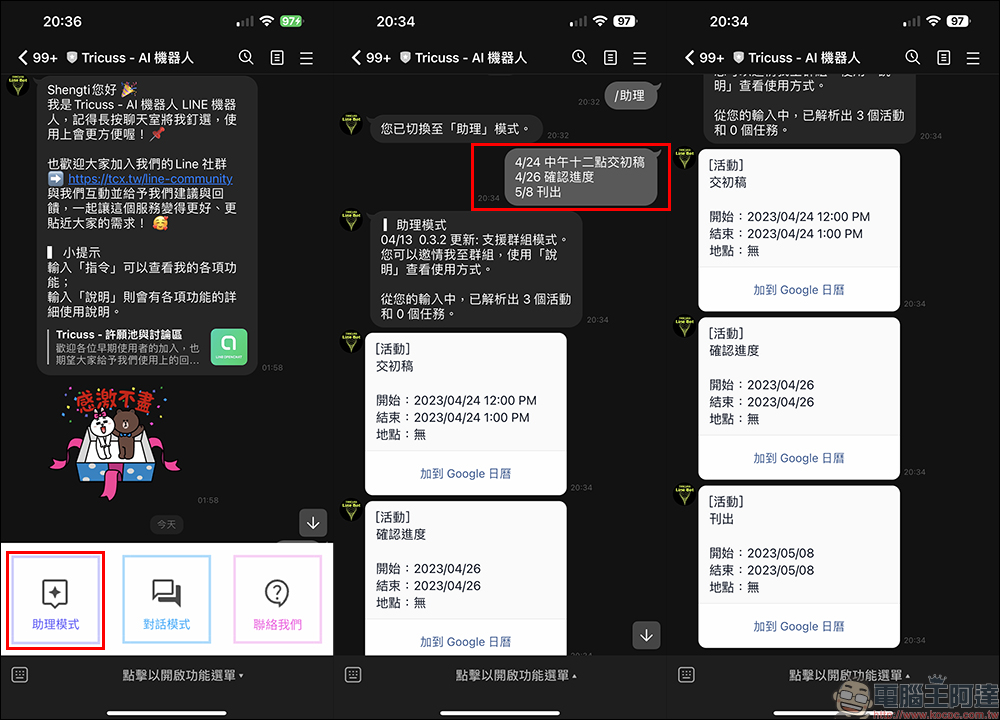
At this time, just click “Add to Google Calendar” to apply the event’s title, date and time directly to the Google Calendar schedule. I have to say that this function is indeed very convenient. In the past, we might sometimes remember the date and time of an event incorrectly, which would lead to the embarrassment of being late or absent. However, this method can directly help users solve the tragedy of manually inputting the calendar or accidentally setting the wrong setting with the hand.
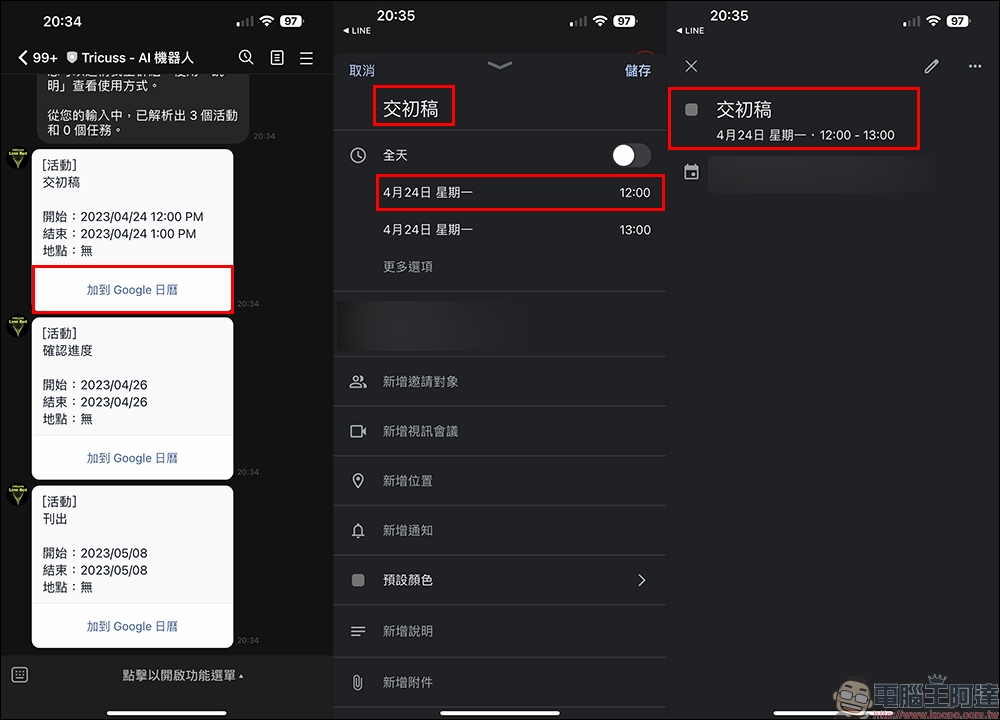
If you have an exact event itinerary, you can directly copy and paste the event information, and then the Tricuss-AI robot will integrate the event title, date, time and other information. Just click “Add to Google Calendar”, confirm the content in the Google Calendar App, add the event location, and press “Save” to complete the addition.
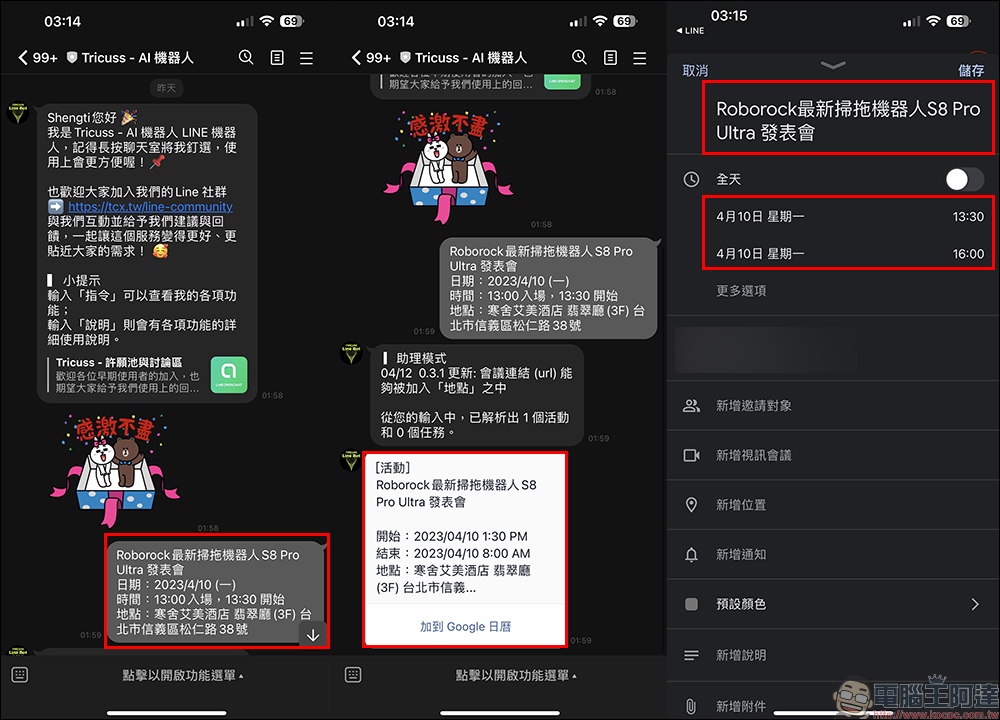
Tricuss – AI robot (click me to add friends)
Further reading:
Well-known analysts revealed that the solid button design of the iPhone 15 Pro series will be canceled due to this reason

Source: KOCPC Chinese