


Even today’s iOS or Android phones have quite a variety of apps that can display the latest weather information, and there are also many useful widgets that support them. However, for people who have busy daily lives and full schedules every day, sometimes they check the Google Calendar or Apple Calendar on their phone even more frequently than checking the weather. Today I will share a useful gadget called Weather in calendar, which allows you to easily add weather information to your calendar and check the latest weather changes.
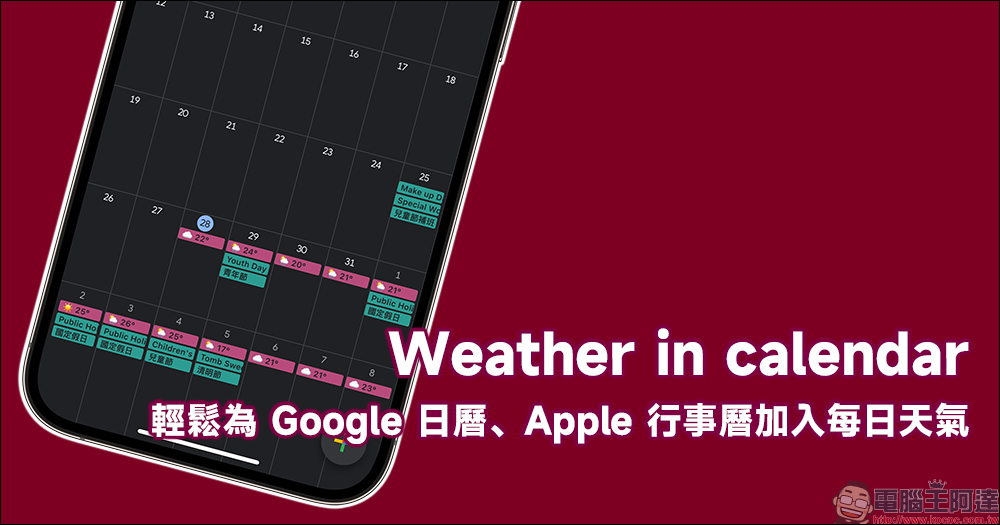
Weather in calendar: A useful tool for adding daily weather to Google Calendar and Apple Calendar for free and easily (tutorial)
For people who commute to work and classes, and who work hard for life every day, in addition to living hard every day, the weather is constantly changing, with large temperature differences between day and night, sunny or rainy days, and they must always pay attention to weather changes in order to make their lives more calm and smooth.近期台湾日夜温差也颇大,常常入夜后就变得有些凉意,常常也会来一波阵雨令人措手不及。 In addition to weather apps for iOS or Android, today I will share a free and easy-to-use gadget that allows users to easily add local weather information to their calendar for viewing.
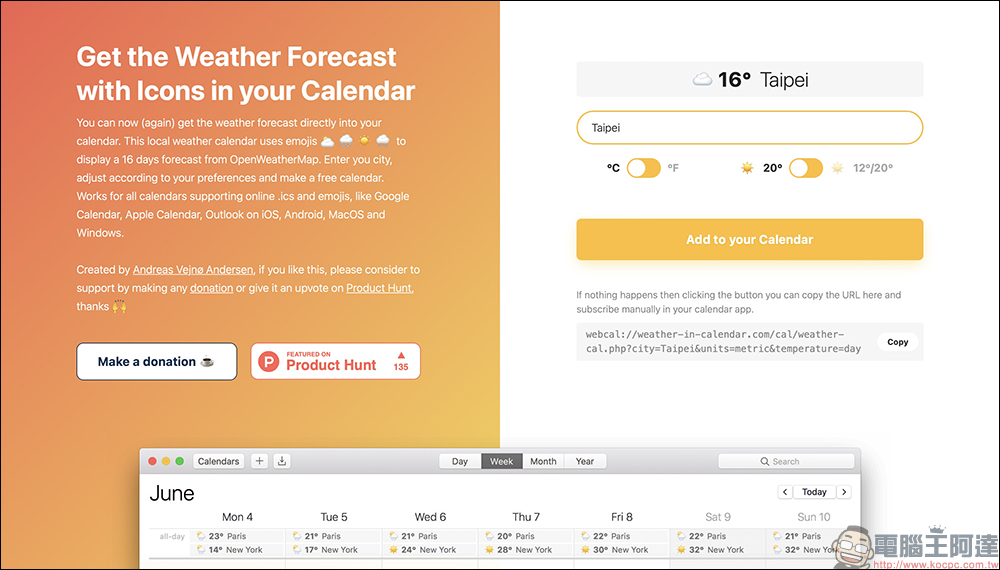
How to add daily weather information to the calendar?
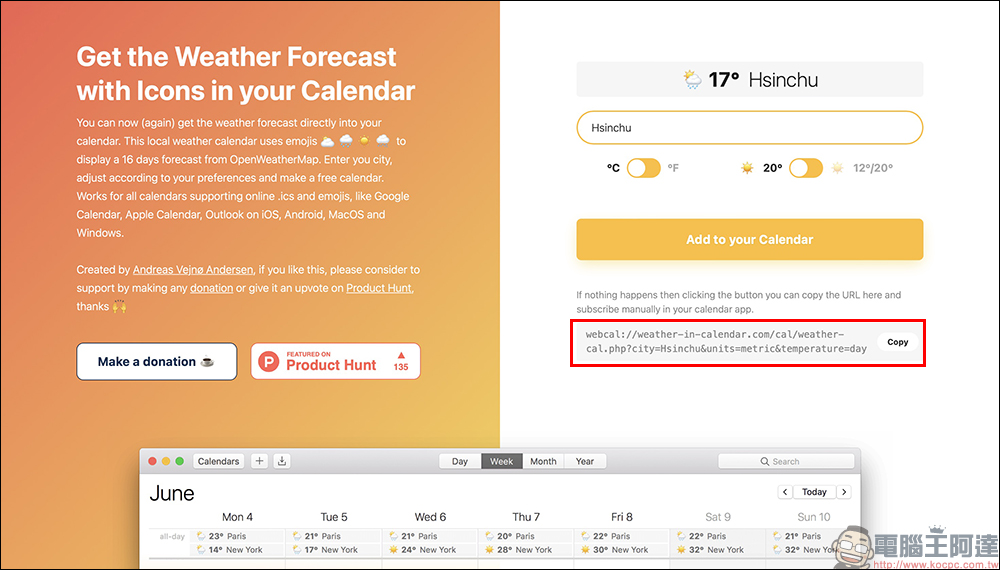
First of all, the author will share how to add this weather widget to the calendar directly on the iPhone in the iOS system. First, after opening the page, allow the web page to access the user’s location so that it is easier to obtain correct weather information. Then click the “Add to your Calendar” button on the screen to add the weather to your calendar.
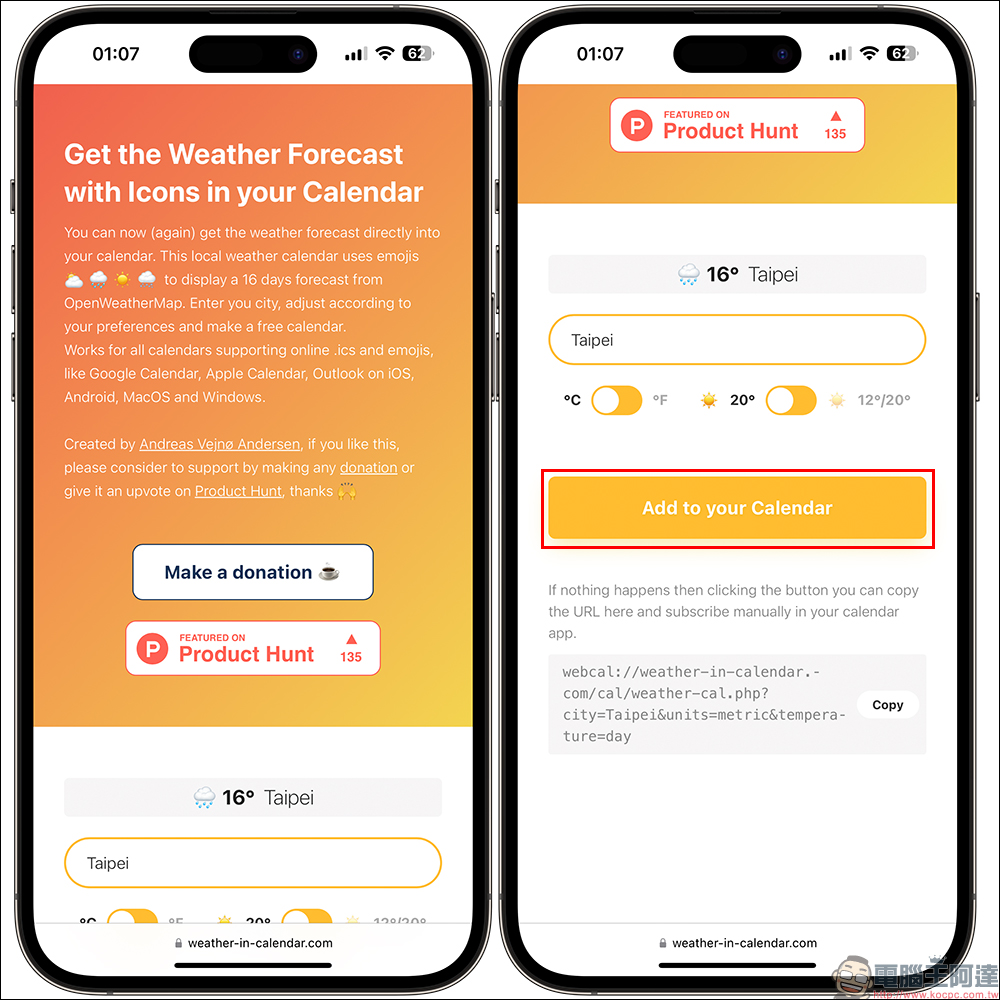
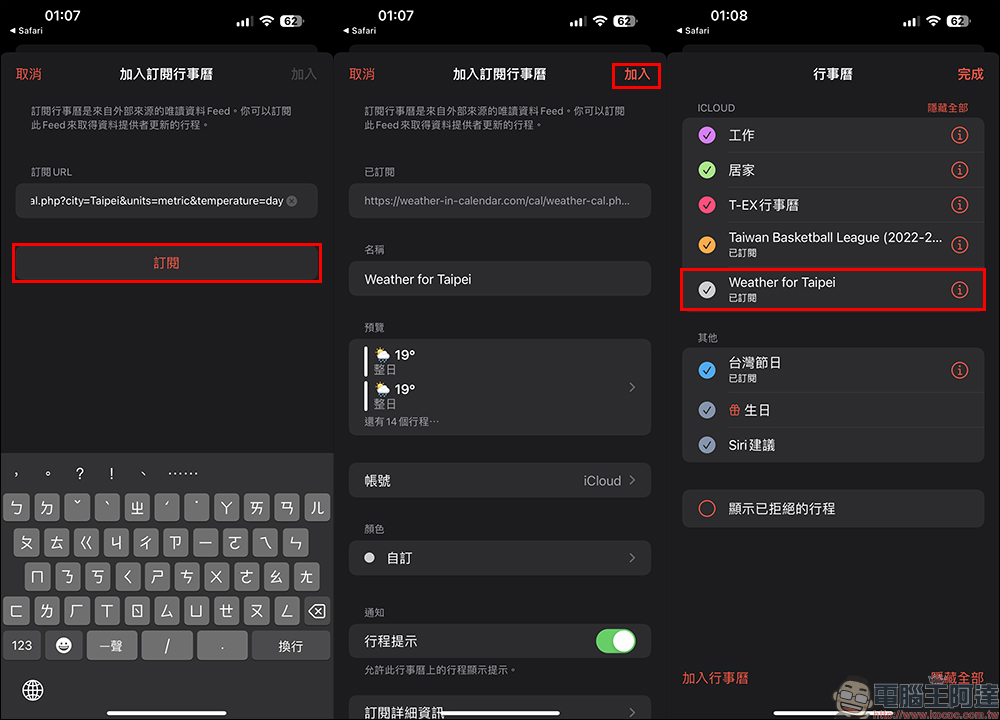
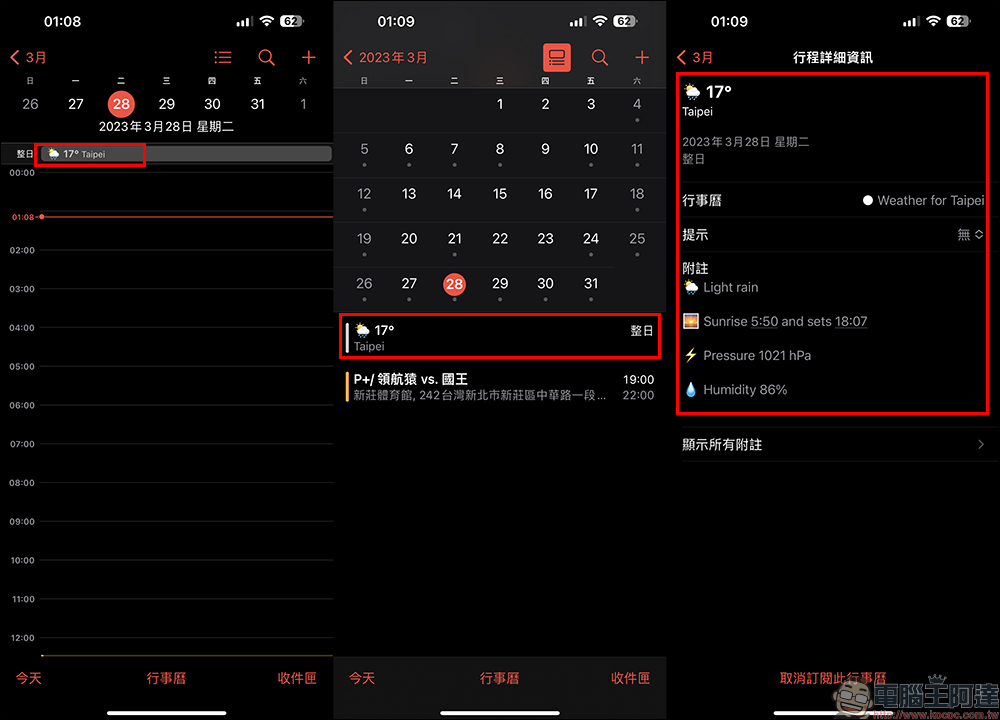
If you use the iOS system to add weather information in this way, it will be added directly to the Apple calendar by default. Click “Subscribe” first, confirm the content of the subscribed calendar and click the “Add” button. At this time, you will see the “Weather for Taipei” in the list of subscribed calendars that can display Taipei’s daily weather information. If the calendar you originally positioned is in another city, it will also be set according to the location information on the original page.
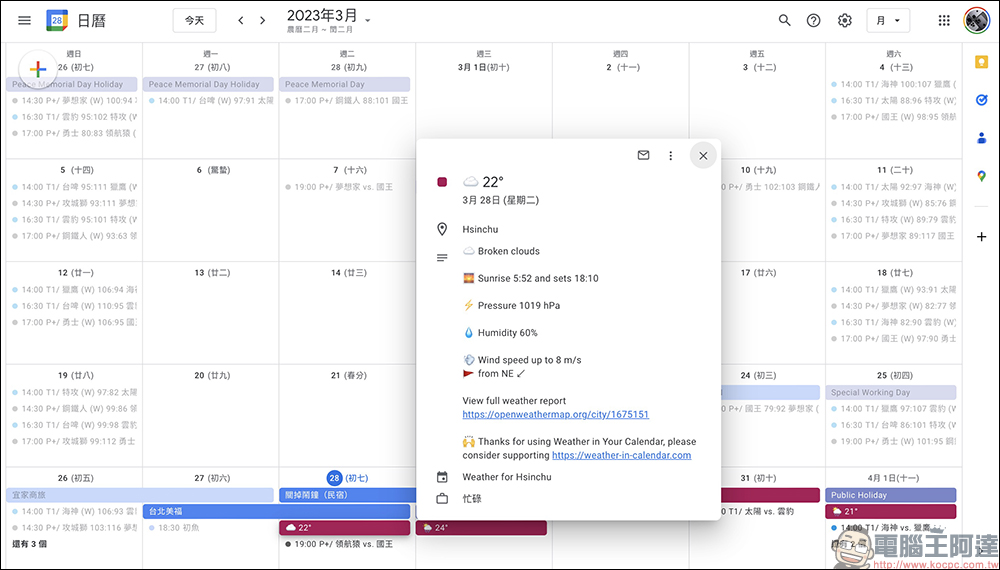
After completing the calendar subscription, you will see daily weather information in Apple Calendar. In addition to displaying the temperature of the city, it will also display information such as sunrise time, sunset time, humidity, etc.
If all iOS users are still accustomed to using Google Calendar or other calendars, can they also use the gadgets introduced this time? In fact, as long as you find the URL below on the page and click the “Copy” button to copy the calendar URL, you can easily add it to other calendars!
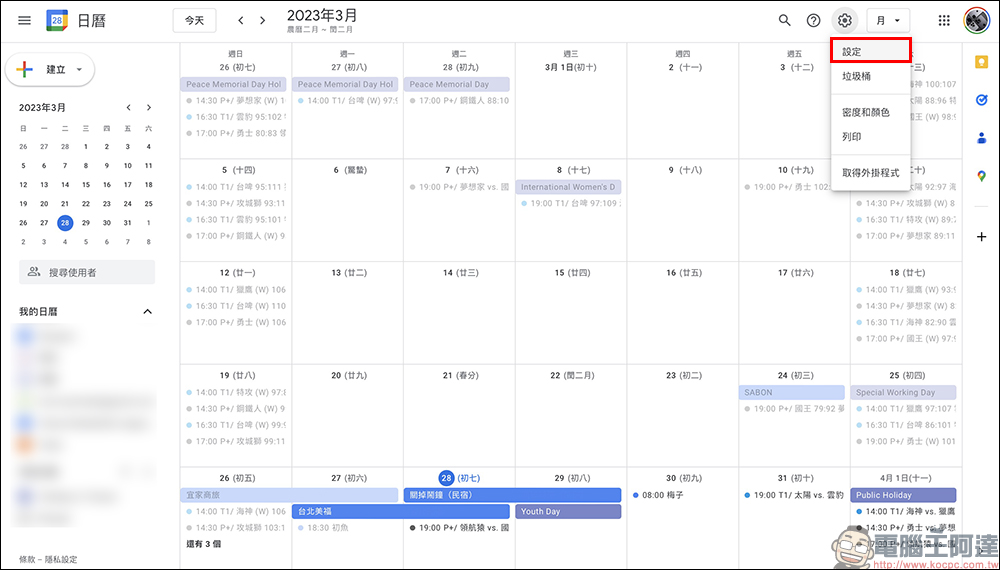
Here I choose Google Calendar, which is also used by many people, and click “Settings” to proceed to the next step.
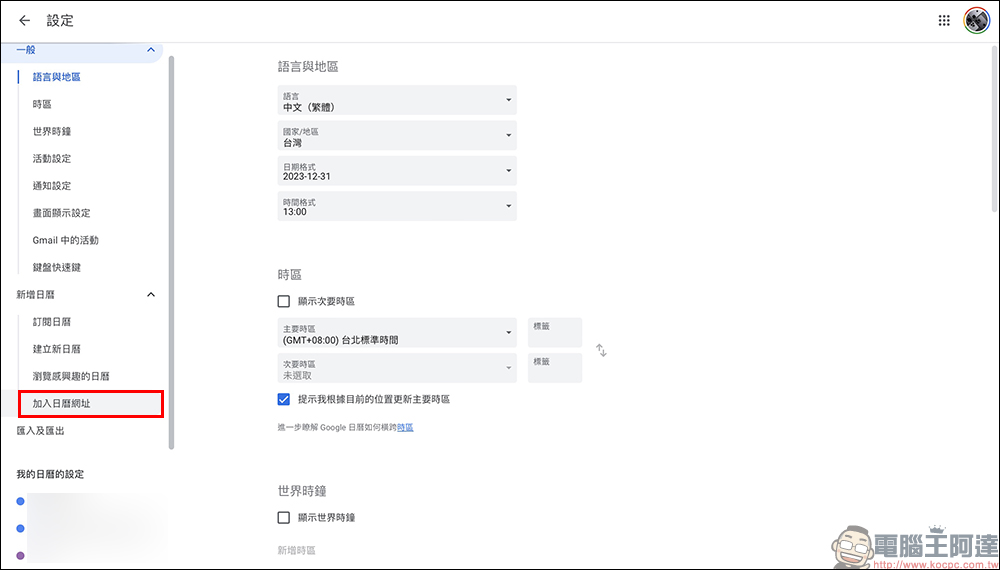
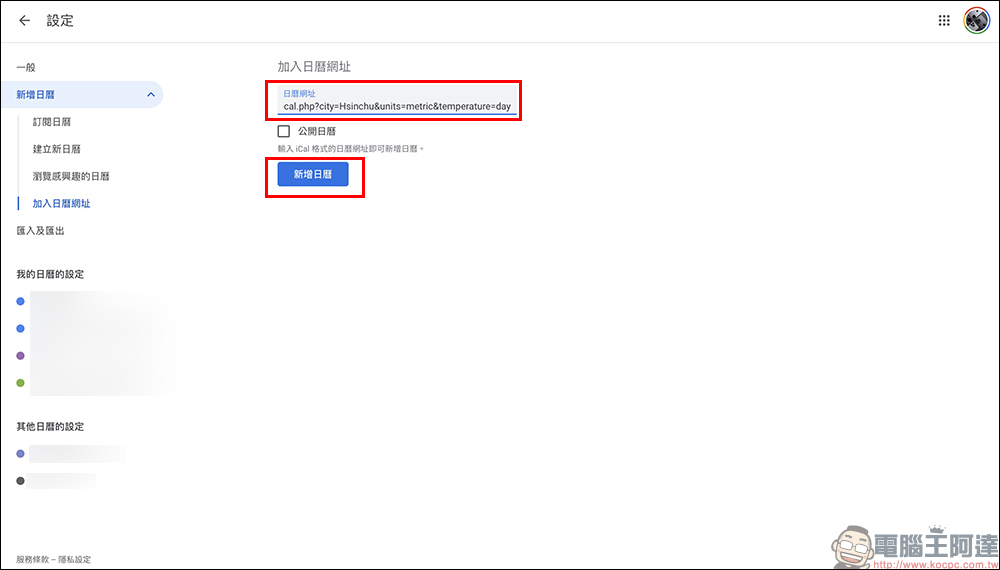
On the Google Calendar settings page, find “Add Calendar URL” under the “Add Calendar” category:
Next, paste the calendar URL copied earlier in the Add Calendar URL field. Be sure to click “Add Calendar” to complete the addition!
If you return to Google Calendar at this time, you will see that the daily weather, temperature, humidity, sunrise, sunset and other meteorological information starting from the day you added the calendar will be displayed on it.
Weather in Calendar (Click me to go)
Further reading:
All LINE photo album functions are now online! Easily view all albums across chat rooms (Usage Tips)

Source: KOCPC Chinese