


It is actually similar to Microsoft 365 Copilot AI – it’s just that AI is more like quietly integrating all Microsoft 365 resources behind the scenes. The Microsoft Loop collaboration service to be introduced this time is more like a comprehensive integration platform, which actually allows all users who join this small “Loop” circle to search and compile data and their own ideas, gradually organize and establish project work projects, and cooperate to complete them. Continue reading The Microsoft Loop collaboration service is so useful that you can’t escape from the small circle – yes, it also has AI report content.
▲Picture source for this article: Microsoft
The Microsoft Loop collaboration service is so useful that you can’t escape from the small circle – yes, it also has AI
It is actually similar to Microsoft 365 Copilot AI – it’s just that AI is more like quietly integrating all Microsoft 365 resources behind the scenes. The Microsoft Loop collaboration service to be introduced this time is more like a comprehensive integration platform, which actually allows all users who join this small “Loop” circle to search and compile data and their own ideas, gradually organize and establish project work projects, and cooperate to complete them.
If you want to start using it, you canClick me to start。
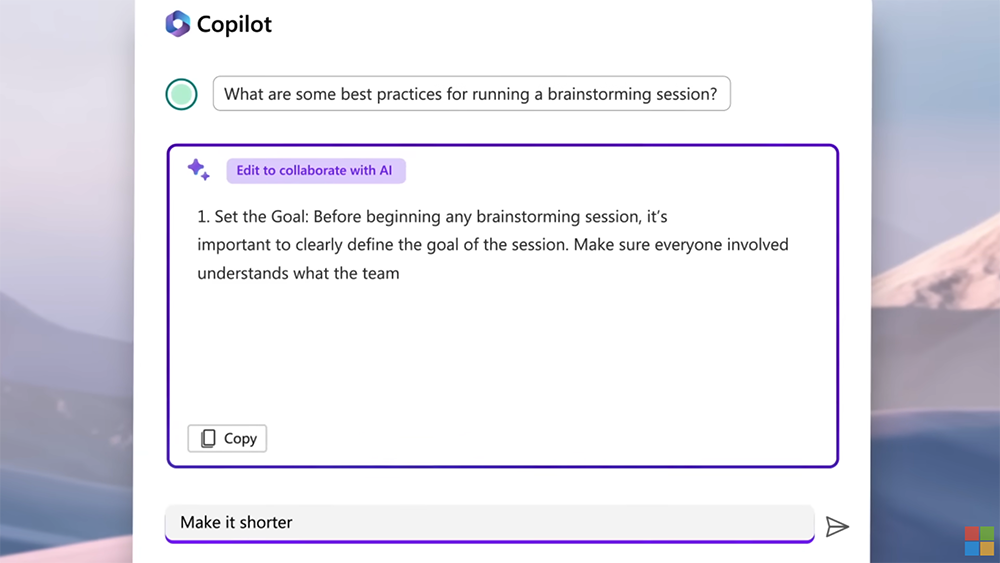
Yes, although it sounds like a service like Notion (I personally think it is very similar) Craft), and in addition to the function of real-time collaboration with real people, it also really integrates Microsoft’s currently very aggressive Copilot “AI personnel” into it. However, Microsoft Loop, which is mainly a web application (but there are mobile apps for iOS and Android, but it is not yet an official version) is more like an additional service focused on integrating the Microsoft ecosystem. And a public preview has been launched today.
Regardless of whether these application services are easy to use or not, Microsoft has indeed been extremely active recently…
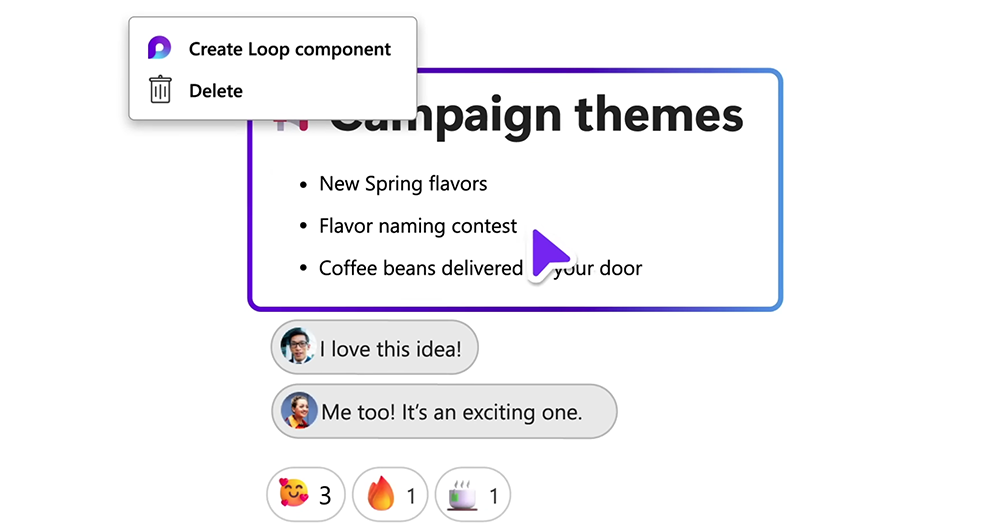
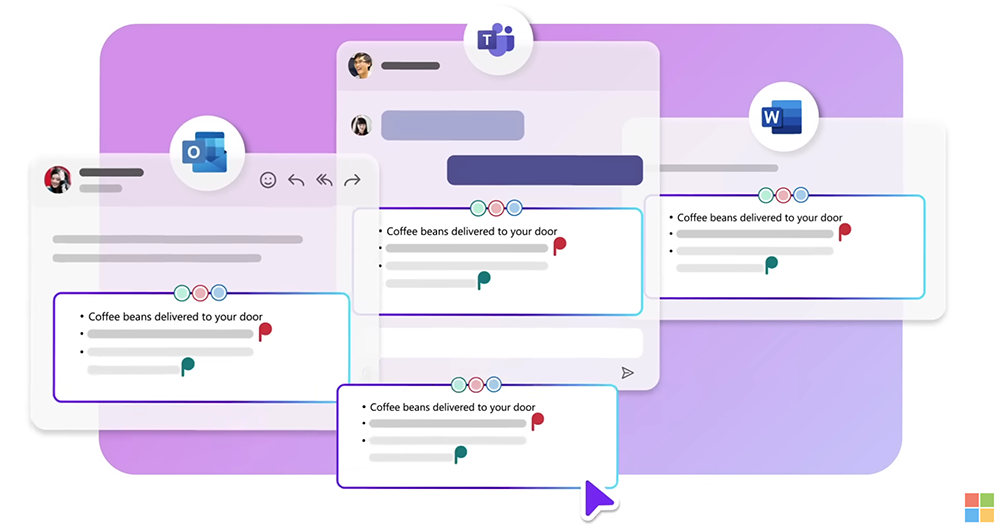
In terms of interface, you can actually open the project page independently through the template. Text descriptions, to-do items, tables, etc. on the page also support functions such as status display, or the ability to express feelings with emoticons or text for certain components. But what’s really great about it is that it can create shareable “Loop components” (select Create Component in the upper left corner of the component to copy) and copy them to other Microsoft 365 apps to “real-time synchronize” these projects with its highly integrated capabilities.
Yes, for users of the Microsoft ecosystem, they no longer have to worry about adjusting tables, or arduously running to different files, Teams or Outlook to send messages (messages) to update the latest information based on the review content in the Loop – this is great! If you use an external service such as Trello, it is said that Microsoft Loop can also support import-related functions, and you can export it when you are finished – this should mean that the external service lacks the function of synchronizing updates (not unexpected).
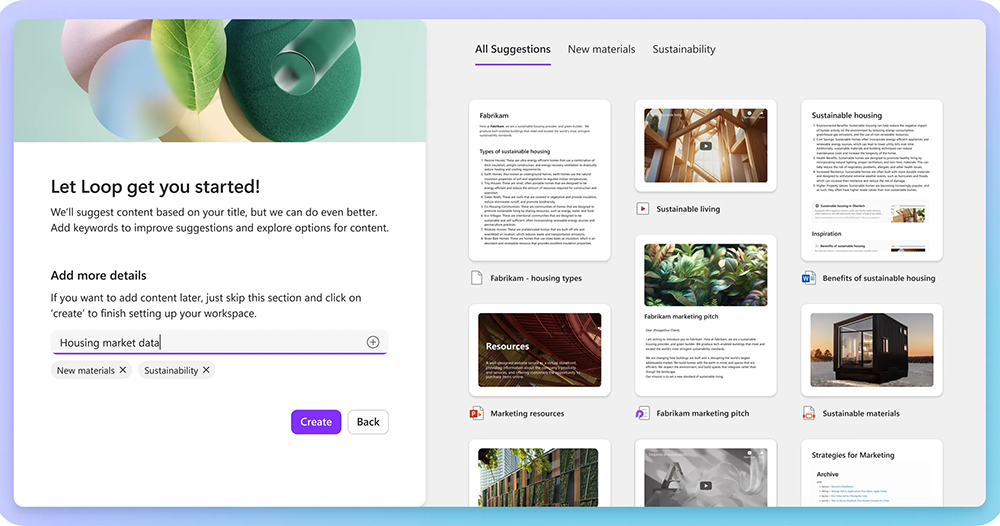
Similar integration functions can also be reversed. In the early stages of starting a project (and later, too), Microsoft 365 document content can be retrieved through keywords, so that you do not have to create work tasks completely empty-handed. It supports notifications such as modifications and notes for content of interest, and you can also use “/” and “@” to quickly introduce data, enter emoticons, or tag users.
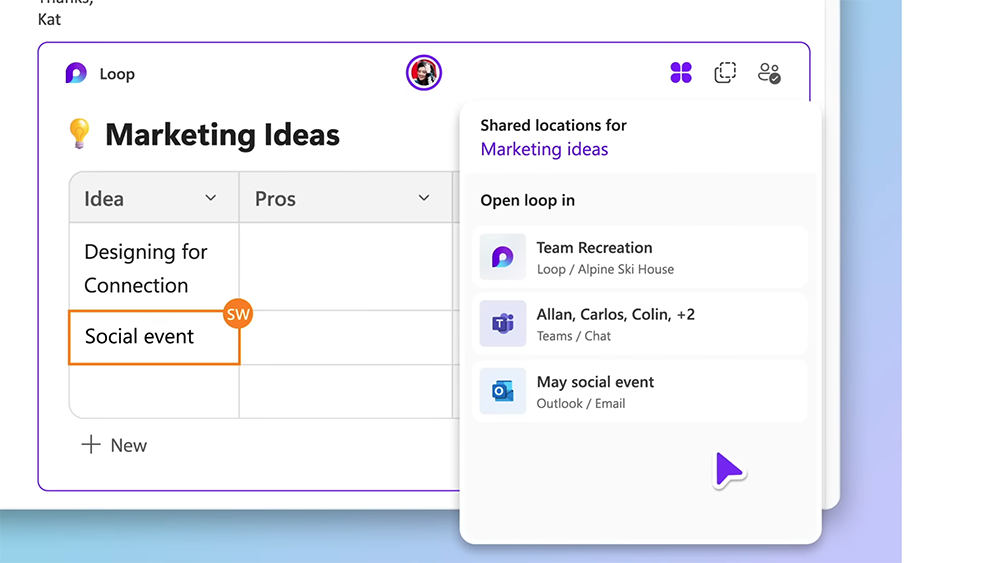
And for friends who are a bit uncomfortable with having their work progress seen all the time, the Microsoft Loop collaboration service also supports the function of setting up a private work area. According to foreign media information, Microsoft Loop currently supports up to 50 users working within the same Loop circle. However, Microsoft has actually tested that it can withstand the work use of hundreds of people – even though Loop is mainly designed for use by about 2 to 12 people.
Based on the interface and smoothness I have seen so far, I personally think the Microsoft Loop collaboration service looks really pleasing. However, it will still need to be used with Microsoft 365 to achieve maximum effect. Therefore, this service seems to be more focused on integrated services that tightly attract existing users. But for users who are not part of the Microsoft ecosystem, Loop may allow you to start working with lightweight components, and there may also be a chance to fall in love with or even subscribe to Microsoft services.
Further reading:
Source: KOCPC Chinese