


The latest convenient features that were previously announced by the official have arrived a little later. And although you can’t track when the official is willing to implement the new features one by one, at least from now on, you can already activate the built-in “package tracking” function through the Gmail app on Android and iOS (eh). Keep reading and it’s super easy! Teach you how to enable the built-in package tracking function of Gmail app. Report content.
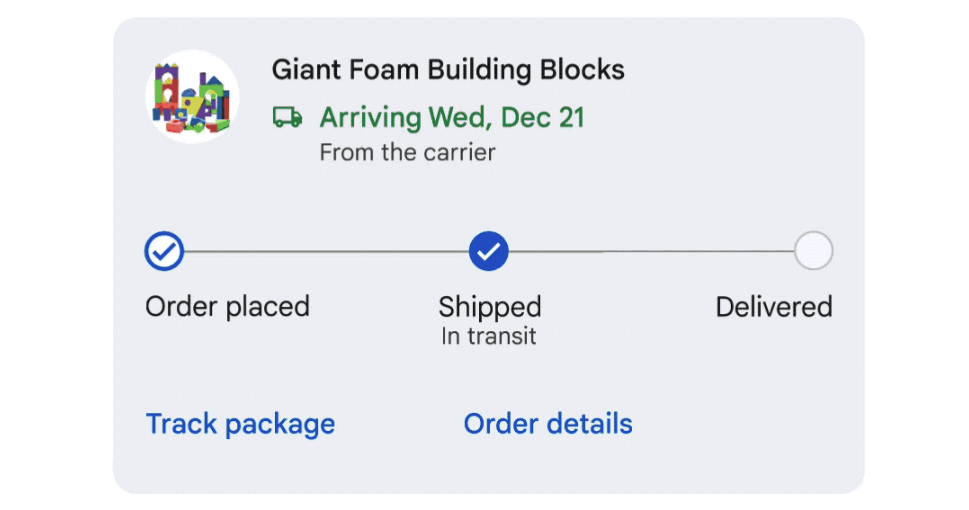
▲Image source: Google
Super convenient! Teach you how to enable the built-in package tracking function in the Gmail app
It just changed to a new interface at the end of last year, providing a customizable Gmail integrated view. It not only has Material 3 style visual effects, but also integrates Gmail, Chat and Meet in the same location, allowing you to quickly access it without switching windows (see more:Hands-on with the new Gmail interface). However, the latest convenient features that the official previously announced will arrive a little later.
Although you can’t track when the official is willing to implement the new features one by one, at least from now on, you can already activate the built-in “Package Tracking” function through the Gmail app on Android and iOS (eh).
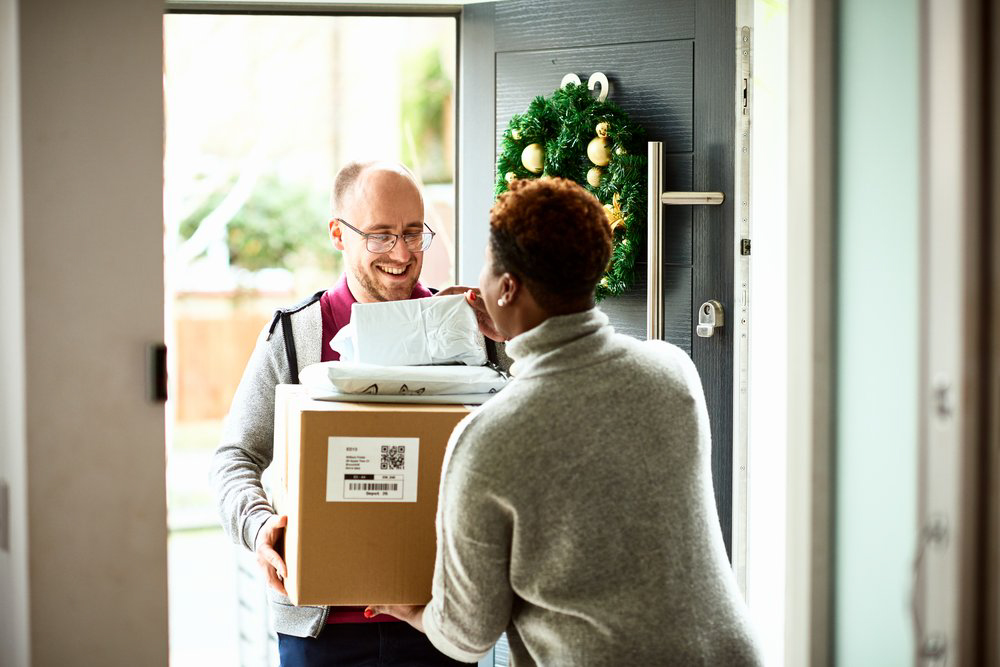
▲Image source: Google
In the official previous feature preview, this feature should be automatically displayed in the Gmail app, prompting you to activate the new feature of “Track your packages in Gmail” through Allow. You will be able to actively provide the tracking number to the shipping company when it appears in the email, so you can see the current parcel delivery status in the Gmail interface.
It may be that it is being gradually launched or has not yet been launched, so the editor who is looking forward to it has not received this reminder yet. But even though such a prompt has not officially popped up, someone has discovered that you can actually activate this feature in advance in the recent Gmail app menu, and I would like to share it with you here.
How to enable package tracking built into the Gmail app
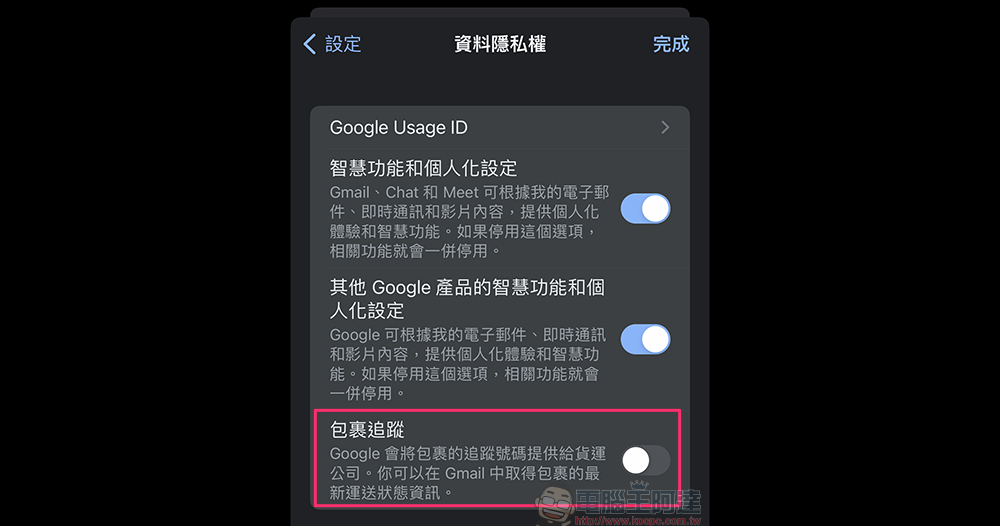
I believe that everyone is like the editor. Now that I know that such a function is currently being pushed, I will also go to the settings to check whether the word package tracking appears in the function settings such as the mail gate. But what’s interesting is that this feature will only be available if it is enabled in “Settings > Data Privacy” – at least in iOS:
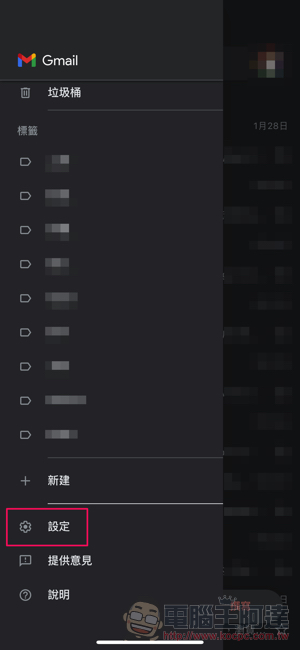
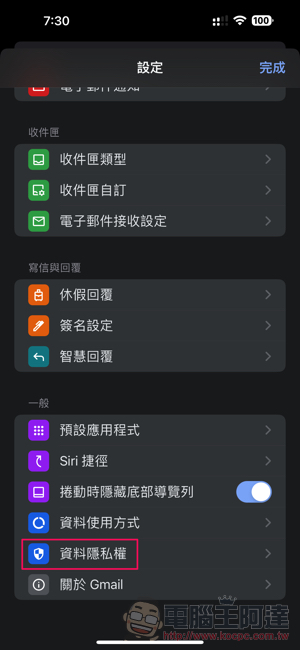
Then you can activate the “Package Tracking” function in the data privacy options. According to the official description, “Google will provide the tracking number of the package to the shipping company. You can get the latest delivery status information of the package in Gmail.”; for the Android version, you can find the “Package Tracking” function directly in the general settings:
As far as the official demonstration is concerned, the Gmail app will actively prompt you to allow this function to run:
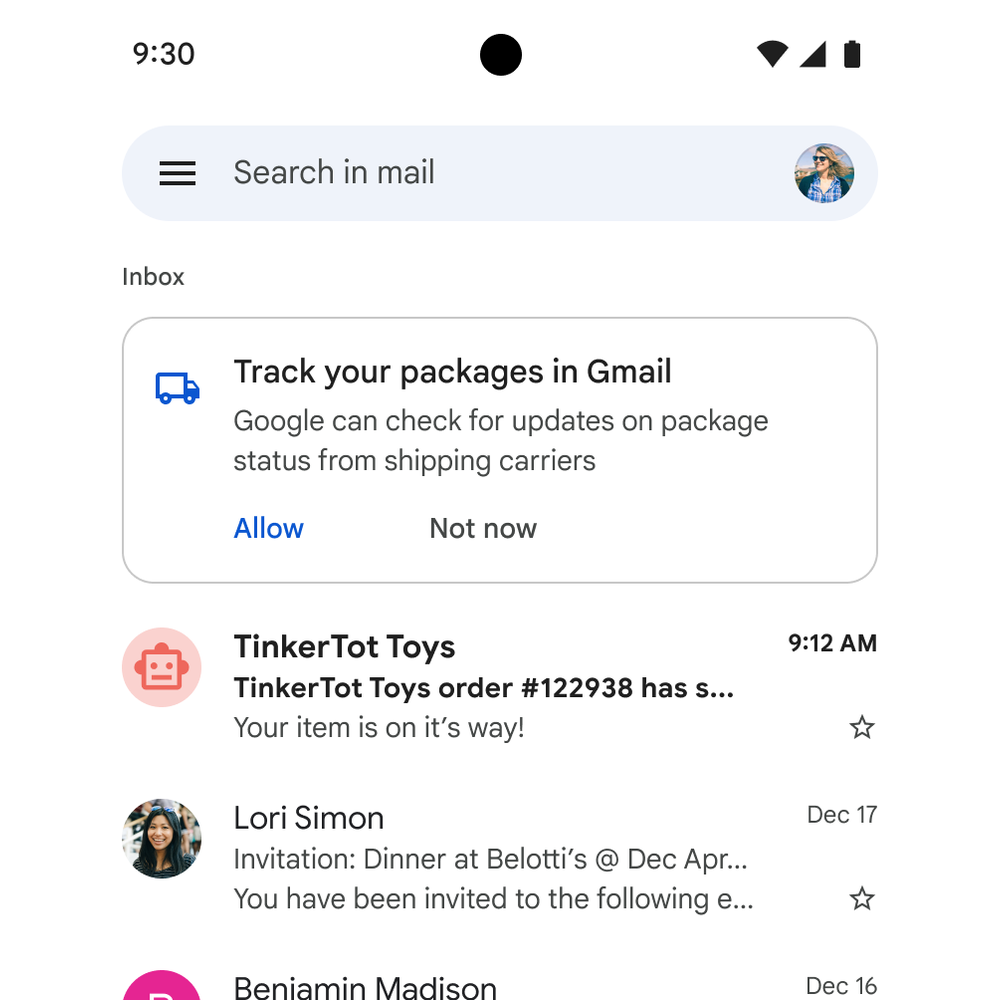
▲Image source: Google
After activation, just receive an email with a supported package tracking number:
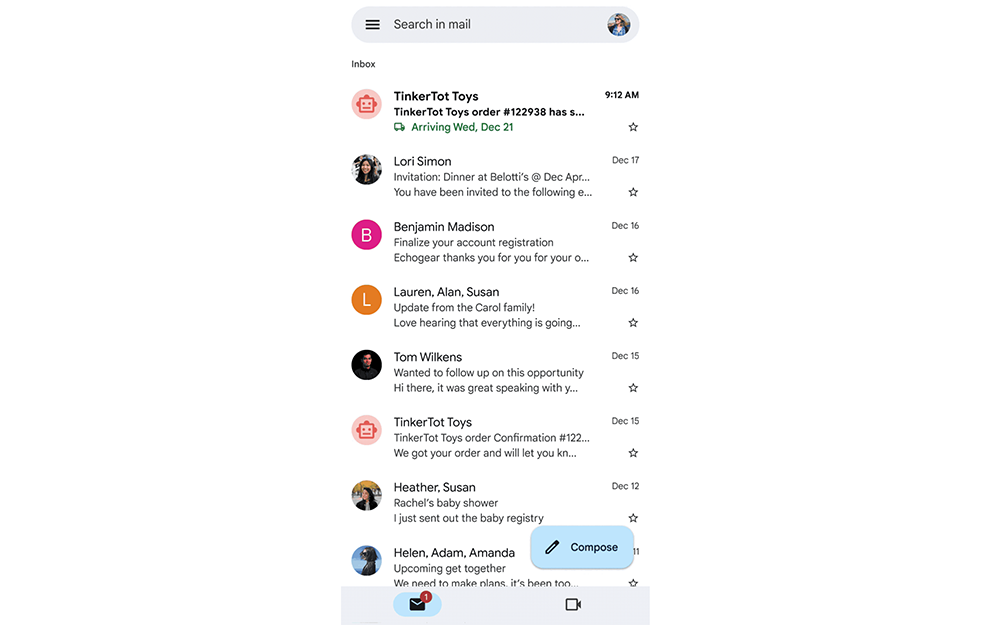
▲Image source: Google
Then click on the email to see the relevant tracking information, which will be marked as “ordered”, “in transit” and “delivered”. It is convenient for users to know the current shipment and order status. It is said that this feature will support most major express services. As for Taiwan, I’m not sure how much scope it can cover. :
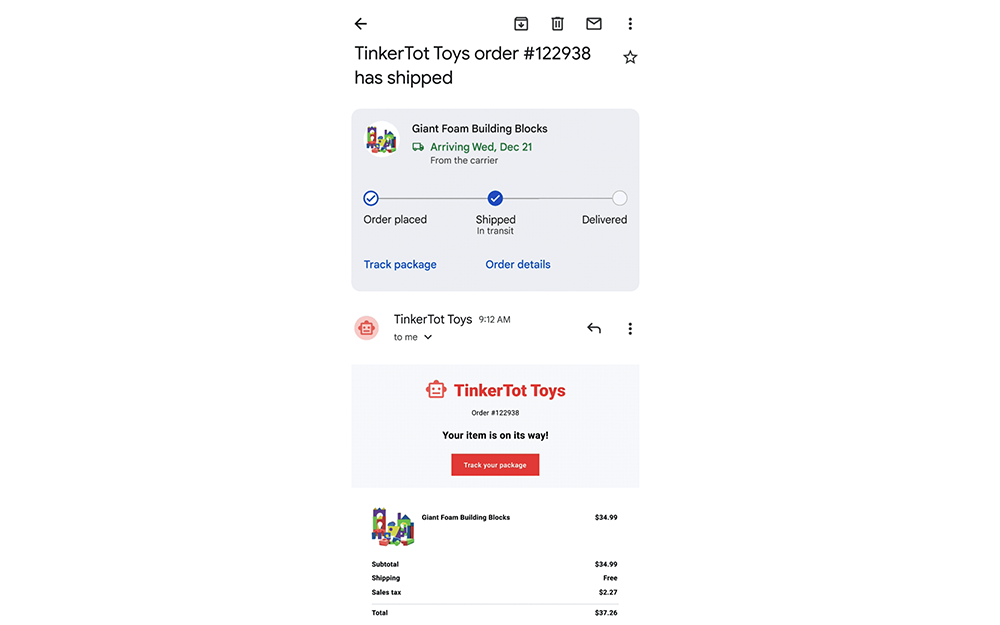
▲Image source: Google
Further reading:
Source: KOCPC Chinese