


A few days ago, Computer King Ada’s team reported the latest incident of hackers trying to trick users into pretending to be 7-Zip, CCleaner, OBS and other well-known software to penetrate Google search ads.Malware distribution techniques. Now, someone has revealed a new malware trap that may make people even less defensive – the easy-to-use OneNote note-taking service can actually be used to achieve similar applications… In short, use the case prevention in this article to avoid falling for it yourself! Continue reading OneNote note-taking service has also become a way to spread Trojan viruses… Report text.
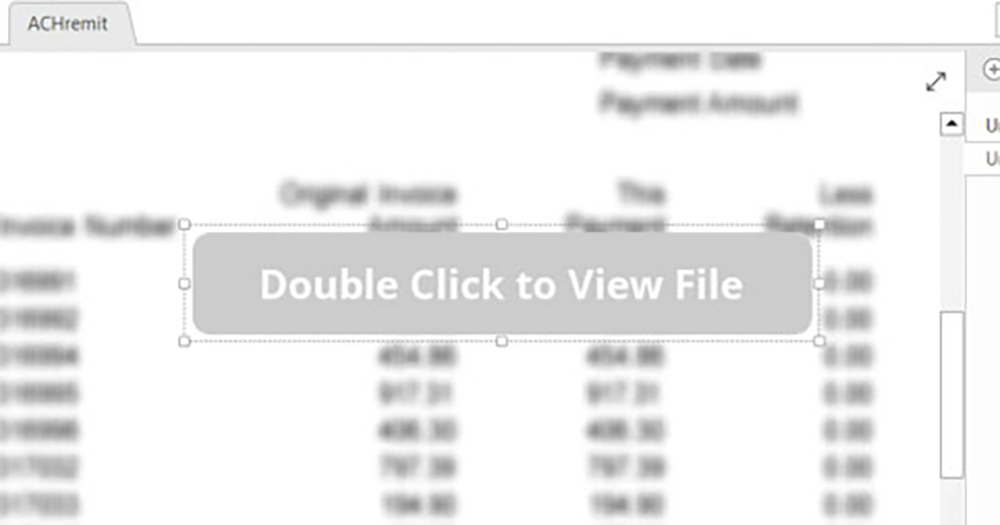
▲Image source: BleepingComputer
Did you know that the OneNote note-taking service has also become a way to spread Trojan viruses…
Seeing that Microsoft has recently implemented default execution of Macro macros for Office files such as Word, Excel, etc., the problem of rampant malware has finally been actively countered, which may have disrupted these cyber crimes that may aim to steal passwords or even virtual wallets. Therefore, recently not only have vulnerabilities or misinformation in software such as 7-Zip been used to lure users into the trap of mistakenly installing malware, but such “creative techniques” have also been extended to the note-taking application OneNote, which is relatively difficult to be considered as causing a Trojan virus crisis.
Seriously, if I hadn’t seen this revelation, even the author, who is usually exposed to a lot of related news, wouldn’t believe that this kind of application service can also be used by cyber criminals to spread malware… Although the method of camouflage is a bit blind… But this kind of thing is just for everyone to be slippery or not pay attention.

Foreign media Bleeping Computer recently revealed that hackers tried to create malware installation traps through the OneNote attachment function. As a subsidiary note-taking application service built into Microsoft Office and Microsoft 365, it is actually a convenient feature that many people often use. Because of the popularity of being built into Microsoft services, people who want to use it maliciously have found a breakthrough point.
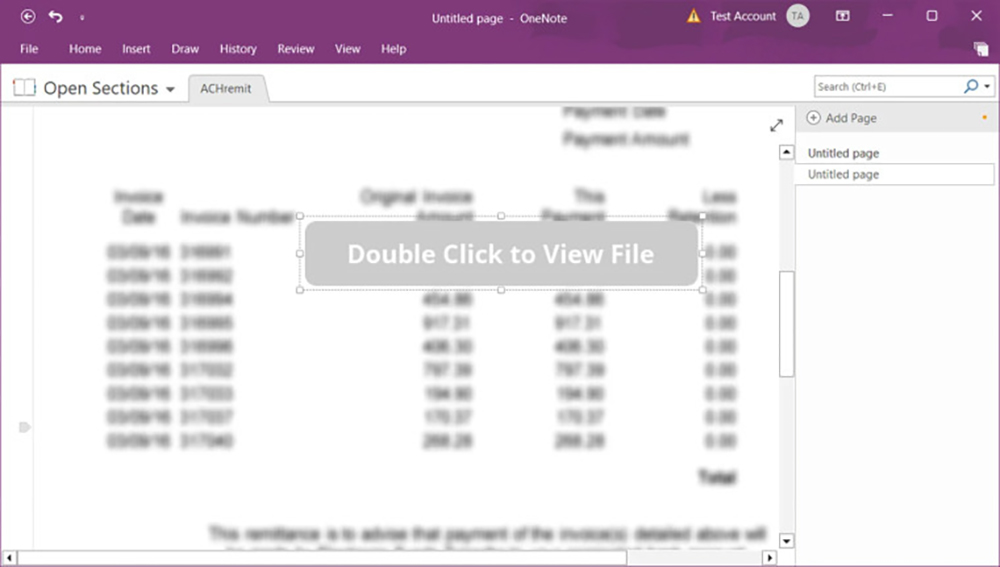
It is said that around mid-December last year, security agencies began to warn about the spread of malware through e-mails with OneNote note files as attachments. In the example of foreign media, they used a fake notification letter from DHL express company and included relevant shipping report documents and other information in the email attachment to lure users to open the file.
Although OneNote does not directly support macros (Microsoft does not enable support by default now), the old way of direct infection through startup files is definitely “impossible”. But the so-called magic is not a lie. Malicious hackers thought of inserting relevant file attachments into the content of this note, and by blurring the content of the note, they used a “Double Click to View File” prompt to lure users to directly start the installation of the installation file – naturally, if they followed this, they were really tricked.
That is to say, if you move the text box of this prompt message, you will actually find the button “Open (various VBS) files” underneath. And in fact, Microsoft is not stupid. It will also pop up a blocking warning for the execution method of OneNote that may be used for malicious purposes, mentioning that opening this file may harm the computer and damage the data. As for seeing the slide and continuing to execute OK to the end, then…
After seeing such an update, in order to more completely avoid related problems, experts suggest that you consider directly blocking .one files in email and other related filtering mechanisms.
At this stage, at least everyone has seen the disguise method that was revealed this time, and I believe that you should be more alert when encountering such a letter. In fact, if you really want to be tricked through this method, you will need a lot of inattention, but it is still recommended that everyone be more vigilant. Pay attention to the fact that the “macro” technique may no longer be applicable, which may lead to more creative techniques.

Further reading:
Source: KOCPC Chinese