


The Lunar New Year is coming soon. In addition to the general cleaning at home, mobile phones and commonly used social software should also be organized during the general cleaning. LINE has shared some tips on organizing friend/group lists, organizing sticker inventory, clearing cache, automatically backing up chat history, and doing account health checks to make using LINE smoother.
LINE accounts also need to be cleaned up and replaced with new ones. A few small steps such as organizing friends can make using LINE smoother.
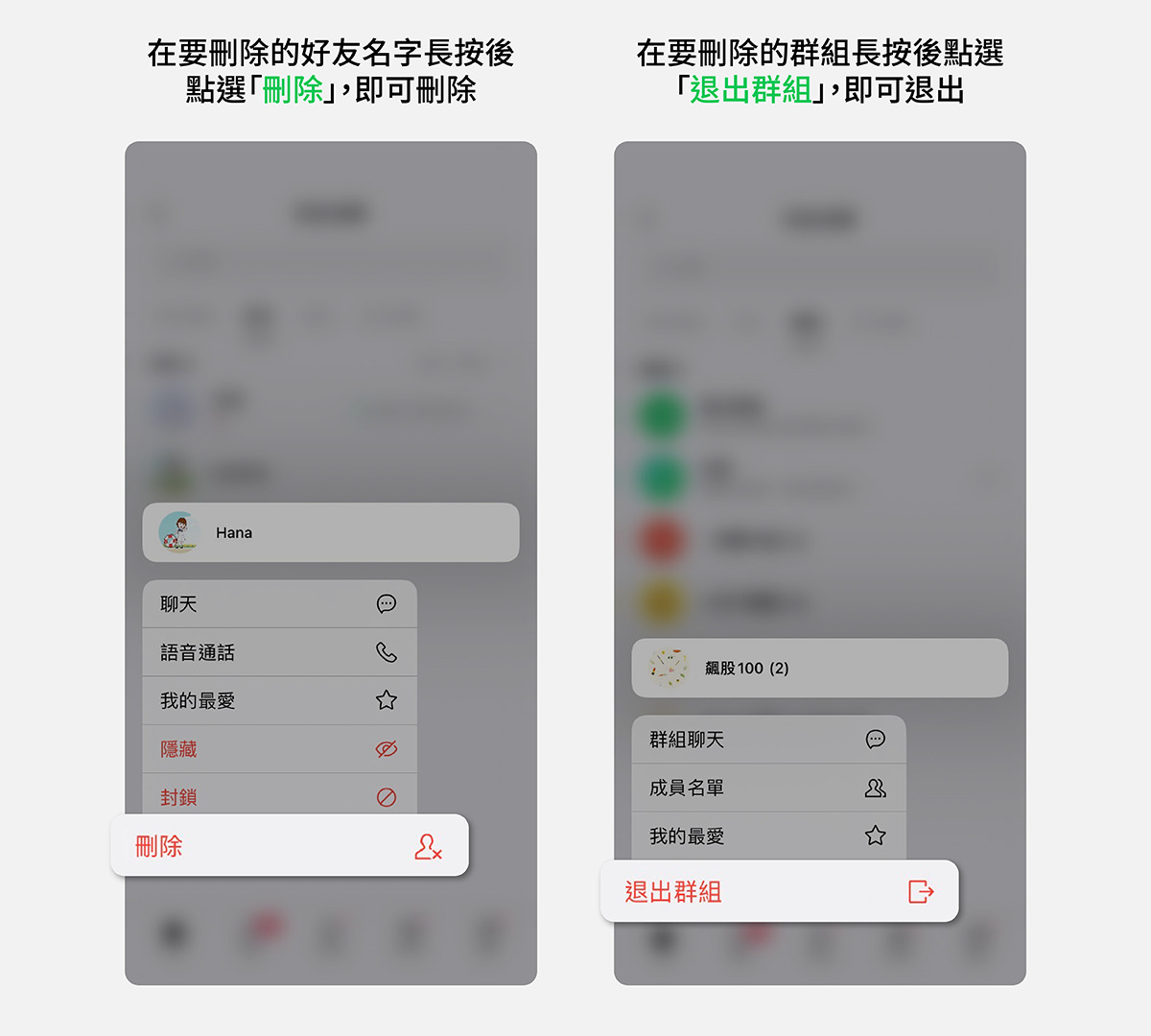
In the cleanup section, you may have a lot of friends added for work, or groups created for a certain project. During the general cleaning, it is very suitable to clean up groups that you have not contacted for a long time, or that are no longer used. The quick way to delete friends is to long press the friend you want to delete, and then select “Delete”; to exit the group, long press the group you want to leave, and then select “Exit Group”.
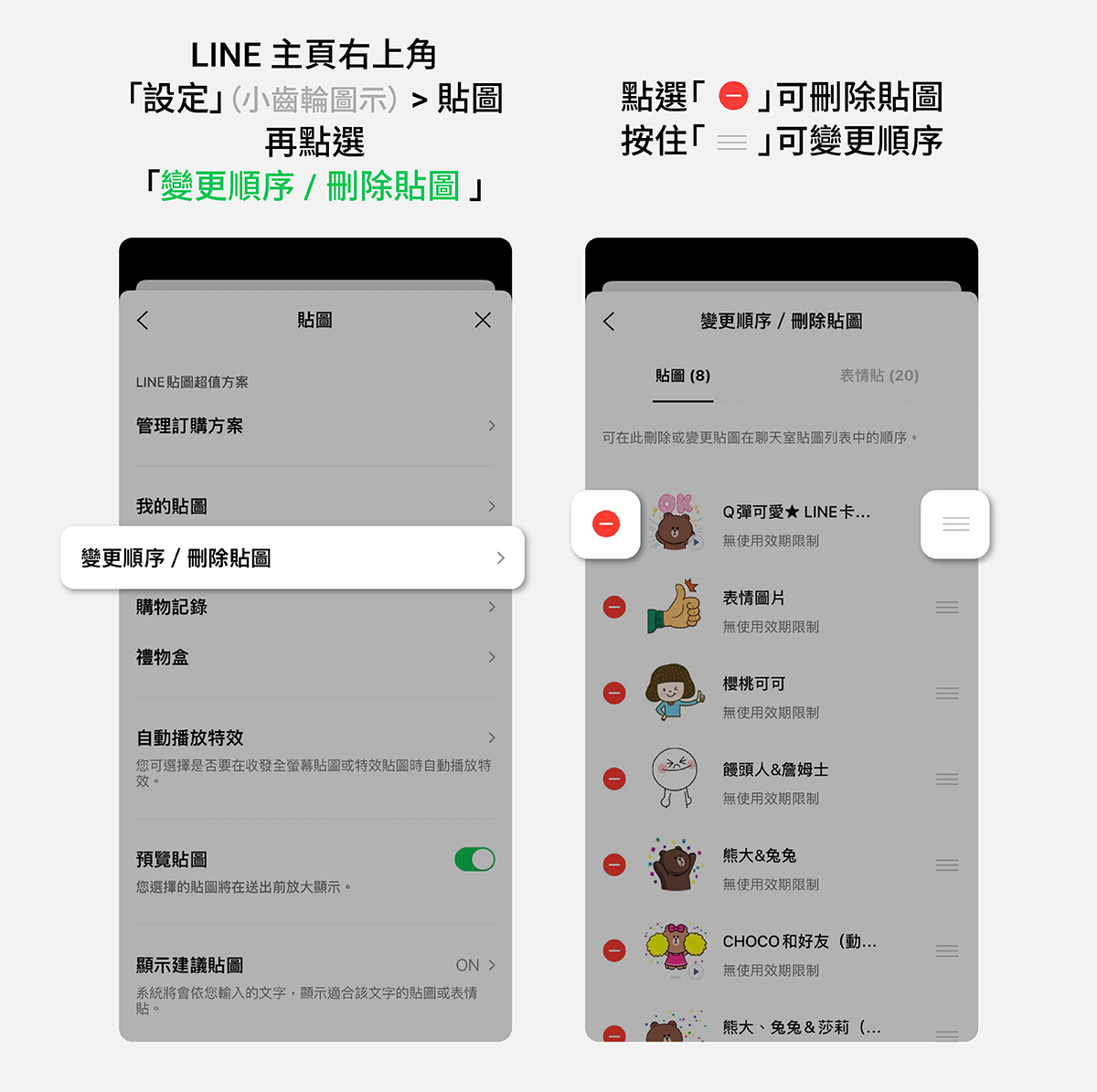
There may be so many stickers to buy while taking advantage of the discount that it will dazzle you. If you want to organize them, you can follow the steps of “Settings” (small gear icon) in the upper right corner of the LINE homepage > Stickers > Change Order / Delete Stickers.
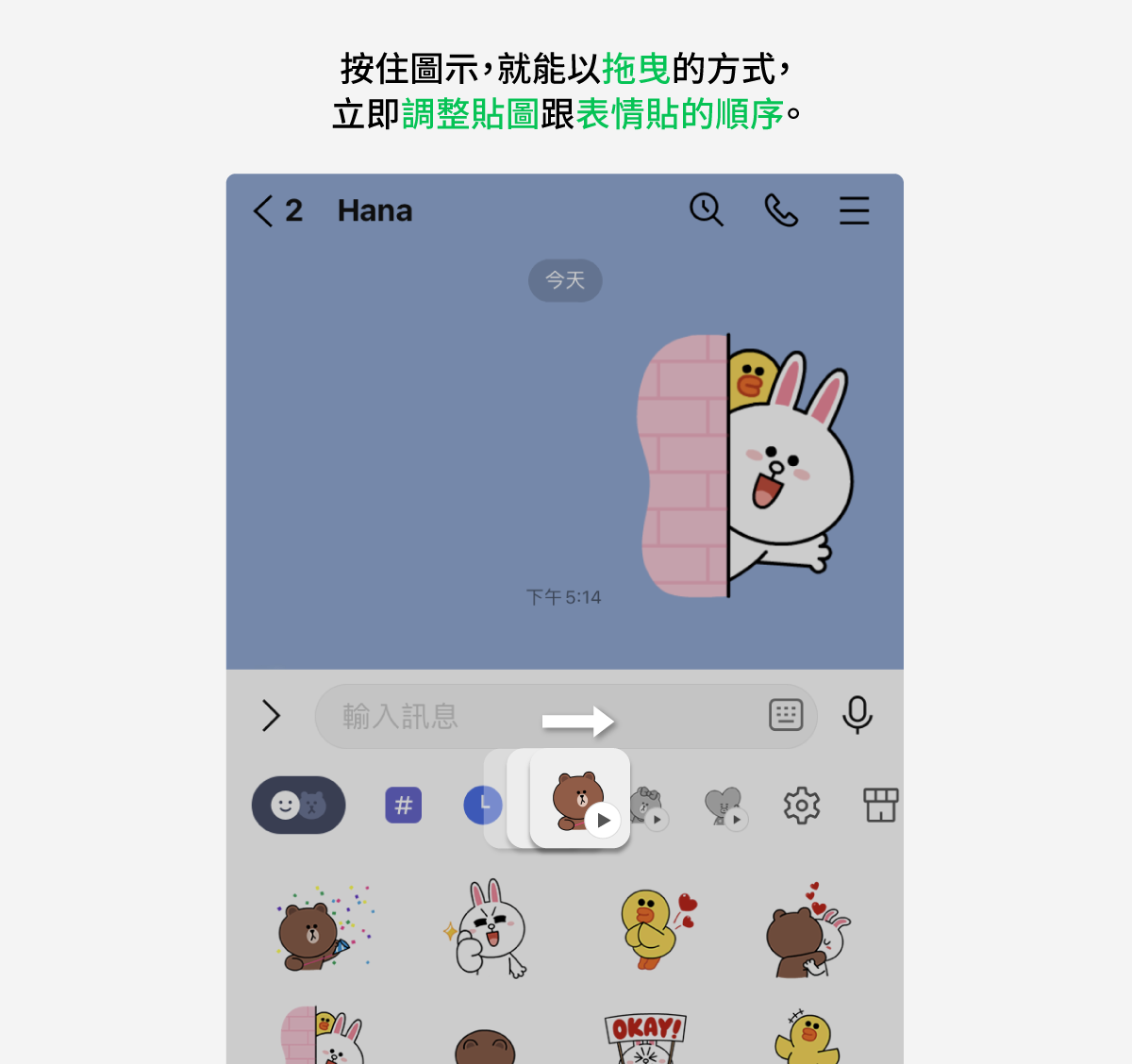
If you just want to adjust the order, press and hold the icon on the sticker keyboard in the chat room input box, and you can instantly adjust the order of stickers and emoticons by dragging them. (You can also go to LINE settings to adjust the order of stickers.)
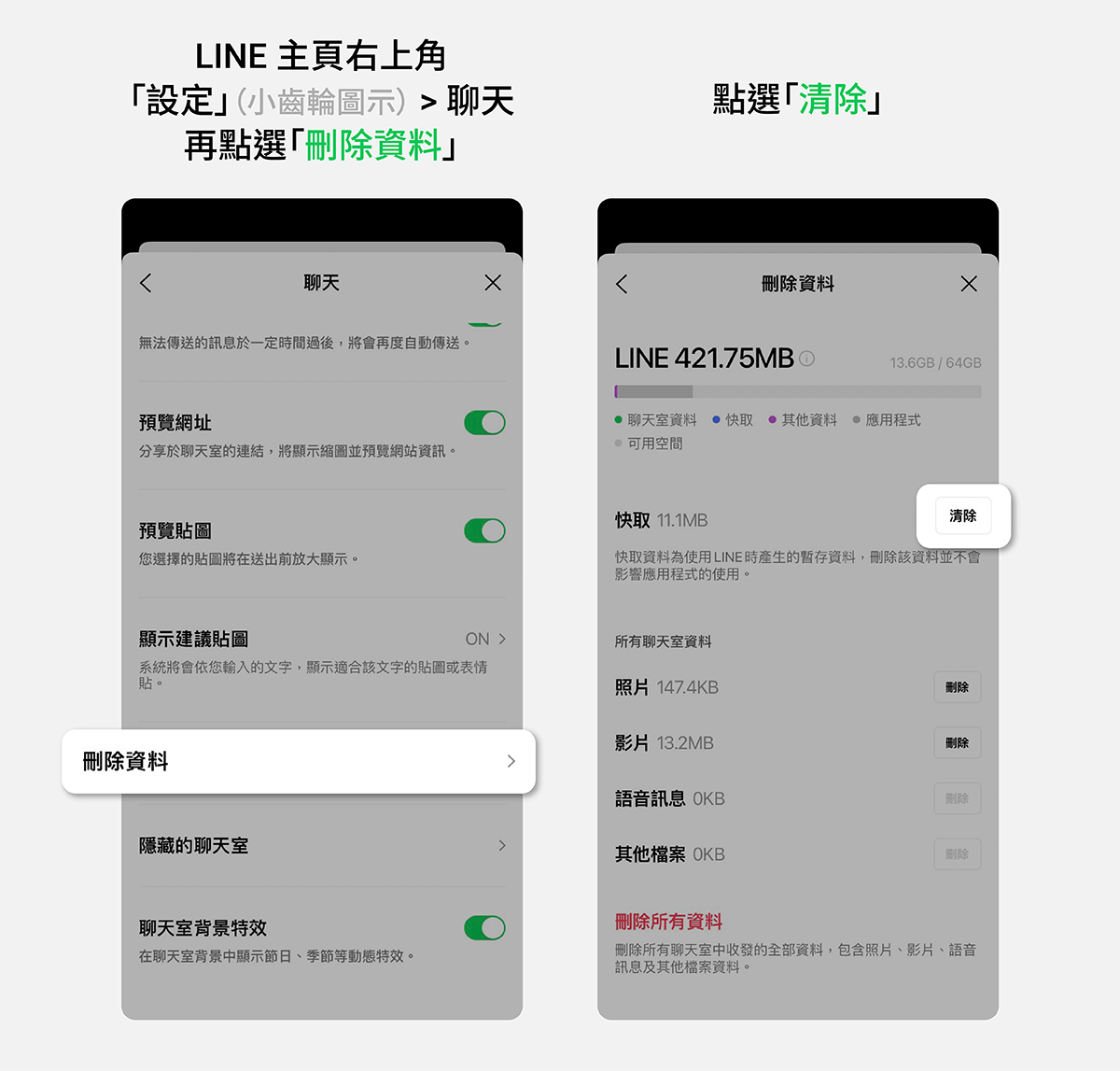
The photos, voice messages, files, etc. we receive daily through LINE will inevitably increase the space occupied by the LINE application on the phone, and will also accumulate cache (Cache). At this time, you can clear the cache to free up space on the phone.
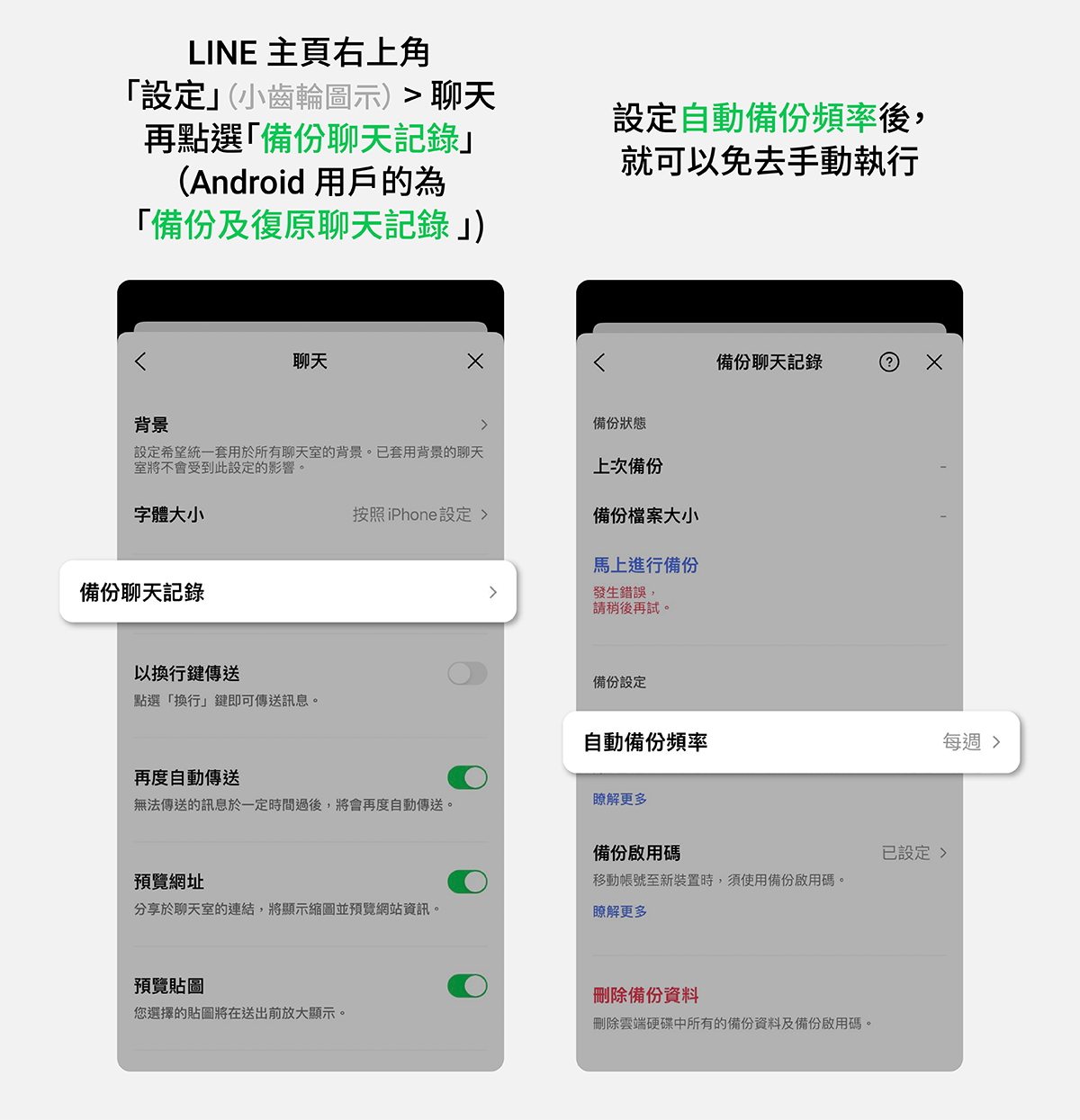
Good account habits can start with regularly backing up chat history. If you find it easy to forget, you can also turn on automatic backup. Once automatic backup is enabled, you don’t need to manually perform it every time. In the future, backup operations will be completed automatically according to your desired frequency.
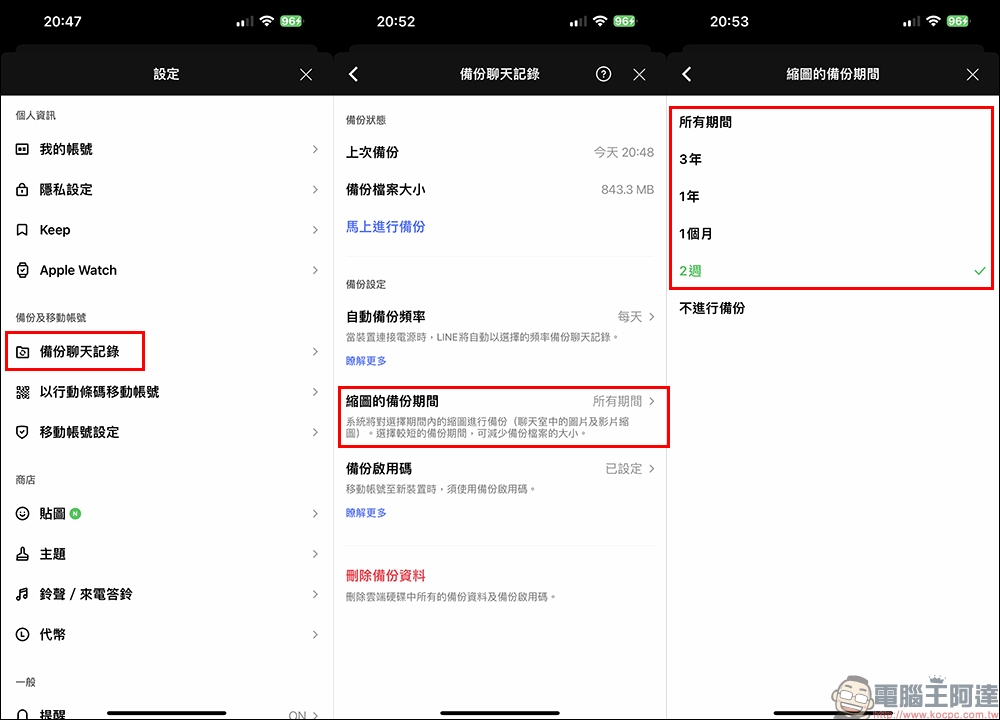
And in the latestLINE 13.0.0 version update: The chat history backup function adds the option of “specifying the thumbnail backup period”, which can make the backup faster and less time-consuming.
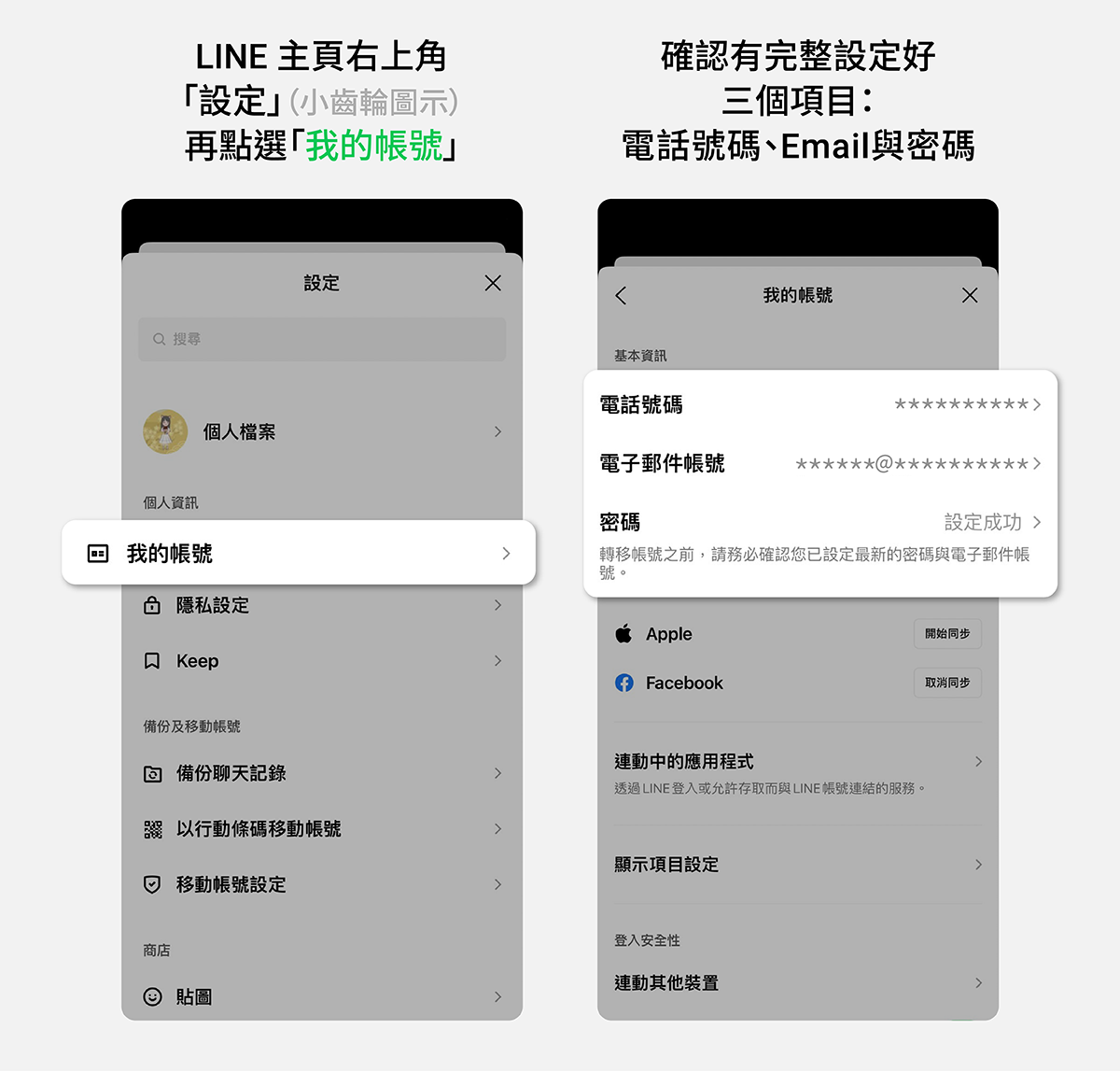
Finally, don’t forget to regularly confirm that your LINE account has three items fully set: phone number, email account, password, or complete Facebook/Apple ID account authentication. If all are set up, not only will daily use be more secure, but also when changing devices, it will be smoother. But please note that each set of phone number and email can only be set on one LINE account. You must confirm the email set for the LINE account and log in. This way, if you forget your password, you can set a new password in this email.
Taking advantage of the annual spring cleaning, you might as well spend some time sorting out and checking your account so that you can use LINE more smoothly.
Official introduction to the LINE account cleanup years ago
Source: KOCPC Chinese