


The release of the Kling 2.0 video generation model has certainly captured the attention of many AI enthusiasts. Besides Kling 2.0’s improved video generation quality and stronger prompt understanding, Kling AI has also launched aMulti–ElementsA new feature.Multi–Elements lets users swap, add, or remove the faces of people appearing in videos—for example, putting your face onto the faces of the male and female leads in a famous movie clip. Today I’ll introduce the Multi launched alongside the Kling 2.0 video generation model.–New Elements features.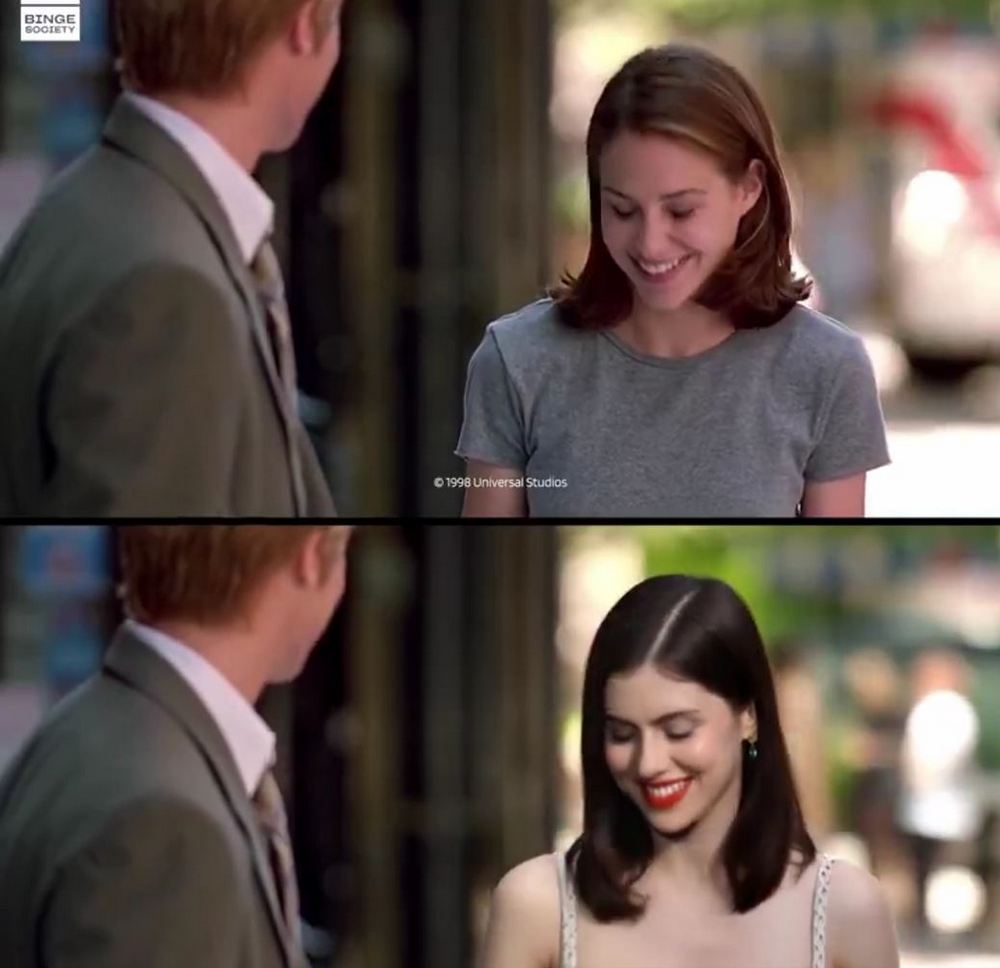
Kling AI launches an incredible new feature: Multi-Elements! From face swapping to character replacement, being the lead is no longer just a dream.
When Kling AI launched its new Kling 2.0 model this time, it also introduced「Multi–New “Elements” feature, Multi–Elements can replace the faces of people in a video with any face you want. Besides face swapping, you can also add or remove faces in a video. Although it was launched alongside the new Kling 2.0 model, for now Multi…–Elements can only be generated using the Kling 1.6 model.
omg.. this is crazy
Kling AI 2.0 just dropped together with insane tools, you can swap, add and delete stuff from video and..
now you can swap any actor in any video in mins
here’s how: pic.twitter.com/1V5vOQ7CBM
— el.cine (@EHuanglu) April 15, 2025
First, upload the video. The video length must be less than five seconds, and the frame rate must be 24 f/s.
2. upload the video
make sure your video is less than 5 second
and the frame rate must be 24 f/s pic.twitter.com/xljBghsUaK
— el.cine (@EHuanglu) April 15, 2025
Next, choose the person or object you want to replace. Click on the face to replace only the face, or click on the whole figure to replace the entire person.
3. select the subject you want to swap
you can click multiple times to get all the parts selected pic.twitter.com/5pEGYPCNtS
— el.cine (@EHuanglu) April 15, 2025
After making your selection, upload the photo of the person you want to replace. The person in the photo should have clear facial features and be facing the camera for better results. Next, we need to enter a prompt for this video: replace the X in [X] with the subject in the video and image. For example, to replace the woman in the video with the woman in the image, change X to Woman.
5. prompting
change the [x] to the subjects in the image and video pic.twitter.com/TxxUfIMeL5
— el.cine (@EHuanglu) April 15, 2025
Got it. Multi–With the Elements feature, everyone can freely swap out characters in videos. Not only can you turn a man into a woman, but you can also replace a dog in a video with another dog, as shown in the videos below:
6. here is another example: pic.twitter.com/MGZlKdzgwu
— el.cine (@EHuanglu) April 15, 2025
Kling 2.0の新機能『Multi-Elements』の”Swap”で人物を入れ替えてみました🙂
同じ動きなのに印象が全然違う…面白すぎる☺️📷”Delete”や”Add”も使えるようなので、後ほどリプで紹介します↓
#ちょうどいいAI研究 pic.twitter.com/x6uDZLWv74
— ちょうどいいAIクリエイター (@oden_ai_ai) April 16, 2025
Video Inpainting has now made it’s way onto Kling. It’s called Multi-Elements. You can now Swap, Add and Delete elements from a video to completely change the narrative. Here are some examples. I’ve always been a big fan of this technology and it’s nice to see more companies… pic.twitter.com/g6zNEAuy7R
— Travis Davids (@MrDavids1) April 15, 2025
Source: KOCPC Chinese