


In order to extend the battery life of Apple Watch, in watchOS 7 and above versions, Apple Watch will learn based on the user’s daily charging habits, thereby improving the battery life of the “optimized battery charging” function. However, there is a feature in Apple Watch Ultra that many users are not aware of, which causes the watch battery to always be undercharged.

Apple Watch Ultra is never fully charged? In fact, this setting is turned on (teaching)
In watchOS 7 (inclusive) and above, Apple Watch will learn from the user’s daily charging habits to improve the battery life of the “Optimized Battery Charging” function. Its design is to reduce the time that the Apple Watch is fully charged for a long time to reduce battery damage and thereby extend battery life. The “Optimized Battery Charging” function is turned on by default on ordinary Apple Watches. When this function is turned on, the watch will suspend charging to more than 80% under certain circumstances, so that the battery power of the watch is always maintained between 75% and 80%. It can also have enough power if you need to wear it for daily use.
Apple Watch learns the user’s daily charging habits from machine learning technology. Therefore, the “Optimized Battery Charging” function will only be activated when the watch predicts and chicken farm time is connected to the charger. This algorithm aims to ensure that the Apple Watch is still fully charged when it is removed from the charger.
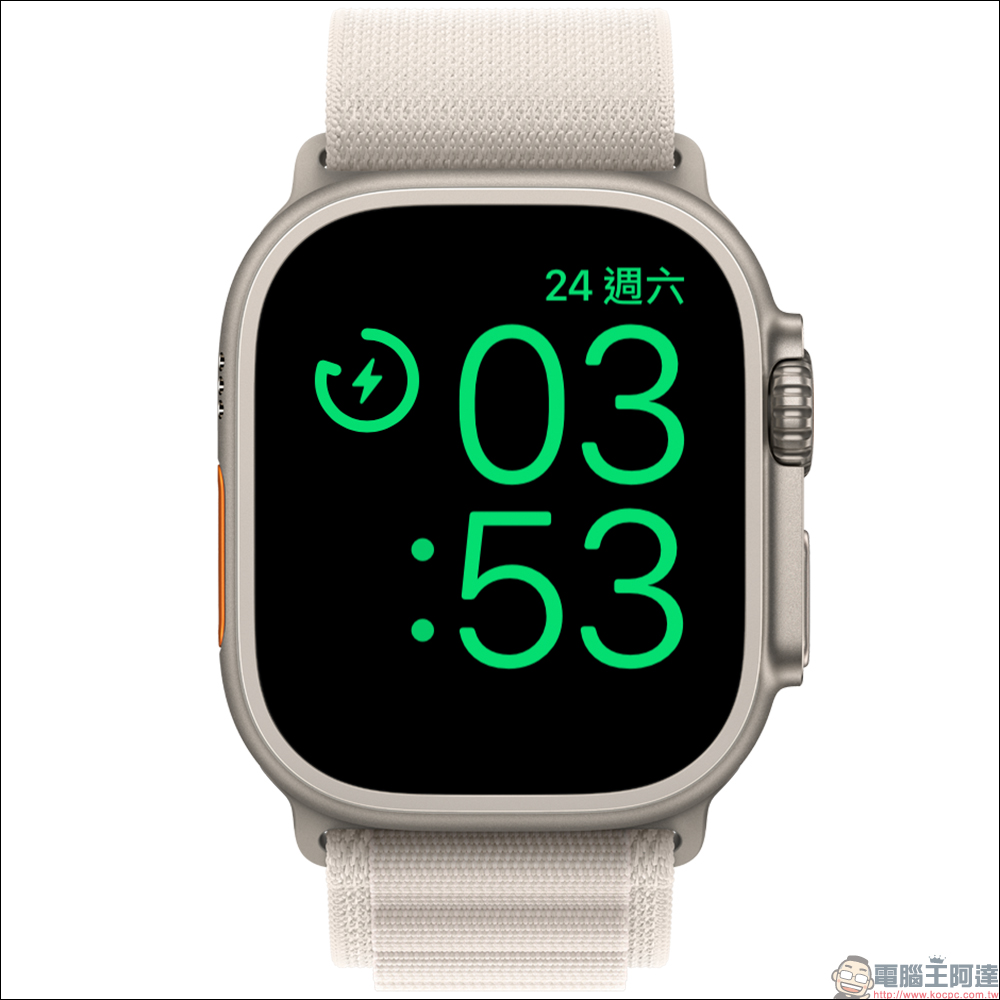
I wonder if you are satisfied with the battery life of Apple Watch Ultra after buying it? However, sometimes when I go out and wear the watch for a while, I find out why the watch has only this little battery left? When placing Apple Watch Ultra on the charger, sharp-eyed users may notice that the charging icon is slightly different from previous Apple Watches. This is actually because Apple Watch Ultra’s “optimized charging limit” function is turned on by default.
What is the “Optimized Charging Cap” function?
In addition to the “Optimized Battery Charging” function generally supported by Apple Watch, Apple Watch Ultra also provides the “Optimized Charging Cap” function. According to Apple’s official description, the “Optimized Charging Cap” function will learn from the user’s daily usage information to determine when to charge to the optimal cap and when to fully charge. Since this feature is turned on by default, if you use Apple Watch Ultra for an irregular period of time, it is recommended that you turn this feature off manually to ensure that the watch remains fully charged at all times when you take it off.
How to turn off the “optimized charging limit”?
If Apple Watch Ultra users want their watch to charge beyond the optimal charging limit, they can turn off the “Optimized Charging Limit” function in the following two ways. First of all, go to the “Settings” App on Apple Watch Ultra, then scroll down to find “Battery”.
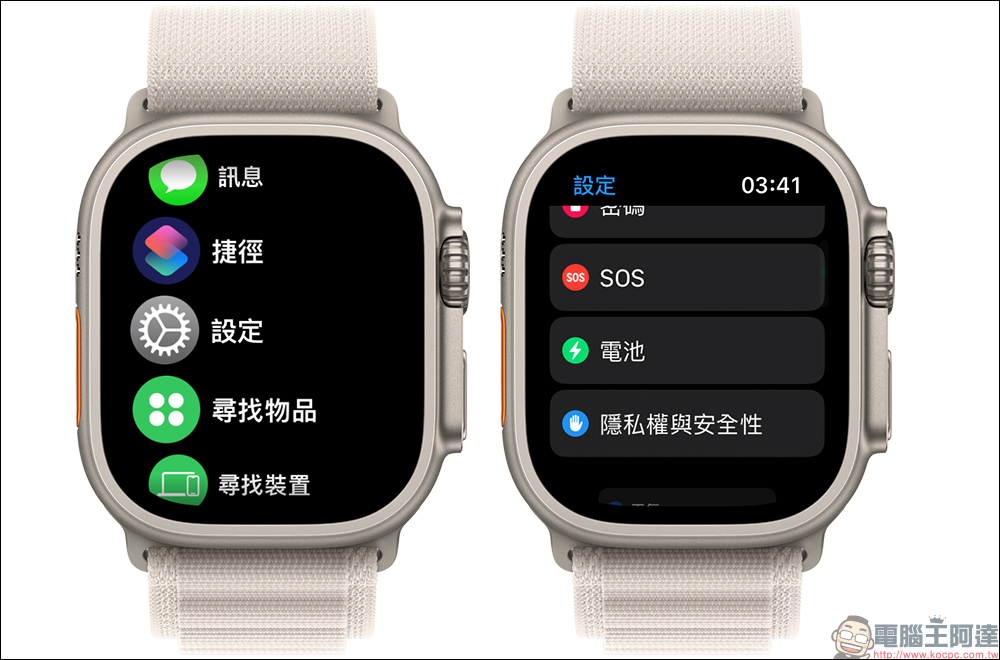
Click “Battery Health” on the “Battery” page, and then turn off the “Optimized Charging Limit” function.
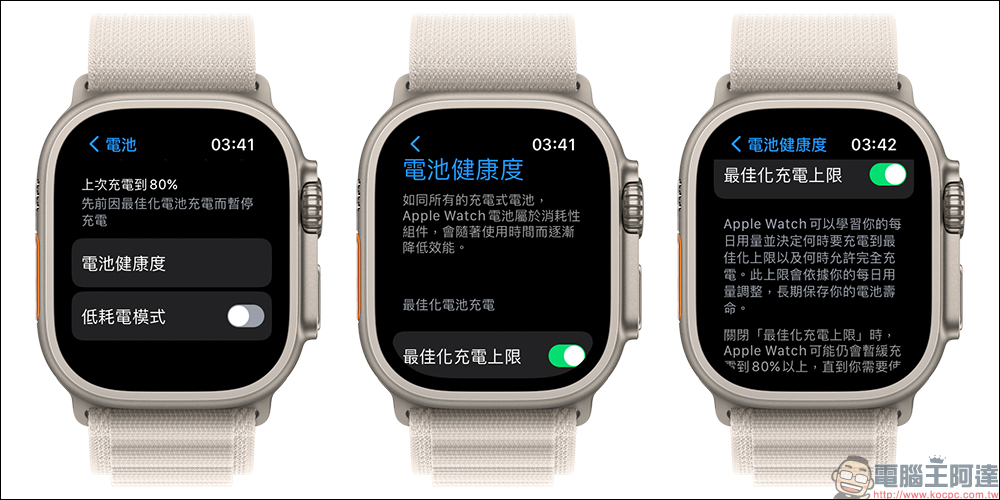
When the “Optimized Charging Limit” function is manually turned off, the user will be asked on the screen whether they want to “Turn off until tomorrow” or “Turn off”.

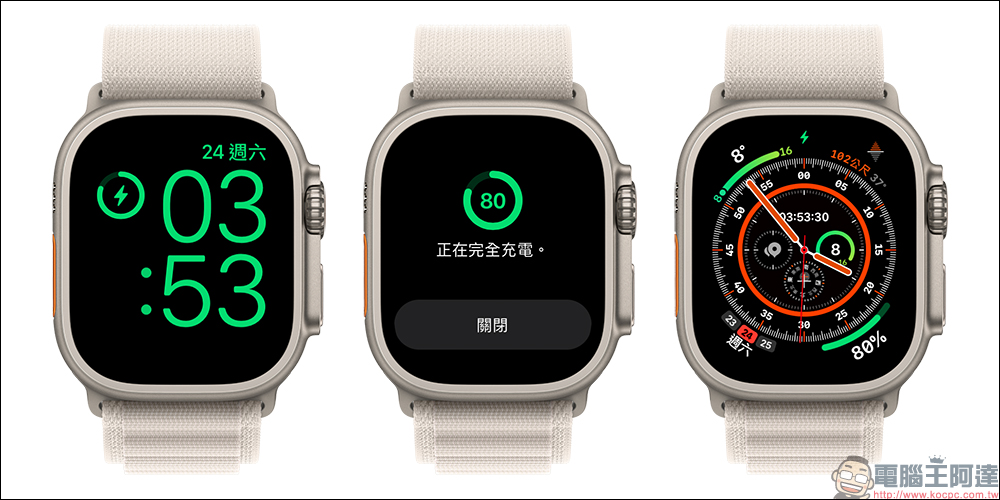
Once the “Optimized Charging Cap” function is turned off, the charging icon of Apple Watch Ultra will return to the normal charging state until it is charged to 100%. At this time, the outer ring of the Apple Watch Ultra charging icon also lacks the restriction mark.
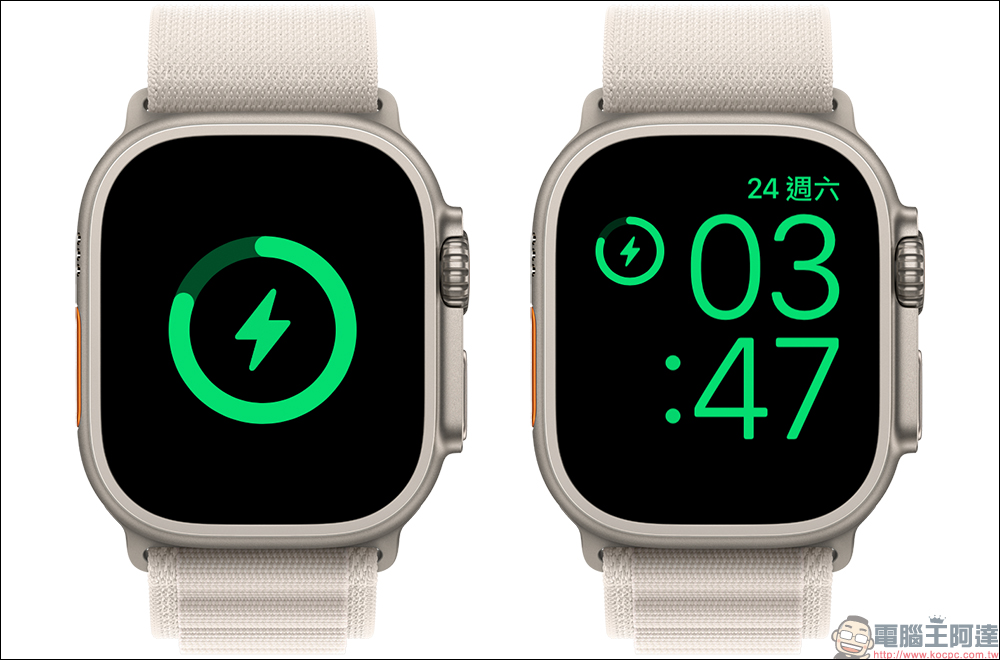
Another easier and faster way is to operate the Apple Watch Ultra while it is connected to the charger. When the Apple Watch Ultra is placed on the charger, click on the screen to turn on the “Optimized Charging Limit” charging icon, and then click on “Full Charge Now” to directly turn off the function.
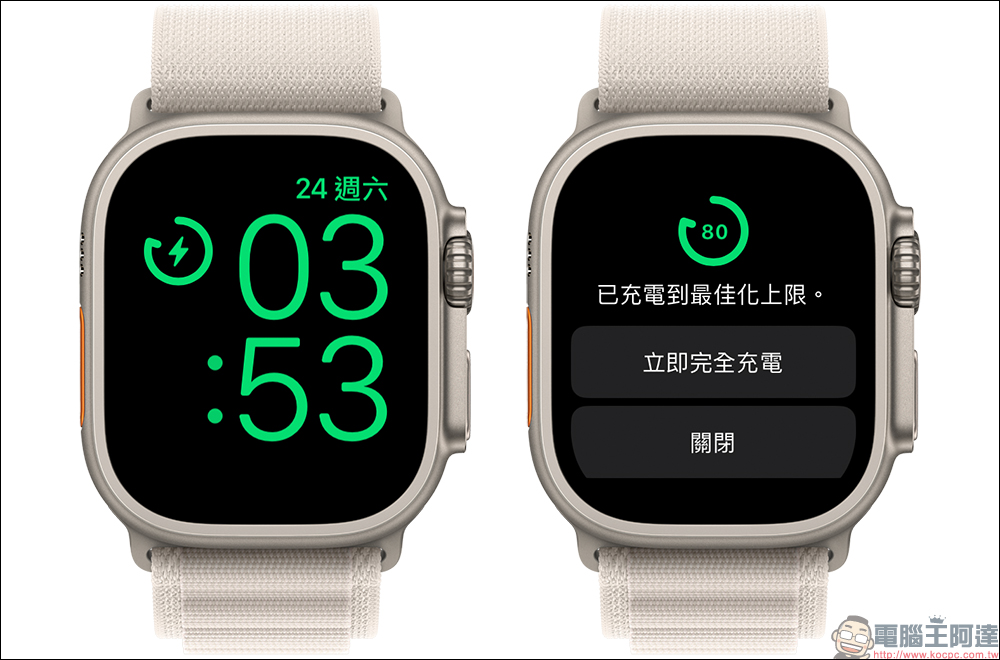
Then the charging function of Apple Watch Ultra will cancel the charging limit until the battery is 100% full.
Further reading:
Tesla launches its own wireless charging platform: inspired by the Cybertruck, it can charge three mobile devices at one time
Source: KOCPC Chinese