


The new features launched by Apple in 2021 allow users to have a listening experience of Dolby Atmos and lossless sound quality at no additional cost, and also force other music streaming services divided into this tier to change their pricing and subscription plan content. Whether you’re using an iPhone or a Mac, it’s easy to set up so that the money you pay for your subscription each month goes to good use.
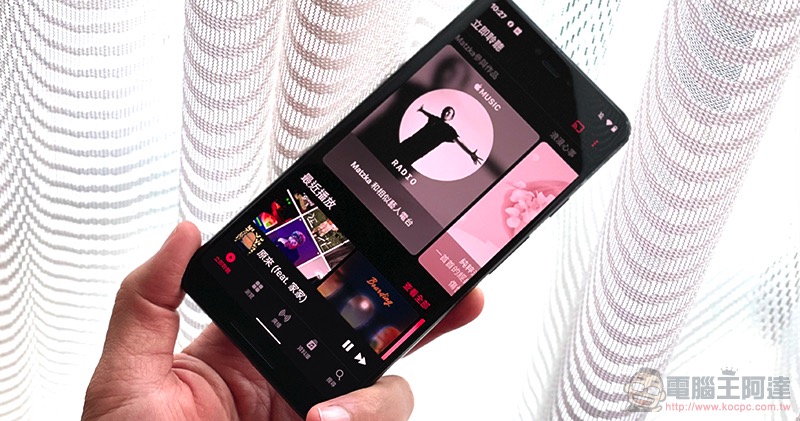
How to listen to Apple Music in Dolby Atmos and lossless on iOS and macOS
Many people know that Apple Music provides free Dolby Atmos and lossless sound quality functions, but if you do not manually enable or switch, in the default setting, Dolby Atmos is automatic, and lossless sound quality (called “fidelity compressed audio” in iOS / macOS settings) is turned off. In order to achieve the principle of making the best use of everything, this time we will tell you how to set it up!
How to set up iOS
- Open the “Settings” app and find “Music”.
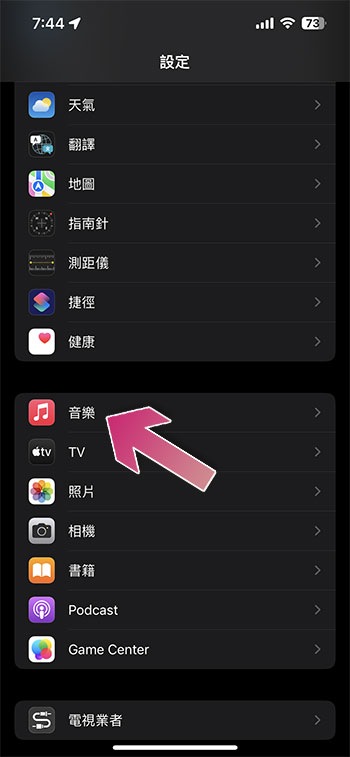
- In the “Audio” item, set “Dolby Atmos” to “Always On”.
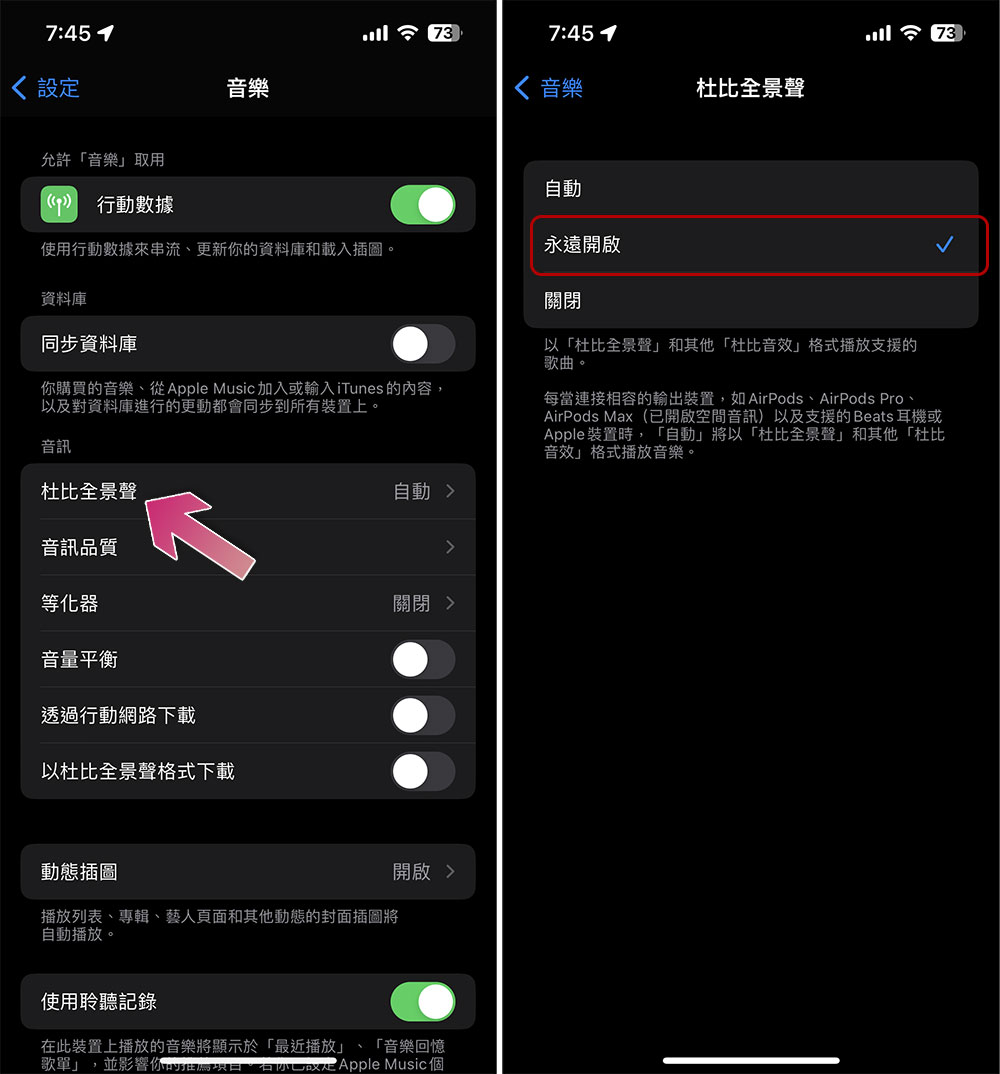
- Return to the “Audio” project and turn on “Fidelity Compressed Audio” in “Audio Quality”. Once turned on, three options will appear below, allowing you to choose which audio quality to stream on which network connection. Since increasing fidelity will consume more network traffic, if you are not an all-you-can-eat user, you can adjust each connection individually here.

How to set up macOS
Although the settings application of macOS has become very similar to iOS, the application settings are not placed in it like iOS, so the location and process of setting options are different, so I will pull it out and introduce it separately.
- Open the Music app on your Mac.

- Click “Music” on the upper function bar, then select the “Settings” item.

- After switching to the “Playback” tab, check “Fidelity Compressed Sound Quality”.

- Select “Fidelity Compression (ALAC up to 24-bit/48 kHz)” in the streaming and download options below.
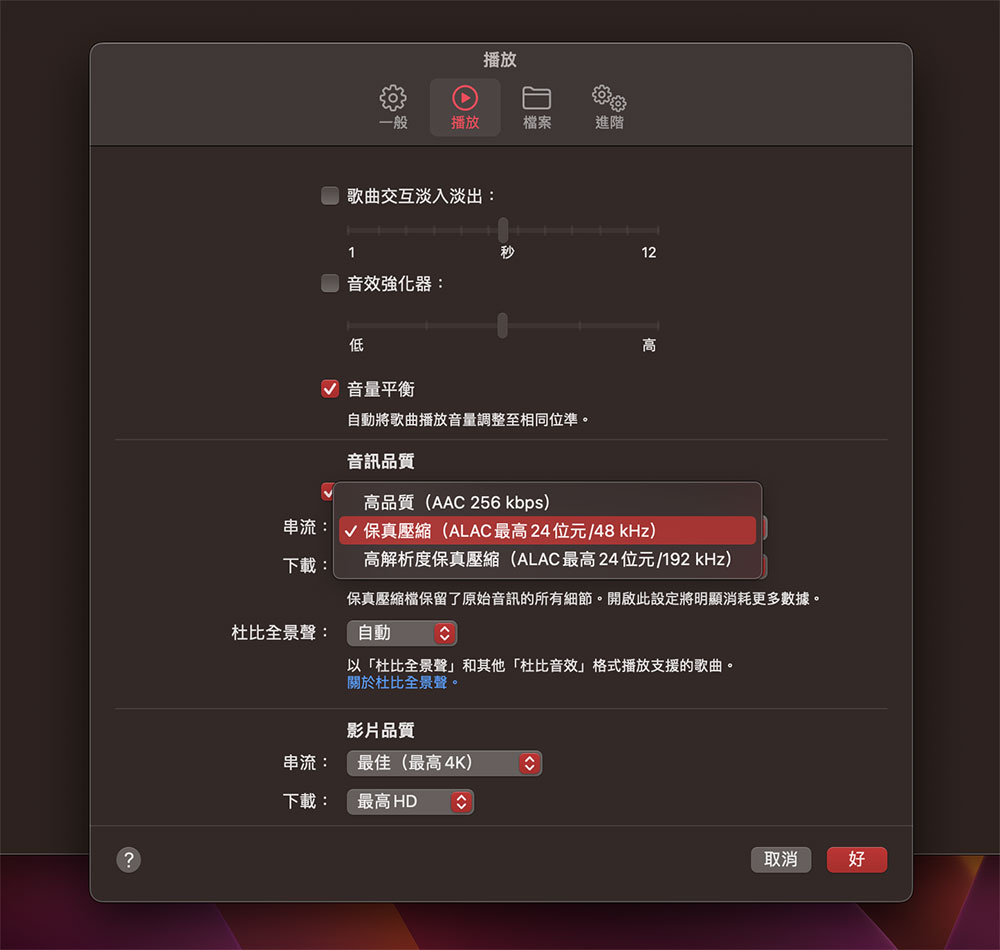
- Then, set “Dolby Atmos” below to “Always On.”
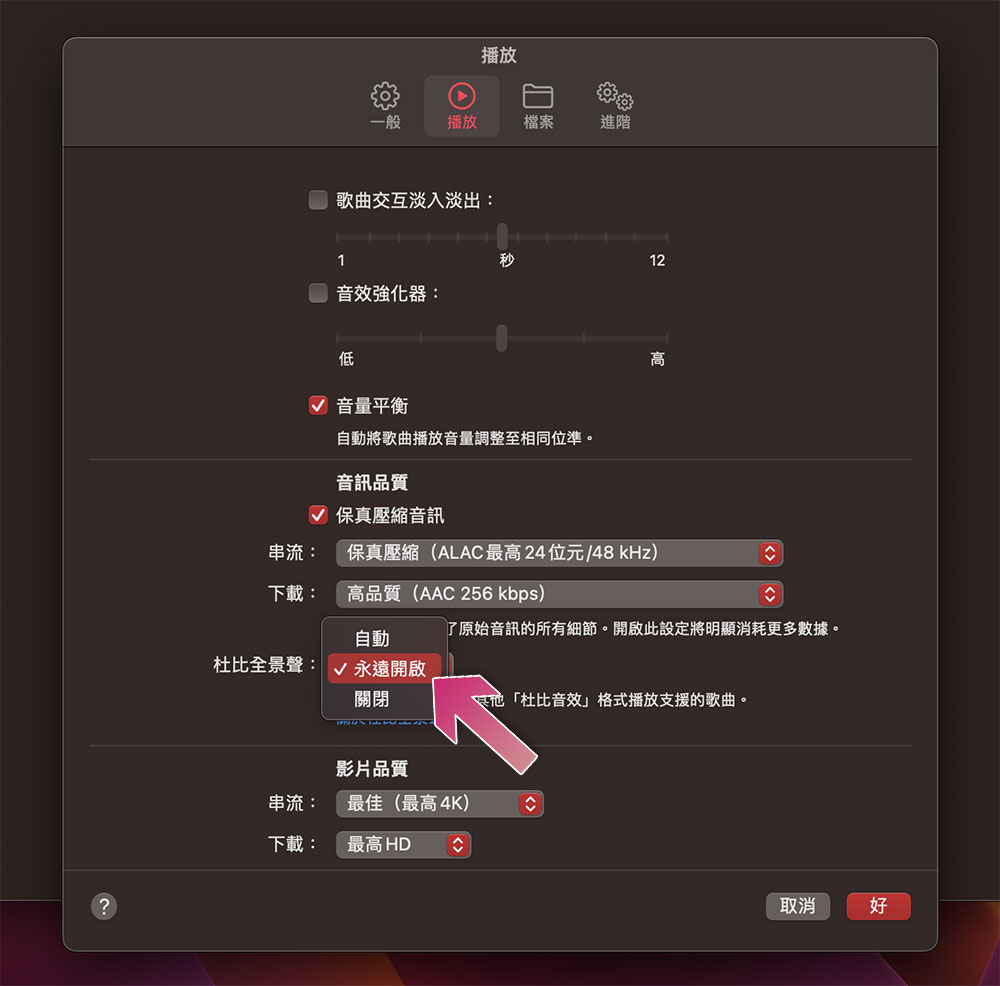
- After the settings are completed, press “OK” in the lower right corner and enjoy your music time!
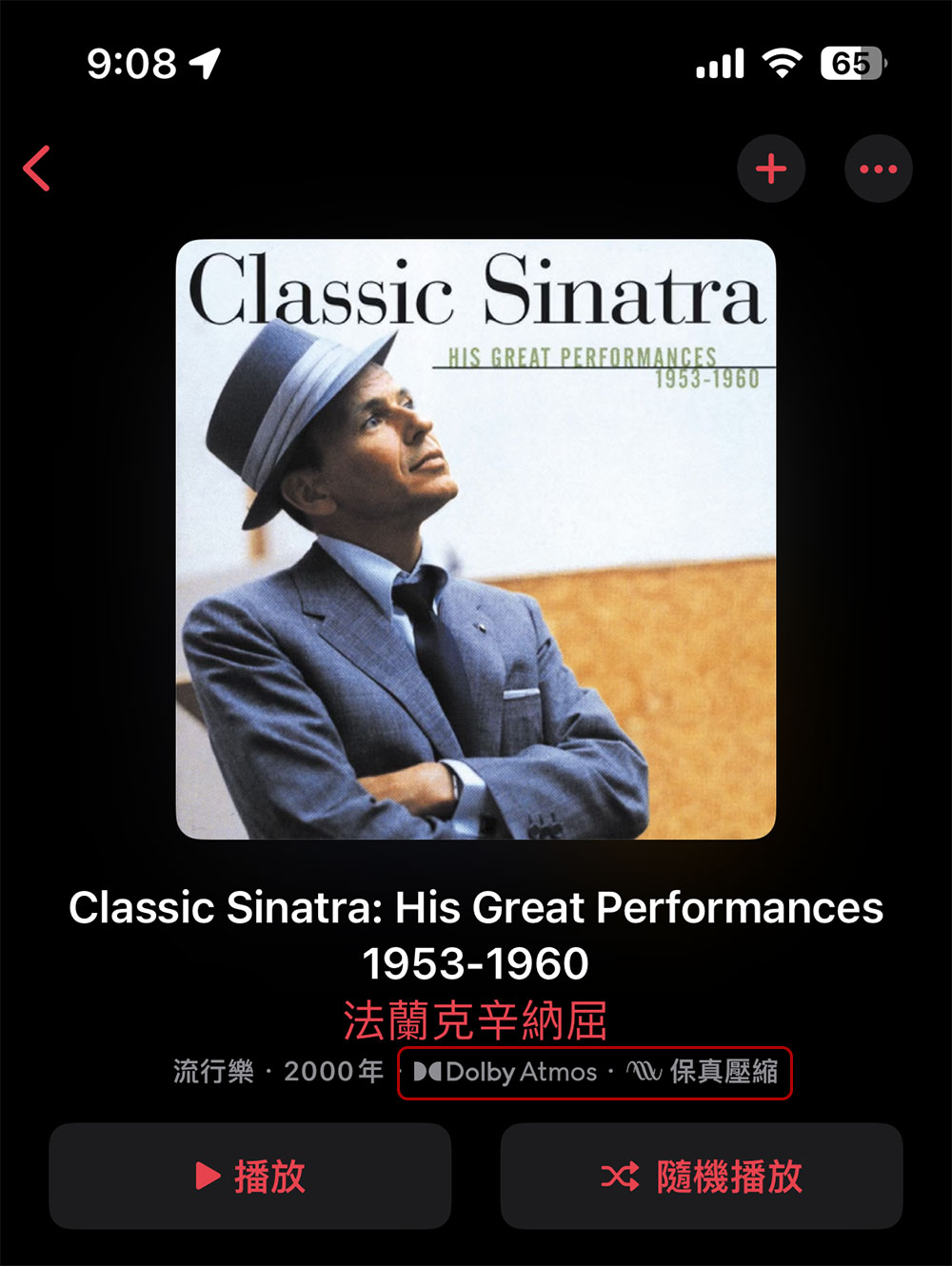
It should be mentioned here that the above options will only be displayed when you are a valid Apple Music subscriber. If you do not have a valid membership, you will not be able to see these options anyway! In addition, if the track supports Dolby Atmos and lossless sound quality, you can see the following icon display on the Apple Music interface:
Source: KOCPC Chinese