


When using Instagram recently, some of you may have seen friends using anonymous question-and-answer games, which allow friends and fans to answer questions anonymously. If you also want to play, most of them are implemented using NGL, a free app, available on iOS and Android. Let’s teach you how to use it.
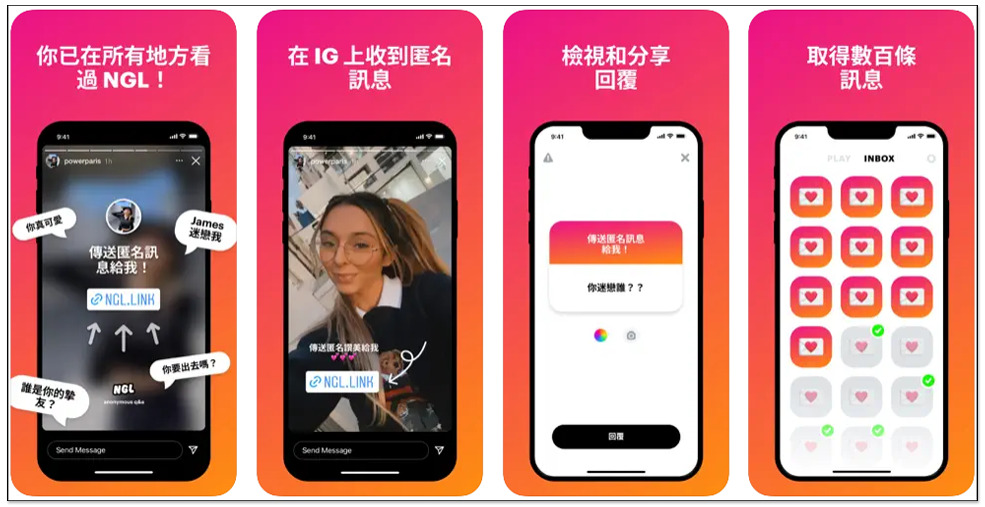
Teach you how to use IG anonymous Q&A, the most recently ranked “NGL” free app
“NGL” provides iOS and Android versions, both of which are free to download and install. I take the iOS version as an example, and the operation interface is roughly the same.
According to the official description, an anonymous message was received on Instagram! Here’s how:
- Share your NGL link on your Instagram feed or anywhere else
- Friends send messages directly to your Instagram story
- Get a reply on NGL
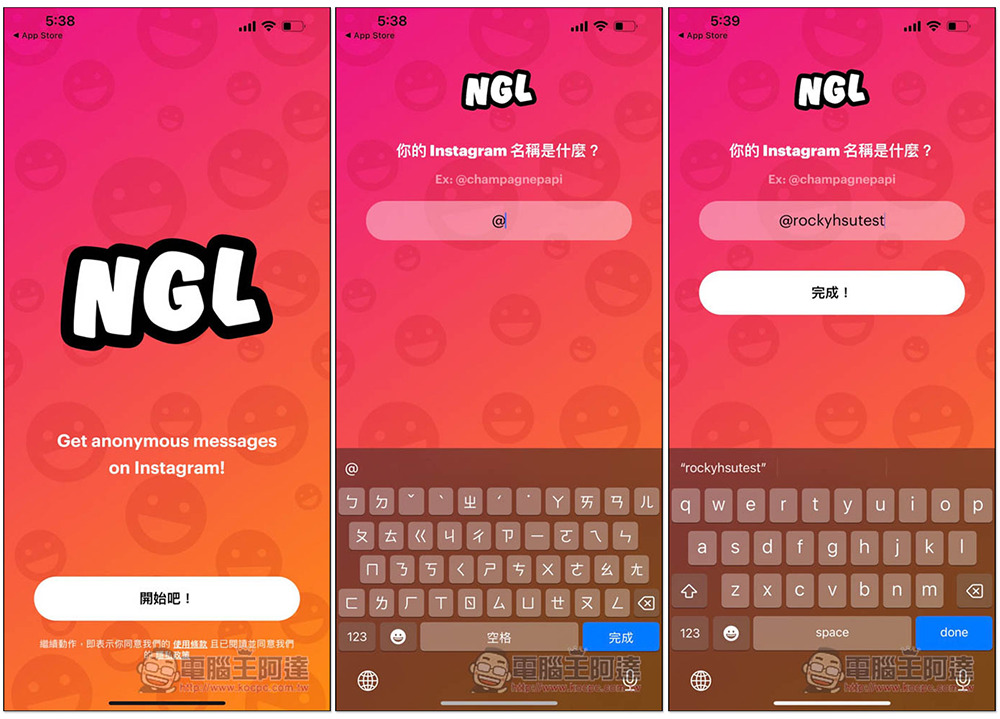
When you open the NGL App for the first time, you will be asked what your Instagram name is. It depends on whether you want to enter the real name. I entered it randomly and there is no problem. It does not need to connect your IG account. After entering it, press Done. You can use it without registration:
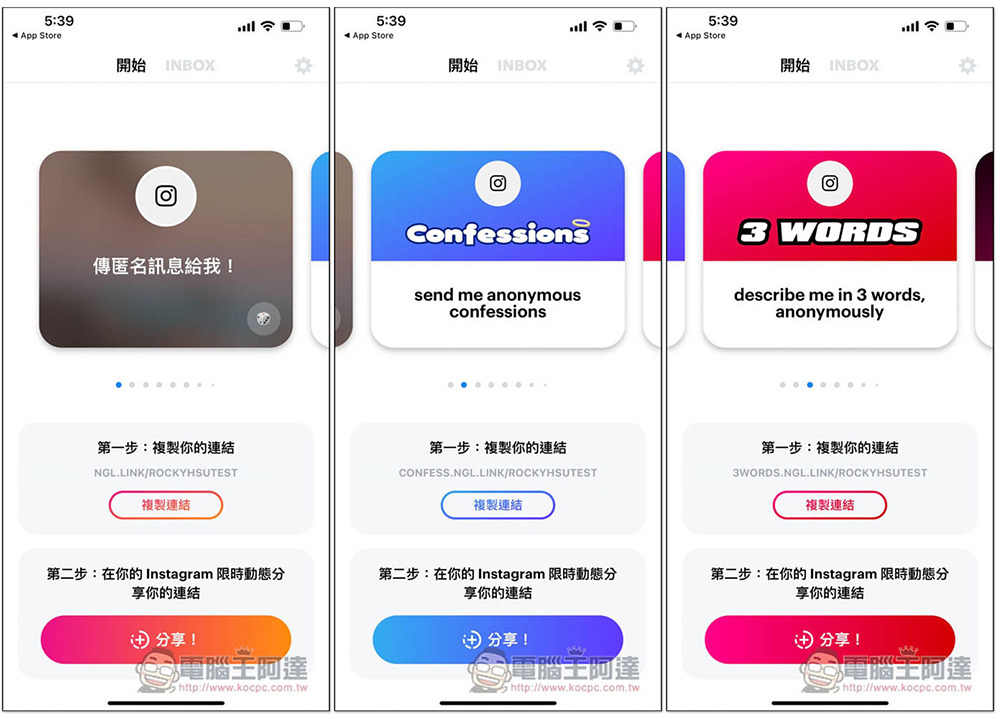
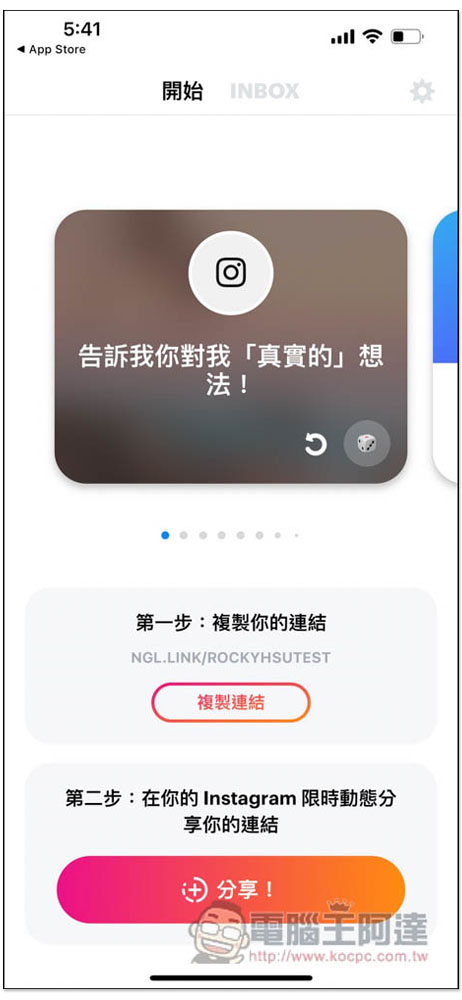
You will then enter the main screen. At the top is the question and answer topic. Currently, only the first one is in Chinese, and the others are in English. However, you can modify the question by clicking on it, depending on which one you like:
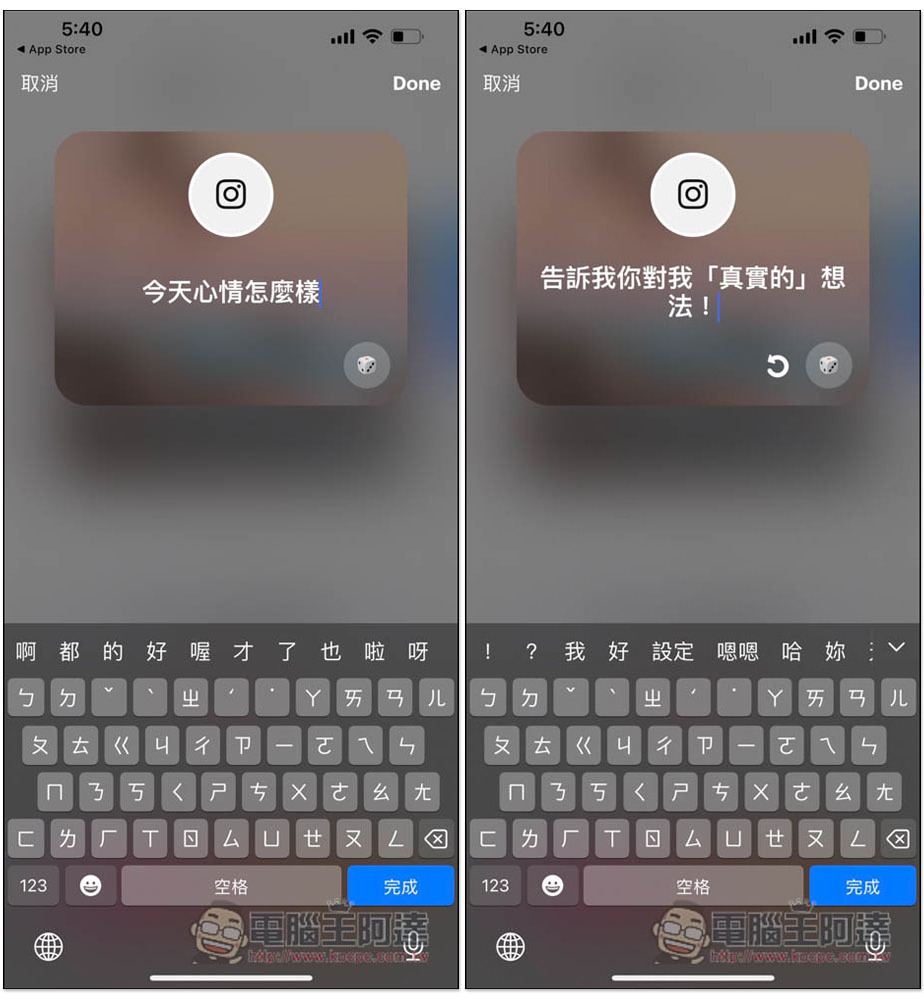
You can enter the questions manually, or you can press the dice in the lower right corner to jump randomly. Although it is said to be random, there are actually only three questions. If you don’t like it, just enter it manually:
After setting the question, click the copy link below. Then click “Share”:
When you click to share, there will also be a simple tutorial to teach you how to use:
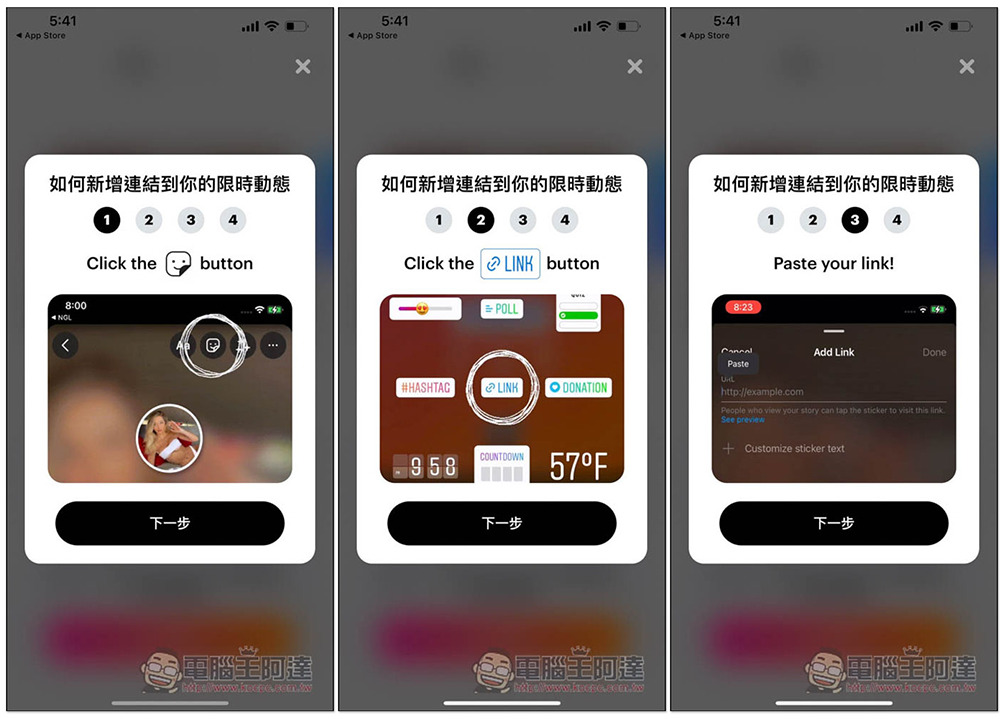
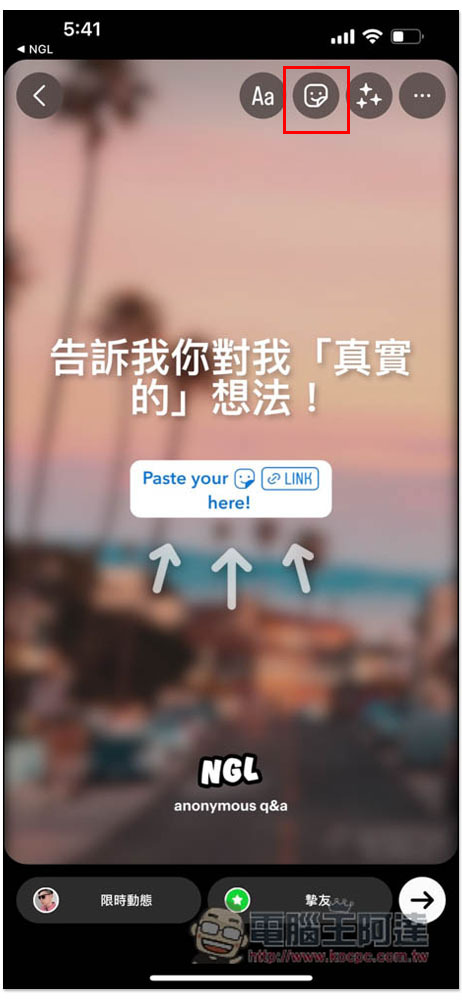
If the Instagram App is installed on your phone, it will automatically open and enter the limited-time dynamic setting page. At this time, please click on the sticker on the upper right:
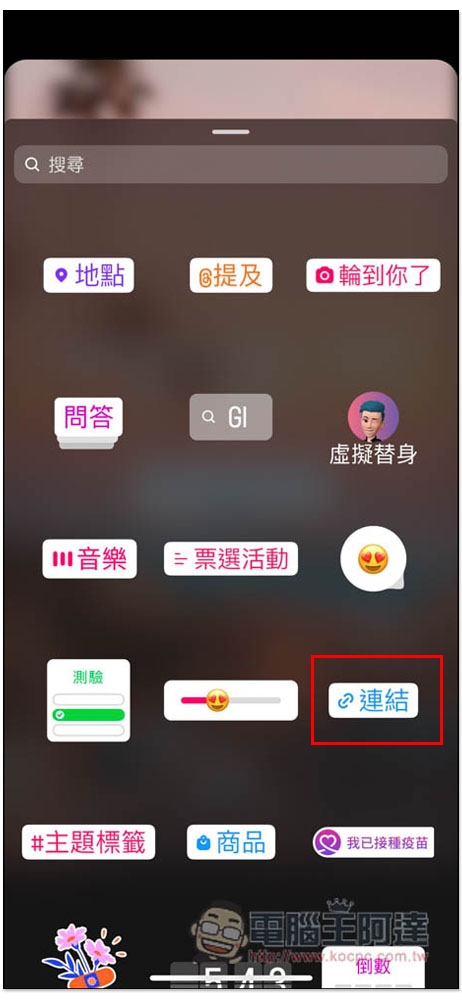
Link options found:
You can paste the URL you just copied and click Finish. If necessary, you can also “customize the sticker text”:
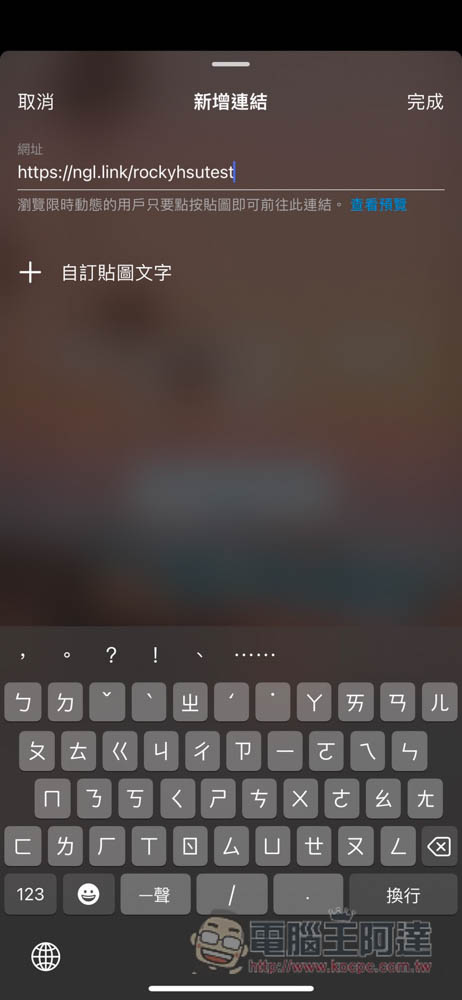
Move the link sticker to the middle position. If there is no problem, press the lower right corner to share. When the other party opens your limited-time update and clicks on the middle link sticker, a “Browse Link” message will pop up:
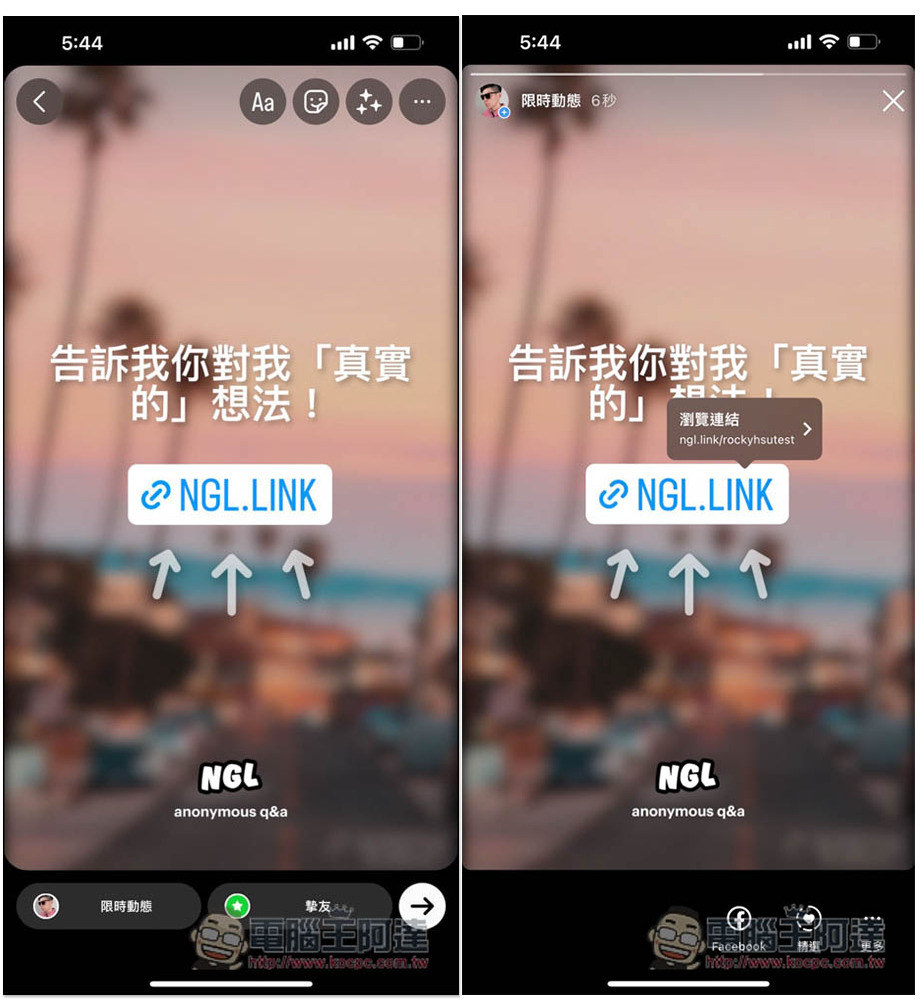
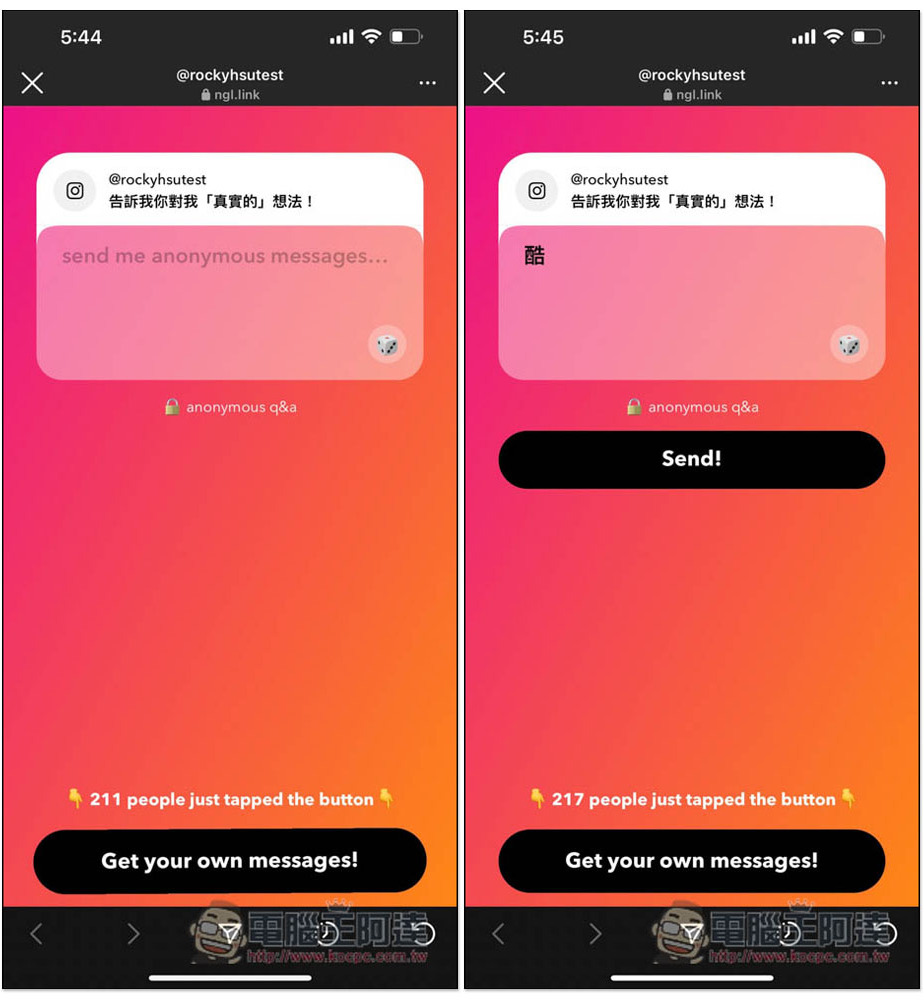
Then you will enter the answer page. There is no need to log in or connect to IG. Answers are completely anonymous, so the other party can speak their mind without worrying about being discovered:
When the other party sends a message, INBOX in your NGL App will receive a notification. Click to view the other party’s answer:
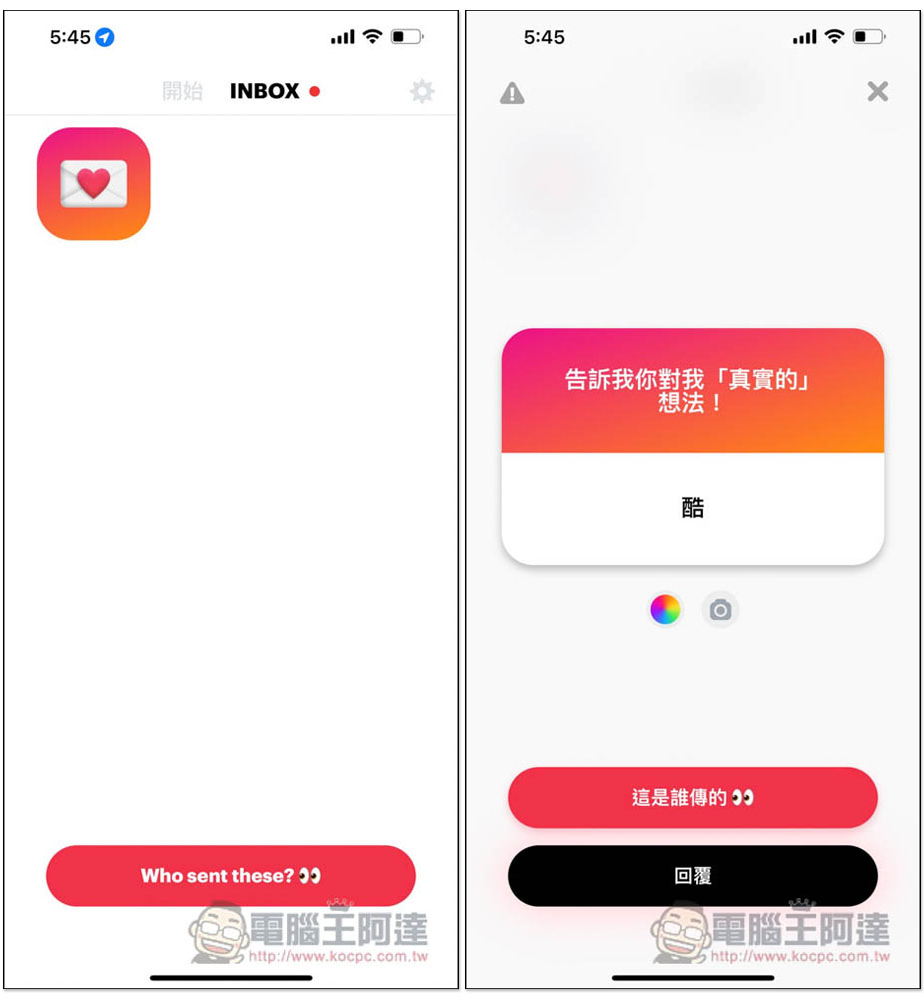
The interesting thing is that there is a “Who sent this” function below, which is only available to paying members. I am not sure whether you can really see the other party’s name or something else, but the main feature of this feature is IG anonymous Q&A, and you can see who sent it… It feels meaningless.
It is not recommended to pay here. I read reviews of the app and some people said that after paying, you still can’t see who sent it, and I don’t think I can see it after the operation.
In addition, sometimes the message INBOX receives is not the content of your friend’s answer, but the official advertising message. The way to observe it is to see if it says “sent with love from team NGL” below. This is the official message. After all, it is free. This can only be accepted.
Source: KOCPC Chinese