


Windows 11 has been launched for so many years. If there is one area that users complain about the most, the right-click menu is definitely at the top. As there are more and more functions, Microsoft does not know who came up with the “Show other options” method to simplify it. Many commonly used functions are also hidden here, which is really not very convenient to use.
As for this problem, Microsoft seems to be finally ready to deal with it. According to foreign media, Marcus Ash, Microsoft’s director of design and research for Windows and Devices, recently confirmed on X that the team is making the right-click menu of Windows 11 faster, simpler to preset, and can be set according to the items most commonly used by users.
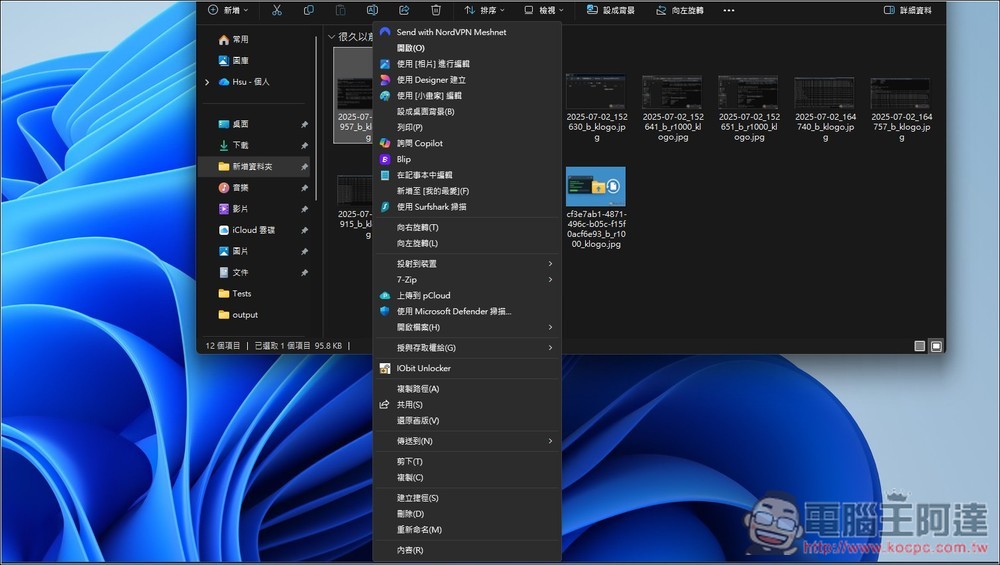
Microsoft wants to make Windows 11 right-click menu faster, simpler, and customizable according to usage habits
The direction Marcus Ash mentioned this time has three key points:
- Right-click menu will become faster
- The default state is simpler
- Can be set to what you use most
This is actually very important for Windows 11. The right-click menu is a basic operation that many people encounter every day. Whether it is copying, renaming, compressing, sharing, or opening other apps in File Explorer, many times it is done by right-clicking.
If this menu is slow, has too many functions, and frequently used functions are hidden in the second menu, it will make the entire system experience very poor and make it feel stuck when using it:
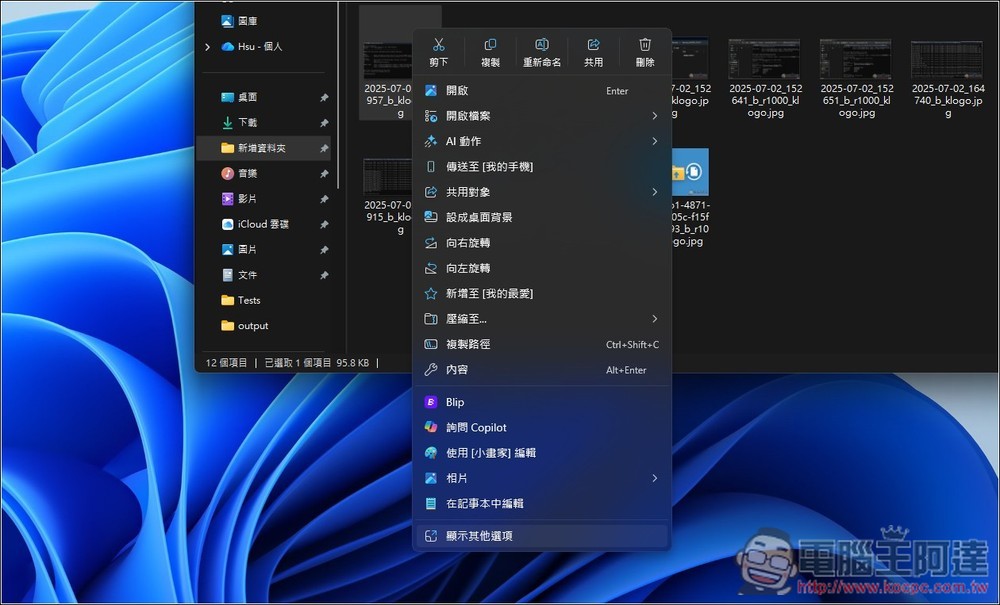
However, Microsoft has not disclosed complete details yet, nor has it confirmed which version of Windows 11 it will be launched on. Therefore, at this stage, it can only be confirmed that the function is under development, and the actual launch time remains to be announced by Microsoft later.
What is more interesting is that foreign media Windows Latest The report mentioned that the original right-click menu was changed in Windows 11 to solve the problem of too messy menus in Windows 10, but it was criticized again.
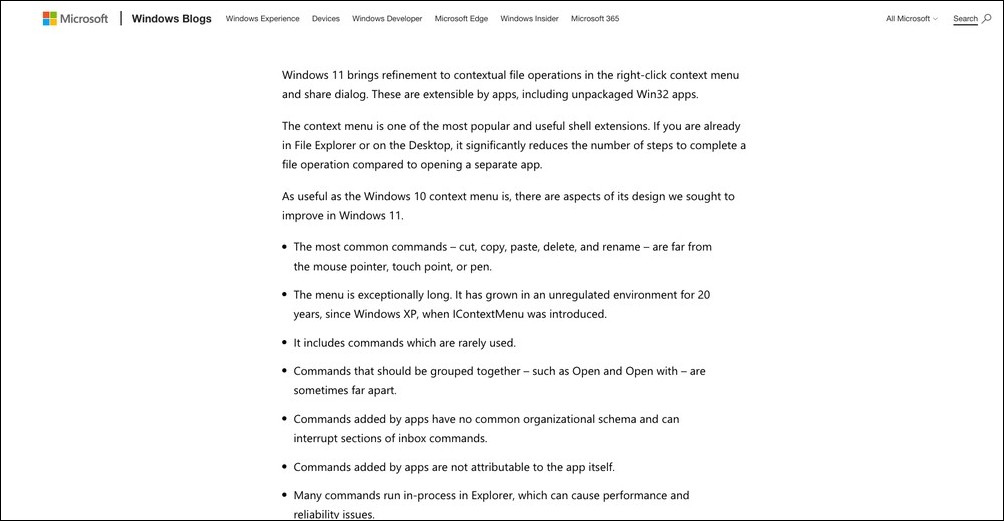
Microsoft explained in its official developer blog in 2021 that the right-click menu of Windows 10 has been accumulated in an unmanaged environment for 20 years. Starting from the IContextMenu system in the Windows XP era, various apps can add commands to the right-click menu through Shell Extension. Over time, it has become longer and harder to find.
At that time, problems to be improved were specifically listed. The most commonly used functions, such as cut, copy, paste, delete, and rename, may be located far away from the mouse click; “Open” and “Open method” are sometimes not put together:
That’s why Windows 11 rearranges the right-click menu, places frequently used commands closer to the click location, centrally manages the extended functions of third-party apps, and puts the old command functions into “Show other options.” However, after using it for several years, the problem of the right-click menu has not been completely solved. Although it is indeed more modern and neat, the functions that are really commonly used are hidden in an extra layer.
If Microsoft really launches “right-click menu customization” in the future, allowing users to decide for themselves which functions should be kept on the first level and which rarely used items can be put away, this should satisfy many people. Everyone has different usage habits. Some people often use compression tools, some people often use OneDrive, and some people often use image editing or development tools. The right-click menu should not be fixed.
Source: KOCPC Chinese