


I believe that many people use LINE to chat with friends on a daily basis. There are also many times when work contacts will communicate important matters through LINE. Among them, LINE voice messages save the process of typing and are also a favorite method of messaging among many users. Before LINE is updating to support “segment playback” for voice messages, allowing users to select specific paragraphs to play messages. So, how to download these voice messages to the mobile phone? Continue reading this article to learn more!

Tutorial on downloading LINE voice messages. Saving important messages to your phone is super easy.
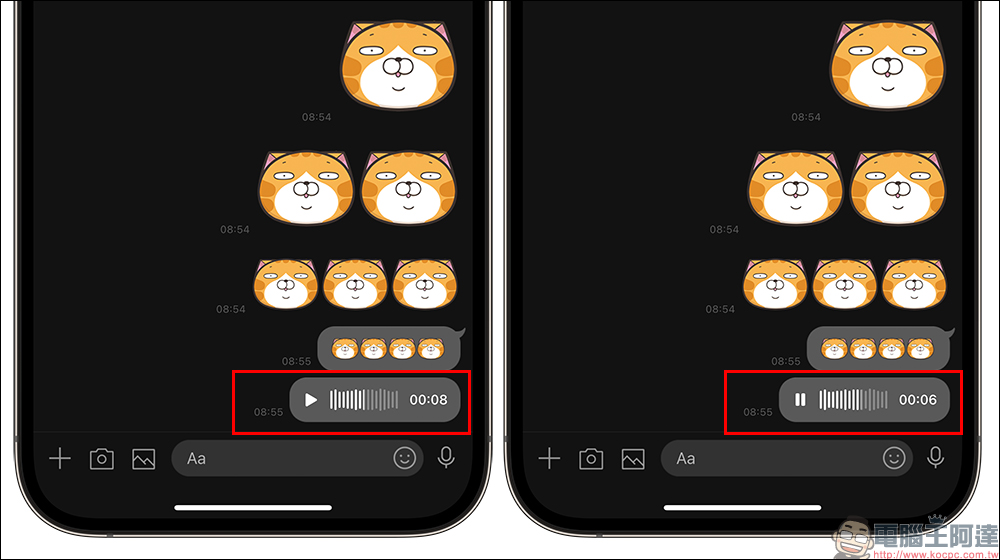
some time ago LINE 12.18.0 version updateFinally, users can slide directly from the track to the section to start playing, no longer having to start from the beginning! It is also faster to find the key paragraphs of voice messages. But when we want to save LINE voice messages to our mobile phones, many people don’t know how to back them up. In fact, saving LINE voice messages is quite simple, just follow the following steps!
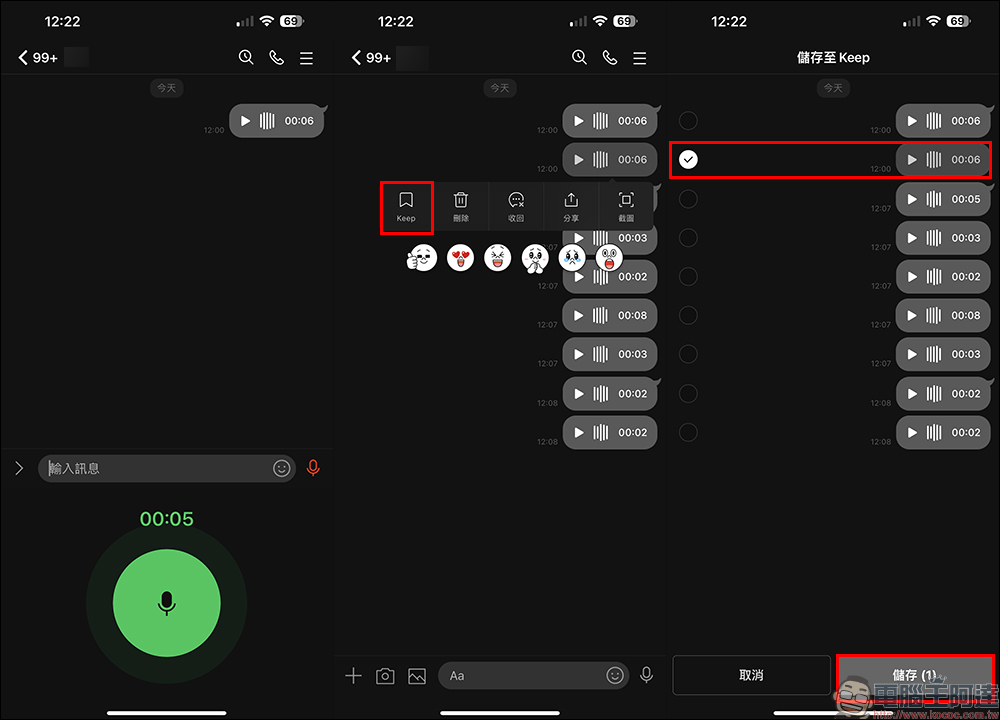
First, select the LINE voice message you want to save on the LINE chat room page and long press to open the function window, then save it to Keep first. In this step, you can select one or more voice messages to save.
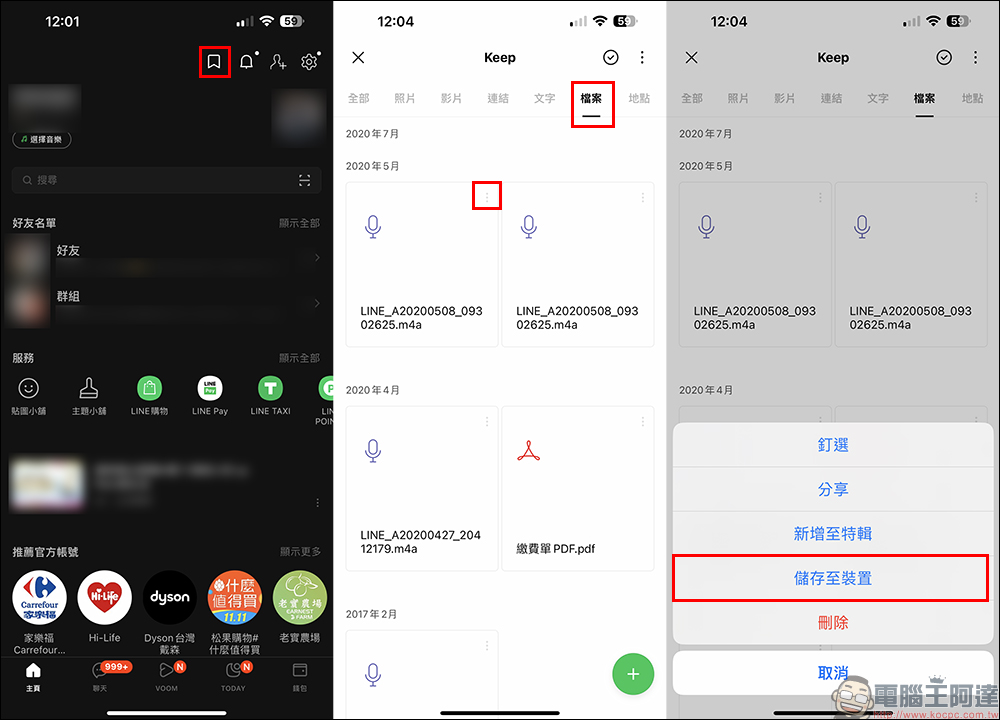
Then go to the LINE App homepage and go to the LINE Keep page, and you can browse all photos, videos, links, text, locations, and files saved in Keep. Voice messages are classified in “Files.” The next step is to open more function options in the upper right corner of the LINE voice message you want to save, and then click “Save to Device” in the menu.
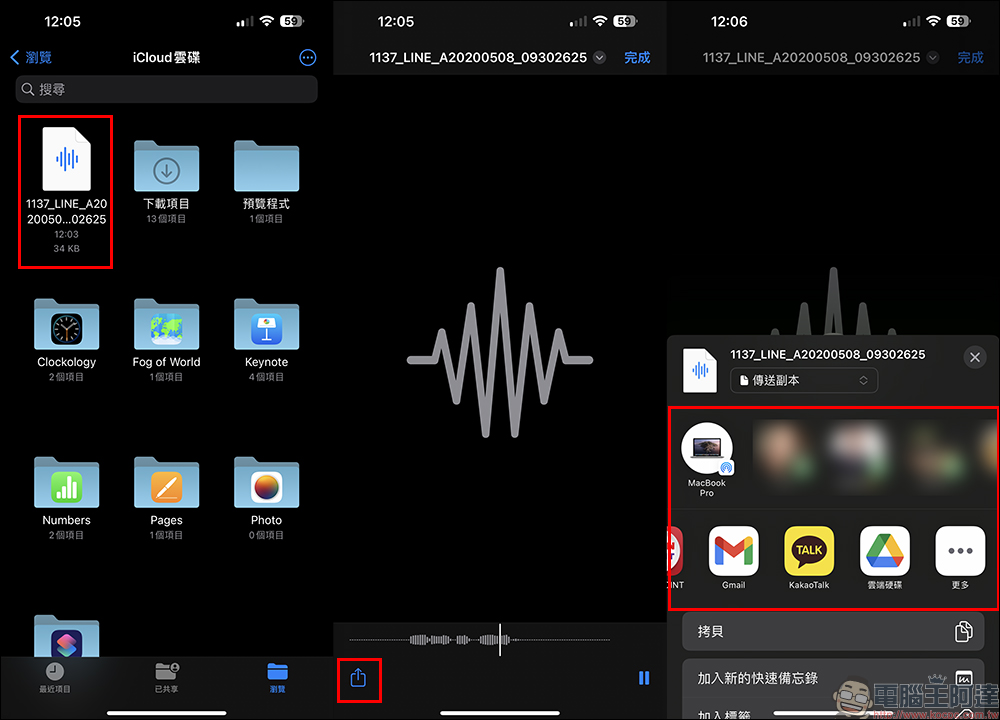
Entering the next step, the system will ask the user where to save the LINE voice message. Taking iOS as an example, the File App will be opened to allow the user to choose to save it to the iPhone device. After the storage is completed, the user can play the voice message at any time in the mobile phone file, and can also share it to Google Drive, Gmail or other apps.
Of course, if you just want to store voice messages in the cloud, you can also save them directly in LINE Keep. The LINE Keep function provides users with 1GB of free cloud access space, and supports synchronized access across platforms (iOS and Android) and across devices (mobile version, computer version, iPad, etc.). Switching devices will also be transferred along with the LINE account. In addition to text and photos, you can also access files, links and voice messages, and they are also saved permanently. (Tips: If a single file exceeds 50MB, it can only be stored for 30 days)
summary
In fact, the steps to download LINE voice messages to your mobile phone are much simpler than you think, but you may usually overlook how to do it. In addition to saving LINE voice messages to LINE Keep, if you want to further download them to an iPhone or Android phone to save, you can refer to the method taught today to download voice messages to your phone. Compared with saving to LINE Keep, choosing to save LINE voice messages makes it easier for users to manage a large number of voice message files. Important messages such as work conversations can be organized on mobile phones and computers. Saving them to mobile phones or computers is also less likely to be forgotten.
Further reading:
LINE free sticker collection: 24 free LINE stickers available for download for a limited time

Source: KOCPC Chinese