


When searching for information on the Internet, if you want to compare the results, most people should be very accustomed to opening two browser windows. After all, the screen size is quite large now, and opening two will not make the screen too small. However, Google recently added a very convenient “search results” to Chrome’s sidebar function. Simply put, it is in a tab and can be compared directly without having to open additional windows.
Google adds a “sidebar display of search results” feature to the latest version of Chrome to make comparison easier for users
Recently, Google announced that it has added two new features to the latest Chrome desktop version: “New Sidebar” and “Price Tracking”. The latter is actually already available in the mobile version of Chrome, but has been ported to the desktop version.
According to Google, the newly added search results in the sidebar are intended to improve users’ search efficiency, allowing them to view more search results faster and easier without having to switch between two tabs.
The method of use is also very simple. First enter the text you are looking for in the address bar. I took Computer King Ada as an example, and then enter the webpage (for example: the first result):

A Google symbol will appear to the right of the address bar, click it:

The search results of the previous page will be displayed on the right. At this time, you can continue to browse other search result pages until you find the content you want:
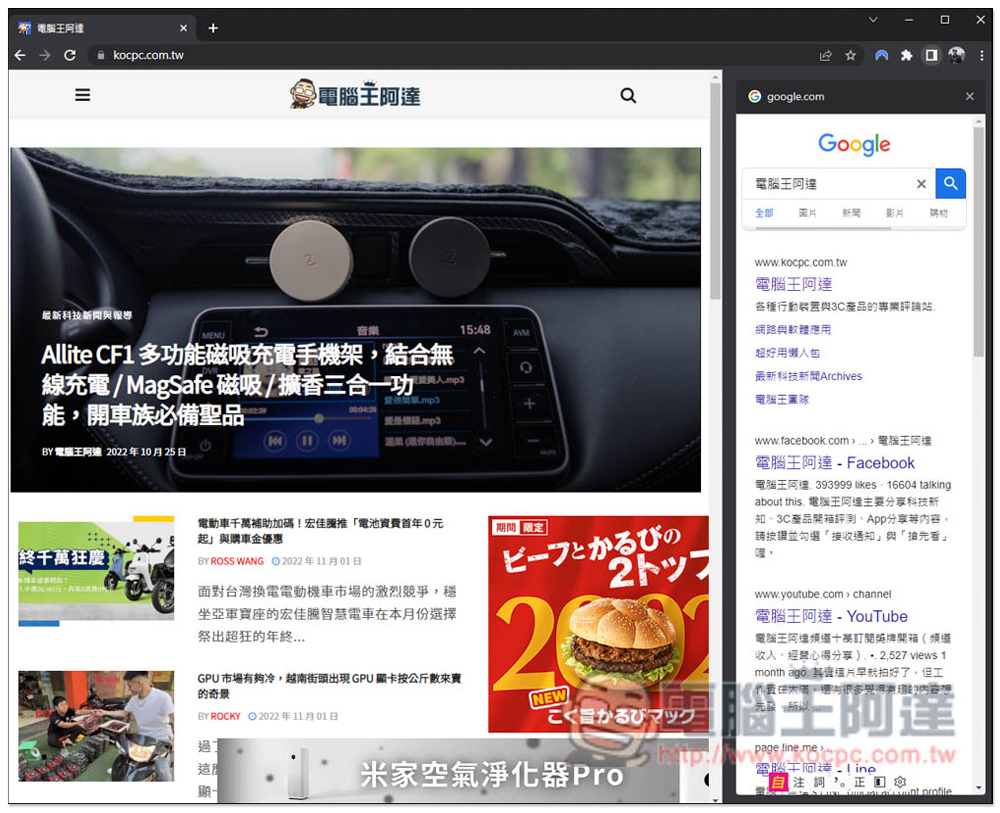
Like this, after clicking on other web page results, the left side will become the new web page you clicked, and the search results in the right column will still be there, so you can easily find the results:

For Chrome users, this new feature must be learned. It is really convenient. For example, when you want to find a recipe, there are usually many search results, but not all of them can meet your needs, and even the steps on many web pages are incomplete. With this search results sidebar function, there is no need to open two tabs, two windows, or keep pressing the previous step to return to the search results, which saves a lot of time.
I don’t know if there is a chance to import it into the mobile version. The mobile version should need this function more.
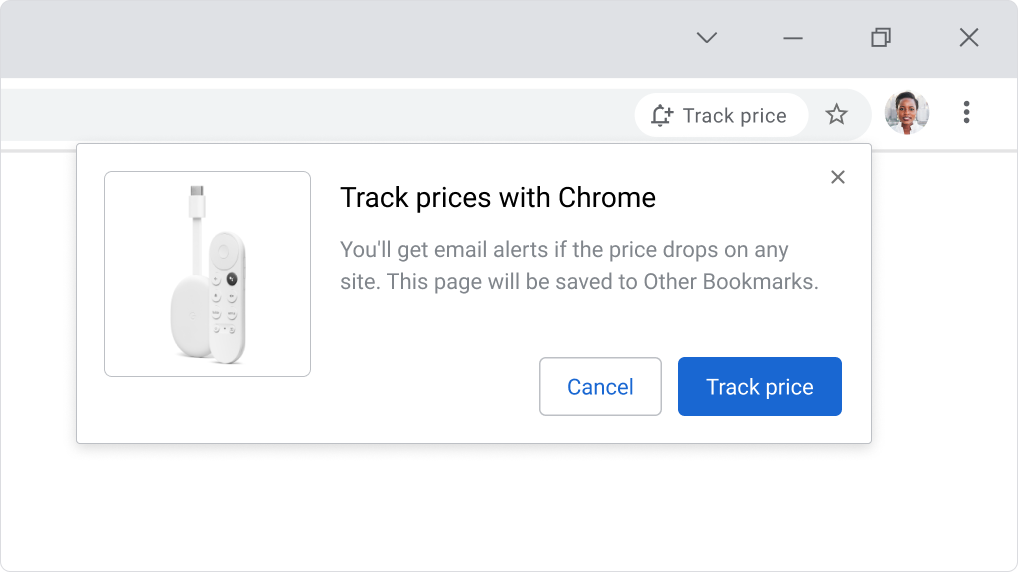
As for the price tracking part, you only need to enter a supported website. When the product becomes cheaper, an email will be automatically sent to you. However, I don’t know whether it is because I haven’t joined it yet or because the website I am using does not support it. I tested several and none of them appeared:
It is worth mentioning that Microsoft Edge actually has a sidebar function for search results, and overall I think it is easier to use than the Chrome version, because it does not need to be triggered by search results, and this function can be opened directly on the right side. It is also an independent window, and all operations will not affect the left side. That is, after I click on the web page of the search results, it will be opened directly in the right column. The only small drawback is that you can only use Bing to search:
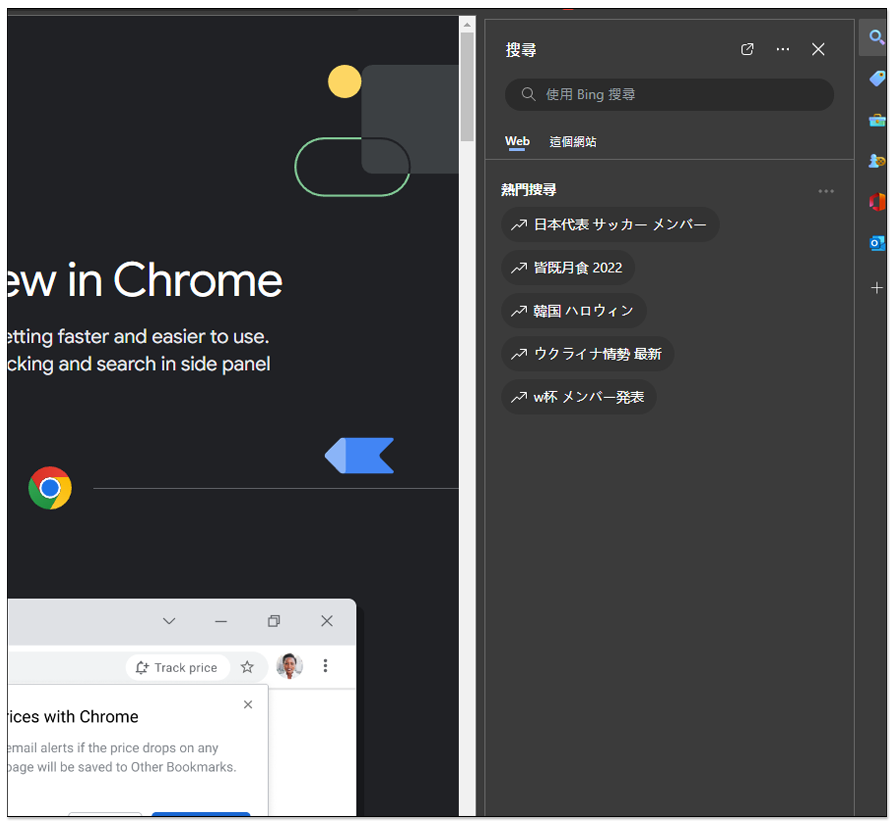
Like this, both sides can be operated independently, somewhat similar to the feeling of dual windows:

If you do not find this feature in Google Chrome or Microsoft Edge, please make sure your browser has been updated to the latest version and go to About in settings to view it.
Source: KOCPC Chinese