


Halloween is coming in a few days. Are you ready for what character you want to dress up as for Halloween this year? It doesn’t matter if you don’t plan to dress up. From now on, just enter the specified keyword in the LINE chat room to activate the Halloween chat room special effects that match the occasion! Let Big Bear, Bunny and Sally act like friends on their behalf and Trick-or-treat!
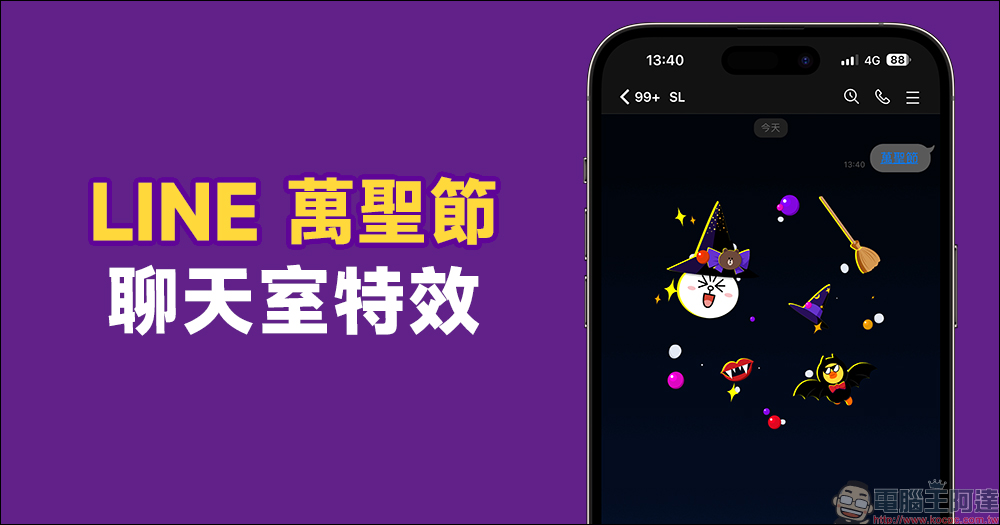
LINE’s Halloween limited chat room special effects are launched! Enter the specified keyword to wake up the chat Easter egg
From time to time, LINE will bring users limited chat room special effects during special holidays. Of course, with the annual Halloween coming soon, how can you miss this opportunity to dress up? LINE announced earlier that from now (25th) to November 1st at 10:00, as long as you enter specified keywords in the LINE chat room, you will be able to see random Halloween special effects in the background of the chat room!
This year’s Halloween chat room special effect keywords are “Halloween”, “Trick or Treat” and “Candy”, a total of three sets of mysterious spells. As long as you enter any of the above sets of keywords, you can see the cute Bunny, Big Bear or Sally!
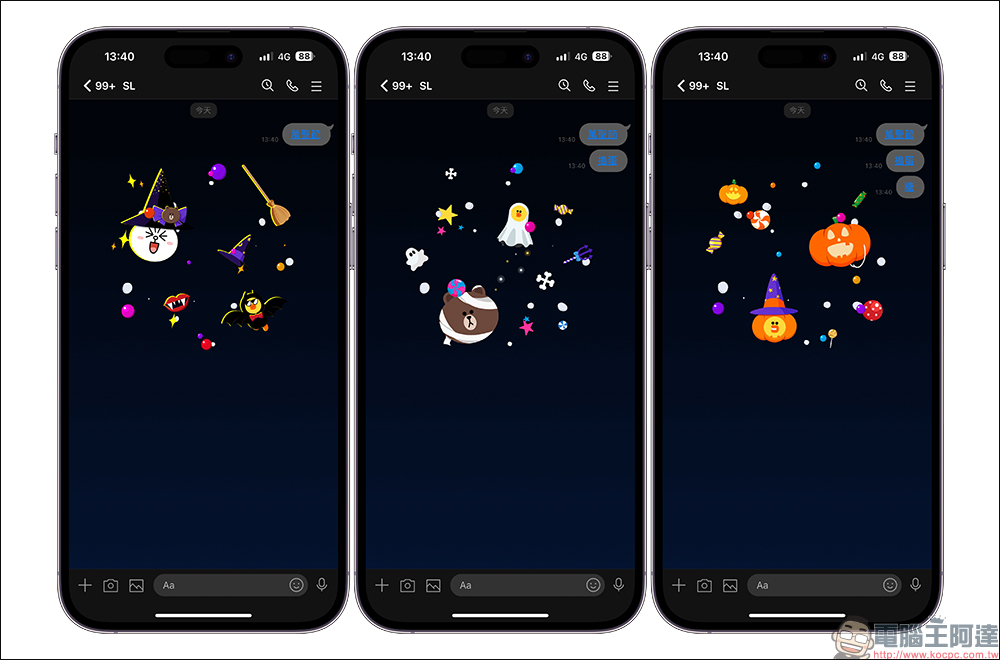
The devices suitable for this Halloween chat room special effects are:
- iOS system: LINE mobile version must be 9.15.0 (inclusive) or above
- Android system 7.1 or above: LINE mobile version must be 10.2.0 (inclusive) or above
- Mac / Windows system: LINE computer version must be 5.19.0 (inclusive) or above
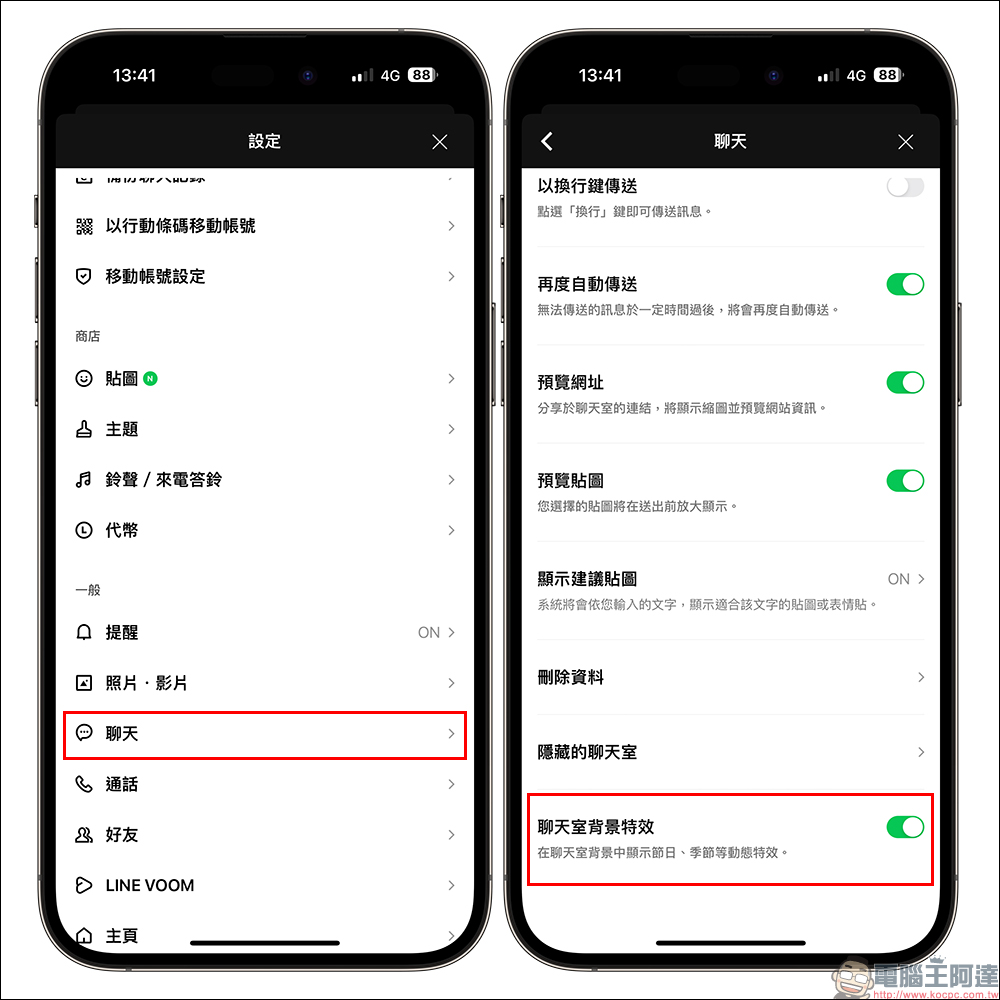
What should I do if I find that I entered keywords during the event but did not see these special effects in the chat room? In addition to trying to re-open the LINE App first, you can also check whether it is turned on in the “Chat Room Background Effects” in the LINE settings.
Event preview: Halloween LINE homepage special effects, debut!
LINE’s official trailer will see Halloween-limited trick-or-treaters and witch hat decorations on the LINE homepage on the day of the Halloween event (from 00:00 to 23:59 on October 31, 2022). This will also be the first time that festive special effects will appear on the LINE homepage.
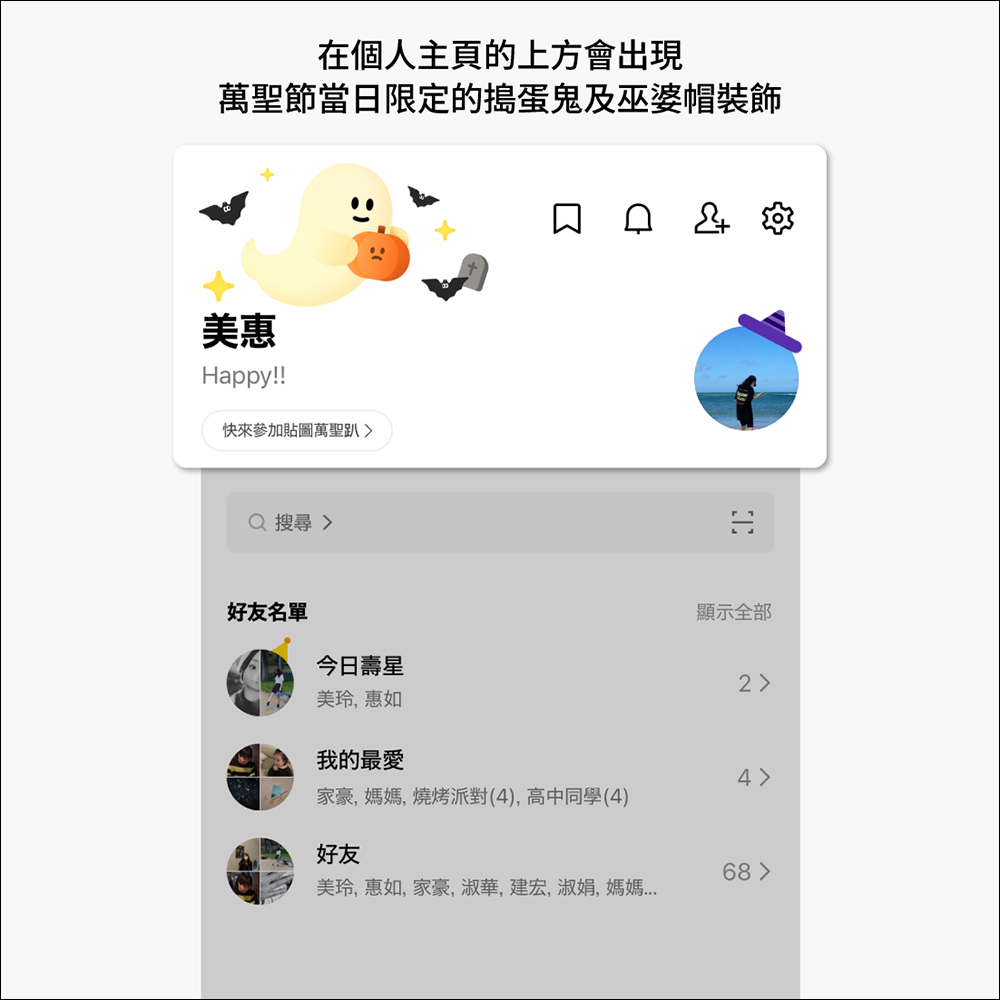
▲Picture source:LINE Taiwan official BLOG
LINE Homepage Halloween special effects applicable devices:
- iOS system and LINE mobile version must be 12.17.0 (inclusive) or above
- Android system 7.1 (inclusive) or above and LINE mobile version must be 12.17.0 (inclusive) or above
Why can’t I see the homepage effects?
If you don’t see Halloween special effects on the LINE homepage on October 31st, it may be because of the following three reasons:
- If the special effects display period happens to be your birthday, the birthday special effects will take priority over the homepage.
- Please confirm that “Playback Effects” is turned on or turn it back on in LINE settings
- If your mobile phone settings have the function of reducing special effects, please find andclosureThe following functions
—iOS users: Reduce motion effects (Settings > Accessibility > Motion effects > Reduce motion effects)
—Android users: Remove animation (Settings>Accessibility>Remove animation *Varies by model and version)
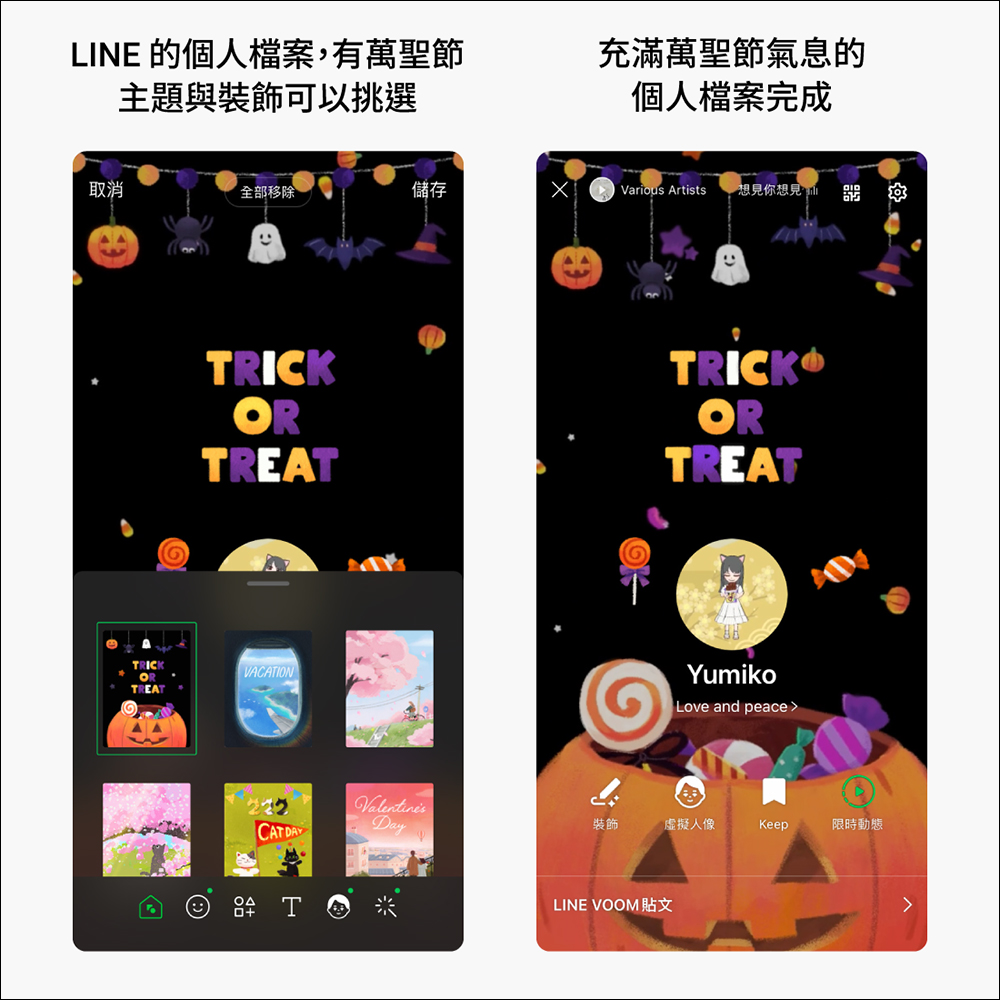
Your LINE profile can also have a Halloween atmosphere!
In addition to Halloween special effects in chat rooms and LINE homepages, your LINE profiles can also have an atmosphere appropriate to the occasion. Start now to set Halloween-related cover themes and stickers! Of course, you can also choose a Halloween outfit for your avatar!
▲Picture source:LINE Taiwan official BLOG
Further reading:
LINE free sticker collection: 23 free LINE stickers including Driver Xiong are available for download for a limited time
Source: KOCPC Chinese