


For users who need a lightweight laptop, they’ll definitely consider whether to get Apple’s latest M4 MacBook Air. And in this AI era, besides general performance and battery life, many people also think about whether they can run AI models locally. Since the MacBook Air doesn’t have a built-in fan, they’ll naturally worry whether that means AI performance isn’t that good.
In the review video of the M4 MacBook Air shared earlier by the well-known review channel Geekerwan, AI model test data was included. If you buy the 32GB memory version, the 32B AI language model can run smoothly as well.
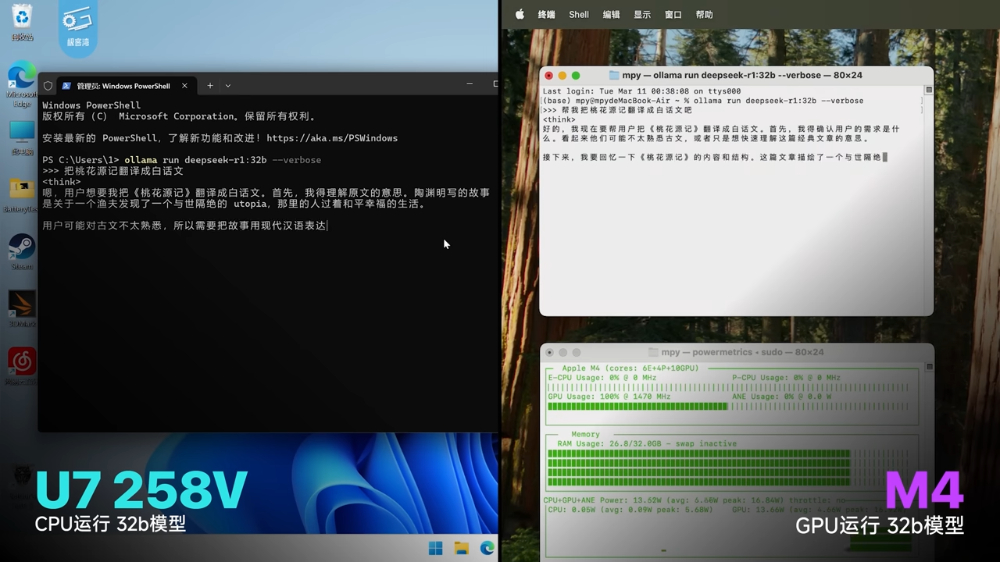
Fanless M4 MacBook Air outperforms Intel Ultra 7 258V laptop in running AI large language models.
In the previous M4 MacBook Air launch event articleAmong these, we have already detailed its features. Geekerwan’s video also shares many performance tests. Those interested can watch the video at the end of the article. Here, let’s directly look at the test data for the AI large language model.
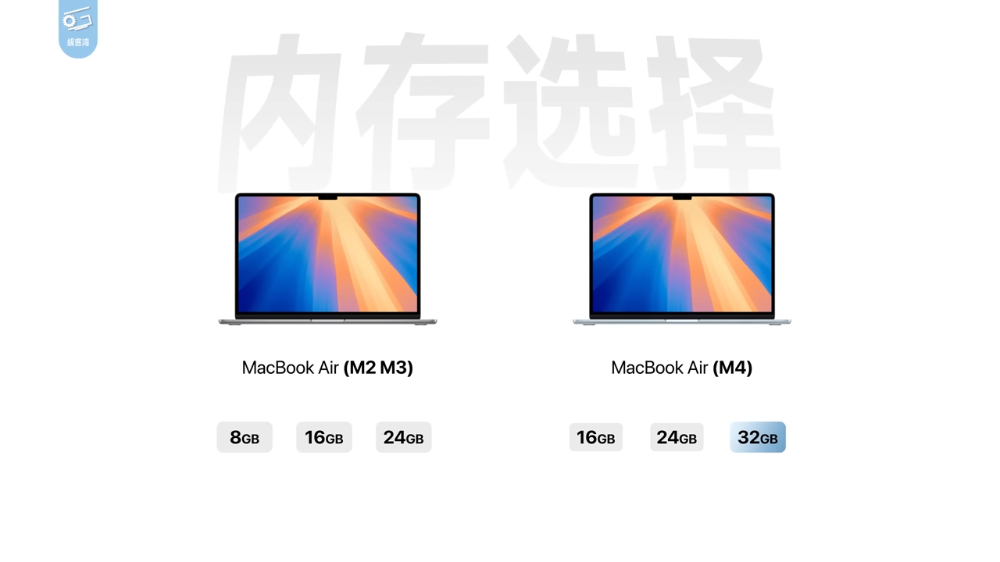
The M4 MacBook Air offers three memory capacity options: 16GB, 24GB, and 32GB. Since it’s unified memory, the higher the better for AI applications, so I highly recommend going straight to 32GB. The M4 MacBook Air used in Geekerwan’s testing is also the 32GB version.
In the M2 and M3 era, the MacBook Air maxed out at 24GB; this time, the M4 adds a 32GB option, which is really great news:
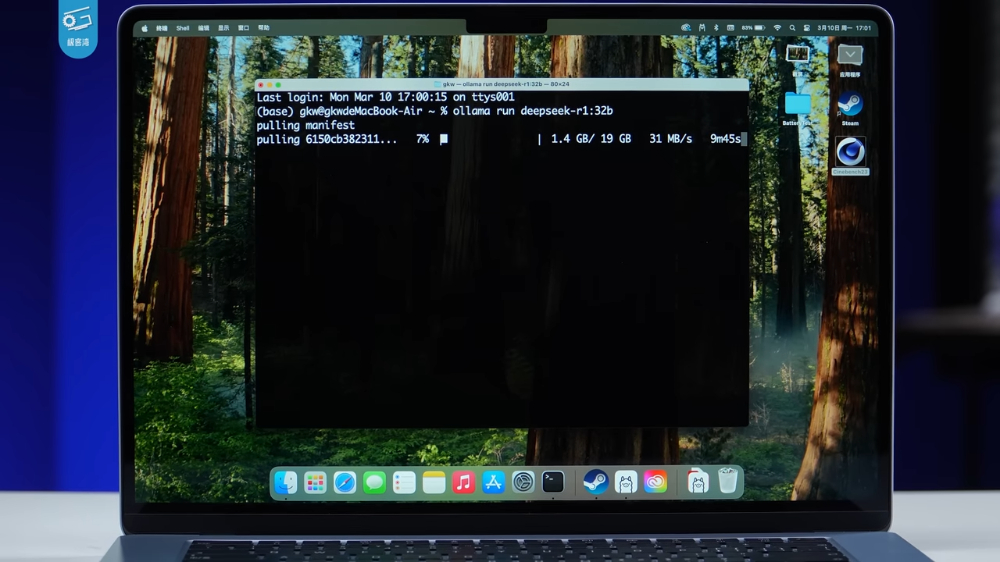
The software used for testing is Ollama. Compared to Intel, deploying Ollama locally on a Mac is very simple—you just need to download the installer from the official website and follow the steps to complete the installation.
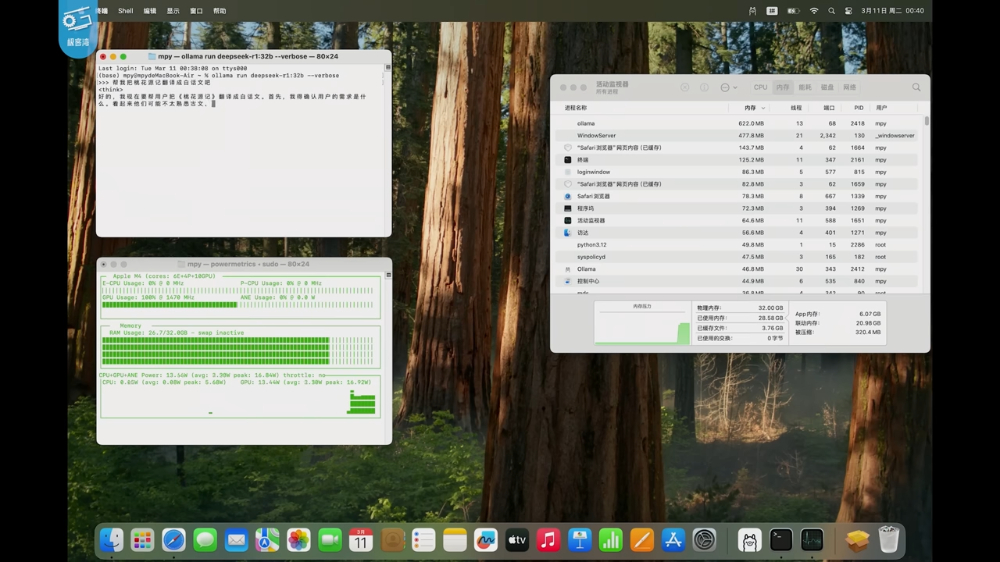
Geekerwan’s tests show that both the DeepSeek-R1 32B parameter model and the Qwen 32B model run on the M4 MacBook Air. It works, but the output speed in the video looks a bit slow; I think the 14B is more recommended.
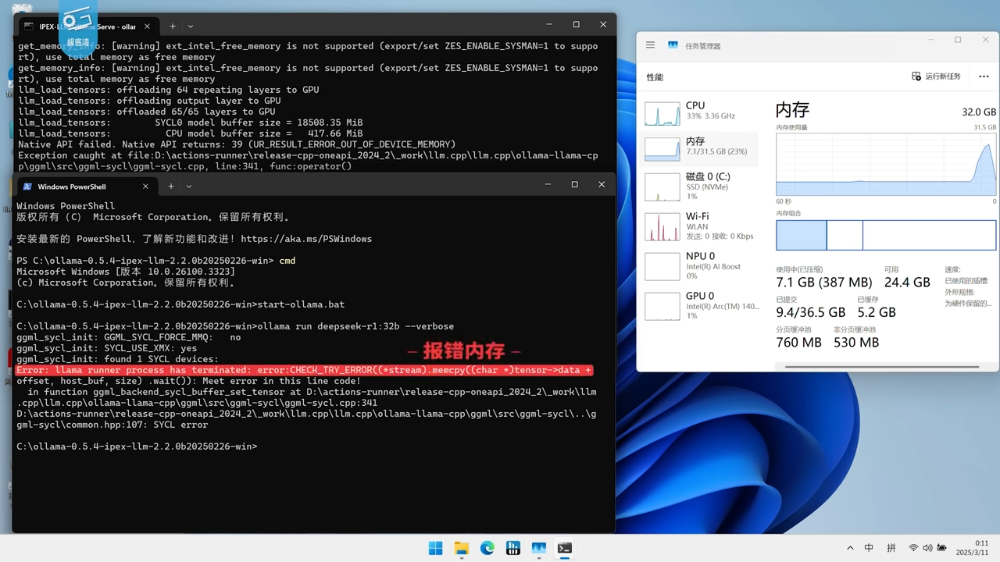
Previously, they also tested a laptop with an Intel Ultra 7 258V and 32GB memory. When running on the GPU, it couldn’t complete and showed memory errors, but switching to the CPU worked fine, though it was extremely slow. From this, it’s clear that the GPU’s video memory cannot meet the requirements of the 32B model:
The chart below shows actual data: when running the DeepSeek 7B model, the M4 MacBook Air delivers 20.8 tokens/s, 14B at 11 tokens/s, and 32B at 4.9 tokens/s. For the M3 MacBook Air, they used the 16GB version; 14B works fine at 9.9 tokens/s, but 32B runs out of memory.
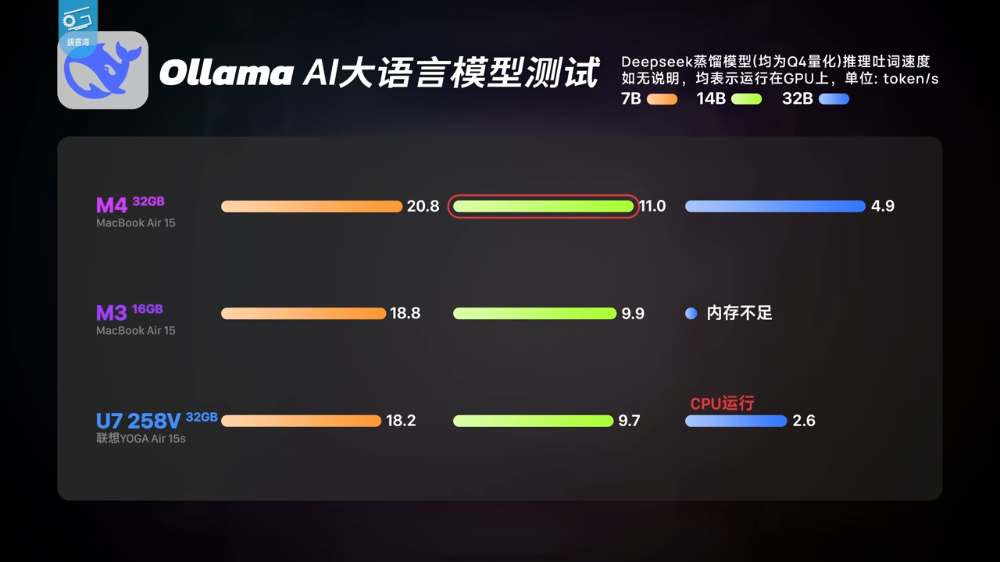
Compared with the competing Intel Ultra 7 258V, the M4 MacBook Air is noticeably faster, especially for the 32B model.
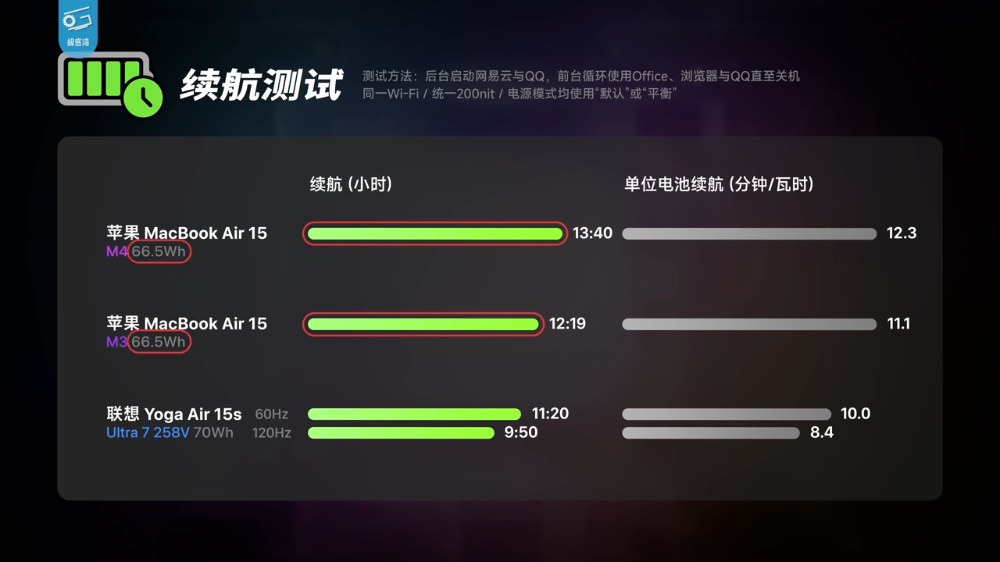
Sharing the battery life test results with everyone as well: the M4 lasts 1 hour 21 minutes longer than the previous-gen M3, reaching nearly 14 hours:
Geekerwan Full Video:
Source: KOCPC Chinese