

• About Us
King of Computer Media
  • Home
  • Tech News
  • AI News
  • Apps & Tutorials
  • Mobile & Telecom
  • Lifestyle
  • About Us
No Result
View All Result
  • Home
  • Tech News
  • AI News
  • Apps & Tutorials
  • Mobile & Telecom
  • Lifestyle
  • About Us
No Result
View All Result
King of Computer Media
No Result
View All Result

Home - Mac OS software sharing and teaching - Quickly download VDown to support online video downloads from more than 900 websites on Mac, with multiple formats and subtitle selections.

Quickly download VDown to support online video downloads from more than 900 websites on Mac, with multiple formats and subtitle selections.

KOCPC Editor by KOCPC Editor
October 10, 2022 - Updated on August 4, 2026
in Mac OS software sharing and teaching

There are not as many online video downloading tools for Mac as there are for Windows, and most of them require payment. This article recommends the VDown free app, which not only allows you to download videos from more than 900 websites, but also provides 10 free times. If you invite friends, you can get additional times. Those who are too lazy to invite can also look for version 1.0.6 online. It is said that this version was completely free before.

Further reading:

  • Setapp Mac and iOS software recommended subscription service, one account can use more than 230 professional paid software apps

What websites and download formats are supported?

The official website does not clearly state which websites and download formats are supported. The currently confirmed websites that can be downloaded are:

  • YouTube
  • Twitter
  • Facebook
  • TikTok TikTok
  • YOUKU YOUKU
  • Station B Bilibili
  • iQiyi
  • Betta DOUTU

The format I tested is:

  • M4A
  • M4S
  • MP4
  • Webm

However, not every website can choose the format. For example, YouTube currently only supports Webm, so if you want other formats, you must use conversion software to convert.

Quickly download VDown usage tutorial

This software is not available on the App Store and you need to download it from the official website. Friends who have doubts are advised to skip it.

  • Click me to go to the official website

Step 1 – Install the software

After opening the installation file, this reminder will pop up, click “Open”:
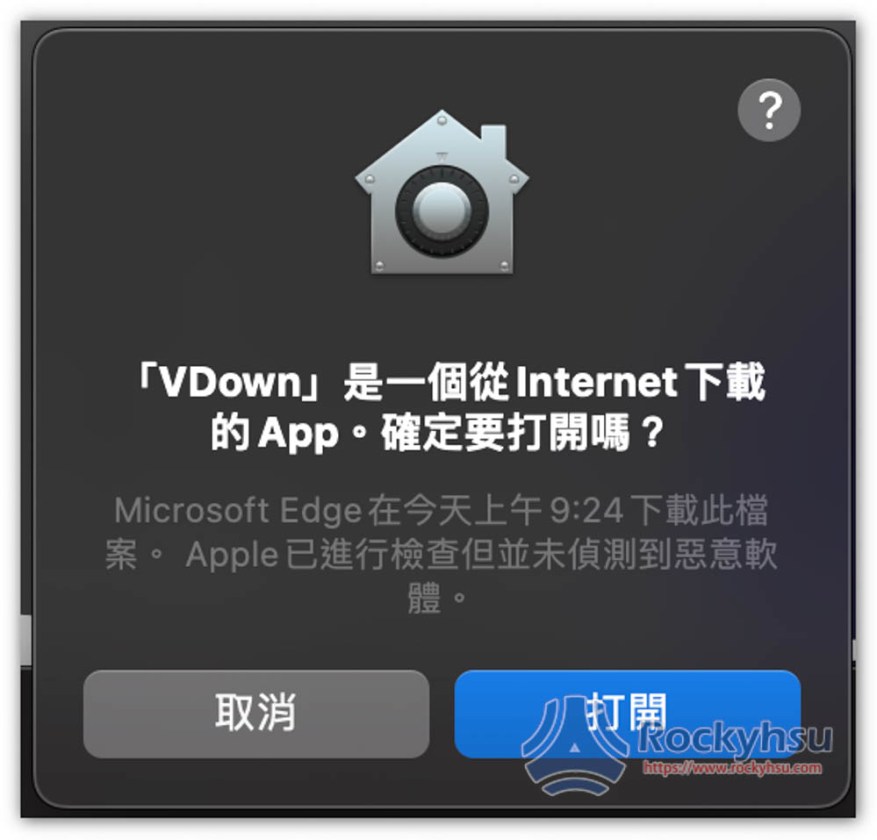
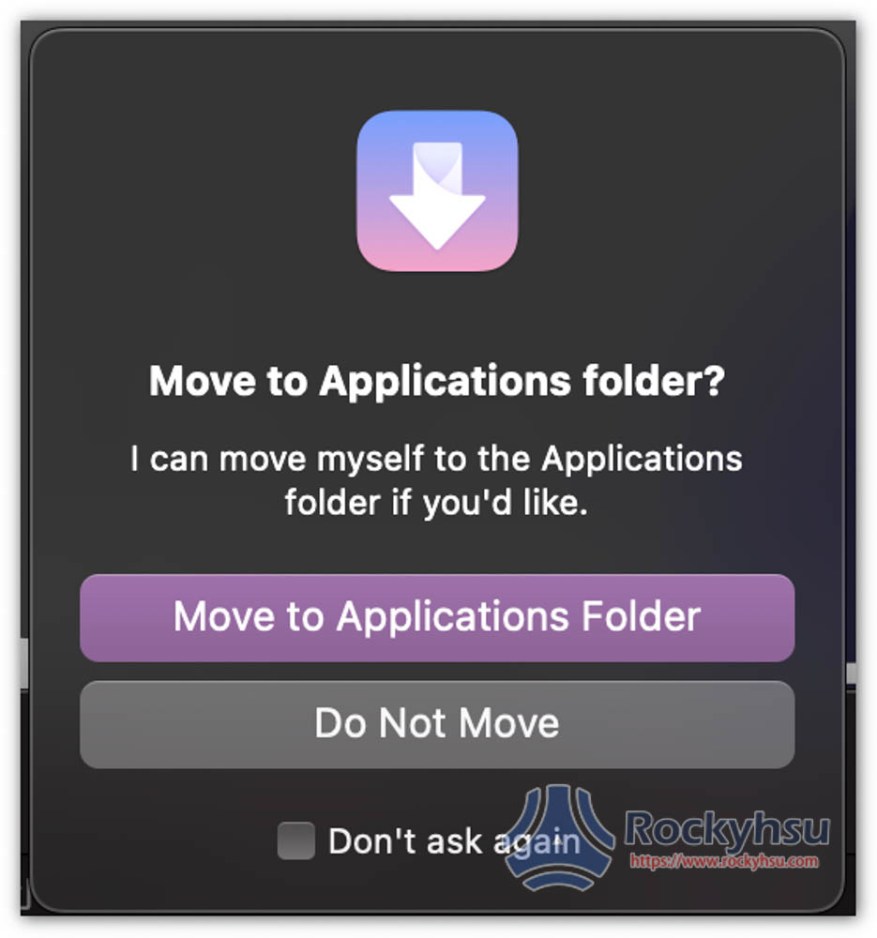
You will then be asked if you want to move to the App Folder. Basically, click Move to Application Folder so that you can quickly find and use it in the future:
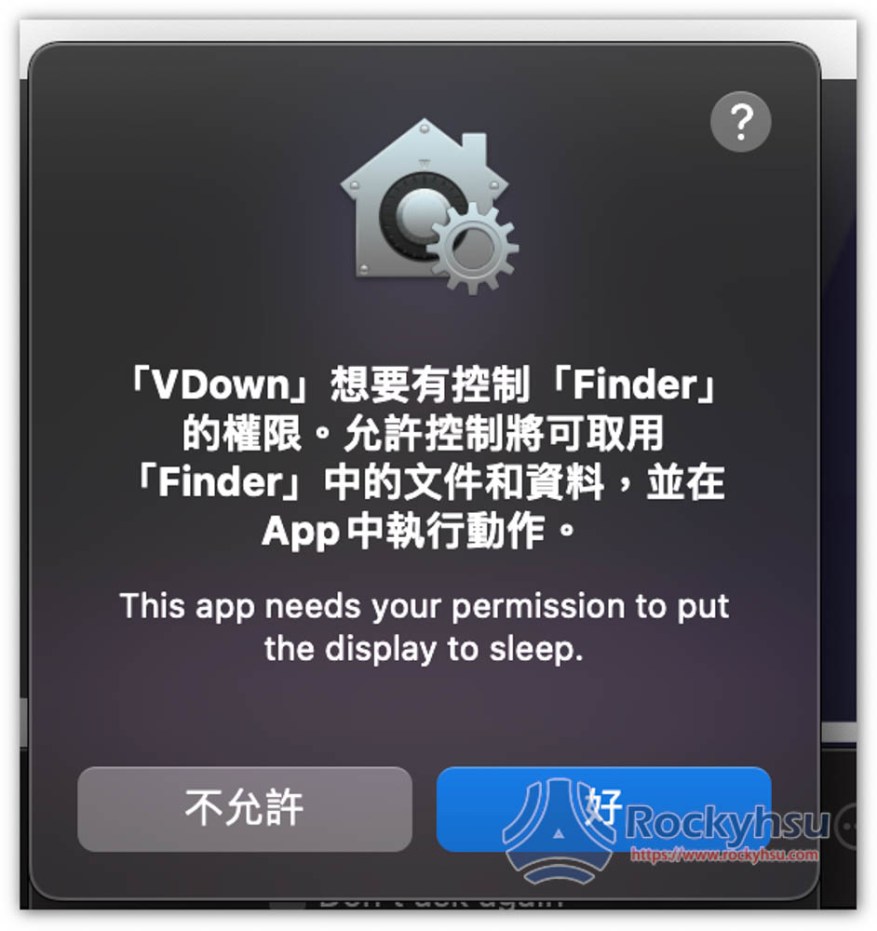
This download will be stored directly in the specified folder (default is download), so you need to obtain Finder permissions:
Step 2 – Start downloading

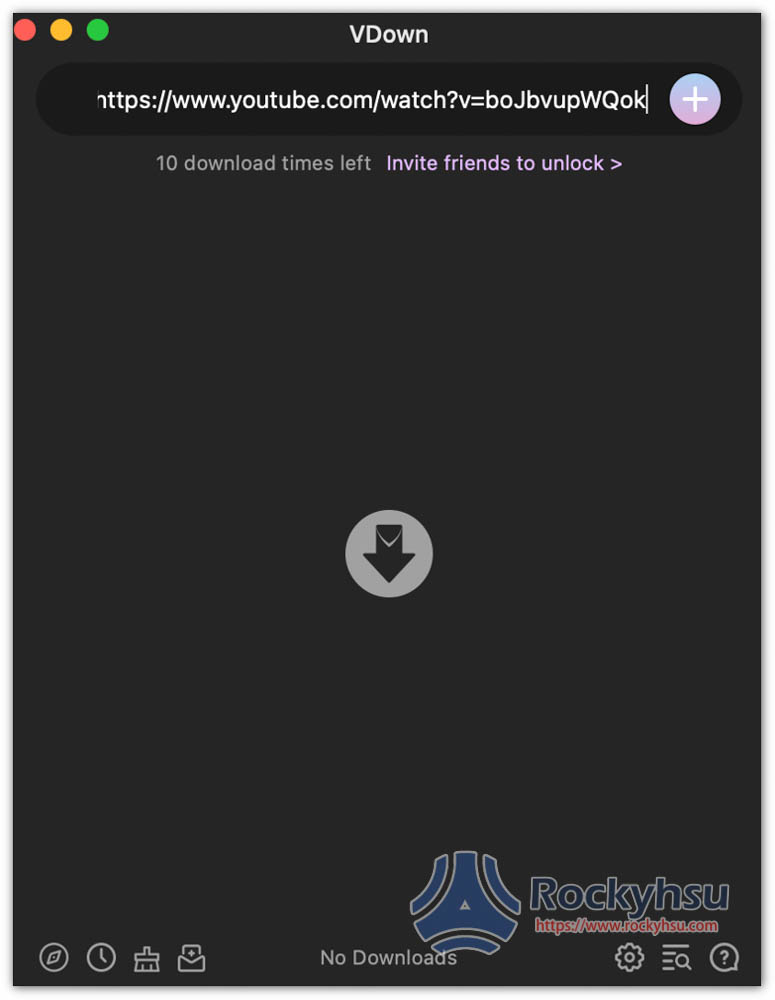
After opening the software, paste the URL of the video you want to download into the Paste URLs here field above. In addition, you can note that your remaining free download times will be recorded below. Everyone has 10 times. You can invite friends to get more times:
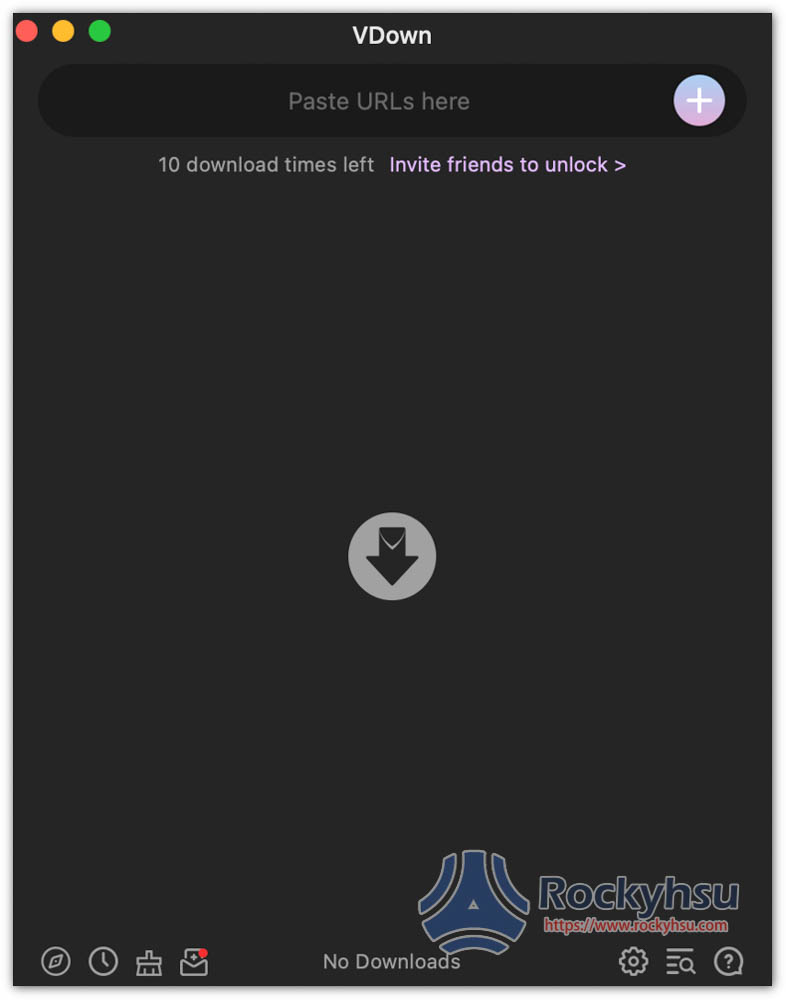
As shown in the picture below, press + after pasting:
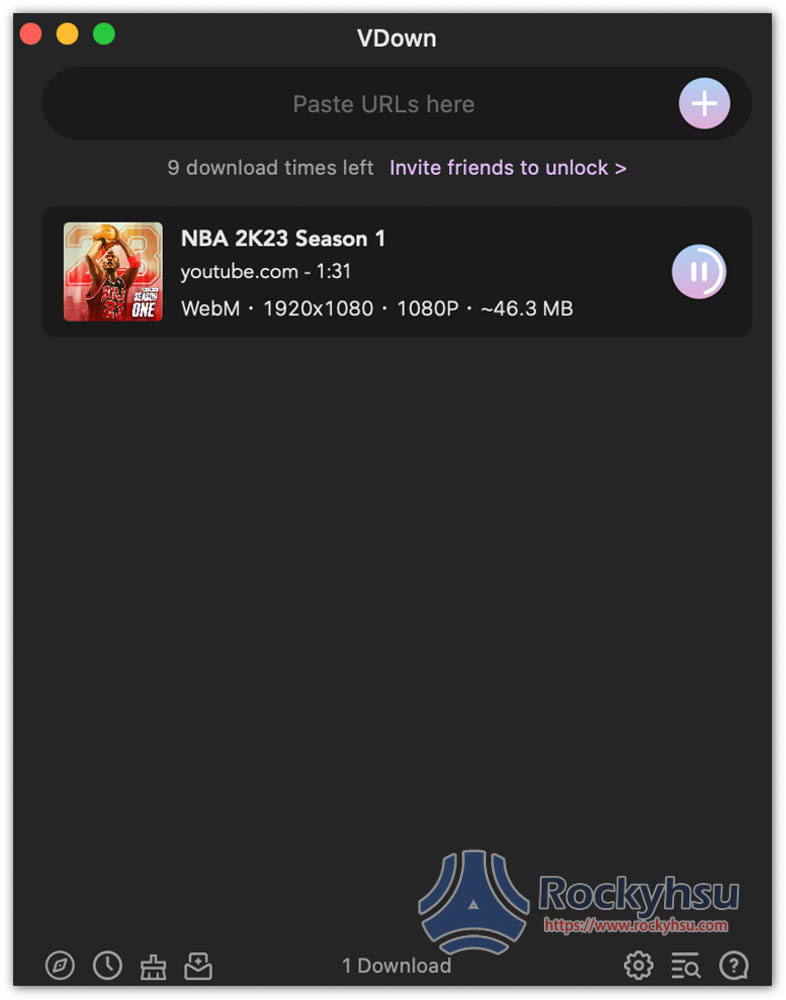
The download will start. YouTube cannot choose the image quality and format. It only has Webm 1080p. The download speed is quite fast. This is Webm with sound:
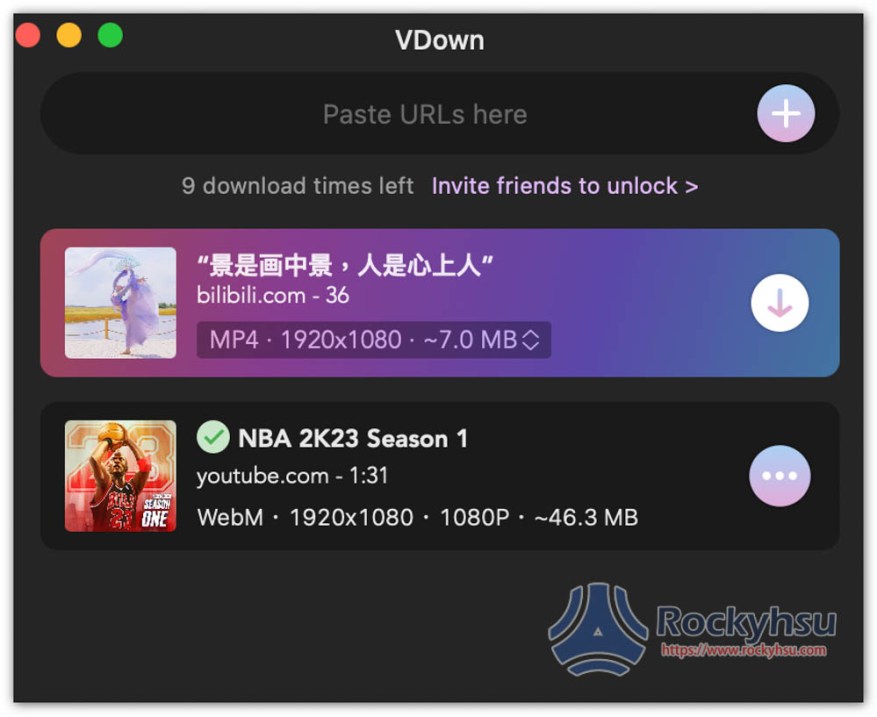
The scene is in the paintingscene, This video is from bilibili. You can choose the download format and resolution. There are options below:
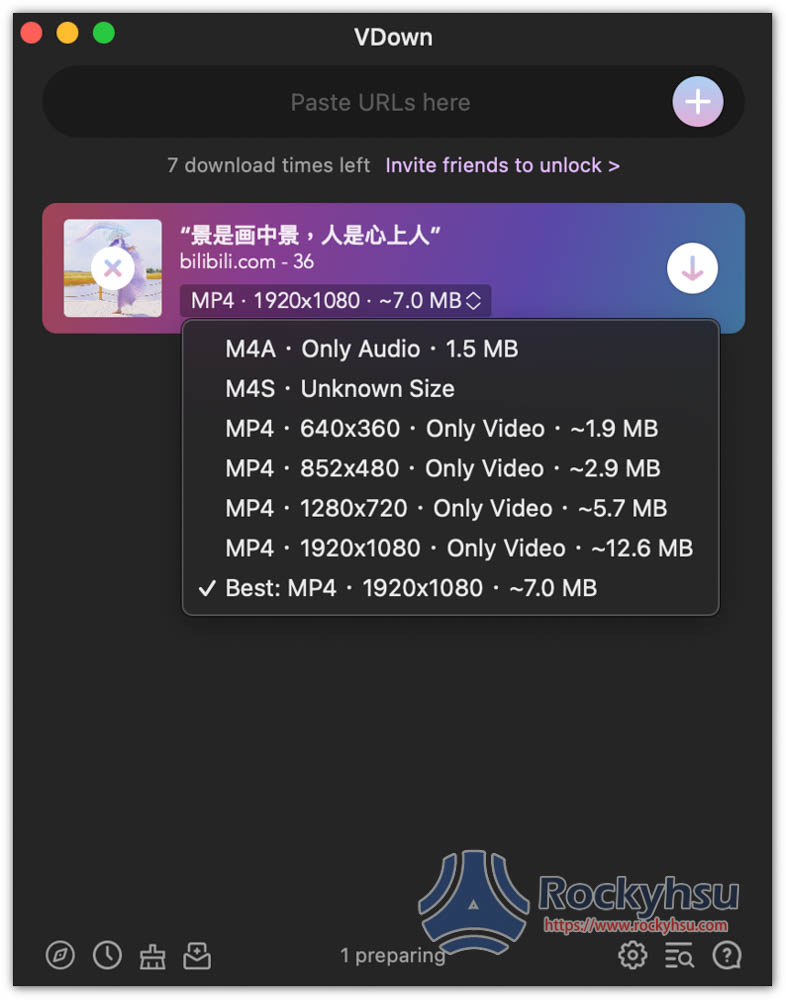
bilibili supports many formats and resolutions, including M4A for pure sound and MP4 for video, up to 1080p:
Step 3 – Conversion function

This actually has a built-in conversion function. Click the + on the right to find Format Convert:
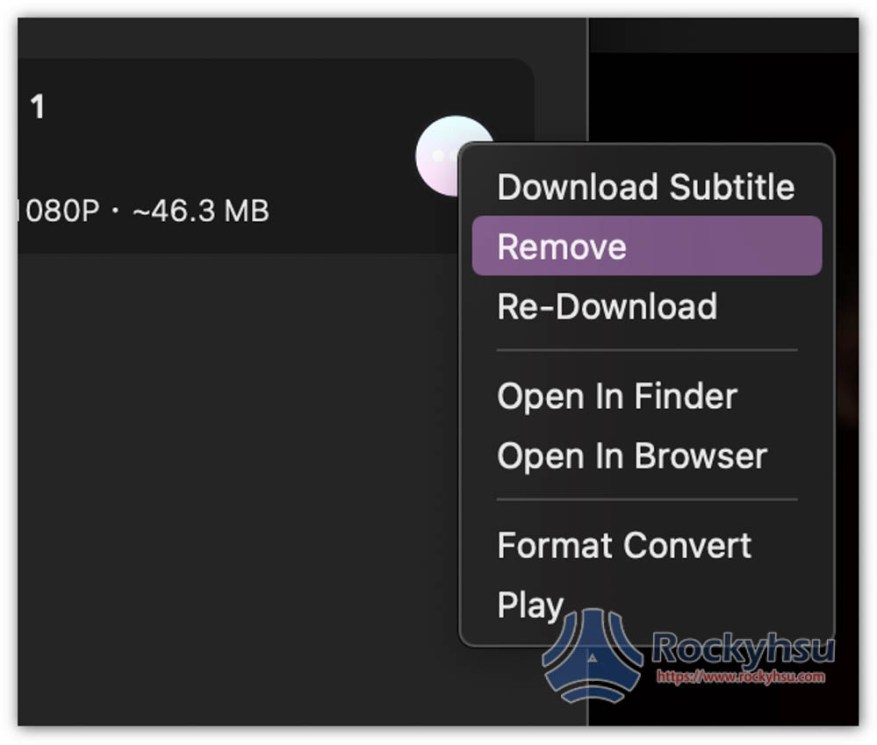
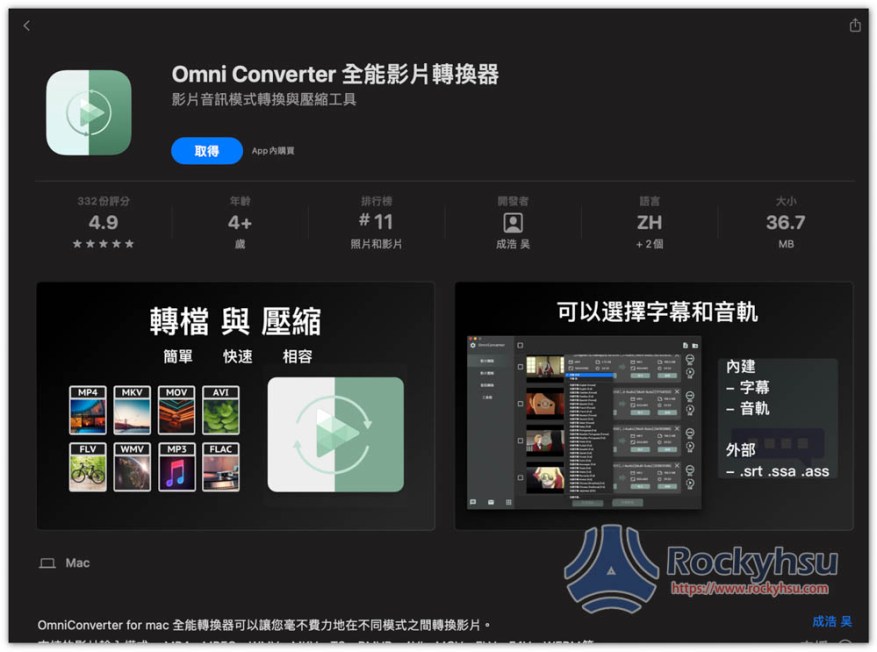
However, it needs to be paired with another set of Omni Converter all-round video converter:
Summarize

This is a simple and easy-to-use Mac online video downloading software, but the new version has a limit of 10 free downloads. Even if you can increase it through invitations, it is still a bit troublesome. If you want to find one that is completely free, you can refer to what I introduced before VDownloader。

Source: KOCPC Chinese

Recent Posts

  • The Xiaomi Pad 8S Pro has passed network access certification and will debut with the self-developed XRING O3 chip.
  • The entire Google Pixel 11 lineup has been leaked! Official promotional renders of the Pixel 11 Pro XL have also surfaced
  • Are Chinese phone battery capacities falsely labeled? A brief look at the “capacity locking” phenomenon in Chinese silicon-carbon batteries.
  • NCC is leaderless, recklessly sending out national-level alert messages!?
  • What does “QR” in QR Code mean?

Recent Comments

No comments to show.
  • About Us

We welcome partnership inquiries and product review opportunities from smartphone manufacturers, iPhone accessory brands, and app developers.koc kocpc.com.tw|Privacy Policy |Hosting & Maintenance: Fast Line Taiwan, A-Chang Digital Technology

No Result
View All Result
  • Home
  • Tech News
  • AI News
  • Apps & Tutorials
  • Mobile & Telecom
  • Lifestyle
  • About Us

We welcome partnership inquiries and product review opportunities from smartphone manufacturers, iPhone accessory brands, and app developers.koc kocpc.com.tw|Privacy Policy |Hosting & Maintenance: Fast Line Taiwan, A-Chang Digital Technology