


In recent years, in order to reduce the waste of paper in traditional invoices and electronic invoices, choosing to store consumption invoices in vehicles is not only environmentally friendly, but also makes your wallet no longer full of various invoices. Using cloud invoices has the convenience of exclusive prize number matching and automatic prize matching. Once the winning invoice is set, it will be automatically credited to your account, adding a little happiness to your life. Now, in addition to the Ministry of Finance’s electronic invoice integration service platform, you can also use LINE Invoice Manager to assist in automatic award matching and consumption analysis, and there is also a bingo game to redeem exclusive gifts!
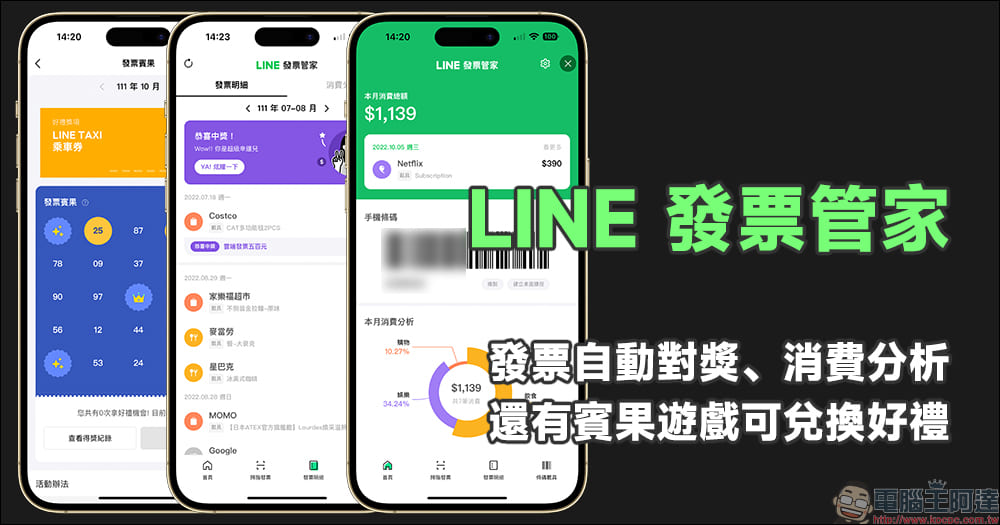
LINE Invoice Manager: automatic invoice matching, consumption analysis, and bingo games that can be redeemed for gifts
How do you handle your unified invoices? Currently, there are many apps made by developers on both iOS/Android platforms that can manage your cloud invoices, automatic reward matching, and consumption analysis functions. If you don’t want to download an additional independent App to manage consumption and invoice rewards, there is now a new and more convenient option! That is the “LINE Invoice Manager” launched by LINE. There is no need to download another app for LINE Invoice Manager. Just add “LINE Invoice Manager” as a friend. After a simple setup process, you can easily get lecture start notifications, monthly consumption analysis reports, and invoice bingo games that can be redeemed for gifts!
“LINE Invoice Manager” official account:Click me to add friends
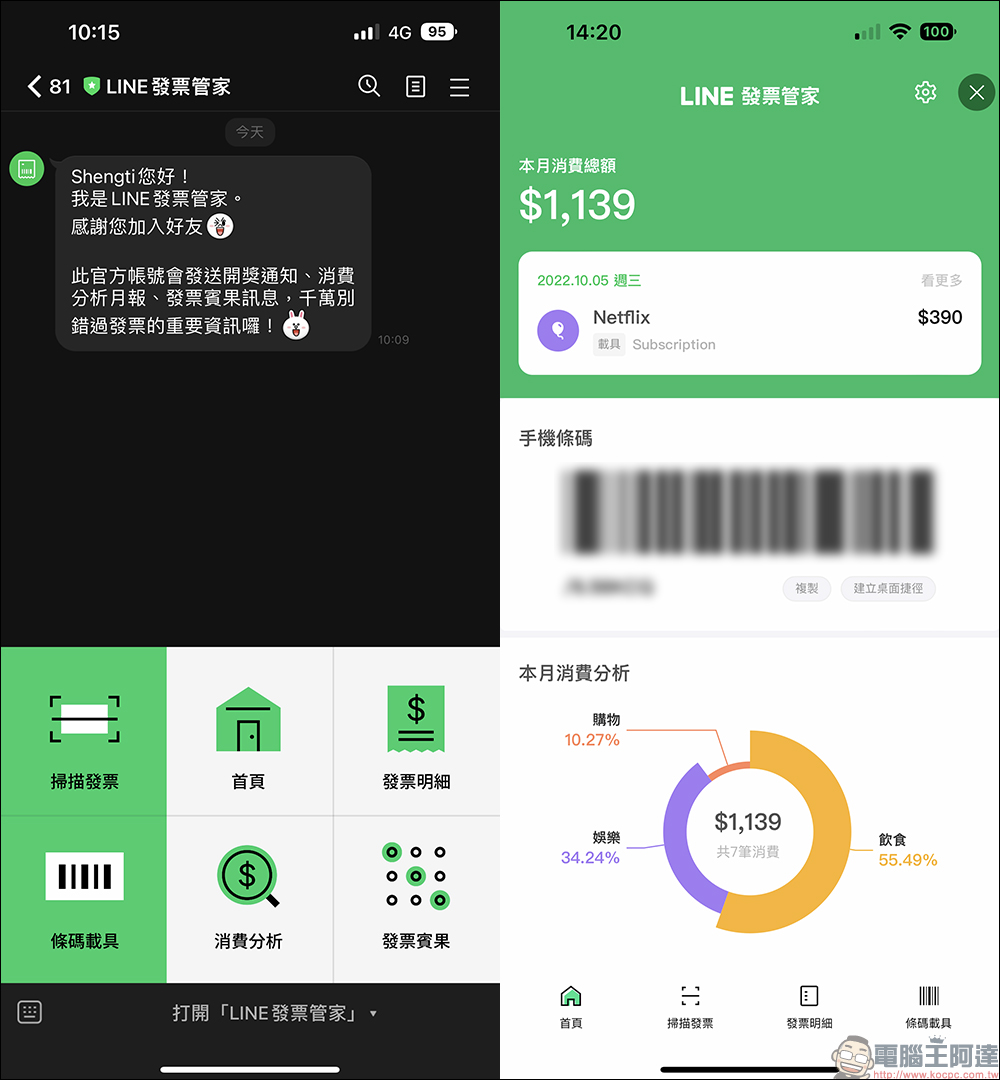
After adding LINE Invoice Manager as a friend, expand the function menu on the chat room page to select common functions such as invoice scanning, barcode carrier, invoice details, consumption analysis, invoice bingo, and LINE Invoice Manager homepage. On the homepage of LINE Invoice Manager, information such as the user’s total consumption this month, recent consumption, mobile phone barcodes, and this month’s consumption analysis report are clearly organized.
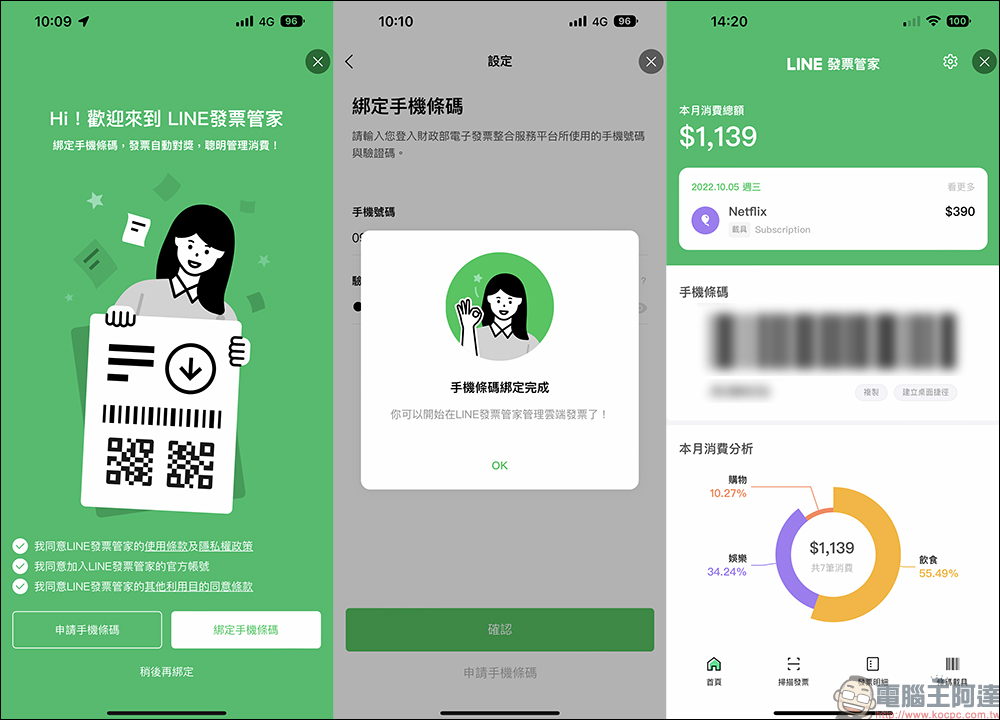
When using LINE Invoice Manager for the first time, you must first bind a mobile phone barcode. If you have not applied for a mobile phone barcode in the past, you can apply directly here. After the binding is successful, you can start using all the convenient functions in LINE Invoice Manager.
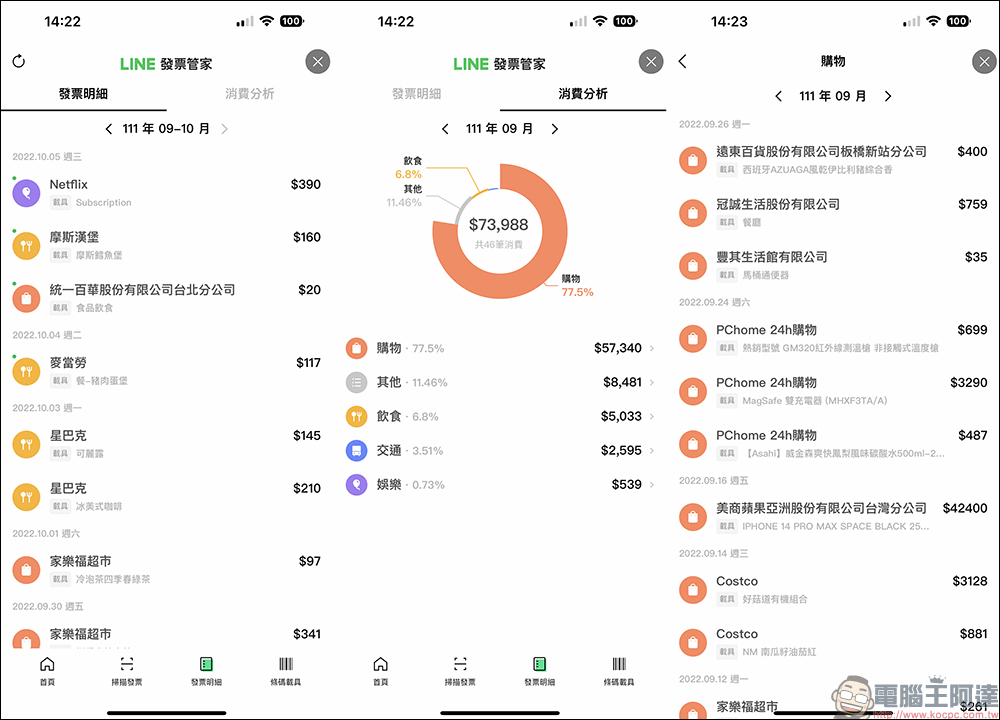
For example, invoice details will sort out all consumption records and invoice barcodes currently on cloud invoices. The consumption analysis will sort out the user’s monthly consumption records in the past few months, and at the same time automatically classify all consumption types, so that users can clearly know where their money is used. At the same time, the user’s consumption date, store, item, and amount will be displayed in the consumption record, eliminating the problem of not knowing which amount the expenditure is in the past when accounting.
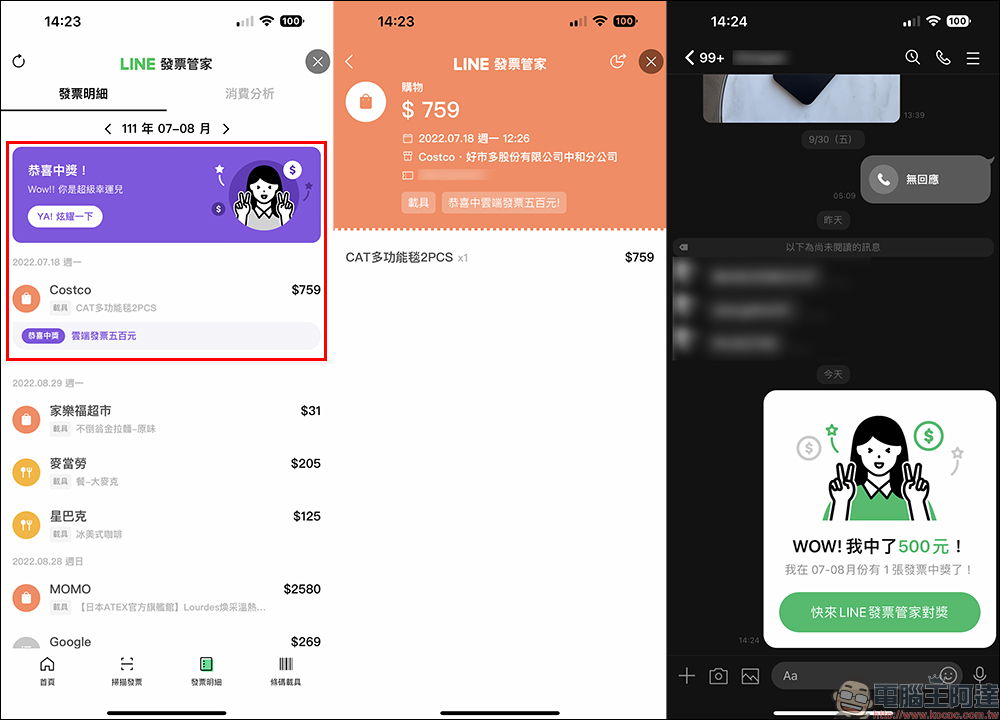
If you are lucky enough to win an invoice, the LINE Invoice Manager will also display the winning invoice at the top. Congratulations to the user on the winning amount and the contents of the invoice. You can also click “YA! Show It Off” to share it in the LINE chat room to share the joy of winning with your friends.
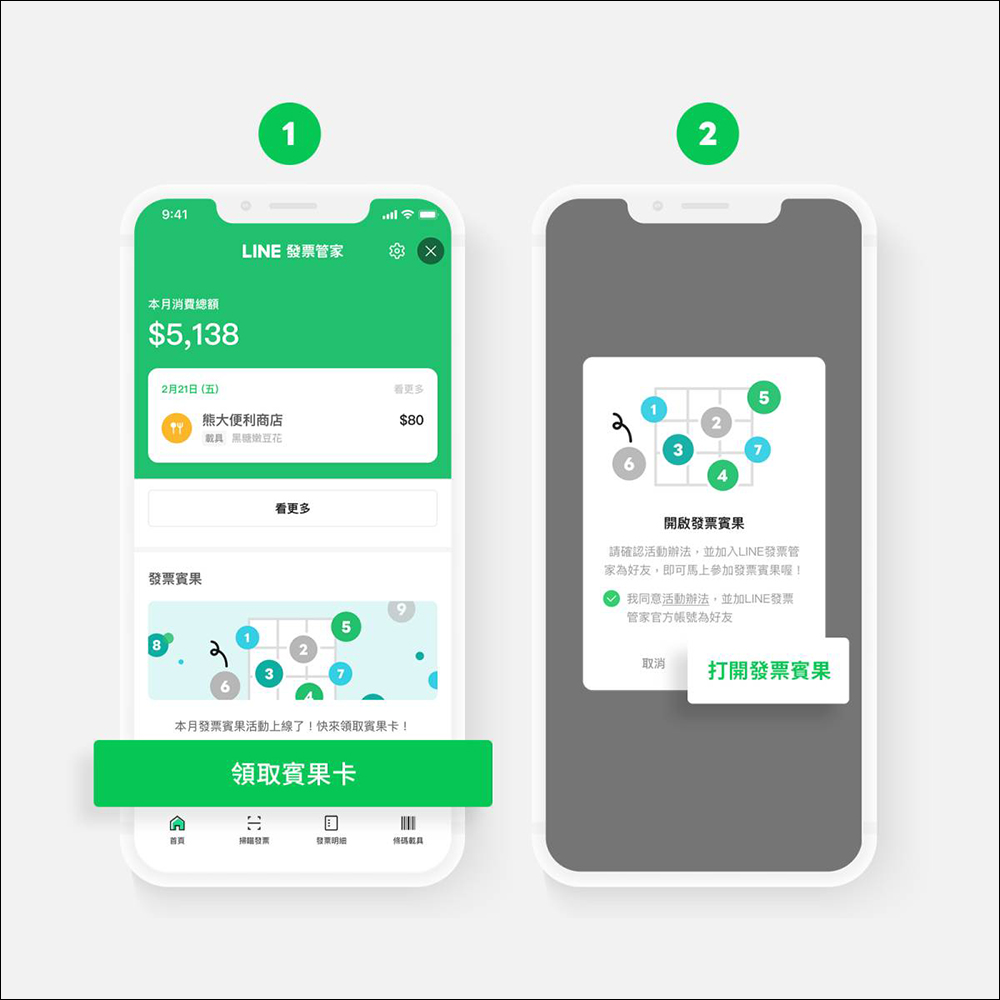
In addition to free downloading of the app, unlike other apps that can manage cloud invoices in the past, there is an exclusive “Invoice Bingo” game to play in LINE Invoice Manager! As long as you first receive a bingo card in LINE Invoice Manager, agree to the activity methods of Invoice Bingo and join the “LINE Invoice Manager” official account, you can open Invoice Bingo.
▲Picture source:LINE
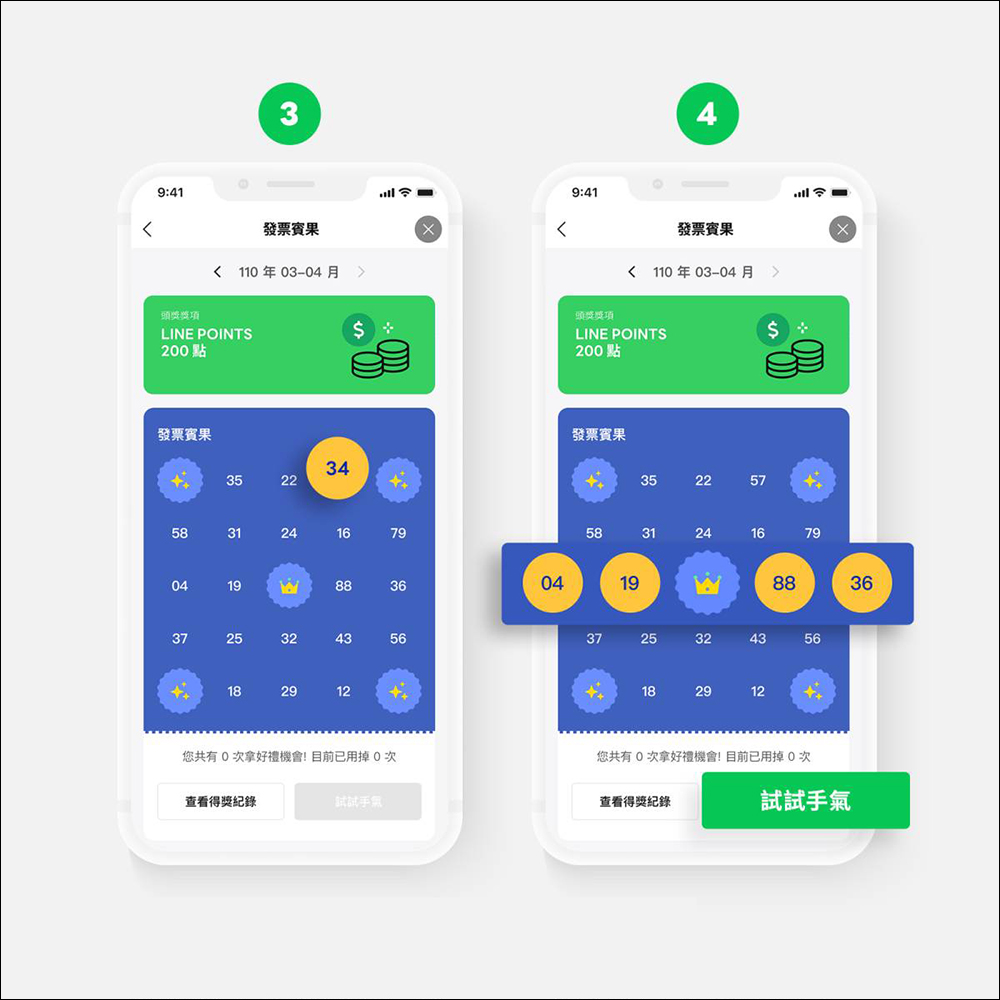
Then if the last two digits of the entered invoice match the bingo card number, the number will be marked in yellow. When the matched numbers are connected, you can click “Try your luck” to enter the invoice bingo event page.
▲Picture source:LINE
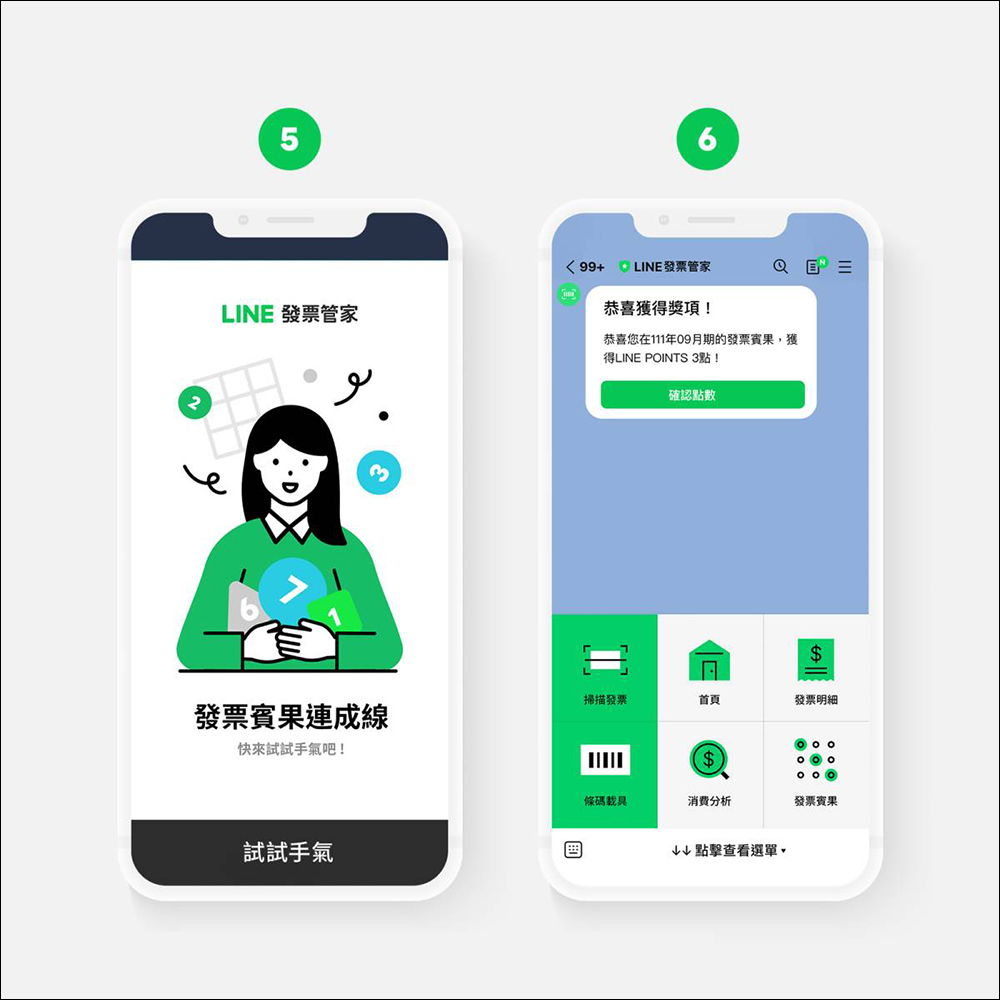
After entering the event page, click “Try your luck” to get random gifts. Awards won in the Invoice Bingo game will be sent to the official account of LINE Invoice Manager. Users can check the winning information on the LINE Invoice Manager chat room page and redeem gifts within the specified period.
▲Picture source:LINE
In addition to searching for the “LINE Invoice Manager” official account in the LINE friend list, users can also find the LINE Invoice Manager service button in the “Services” category on the LINE App homepage. If it is not found, click the “+Add” button to add it to the pin list. At this time, the LINE Invoice Manager service will be displayed on the LINE homepage!
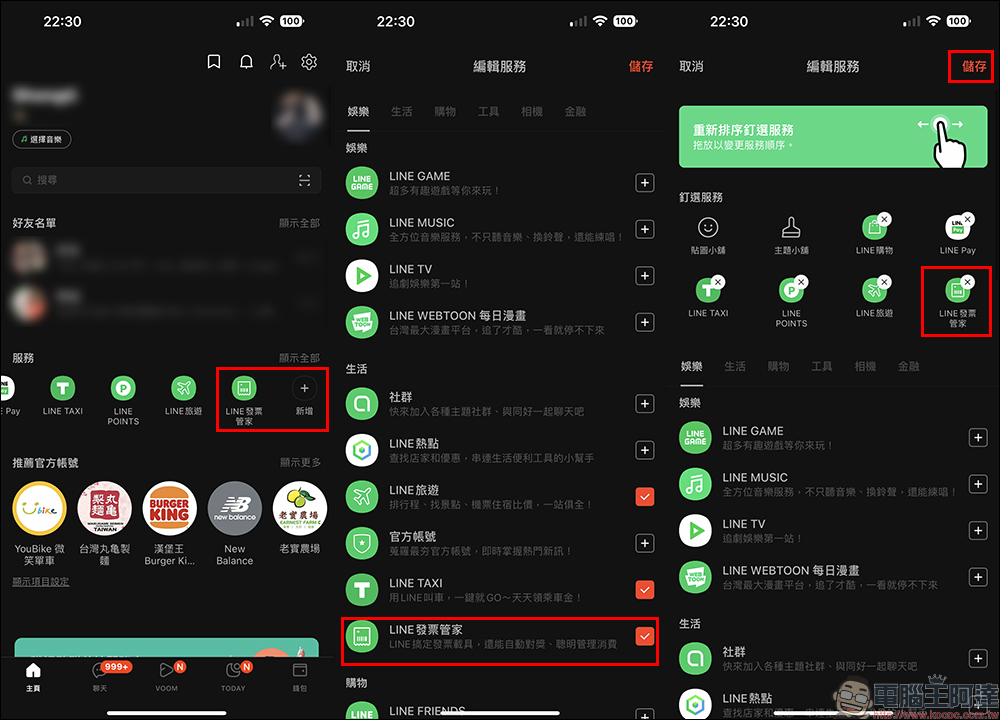
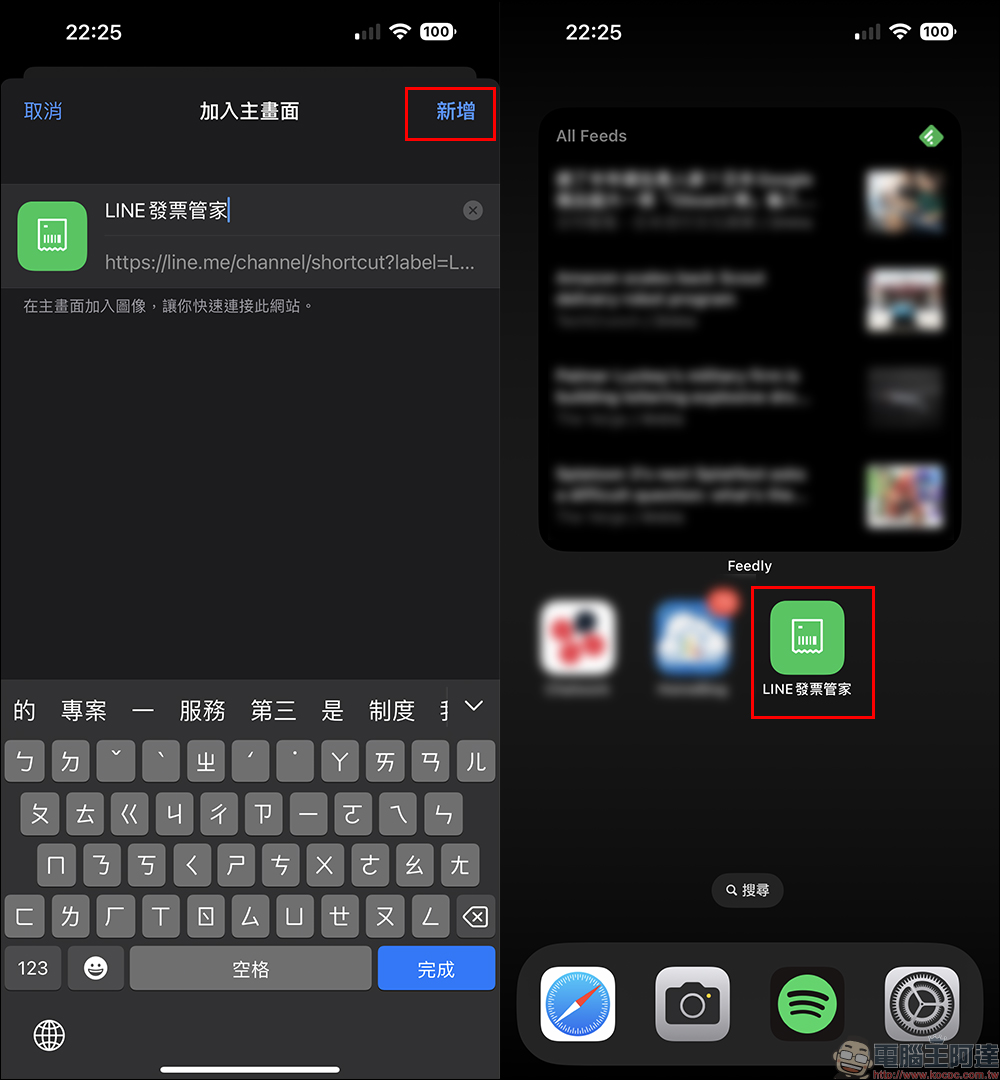
If you don’t usually want to open the LINE App to find LINE Invoice Manager, users can also click “Create Desktop Shortcut” in the lower right corner of the mobile phone barcode on the “Barcode Carrier” page of LINE Invoice Manager, and then add LINE Invoice Manager to the home screen of iOS or Android!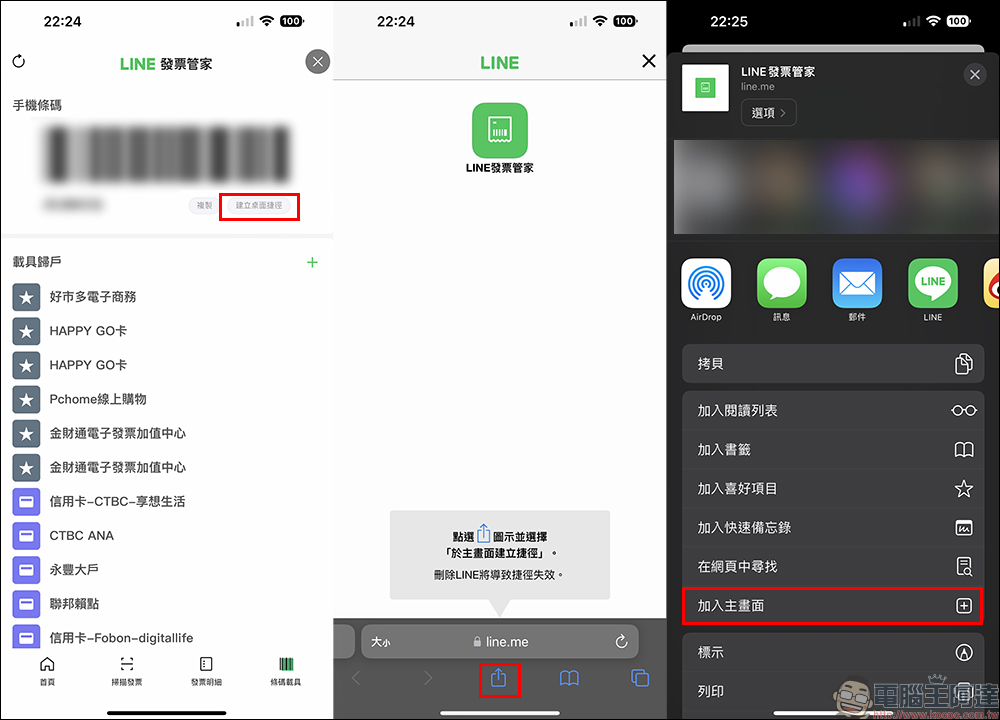
“LINE Invoice Manager” official account:Click me to add friends
Featured video of LINE Invoice Manager function
Further reading:
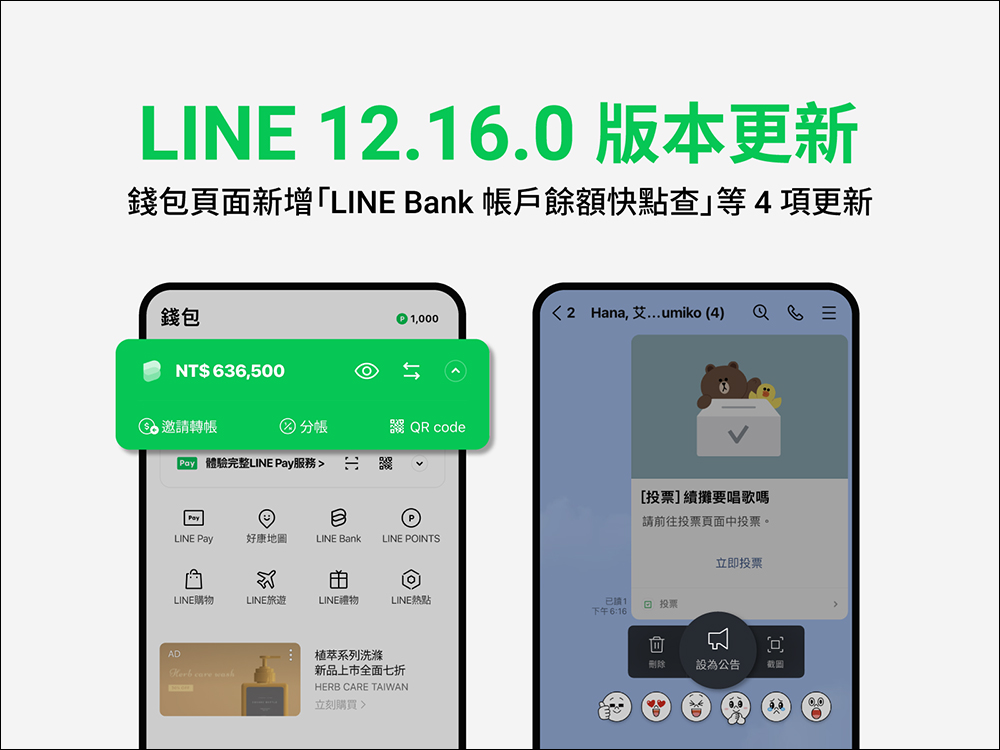
LINE 12.16.0 version update released: iOS 16 supports LINE gadgets, wallet adds LINE Bank account balance quick check and other updates
Source: KOCPC Chinese