


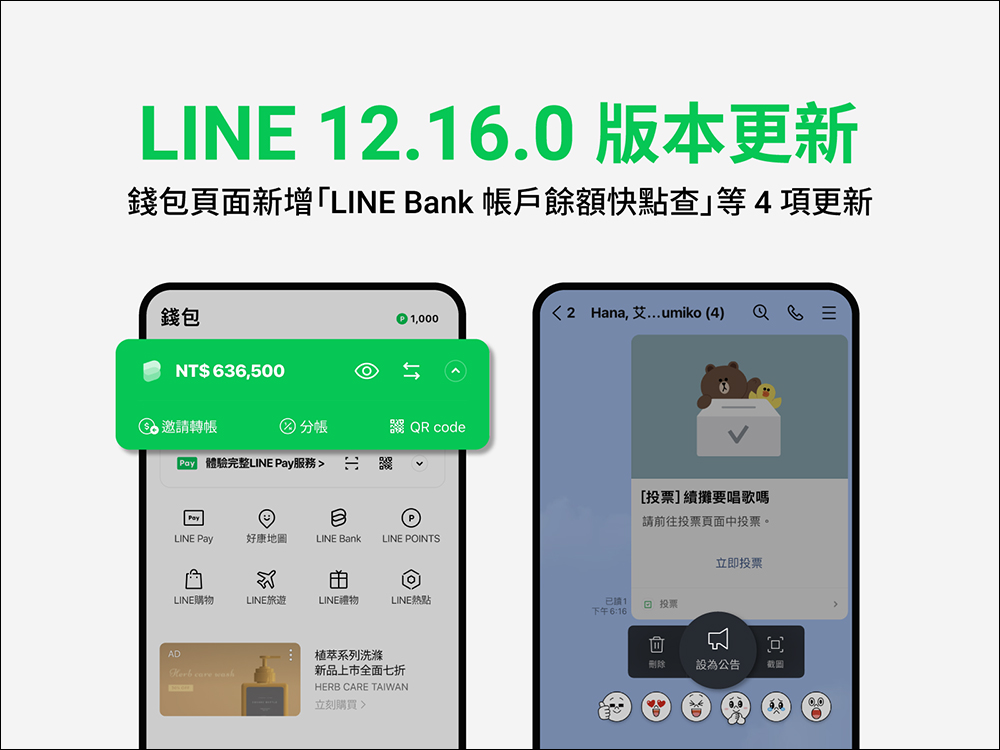
With iOS 16 supporting gadgets on the lock screen for iPhone users, the LINE 12.16.0 version update also supports this feature! In addition, this update adds LINE Bank account balance quick check on the wallet page, LINE VOOM interface optimization, and the ability to set activity messages as top announcements in chat rooms. Continue reading this article to see the detailed update content!
▲Picture source:LINE Taiwan official BLOG
LINE 12.16.0 version update released: iOS 16 supports LINE gadgets, wallet adds LINE Bank account balance quick check and other updates
Recently, LINE officially released version 12.16.0 update. This update mainly targets the following 4 functions:
- New LINE widget added to iPhone lock screen (iOS 16 only)
- Event messages can be set as pinned announcements on the chat room page
- LINE VOOM full screen interface optimization
- Added LINE Bank account balance quick check on the wallet page
LINE gadget added to iPhone lock screen in iOS 16
After iPhone users update to the iOS 16 operating system, they can add various gadgets to the lock screen to show their personal style and make them more convenient to use. From now on, users can also set LINE as a gadget! Just enter the lock screen editing page to add a LINE gadget. Users can select LINE to add through the gadget list or recommended gadgets below.
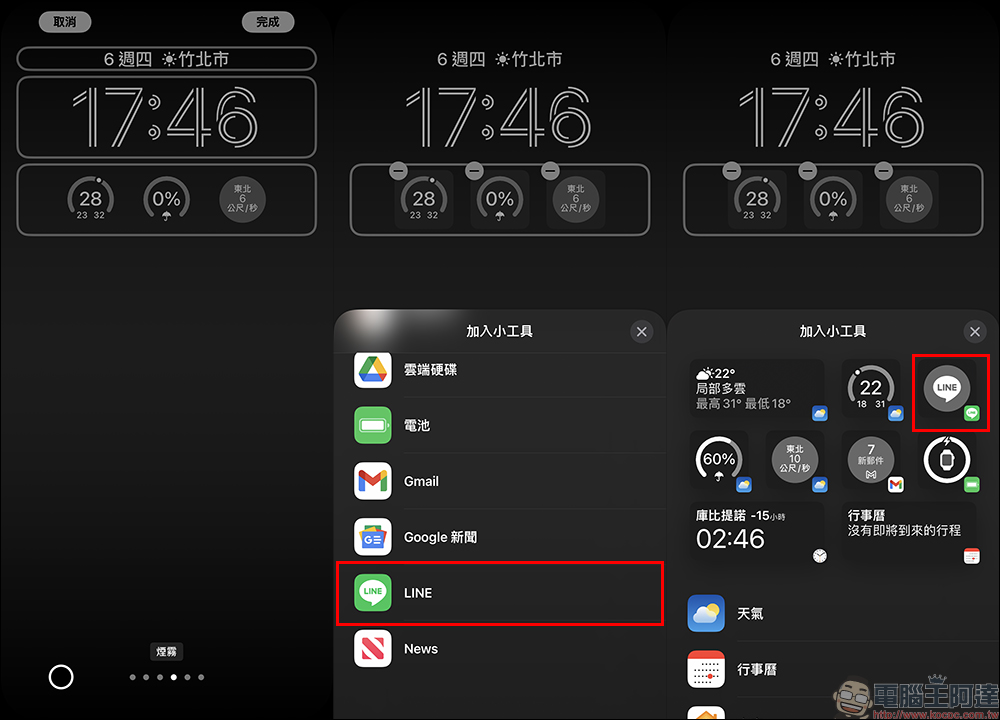
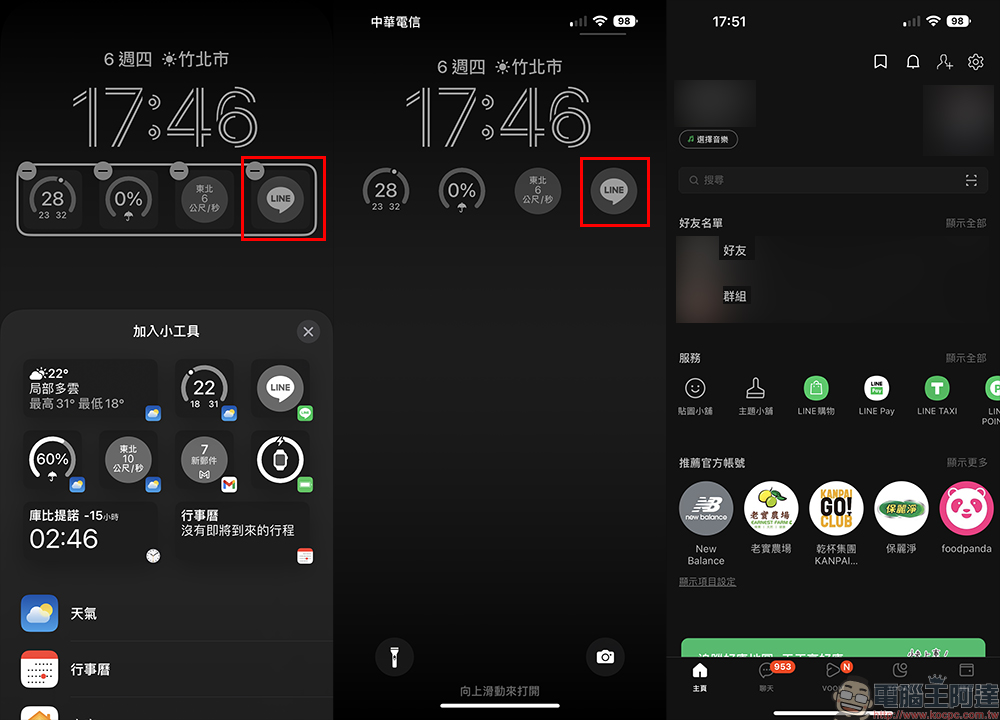
After adding the LINE widget to the iPhone lock screen, you can instantly open the LINE page by clicking on the LINE widget (a small reminder: the iPhone needs to be unlocked).
Chat rooms can directly set activity messages as “pinned” announcements
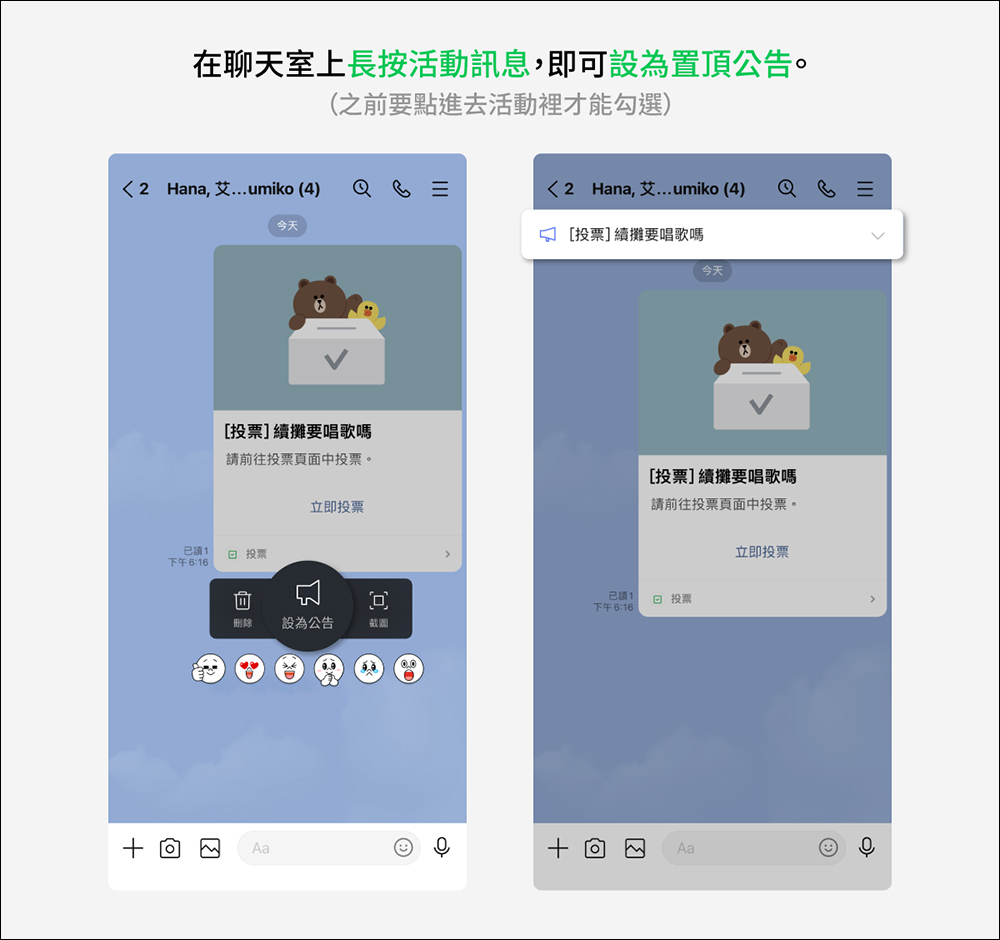
LINE chat rooms are built with many useful extension functions. Users can create polls, select dates, activities, etc. in the chat rooms. After the LINE 12.16.0 version update, just long-press the event in the chat room and click the “Set as Announcement” button in the menu to quickly pin the event message to the top. You no longer have to worry about important voting or other event messages being forgotten! This feature is not only suitable for group chat rooms, but also for one-on-one chat rooms.
▲Picture source:LINE Taiwan official BLOG
LINE VOOM interface optimization
LINE’s short video and audio service LINE VOOM is now also optimized for the interface and supports a full-screen direct viewing experience. The new interface brings together popular long and short video content, using a waterfall flow method so that each video can be played continuously without interruption. In addition, it can also be equipped with smart recommendation and tracking functions to further enhance the user experience. After the update, response buttons such as like, comment, share, and voice control will also be set on the right side of the screen to make it more convenient for users to click.
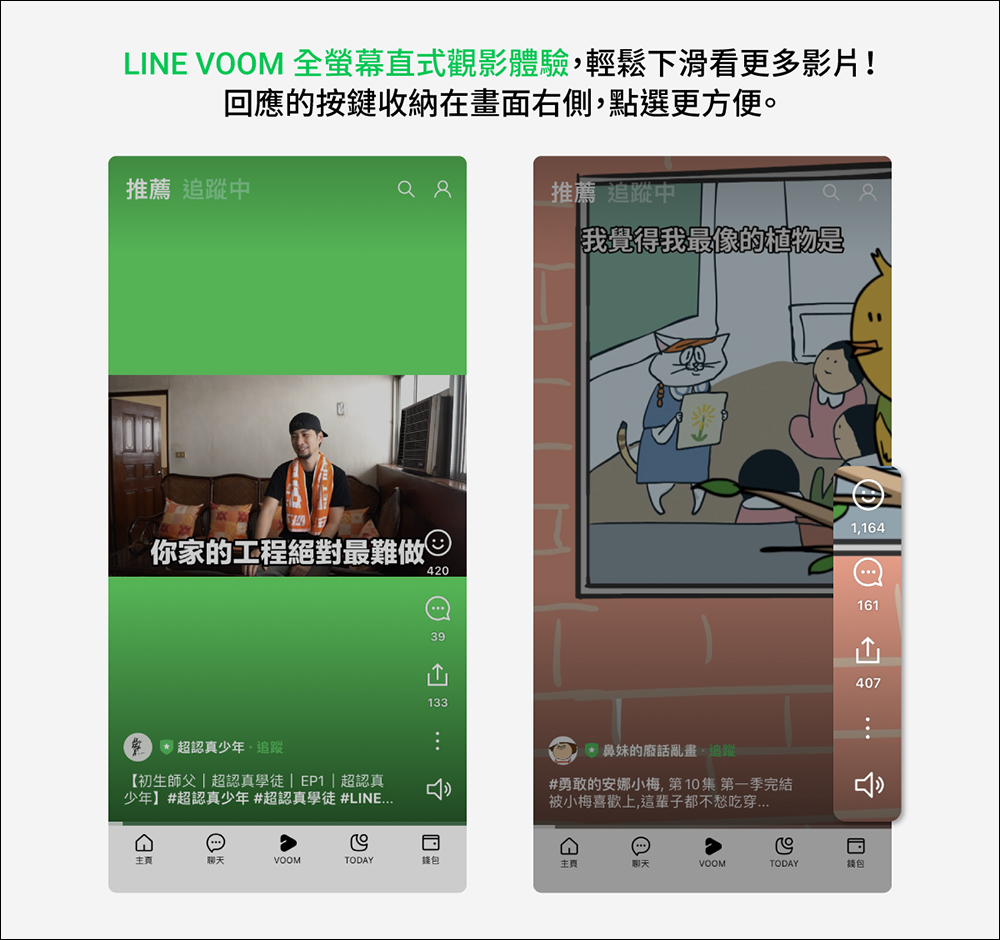
▲Picture source:LINE Taiwan official BLOG
The “LINE Bank account balance quick check” function has been added to the wallet page
LINE Bank provides a wealth of financial services. After the update to LINE 12.16.0 (inclusive) and above, you can also directly see the account balance on the wallet page of the LINE App! Through the LINE Bank account balance quick tea function, LINE Bank users can open the most frequently used financial services such as transfers, invitation transfers, and account splitting with one click. In addition, you can also quickly check the available balance of the LINE Bank main account in the account balance query on the LINE App wallet page.
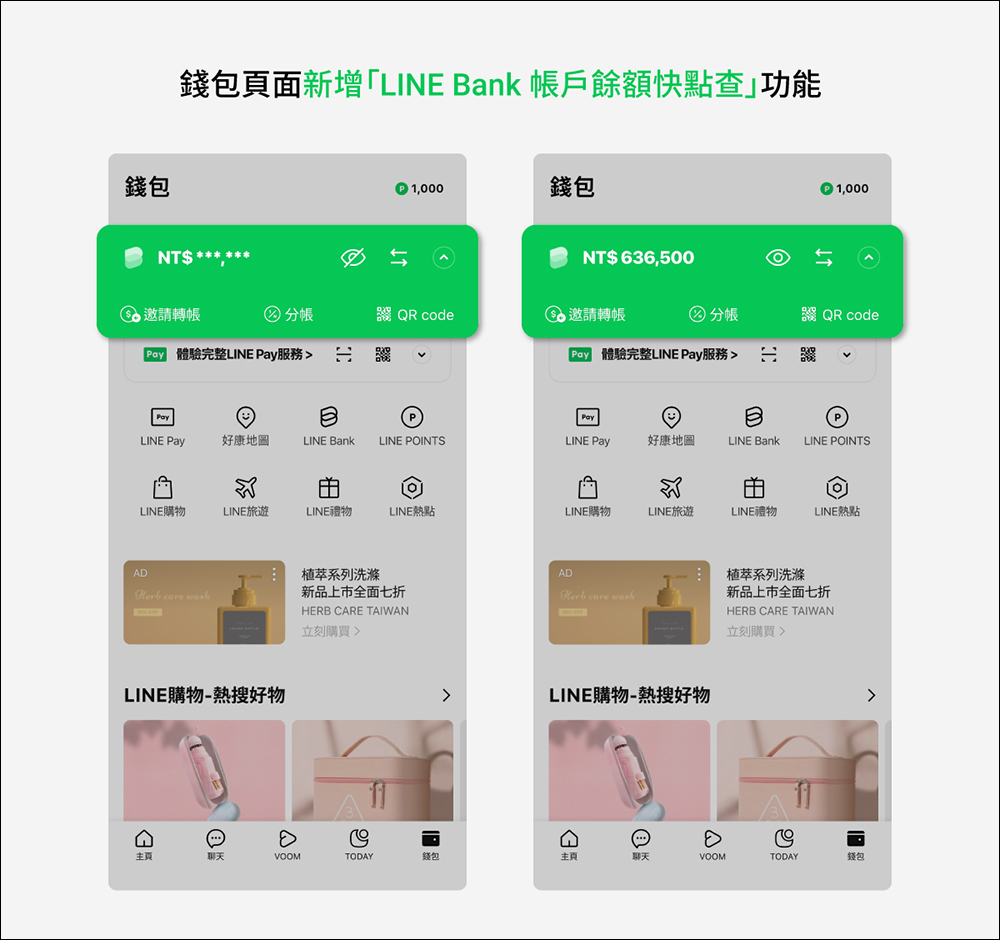
▲Picture source:LINE Bank Official Blog
How to enable the quick check function of LINE Bank account balance?
First, click on the balance display block at the top of the LINE App wallet page, then follow the instructions to log in to the LINE Bank account, click “Agree to activate” to complete the activation, and you can check the LINE Bak balance at any time on the LINE App wallet page.
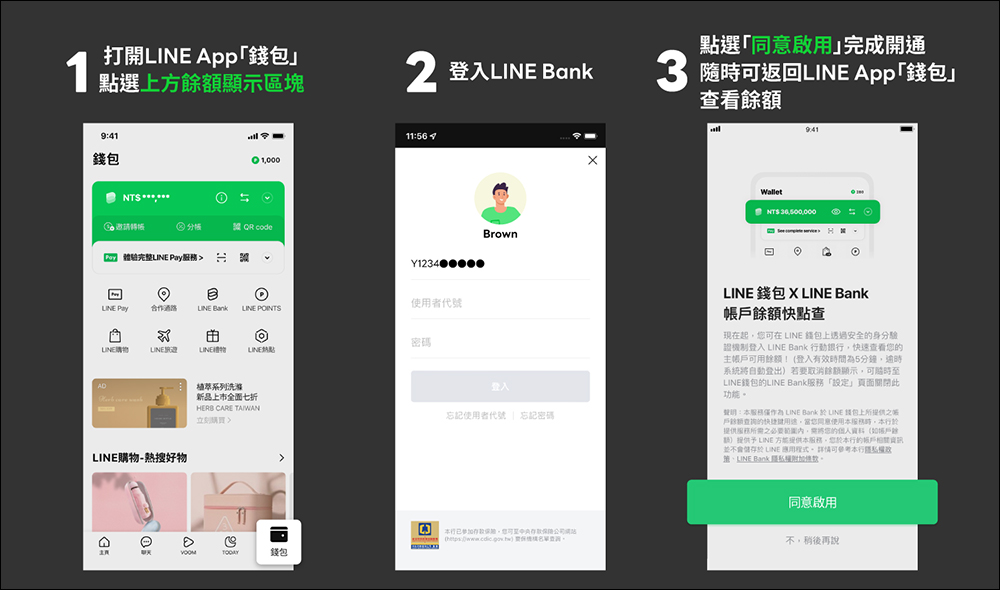
▲Picture source:LINE Bank Official Blog
In addition, the transfer service shortcut key on the LINE wallet page can quickly log in to the LINE Bank account with one click, making commonly used invitation transfers, account splits and other transactions faster.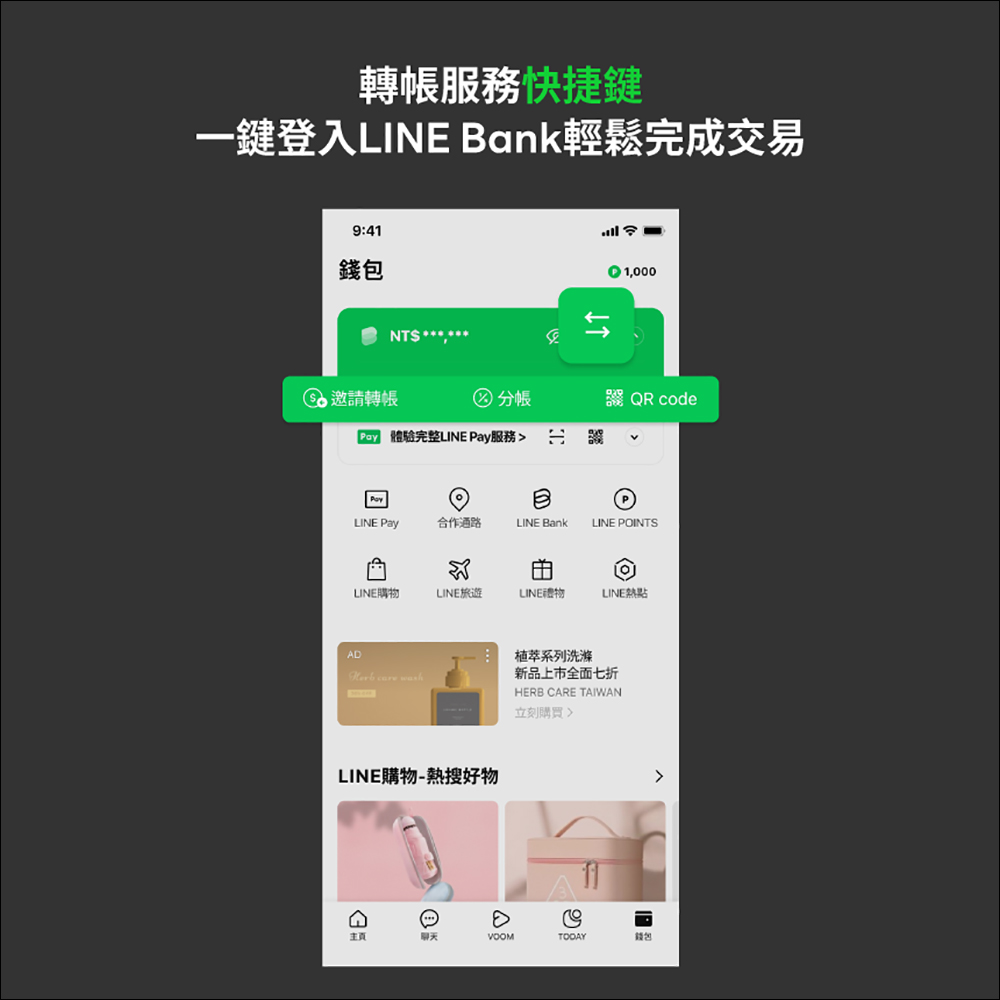
▲Picture source:LINE Bank Official Blog
According to the user’s needs, the account balance can be hidden or displayed. The system automatically records the setting status before the last login. Even if you use your mobile phone in public, you are not afraid that your LINE Bank balance will be exposed.
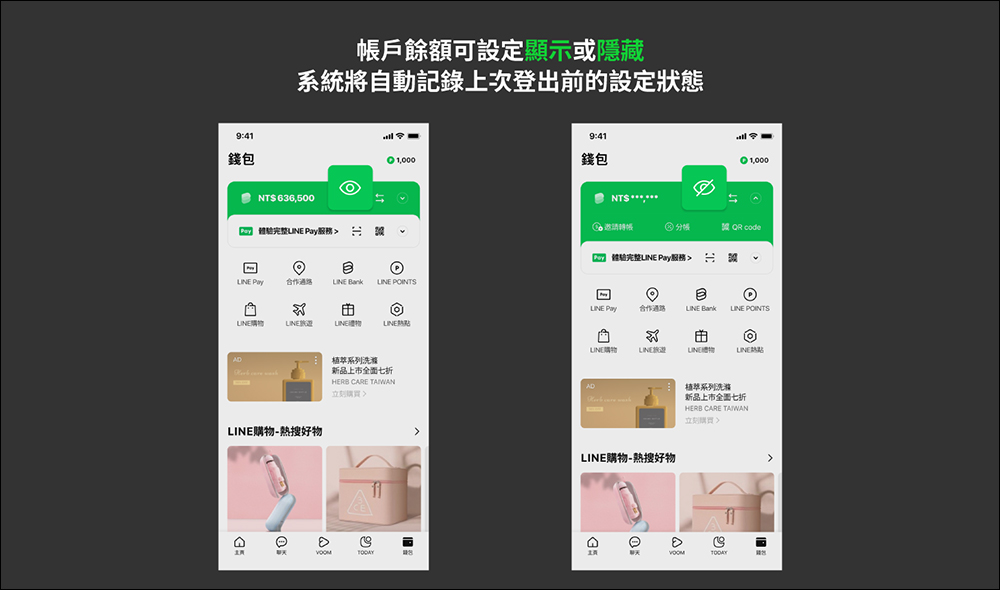
▲Picture source:LINE Bank Official Blog
To modify the display of main account balance in LINE wallet, users can also open the LINE Bank App and enter the settings page. Click “Display main account balance in LINE wallet” to switch this function.
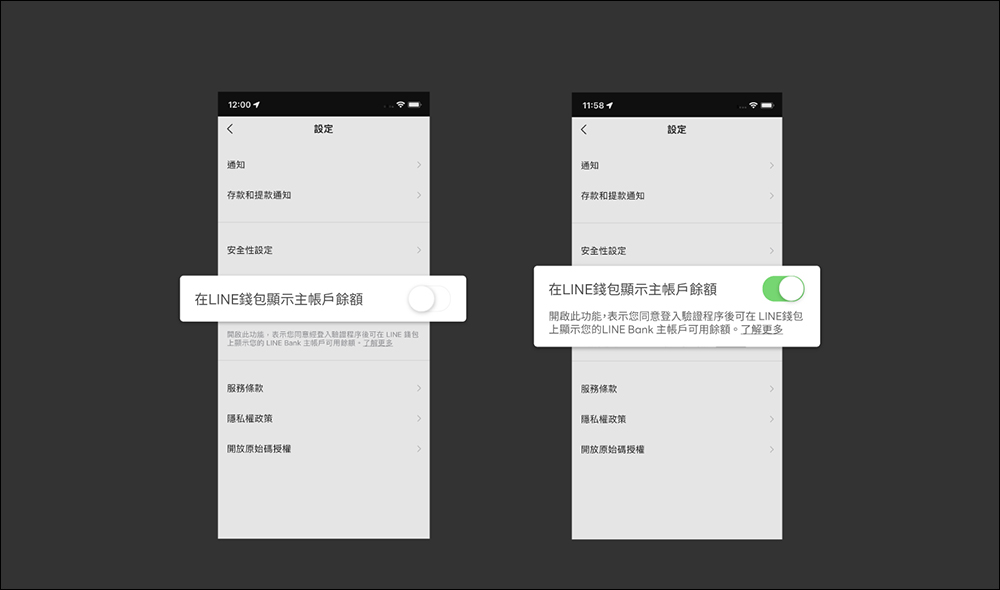
▲Picture source:LINE Bank Official Blog
Further reading:
LINE free sticker collection: 29 free LINE stickers available for download for a limited time
Source: KOCPC Chinese