


For those who are not used to the screen hole-punching called Dynamic Island, switching to dark mode and using dark tablecloths to make it less visible are practices mentioned in many experiential tutorials. However, the strange thing is that in the latest test version of iOS 16.1, Apple seems to be quite determined to let users still find the existence of the dynamic island even in such a dark wallpaper state. Continue reading Highlights? The iOS test helps you “circle” the dynamic island to report the content when using a dark wallpaper.
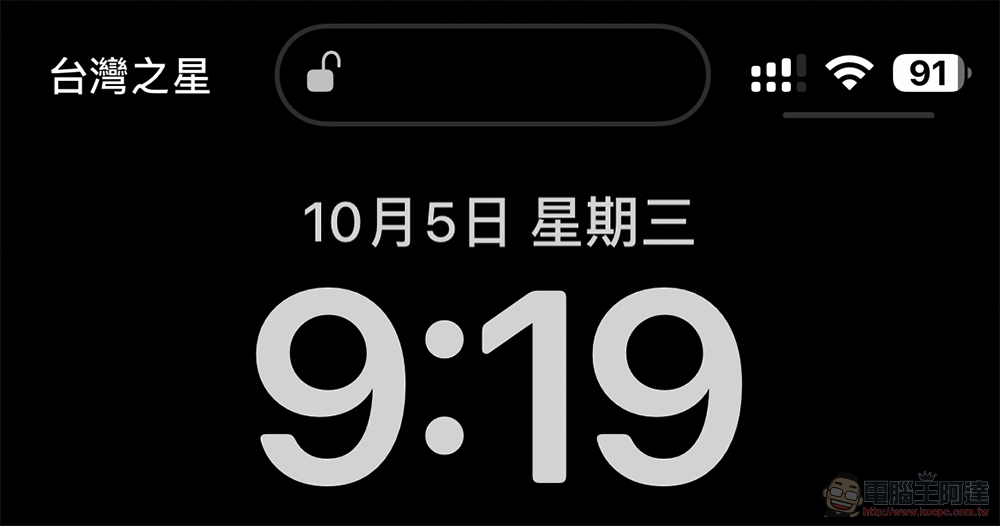
Draw the key points? iOS test helps you “circle” dynamic islands when using dark wallpapers
Although in Early unboxing experience of iPhone 14 Pro MaxAt the time, we did notice that Apple’s dynamic island experience was actually depicted with gray edges in some cases.the whole islandA capsule-cut area with holes drilled into the entire screen to highlight the display range of this area. However, for iPhone 14 Pro and iPhone 14 Pro Max users who do not want the dynamic island to have too much presence or do not like this kind of screen cutting area, basically just switch to dark mode and select a black wallpaper, and the presence of the dynamic island will be significantly reduced like the bangs of the previous iPhone.
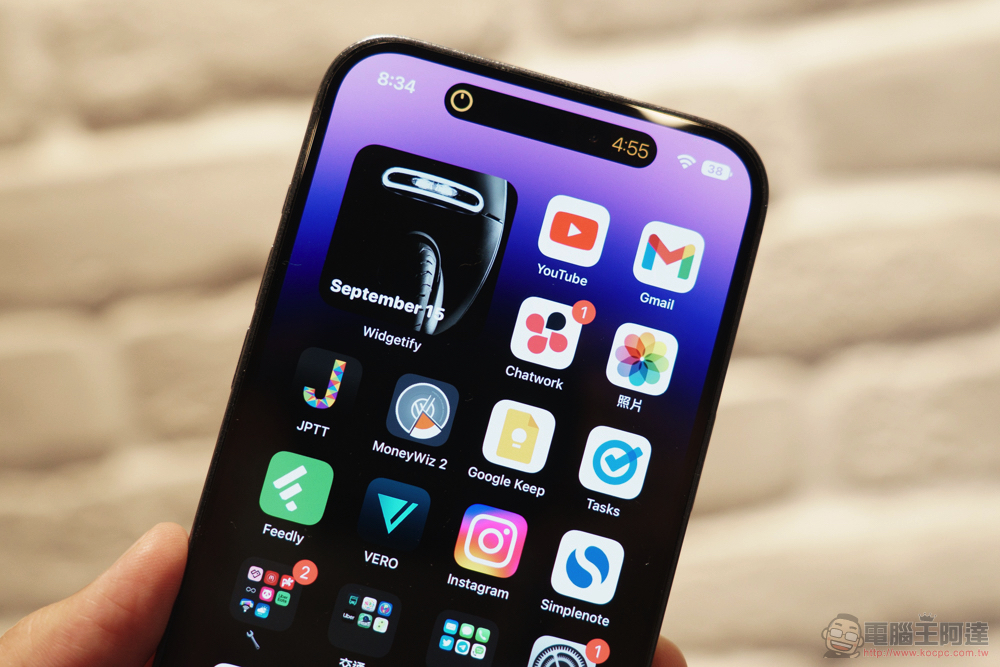
However, in the latest version of iOS 16.1 Beta, Apple not only corrected AirPods Pro can also play with the “Bug” of adaptive transparency mode(QQ…). It seems that it is not good to not be able to clearly see the boundaries of the dynamic island on a dark wallpaper, so I would like to help everyone actively circle the entire range of the dynamic island when permanently displaying and executing related functions of the dynamic island (eh).
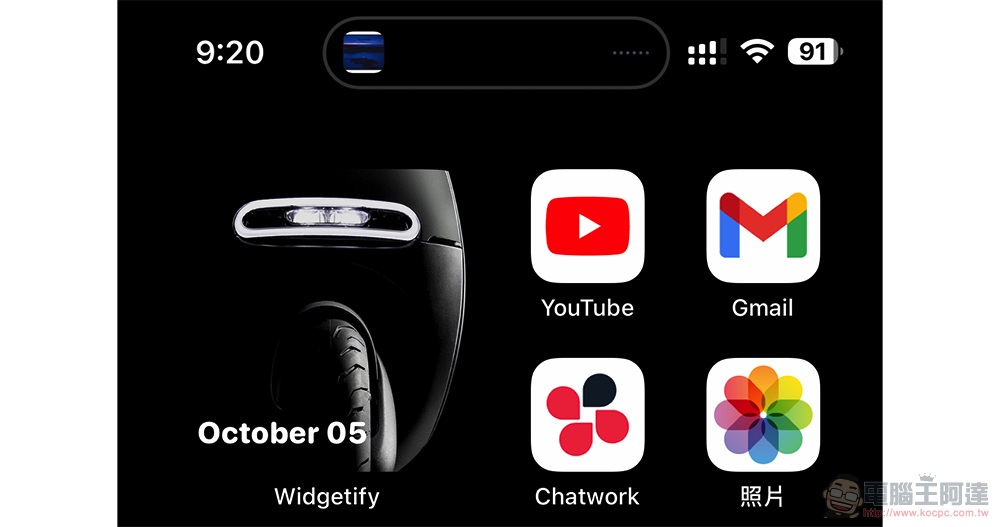
Maybe Apple hopes that users should clearly know the scope of the dynamic island to ensure that there will be no problem of accidentally touching the functional area?
In the latest beta version of iOS 16.1, if you are using a black wallpaper. The dynamic island experience will not only display a gray circle when the standby screen is always displayed and when the multitasking state is playing music; when the navigation function is activated, the dynamic island will also surround the current multitasking range with a blue aperture; I originally thought that when using the timer, it will be surrounded by an orange halo, but unexpectedly it only maintains the dynamic island display mode with only a black background.
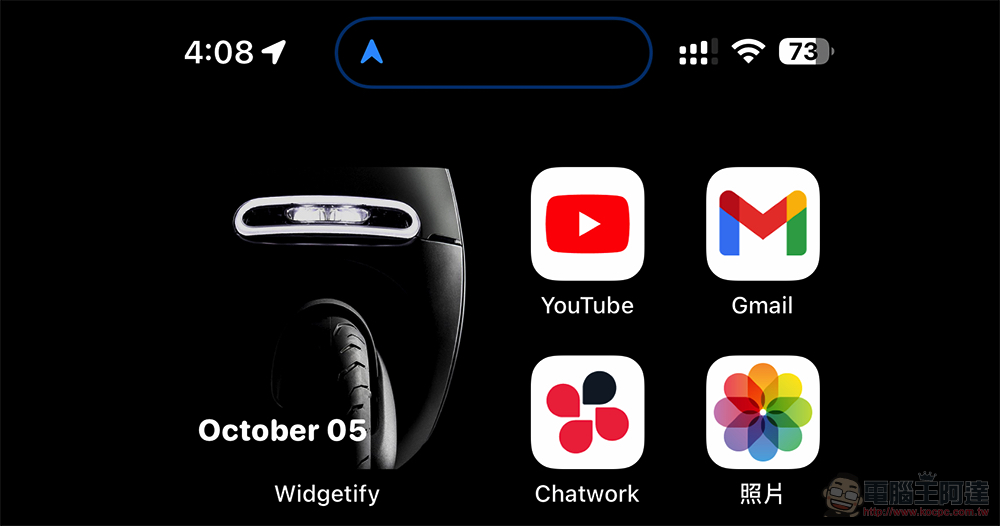
After trying it out for a while, you will find that this should be an experience that is still under testing. In fact, as long as you switch to a relatively dark color tablecloth, it will not appear like this – if you use pure black, it will definitely appear. Because of this, I occasionally feel that the contrasting blue aperture actually feels a bit inexplicably handsome (XD).
Further reading:
Source: KOCPC Chinese