


Does everyone still remember the Hai Luo AI creative video platform we introduced before? In less than a year, the areas Hai Luo AI has been working on have shifted fromVideo generationtoSound generationThe video generation quality of Hailuo AI is currently among the best in the industry, which is why many people have been looking forward to Hailuo AI launching a mobile app to make video generation more convenient. Finally! Hailuo AI has officially launched the genuine Hailuo AI mobile app for Android and iOS users. You can download it right now, and Hailuo AI offers plenty of free credits so everyone can experience the video generation services that the mobile version of the Hailuo AI app provides.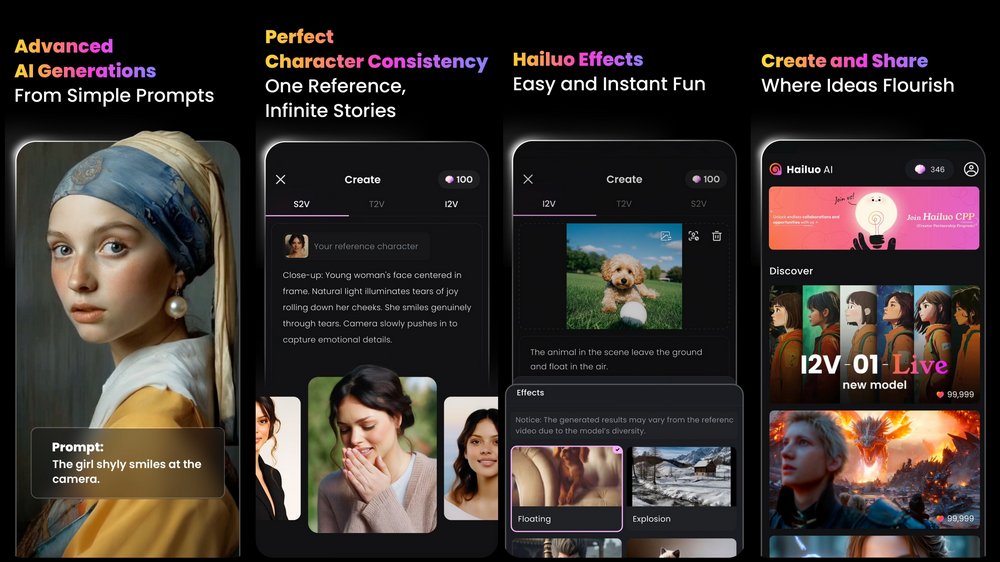
Hailuo AI mobile app is now officially available! iOS and Android users, come experience the free video generation service.
Conch AI launched a desktop version last year.Conch AI Creative Video PlatformSince then, who knows how many people have tried it? Last year, when many video generation tools were still in their early stages, the effects provided by Hailuo AI already surprised many people. At that time, the video of an Asian woman turning from laughter to crying sparked a lot of discussion. Recently, Hailuo AI finally launched its own “official” Hailuo AI mobile app, and everyone can now go to the App Store and Play Store to download and try it.
It’s Here – Hailuo Video APP is LIVE!
We’re excited to announce that the Hailuo Video App is now officially live and available for download!
iOS: https://t.co/pnhlvSkvAj
Android: https://t.co/Q0HxkLYRzWImportant Notice
There are many fake apps out there trying to steal the… pic.twitter.com/GxRZSZosp2— Hailuo AI (MiniMax) (@Hailuo_AI) March 4, 2025
- Go to the App Store to download the Hailuo AI app.
- Go to the Play Store to download the Hailuo AI app.
After downloading the Hailuo AI app, open the APP and choose a login method. Hailuo AI offers two login options: Apple and Google. Just pick the one you usually use. After logging in, Hailuo AI will give you 1100 shells. Each video costs 30 shells, so you can generate 36 videos in total. Note! The 1100 shells are only valid for three days, and you can only generate three videos at a time.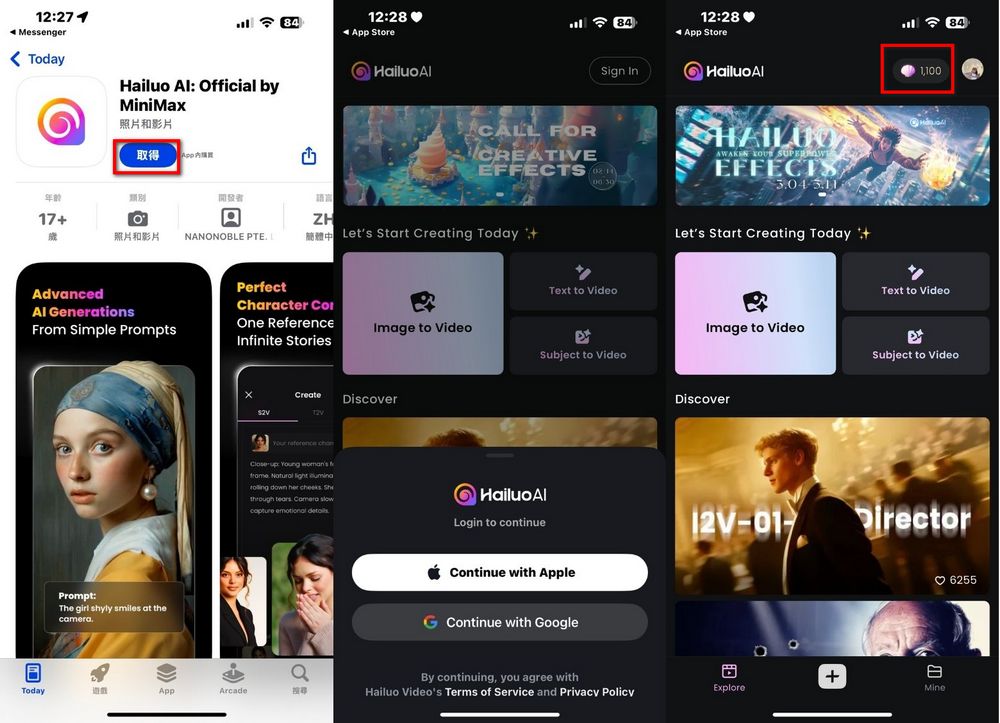
Hailuo AI’s mobile version offers three options: Image to Video, Text to Video, and Subject to Video, so you can choose the generation method you prefer. After tapping Image to Video, you’ll see this screen. Upload the reference image at the top, then enter your Prompt below (Chinese prompts work too). Once you’ve filled everything in, tap the shell at the bottom right to generate the video!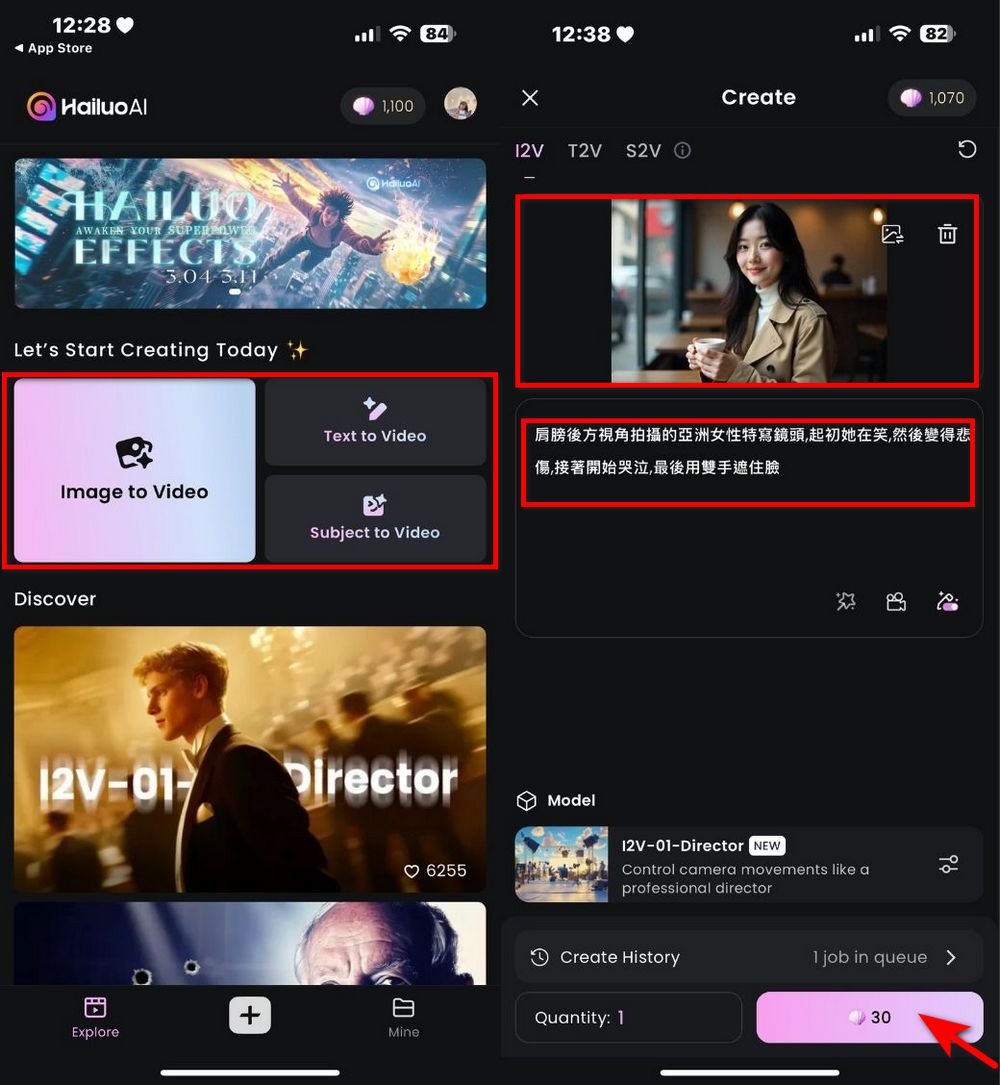
The editor used the same prompt for both Image to Video and Text to Video to generate the videos—everyone can check out the results. Prompt: “Close-up shot of an Asian woman filmed from behind her shoulder; she starts off smiling, then becomes sad, then begins to cry, and finally covers her face with both hands.”
Interested friends can download the Hailuo AI mobile app to try it out themselves, but everyone should be careful when downloading because there are many pirated Hailuo AI apps on the App Store and Play Store right now. So when downloading, make sure the app name on the App Store is “Hailuo AI: Official by MiniMax,” and the app name on the Play Store isHailuo AI: AI Video Generator」is the genuine app released by Conch AI! 
Source: KOCPC Chinese