


Recently, there have been frequent earthquakes across Taiwan, and disasters have also been reported in some areas. LINE announced yesterday (18th) the launch of a new function called “LINE Safety Alert”, which allows users to immediately report their safety status through LINE when an emergency disaster occurs. They can also check whether their family and friends are safe, reducing the anxiety of being unable to contact their loved ones due to disasters.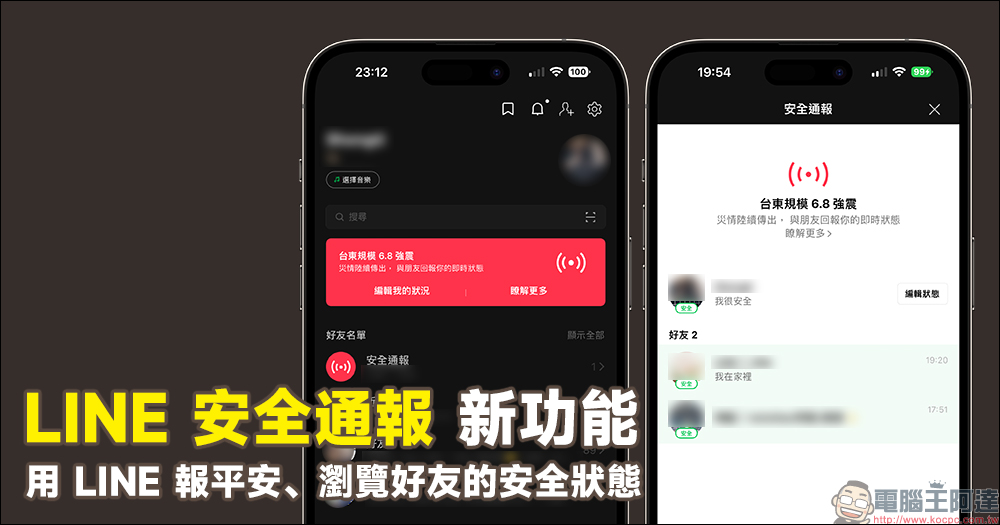
LINE security notification new function: use LINE to report safety and browse the security status of friends
Although we cannot predict natural disasters, we do not hope that they will happen. When major disasters such as earthquakes and typhoons are reported, many people, while ensuring their own safety, will also worry about the safety of their relatives and friends in other places.
LINE announced the launch of the “LINE Safety Report” function yesterday (18th), allowing users to report their own status in the fastest and fastest way. No need to type, just click a button to report their safety status immediately through LINE when an emergency disaster occurs.
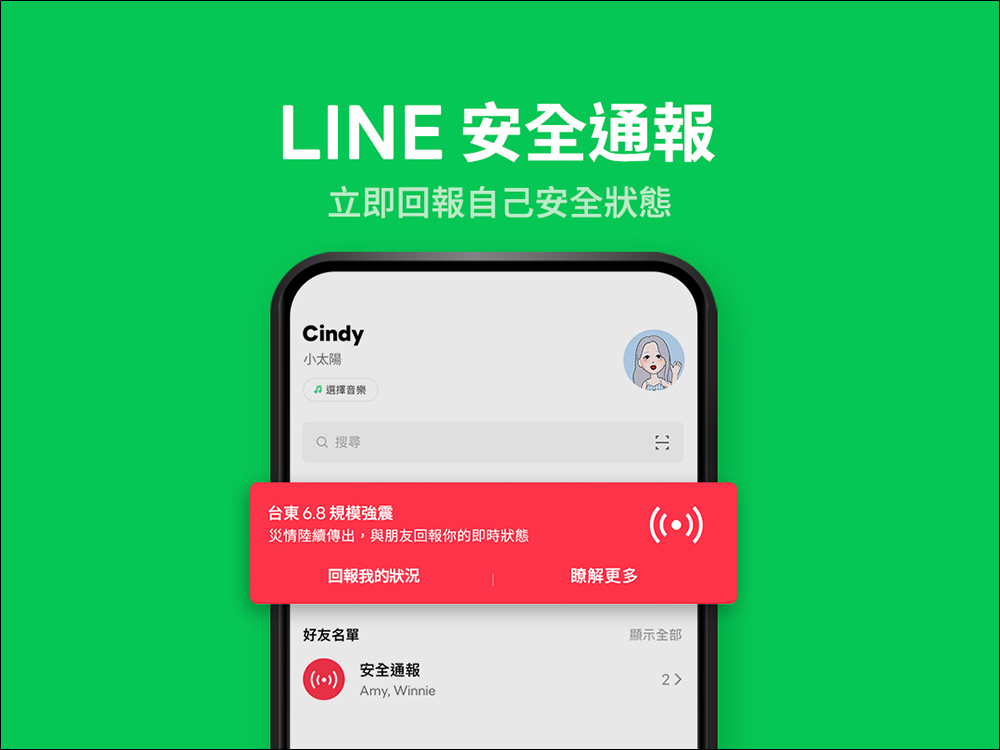
▲Picture source:LINE Taiwan official BLOG
When will LINE Security Alerts be enabled?
LINE safety notification is a nationwide function. Users cannot lock the settings of a single county or city. This function is turned on and off by the LINE team. Currently, the situations where LINE safety notification is turned on are:
- Earthquakes of magnitude 6 or above on the Richter Scale that cause serious damage
- A typhoon with strong impact and severe damage
- Other serious large-scale events
When the “LINE Safety Notice” function is turned on, Taiwanese users who meet the corresponding LINE version will see the “LINE Safety Notice” field on the LINE “Homepage”. “LINE Security Alert” is applicable to LINE 12.7.0 (inclusive) and above, and can be used on both Android and iOS platforms. Versions other than mobile phones (for example: PC version) are not currently supported.
How to use LINE safety notification function?
When a disaster occurs, the LINE team will enable the “LINE Safety Alert” function and display it at the top of the user’s LINE homepage.
Users only need to click “Report my situation” in the “LINE Safety Report” field, and then click “I am safe” or “I am affected”. Then, they can click on the default message below to further report their situation (for example: “I am safe”). Finally, click “Save” and it will be displayed in the friend list on the LINE homepage. After the report is completed, users can also check whether LINE friends who have reported safety status are now safe.
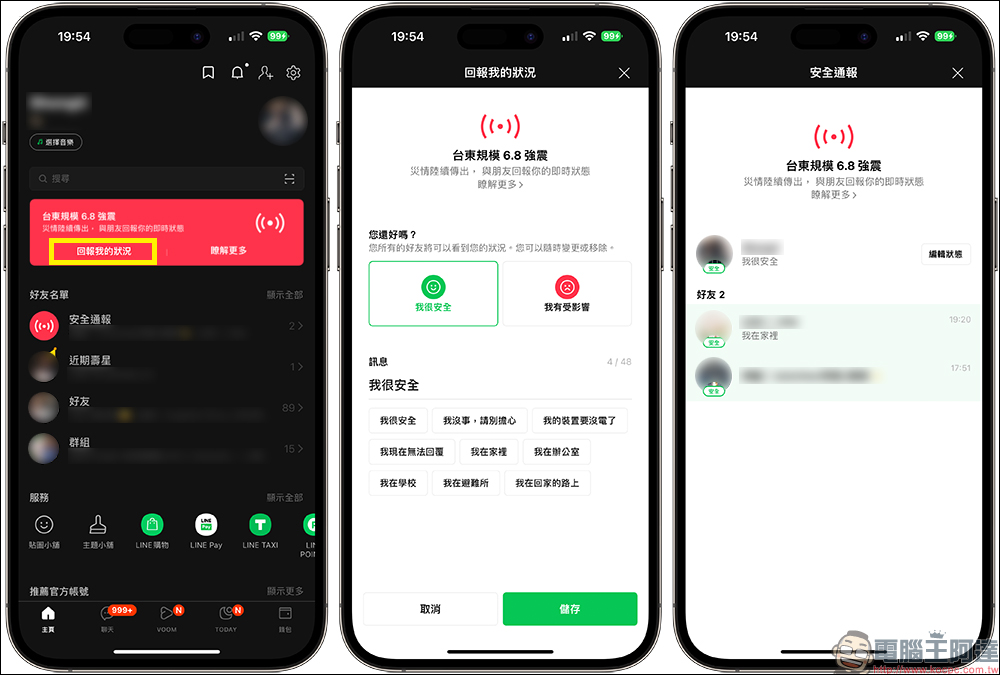
Users can click “Safety Report” on the “Friend List” on the LINE homepage to view the current safety status reported by their friends. If your status changes after reporting it, you can click “Edit My Status” to make adjustments so that your friends can keep track of your latest status.
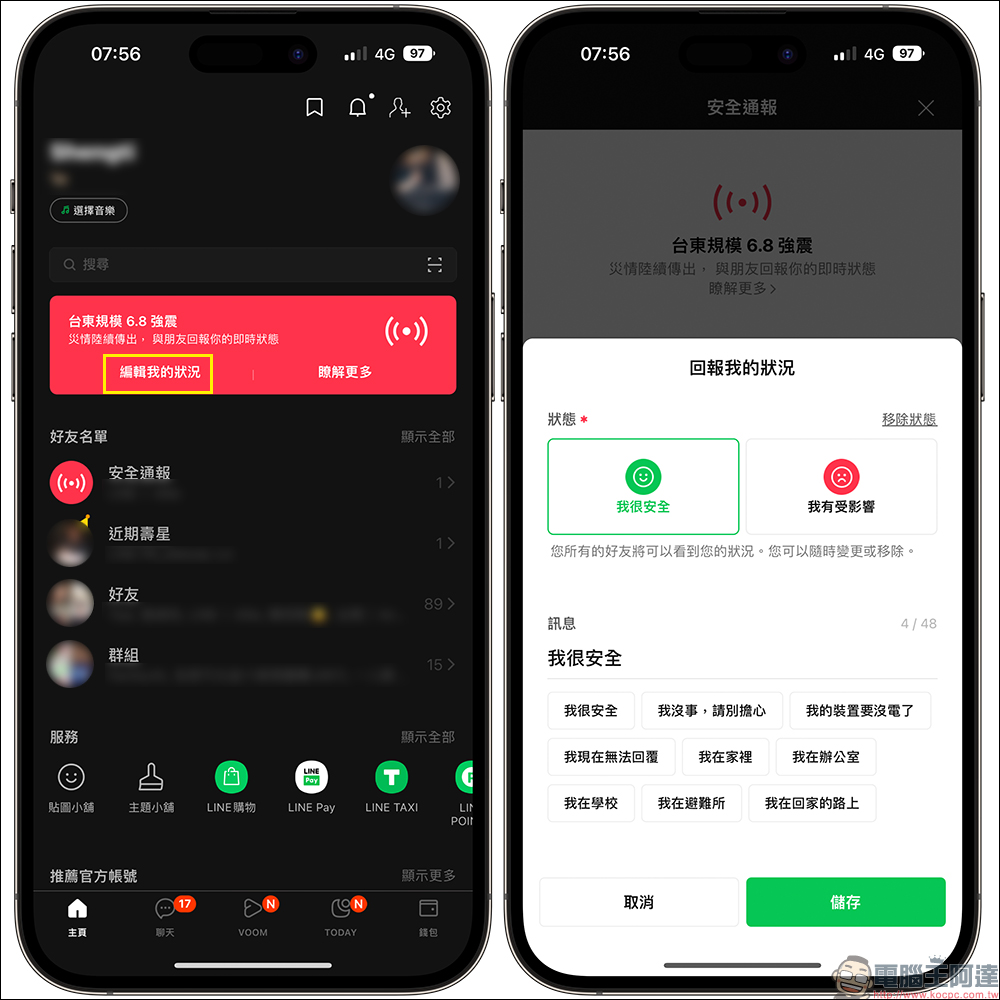
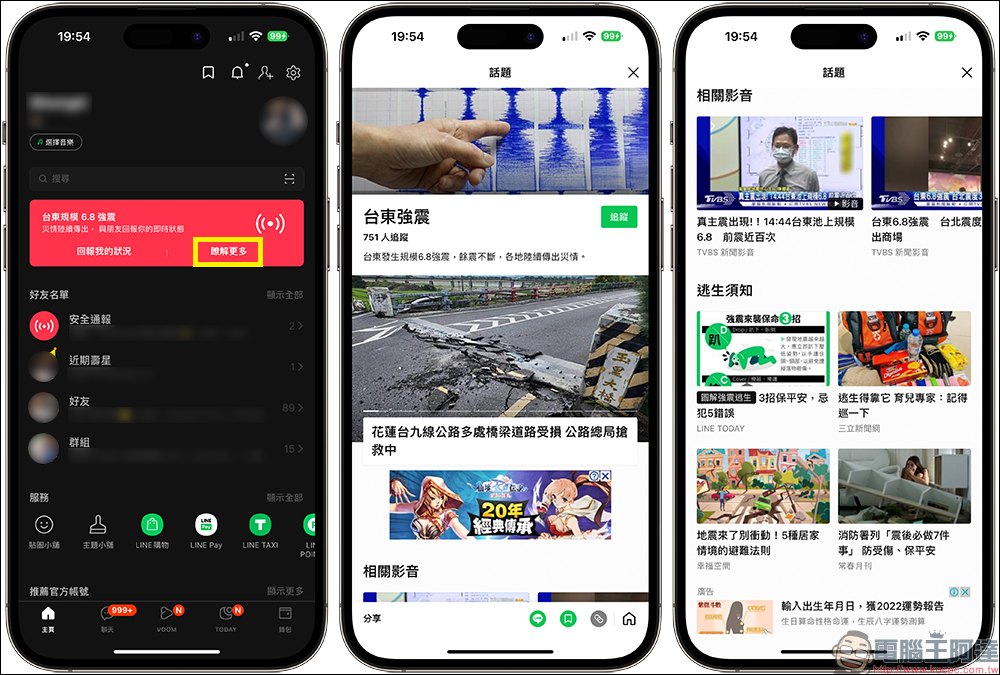
In addition, if you want to track the latest emergency-related information, you only need to click “Learn More” in the “LINE Safety Notice” column, and the screen will jump to pages related to this emergency event, such as LINE TODAY’s news page, as well as related audio and video reports, escape instructions and other latest information.
Further reading:
How to use special effects messages on FB Messenger? Messages of love, flames, ribbons, and gifts are spread like this!

Source: KOCPC Chinese